

Before You Begin
If you already have a PitchPrint account, you can proceed with the setup below. If you don’t have an account yet, create a PitchPrint account and log in to access your API credentials.Step 1: Open your VB Media Admin configure Pitcprint
1
Log in to your VB Media Admin
Log in to your VB Media Admin.
2. Go to Settings.
3. Scroll down to PRO.
4. Select PitchPrint to open the configuration settings.
Step 2: Add Your PitchPrint API Credentials
2
Log in to your PitchPrint Admin account
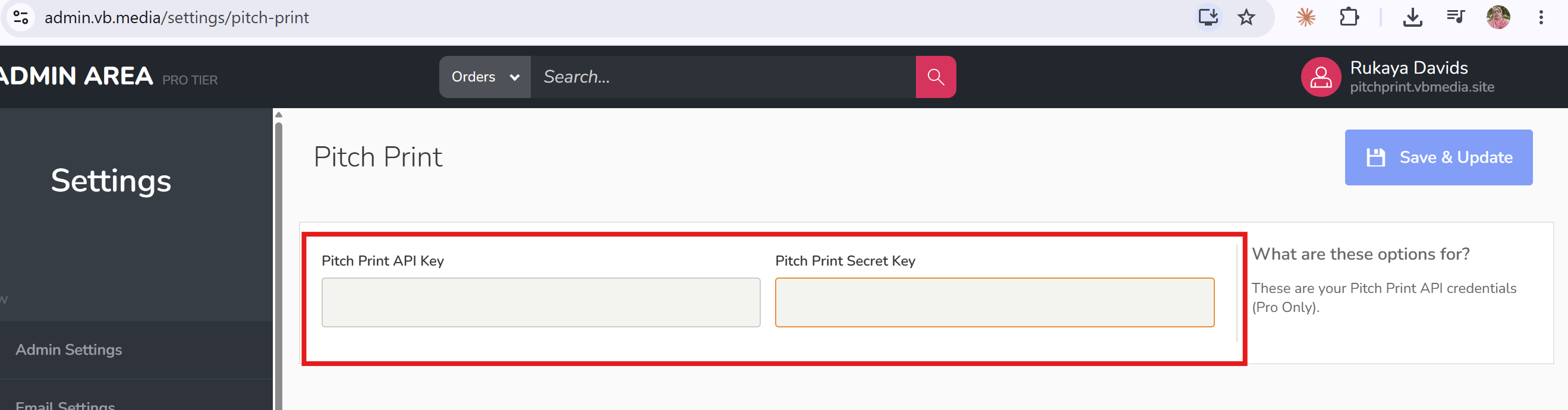
3
In your VB Media Admin, go to Products
In your VB Media Admin, go to Products.
2. Edit an existing product or create a new one.
3. Go to the Artwork section.
4. Click Select a PitchPrint design.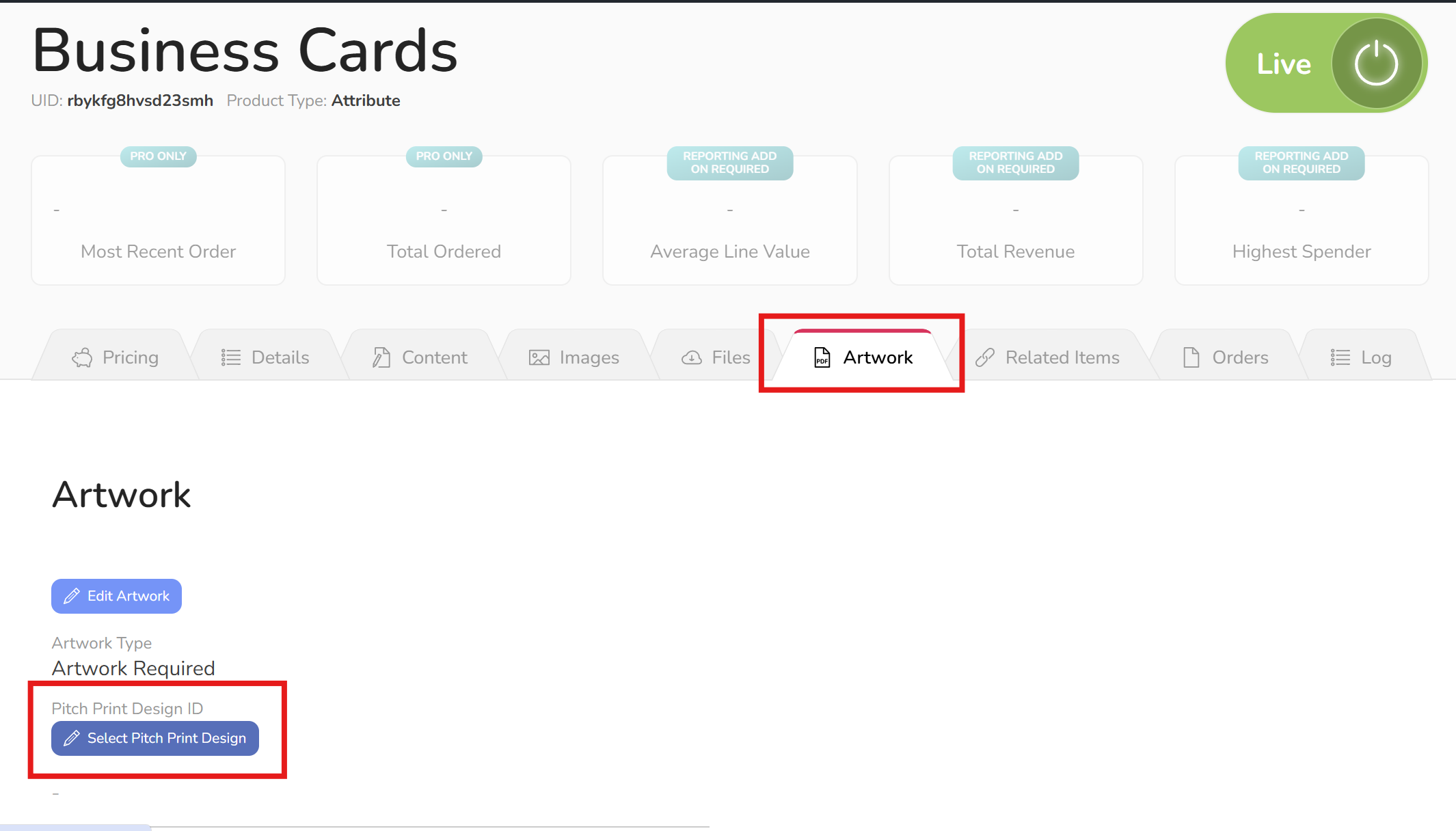
4
Open the relevant folder
Open the relevant folder.
6. Select the design you want to assign to the product.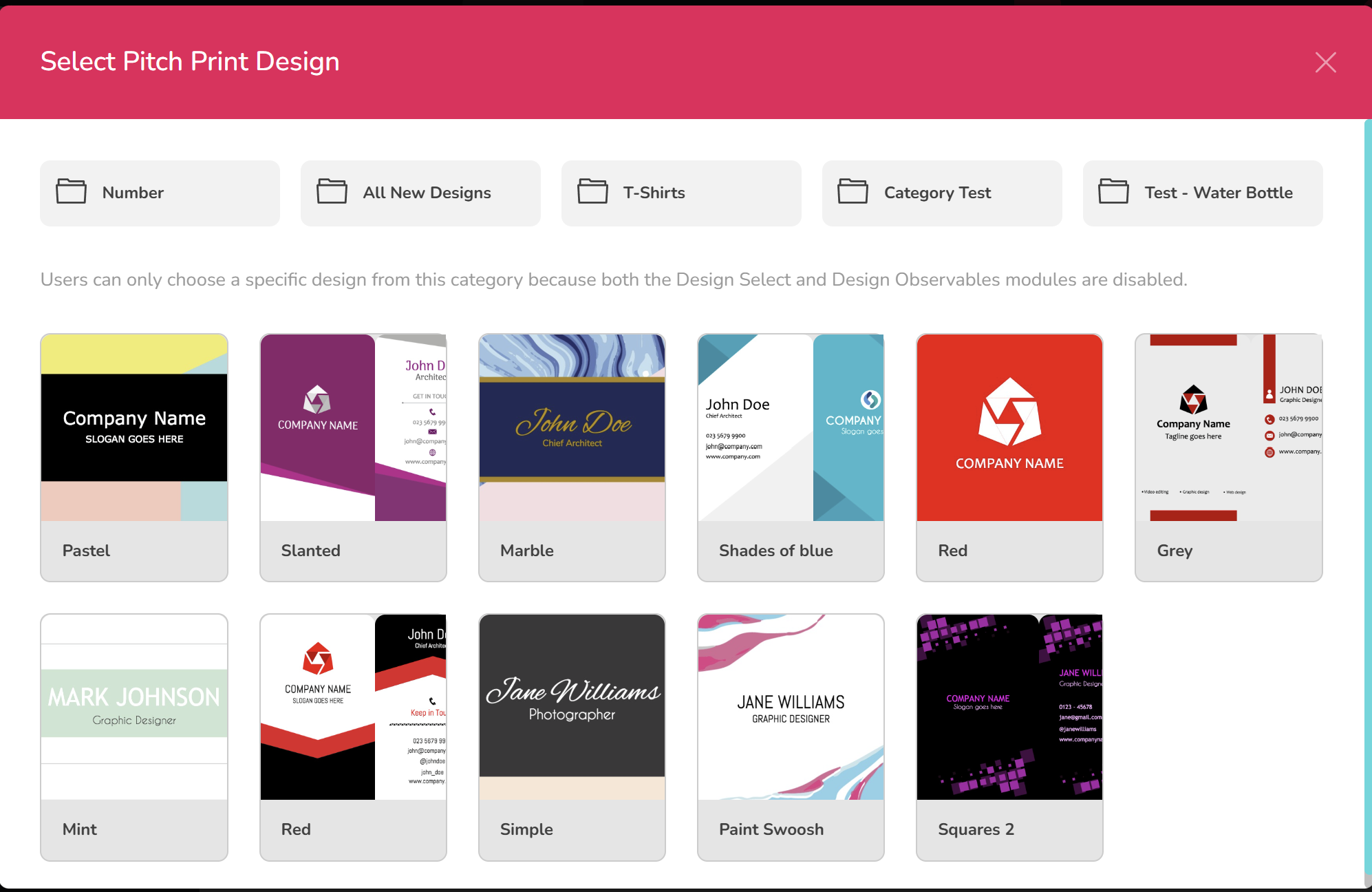
5
Save or update the product
Save or update the product.