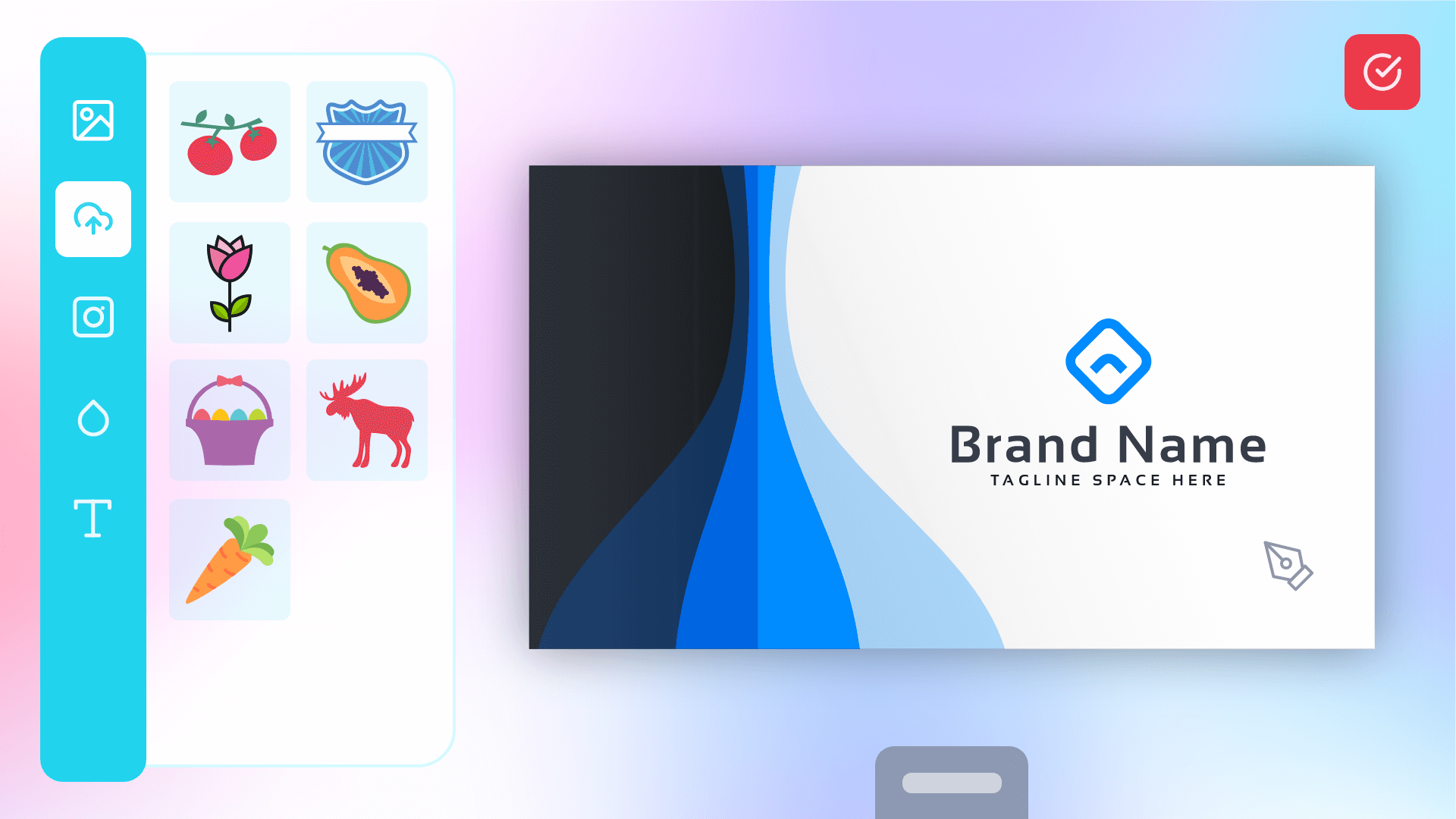
PitchPrint is a web-to-print product customizer that plugs into your online store. Your customers open a design editor on the product page, personalize what they are buying, and check out. Products include business cards, flyers, mugs, t-shirts, banners, photo books and phone cases. You receive a print-ready PDF of exactly what they designed, ready to send to production.Neither you nor your customers need design software. Customers work in a drag-and-drop editor in the browser, and you work in a hosted admin dashboard. There is no server to maintain, and updates roll out automatically.More than 2,000 print companies worldwide run their storefronts on PitchPrint.
The PitchPrint editor, open on a product page in your store
See it in action
Open a live demo store and design a product the way your customers would.
Start a free trial
14 days of every premium feature. No credit card required.
A browser-based editor with text, images, shapes, masks, backgrounds, QR codes and text art. Customers can upload their own logos and photos, snap elements to guides, and work on multi-page products like brochures and photo books.Elements you do not want changed can be locked in place, which protects branding, legal text and trim marks.The editor is available in 35 languages, and every label in the interface can be reworded to match how you describe your products.
Explore the editor
A tour of the tools your customers will use.
Three ways to show it on your product page
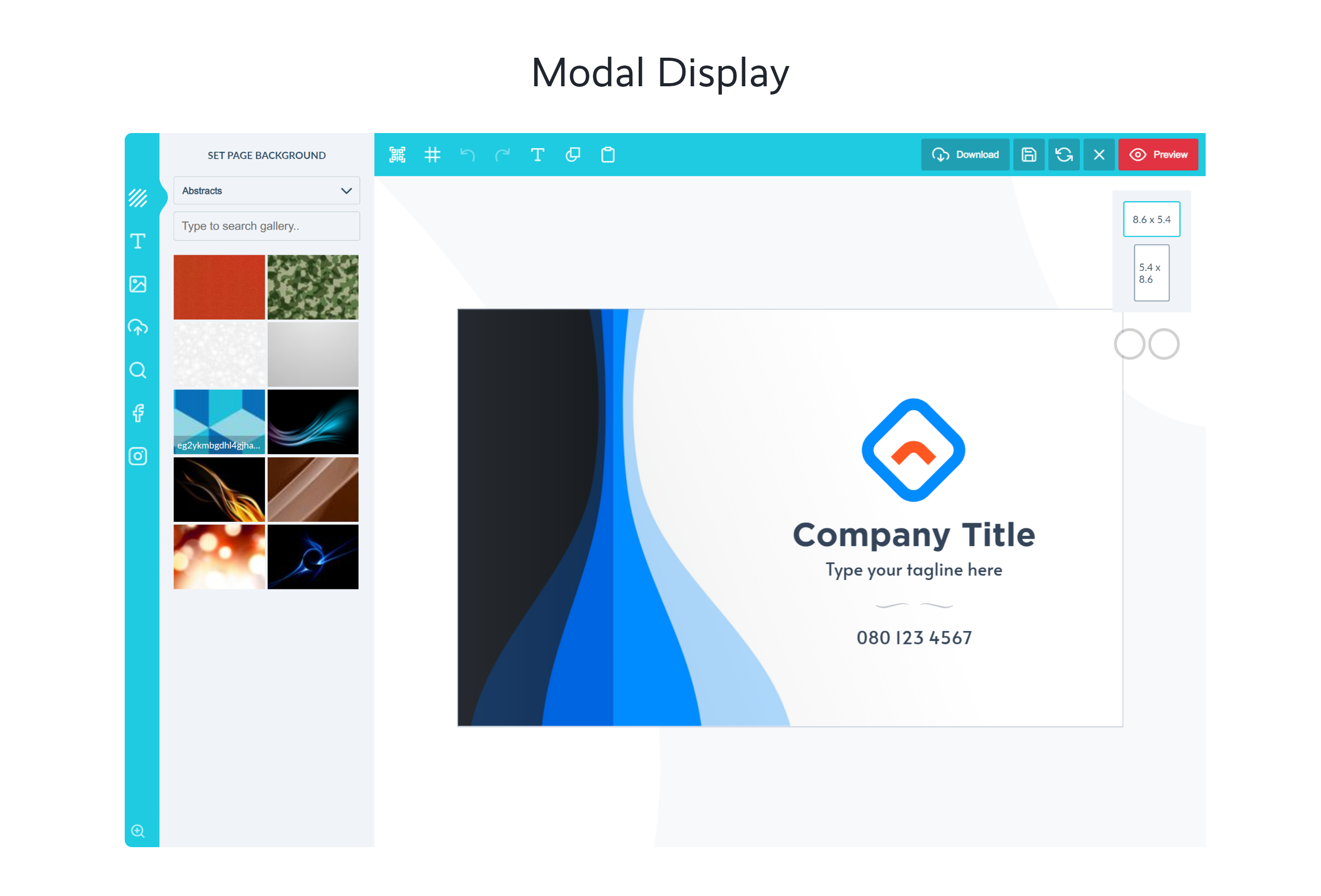
Pick the display mode that suits each product. Modal opens the editor full-screen and is the default. Inline embeds the full editor directly in the product page, so customization stays part of the shopping flow. Mini is a compact in-page editor for simple personalization such as a name or a short message.
Modal, mini and inline display modes
Display modes
Choose and configure each mode.
AI tools your customers can use
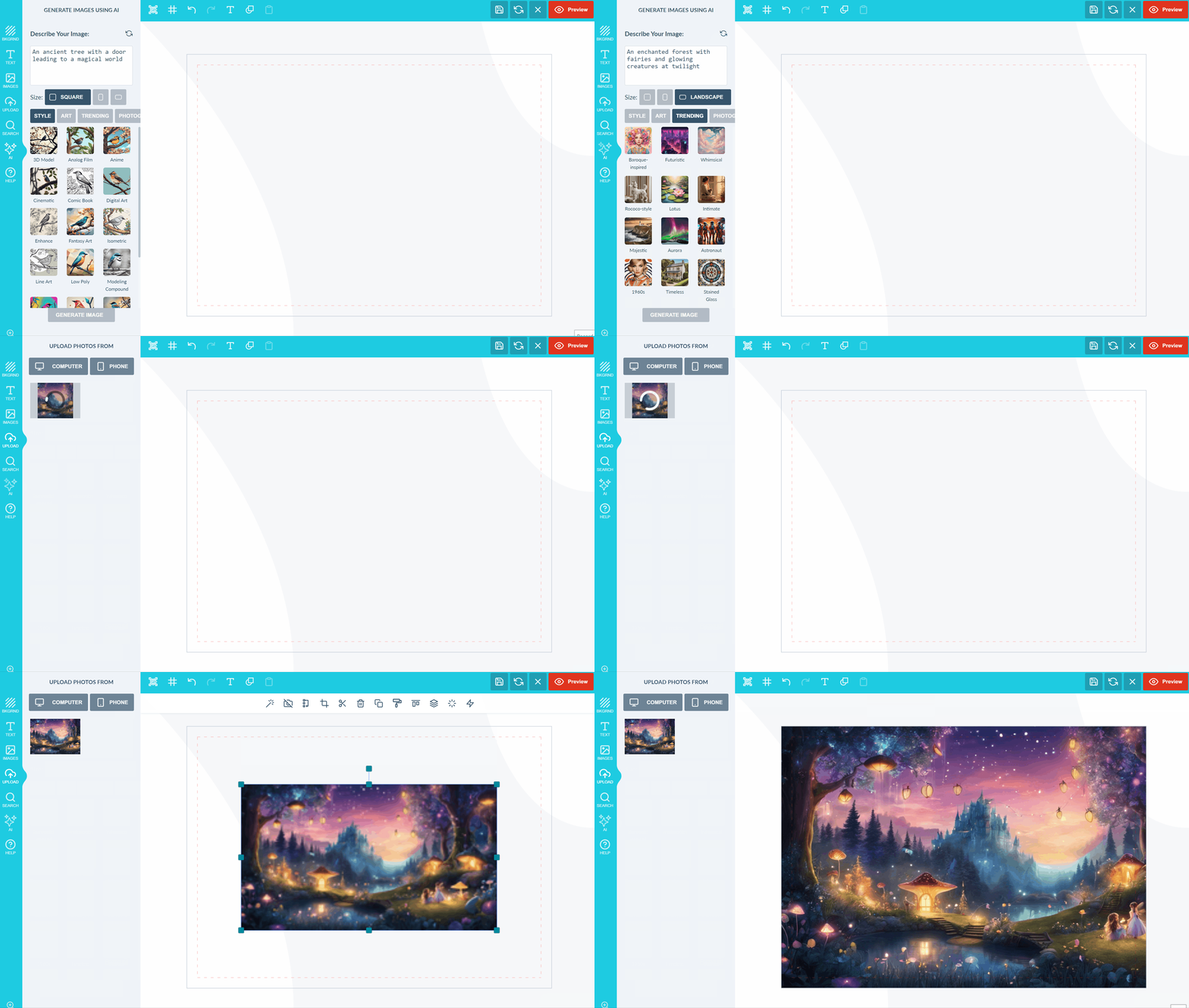
AI Imaginate turns a text prompt into artwork in seconds. Remove Background isolates a subject for apparel and product prints. Upscale increases the resolution of low-quality uploads before they reach production. Sketch to Image builds finished artwork from a rough drawing, Outpainting extends an image to fill a larger canvas, and Smart Replace swaps objects inside an image.
Generating artwork from a text prompt inside the editor
AI tools
Enable and configure each AI feature.
Interactive 3D preview
Customers can rotate, zoom and inspect a realistic 3D render of their design on the finished product before ordering, which reduces returns and approval queries.Use ready-made models from our store, or bring your own mesh into 3D Studio and map your product’s artwork onto it yourself.
3D views
Set up 3D previews and UV mapping.
Modules for print products
Modules add behaviour for specific product categories, so you do not have to rebuild the editor for every product.
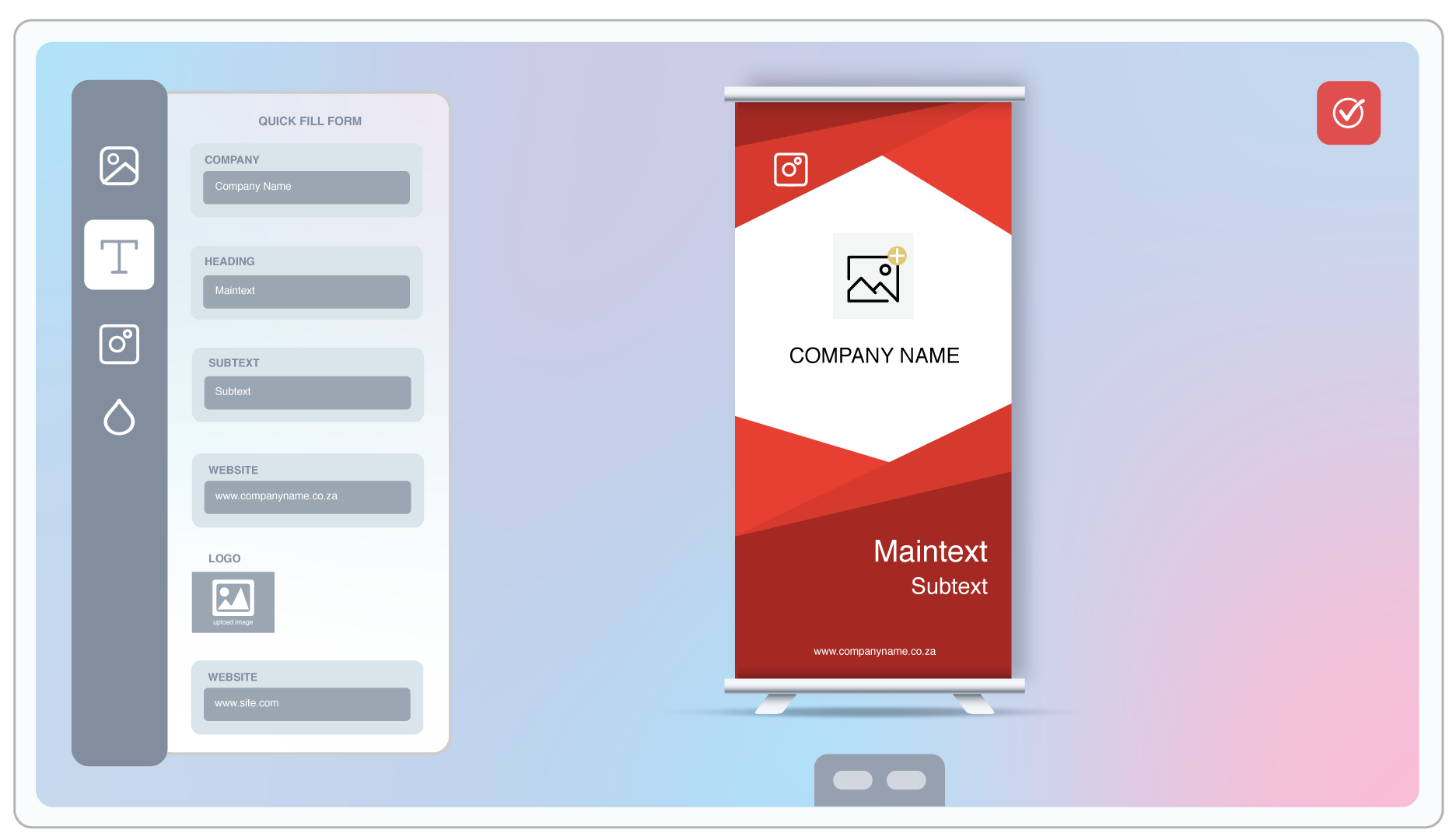
Data Form: a quick-edit form instead of canvas editing, built for text-heavy items like business cards and banners. Logo and photo uploads are placed in the correct position automatically.
Canvas Adjuster: customers pick preset or custom dimensions for large-format prints, and your product price updates as the size changes.
Page Loader: add, swap or delete pages from a source design. Used for magazines, menus, programmes and brochures.
Template Color: show a design on different product colors without leaving the editor. Used for apparel and casings.
Swatch and Single/Double-Sided: offer material or finish choices and per-side pricing.
Variable Data and Shuffle: populate a design from a data source, or randomize placement across copies.
The Data Form module in a business card product
All modules
What each module does and how to enable it.
Layouts, smart sizes and styling
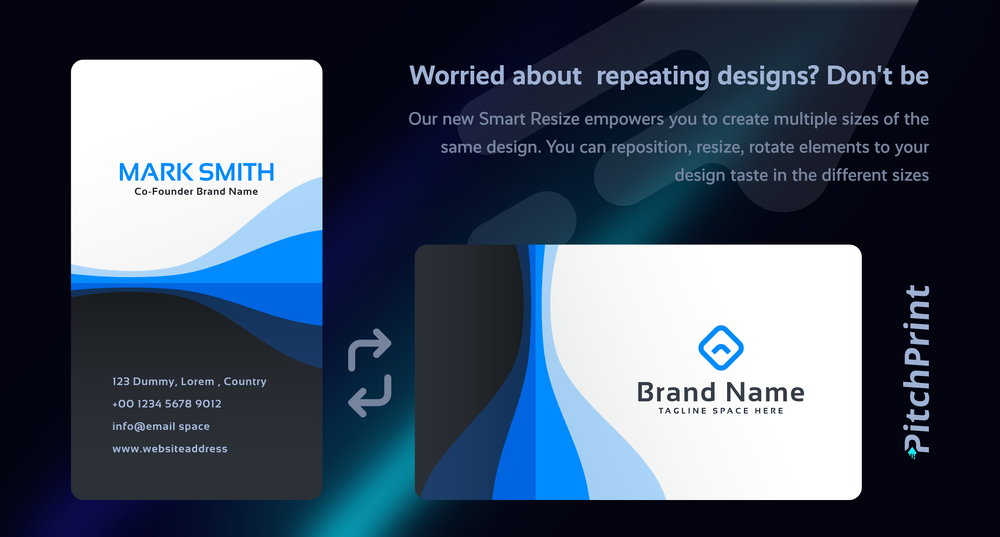
Layouts control which tools appear for which products. You might use a reduced layout for quick business card edits and the full toolkit for a magazine. Smart Sizes produce portrait, landscape and square variants of one design without rebuilding it. There are dedicated mobile layouts, so the editor stays usable on a phone.You can also theme the app with your own CSS, add custom JavaScript, and edit the HTML to remove features you do not sell.
One design, resized into multiple layouts
Layouts
Build and assign layouts to designs.
Fonts, images and assets
Search and use Google Fonts directly in the editor, or upload your own TTF and OTF files. TTF is used for print-ready PDF output and WOFF for fast loading in the browser. You can also upload SVG shapes and build your own clipart library.Your image gallery is keyword-searchable by customers, and Pixabay is built in, giving them over a million royalty-free photos to work with.
Adding fonts
Upload fonts and enable Google Fonts.
Print-ready output
Every order produces a high-resolution vector PDF. Text and shapes render as true vectors, and images render at their original resolution. Output is in CMYK with spot colors or RGB, with support for layered elements and overprint. JPEG and PNG proofs are produced alongside.You can tune rendering with Ghostscript arguments, run a resolution check to catch low-quality customer uploads before they print, and automate delivery of finished files to your printer.
High-resolution, print-ready vector output
PDF rendering
Color modes, bleed and output settings.
Spark: print automation without the editor
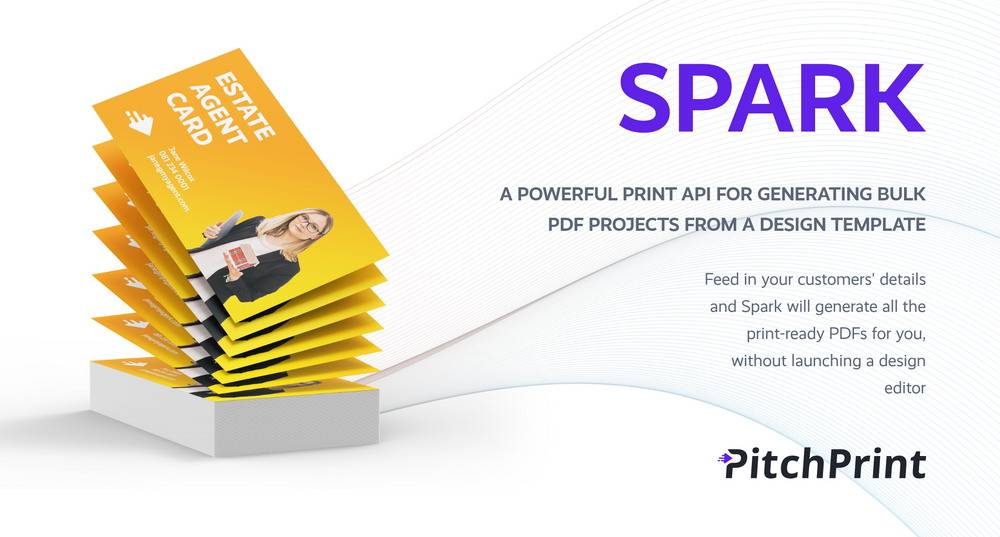
Spark is an API that generates print-ready PDFs in bulk, without opening the editor. Send customer details and it returns unique files with the text and images swapped per copy.It is used by estate agents refreshing business cards, event planners ordering per-client banners, direct mail campaigns, and companies producing named gifts for employees. It takes three steps to go from request to file on the printer.
Spark generating personalized print files via API
Spark
Set up automated print file generation.
Order handling and integrations
When an order comes in you get the project details, a print-ready PDF, and a screenshot proof of what the customer designed. You can also load the project back into the editor and adjust it yourself.Designs and previews can be attached to your order confirmation emails, and webhooks notify your own systems as soon as a project is saved. PitchPrint runs on AWS serverless infrastructure, so it scales with your traffic.
PitchPrint installs on WordPress/WooCommerce, Shopify, BigCommerce, PrestaShop, OpenCart, Ecwid and 3DCart. For any other platform, integrate it directly with our API. Your checkout stays exactly as it is.
{"docsConfig":{"theme":"mint","$schema":"https://mintlify.com/docs.json","name":"PitchPrint","colors":{"primary":"#6022E7","light":"#8B5CF6","dark":"#4C1BC4"},"logo":{"light":"https://mintcdn.com/pitchprint/lFqp-OsyXnf1Fc9b/brand/logo/light.svg?fit=max\u0026auto=format\u0026n=lFqp-OsyXnf1Fc9b\u0026q=85\u0026s=ec857289e0ade69316f8eff623821ad8","dark":"https://mintcdn.com/pitchprint/lFqp-OsyXnf1Fc9b/brand/logo/dark.svg?fit=max\u0026auto=format\u0026n=lFqp-OsyXnf1Fc9b\u0026q=85\u0026s=504b6c4556dad8a811dd61d2b802ecce"},"favicon":"https://mintcdn.com/pitchprint/lFqp-OsyXnf1Fc9b/brand/favicon.svg?fit=max\u0026auto=format\u0026n=lFqp-OsyXnf1Fc9b\u0026q=85\u0026s=b6f4f01ffcc134da4657f0b0d0a1b395","navbar":{"links":[{"href":"https://pitchprint.com","label":"Website"}],"primary":{"type":"button","label":"Dashboard","href":"https://admin.pitchprint.com/login"}},"footer":{"socials":{"x":"https://x.com/pitchprint","github":"https://github.com/pitchprint","linkedin":"https://linkedin.com/company/pitchprint"},"links":[{"header":"Product","items":[{"label":"PitchPrint","href":"https://pitchprint.com"},{"label":"Dashboard","href":"https://pitchprint.com/dashboard"}]},{"header":"Blog","items":[{"label":"Articles","href":"/blog/posts/ai-studio"},{"label":"Releases","href":"/blog/releases/2026"}]}]},"errors":{"404":{"redirect":false,"title":"Page not found","description":"This page may have moved when we rebuilt the docs. Try [search](/docs), the [installation guides](/docs/documentation/which-framework-should-i-pick), or the [API reference](/docs/api-reference/introduction). Still stuck? Email [support@pitchprint.com](mailto:support@pitchprint.com)."}},"contextual":{"options":["copy","view","chatgpt","claude","perplexity","mcp","cursor","vscode"],"display":"header"},"styling":{"latex":true},"navigation":{"global":{"anchors":[{"anchor":"Demos","icon":"circle-play","href":"https://wp.demo.pitchprint.io"},{"anchor":"Support","icon":"envelope","href":"mailto:support@pitchprint.com"}]},"pages":[]}},"deployment":{"deploymentMetadataValue":{"subdomain":"pitchprint","hasAudioNarration":false,"actualSubdomain":"pitchprint","customDomains":["pitchprint.com"],"gitSource":{"type":"github","owner":"pitchprint","repo":"docs","deployBranch":"main","contentDirectory":"","isPrivate":false,"mountPath":"","label":""},"chroma":{"collectionId":"8b3f5e9d-7001-4a57-9541-4a2322cc6249","liveDeploymentHistoryId":"6ad5d0509685d528bc7fa825","schemaVersion":"v3","latestBuiltDeploymentHistoryId":"6ad5d0509685d528bc7fa825"},"entitlements":{"AI_CHAT":{"status":"DISABLED"}},"buildId":"6ad5d0509685d528bc7fa825","clientVersion":"0.0.3971","searchFilterCounts":[{"language":"default","tag":"Documentation","count":154},{"language":"default","tag":"Tutorial","count":91},{"language":"default","tag":"Blog","count":39},{"language":"default","tag":"Tips 'n Tricks","count":32},{"language":"default","tag":"Admin Guide","count":27},{"language":"default","tag":"Using Modules","count":20},{"language":"default","tag":"API Reference","count":19},{"language":"default","tag":"Articles","count":14},{"language":"default","tag":"Installation Guide","count":12},{"language":"default","tag":"Sample Solutions","count":11}]},"assistantConfig":{"enableAskAiButton":false,"enableStarterQuestions":false,"enableContextualStarterQuestions":false,"enableAskAiSearchBar":true},"basePath":"","hasChatPermissions":false,"hasWebMcpPermissions":false,"toggles":[],"isAtlas":false,"googleFontsInlined":false},"customCss":[{"filePath":"style.css","content":"header button[aria-haspopup=menu],nav button[aria-haspopup=menu]{display:none!important}"}],"page":{"pagePath":"docs","slug":"/docs","pageMetadata":{"title":"Introduction","description":"PitchPrint is a web-to-print design tool that lets your customers personalize products in your store and sends you print-ready files.","href":"/docs/index"},"description":{"compiledSource":"\"use strict\";\nconst {jsx: _jsx} = arguments[0];\nconst {useMDXComponents: _provideComponents} = arguments[0];\nfunction _createMdxContent(props) {\n const _components = {\n p: \"p\",\n ..._provideComponents(),\n ...props.components\n };\n return _jsx(_components.p, {\n children: \"PitchPrint is a web-to-print design tool that lets your customers personalize products in your store and sends you print-ready files.\"\n });\n}\nfunction MDXContent(props = {}) {\n const {wrapper: MDXLayout} = {\n ..._provideComponents(),\n ...props.components\n };\n return MDXLayout ? _jsx(MDXLayout, {\n ...props,\n children: _jsx(_createMdxContent, {\n ...props\n })\n }) : _createMdxContent(props);\n}\nreturn {\n default: MDXContent\n};\n","frontmatter":{},"scope":{}},"pageType":"default","mdx":{"mdxSource":{"compiledSource":"\"use strict\";const{Fragment:_Fragment,jsx:_jsx,jsxs:_jsxs}=arguments[0];const{useMDXComponents:_provideComponents}=arguments[0];function _createMdxContent(props){const _components={a:`a`,li:`li`,p:`p`,strong:`strong`,ul:`ul`,..._provideComponents(),...props.components},{Accordion,AccordionGroup,Card,CardGroup,Frame,Heading,Note,OptimizedImage}=_components;if(!Accordion)_missingMdxReference(`Accordion`,true);if(!AccordionGroup)_missingMdxReference(`AccordionGroup`,true);if(!Card)_missingMdxReference(`Card`,true);if(!CardGroup)_missingMdxReference(`CardGroup`,true);if(!Frame)_missingMdxReference(`Frame`,true);if(!Heading)_missingMdxReference(`Heading`,true);if(!Note)_missingMdxReference(`Note`,true);if(!OptimizedImage)_missingMdxReference(`OptimizedImage`,true);return _jsxs(_Fragment,{children:[_jsx(Heading,{level:`2`,id:`your-customers-design-it-you-just-print-it`,children:`Your customers design it. You just print it.`}),`\n`,_jsxs(_components.p,{children:[`PitchPrint is a `,_jsx(_components.strong,{children:`web-to-print product customizer`}),` that plugs into your online store. Your customers open a design editor on the product page, personalize what they are buying, and check out. Products include business cards, flyers, mugs, t-shirts, banners, photo books and phone cases. You receive a print-ready PDF of exactly what they designed, ready to send to production.`]}),`\n`,_jsx(_components.p,{children:`Neither you nor your customers need design software. Customers work in a drag-and-drop editor in the browser, and you work in a hosted admin dashboard. There is no server to maintain, and updates roll out automatically.`}),`\n`,_jsx(_components.p,{children:`More than 2,000 print companies worldwide run their storefronts on PitchPrint.`}),`\n`,_jsx(Frame,{caption:`The PitchPrint editor, open on a product page in your store`,children:_jsx(OptimizedImage,{src:`https://pitchprint.com/assets/img/heros/hero.png`,alt:`The PitchPrint design editor`})}),`\n`,_jsxs(CardGroup,{cols:2,children:[_jsx(Card,{title:`See it in action`,icon:`circle-play`,href:`https://wp.demo.pitchprint.io`,children:_jsx(_components.p,{children:`Open a live demo store and design a product the way your customers would.`})}),_jsx(Card,{title:`Start a free trial`,icon:`rocket`,href:`https://admin.pitchprint.com/register`,children:_jsx(_components.p,{children:`14 days of every premium feature. No credit card required.`})})]}),`\n`,_jsx(Heading,{level:`2`,id:`why-print-businesses-use-it`,children:`Why print businesses use it`}),`\n`,_jsxs(CardGroup,{cols:2,children:[_jsx(Card,{title:`Sell around the clock`,icon:`clock`,children:_jsx(_components.p,{children:`Customers design and reorder whenever it suits them, without emails back and forth, studio visits or waiting on a quote.`})}),_jsx(Card,{title:`Cut out artwork rework`,icon:`wand-magic-sparkles`,children:_jsx(_components.p,{children:`Templates keep customers inside your bleed, margins and fonts, so what arrives is already correct.`})}),_jsx(Card,{title:`Fewer returns`,icon:`eye`,children:_jsx(_components.p,{children:`Live previews, including realistic 3D, let customers approve what they have made before they pay for it.`})}),_jsx(Card,{title:`Production-grade output`,icon:`file-pdf`,children:_jsx(_components.p,{children:`Vector PDFs in CMYK with spot colors or RGB, plus JPEG and PNG proofs.`})})]}),`\n`,_jsx(Heading,{level:`2`,id:`what’s-inside`,children:`What’s inside`}),`\n`,_jsxs(AccordionGroup,{children:[_jsxs(Accordion,{title:`The design editor`,icon:`palette`,id:`the-design-editor`,children:[_jsx(_components.p,{children:`A browser-based editor with text, images, shapes, masks, backgrounds, QR codes and text art. Customers can upload their own logos and photos, snap elements to guides, and work on multi-page products like brochures and photo books.`}),_jsx(_components.p,{children:`Elements you do not want changed can be locked in place, which protects branding, legal text and trim marks.`}),_jsx(_components.p,{children:`The editor is available in 35 languages, and every label in the interface can be reworded to match how you describe your products.`}),_jsx(Card,{title:`Explore the editor`,icon:`arrow-right`,href:`/docs/tutorial/design-editor`,horizontal:true,children:_jsx(_components.p,{children:`A tour of the tools your customers will use.`})})]}),_jsxs(Accordion,{title:`Three ways to show it on your product page`,icon:`window-maximize`,id:`three-ways-to-show-it-on-your-product-page`,children:[_jsxs(_components.p,{children:[`Pick the display mode that suits each product. `,_jsx(_components.strong,{children:`Modal`}),` opens the editor full-screen and is the default. `,_jsx(_components.strong,{children:`Inline`}),` embeds the full editor directly in the product page, so customization stays part of the shopping flow. `,_jsx(_components.strong,{children:`Mini`}),` is a compact in-page editor for simple personalization such as a name or a short message.`]}),_jsx(Frame,{caption:`Modal, mini and inline display modes`,children:_jsx(OptimizedImage,{src:`https://pitchprint.com/assets/img/use/modal.png`,alt:`Modal display mode`})}),_jsx(Card,{title:`Display modes`,icon:`arrow-right`,href:`/docs/tutorial/display-modes`,horizontal:true,children:_jsx(_components.p,{children:`Choose and configure each mode.`})})]}),_jsxs(Accordion,{title:`AI tools your customers can use`,icon:`sparkles`,id:`ai-tools-your-customers-can-use`,children:[_jsxs(_components.p,{children:[_jsx(_components.strong,{children:`AI Imaginate`}),` turns a text prompt into artwork in seconds. `,_jsx(_components.strong,{children:`Remove Background`}),` isolates a subject for apparel and product prints. `,_jsx(_components.strong,{children:`Upscale`}),` increases the resolution of low-quality uploads before they reach production. `,_jsx(_components.strong,{children:`Sketch to Image`}),` builds finished artwork from a rough drawing, `,_jsx(_components.strong,{children:`Outpainting`}),` extends an image to fill a larger canvas, and `,_jsx(_components.strong,{children:`Smart Replace`}),` swaps objects inside an image.`]}),_jsx(Frame,{caption:`Generating artwork from a text prompt inside the editor`,children:_jsx(OptimizedImage,{src:`https://pitchprint.com/assets/img/use/ai-generator.gif`,alt:`AI image generation in the editor`})}),_jsx(Card,{title:`AI tools`,icon:`arrow-right`,href:`/docs/tutorial/ai-image-generator`,horizontal:true,children:_jsx(_components.p,{children:`Enable and configure each AI feature.`})})]}),_jsxs(Accordion,{title:`Interactive 3D preview`,icon:`cube`,id:`interactive-3d-preview`,children:[_jsx(_components.p,{children:`Customers can rotate, zoom and inspect a realistic 3D render of their design on the finished product before ordering, which reduces returns and approval queries.`}),_jsxs(_components.p,{children:[`Use ready-made models from our store, or bring your own mesh into `,_jsx(_components.strong,{children:`3D Studio`}),` and map your product’s artwork onto it yourself.`]}),_jsx(Card,{title:`3D views`,icon:`arrow-right`,href:`/docs/documentation/3d-view-introduction`,horizontal:true,children:_jsx(_components.p,{children:`Set up 3D previews and UV mapping.`})})]}),_jsxs(Accordion,{title:`Modules for print products`,icon:`puzzle-piece`,id:`modules-for-print-products`,children:[_jsx(_components.p,{children:`Modules add behaviour for specific product categories, so you do not have to rebuild the editor for every product.`}),_jsxs(_components.ul,{children:[`\n`,_jsxs(_components.li,{children:[_jsx(_components.strong,{children:`Data Form`}),`: a quick-edit form instead of canvas editing, built for text-heavy items like business cards and banners. Logo and photo uploads are placed in the correct position automatically.`]}),`\n`,_jsxs(_components.li,{children:[_jsx(_components.strong,{children:`Canvas Adjuster`}),`: customers pick preset or custom dimensions for large-format prints, and your product price updates as the size changes.`]}),`\n`,_jsxs(_components.li,{children:[_jsx(_components.strong,{children:`Page Loader`}),`: add, swap or delete pages from a source design. Used for magazines, menus, programmes and brochures.`]}),`\n`,_jsxs(_components.li,{children:[_jsx(_components.strong,{children:`Template Color`}),`: show a design on different product colors without leaving the editor. Used for apparel and casings.`]}),`\n`,_jsxs(_components.li,{children:[_jsx(_components.strong,{children:`Swatch`}),` and `,_jsx(_components.strong,{children:`Single/Double-Sided`}),`: offer material or finish choices and per-side pricing.`]}),`\n`,_jsxs(_components.li,{children:[_jsx(_components.strong,{children:`Variable Data`}),` and `,_jsx(_components.strong,{children:`Shuffle`}),`: populate a design from a data source, or randomize placement across copies.`]}),`\n`]}),_jsx(Frame,{caption:`The Data Form module in a business card product`,children:_jsx(OptimizedImage,{src:`https://pitchprint.com/assets/img/use/data-form-new.png`,alt:`Data Form module`})}),_jsx(Card,{title:`All modules`,icon:`arrow-right`,href:`/docs/tutorial/design-selector-module`,horizontal:true,children:_jsx(_components.p,{children:`What each module does and how to enable it.`})})]}),_jsxs(Accordion,{title:`Layouts, smart sizes and styling`,icon:`brush`,id:`layouts-smart-sizes-and-styling`,children:[_jsxs(_components.p,{children:[_jsx(_components.strong,{children:`Layouts`}),` control which tools appear for which products. You might use a reduced layout for quick business card edits and the full toolkit for a magazine. `,_jsx(_components.strong,{children:`Smart Sizes`}),` produce portrait, landscape and square variants of one design without rebuilding it. There are dedicated mobile layouts, so the editor stays usable on a phone.`]}),_jsx(_components.p,{children:`You can also theme the app with your own CSS, add custom JavaScript, and edit the HTML to remove features you do not sell.`}),_jsx(Frame,{caption:`One design, resized into multiple layouts`,children:_jsx(OptimizedImage,{src:`https://pitchprint.com/assets/img/use/smart-resize.png`,alt:`Smart Sizes`})}),_jsx(Card,{title:`Layouts`,icon:`arrow-right`,href:`/docs/tutorial/layouts-v10`,horizontal:true,children:_jsx(_components.p,{children:`Build and assign layouts to designs.`})})]}),_jsxs(Accordion,{title:`Fonts, images and assets`,icon:`font`,id:`fonts-images-and-assets`,children:[_jsxs(_components.p,{children:[`Search and use `,_jsx(_components.strong,{children:`Google Fonts`}),` directly in the editor, or upload your own TTF and OTF files. TTF is used for print-ready PDF output and WOFF for fast loading in the browser. You can also upload SVG shapes and build your own clipart library.`]}),_jsxs(_components.p,{children:[`Your image gallery is keyword-searchable by customers, and `,_jsx(_components.strong,{children:`Pixabay`}),` is built in, giving them over a million royalty-free photos to work with.`]}),_jsx(Card,{title:`Adding fonts`,icon:`arrow-right`,href:`/docs/tutorial/how-to-add-your-own-fonts`,horizontal:true,children:_jsx(_components.p,{children:`Upload fonts and enable Google Fonts.`})})]}),_jsxs(Accordion,{title:`Print-ready output`,icon:`file-pdf`,id:`print-ready-output`,children:[_jsxs(_components.p,{children:[`Every order produces a high-resolution vector PDF. Text and shapes render as true vectors, and images render at their original resolution. Output is in `,_jsx(_components.strong,{children:`CMYK with spot colors`}),` or RGB, with support for layered elements and overprint. JPEG and PNG proofs are produced alongside.`]}),_jsx(_components.p,{children:`You can tune rendering with Ghostscript arguments, run a resolution check to catch low-quality customer uploads before they print, and automate delivery of finished files to your printer.`}),_jsx(Frame,{caption:`High-resolution, print-ready vector output`,children:_jsx(OptimizedImage,{src:`https://pitchprint.com/assets/img/use/transp-high-res.png`,alt:`Print-ready vector PDF output`})}),_jsx(Card,{title:`PDF rendering`,icon:`arrow-right`,href:`/docs/tutorial/pdf-rendering`,horizontal:true,children:_jsx(_components.p,{children:`Color modes, bleed and output settings.`})})]}),_jsxs(Accordion,{title:`Spark: print automation without the editor`,icon:`bolt`,id:`spark-print-automation-without-the-editor`,children:[_jsx(_components.p,{children:`Spark is an API that generates print-ready PDFs in bulk, without opening the editor. Send customer details and it returns unique files with the text and images swapped per copy.`}),_jsx(_components.p,{children:`It is used by estate agents refreshing business cards, event planners ordering per-client banners, direct mail campaigns, and companies producing named gifts for employees. It takes three steps to go from request to file on the printer.`}),_jsx(Frame,{caption:`Spark generating personalized print files via API`,children:_jsx(OptimizedImage,{src:`https://pitchprint.com/assets/img/use/spark-new.png`,alt:`Spark print automation API`})}),_jsx(Card,{title:`Spark`,icon:`arrow-right`,href:`/docs/tutorial/spark`,horizontal:true,children:_jsx(_components.p,{children:`Set up automated print file generation.`})})]}),_jsxs(Accordion,{title:`Order handling and integrations`,icon:`link`,id:`order-handling-and-integrations`,children:[_jsx(_components.p,{children:`When an order comes in you get the project details, a print-ready PDF, and a screenshot proof of what the customer designed. You can also load the project back into the editor and adjust it yourself.`}),_jsxs(_components.p,{children:[`Designs and previews can be attached to your order confirmation emails, and `,_jsx(_components.strong,{children:`webhooks`}),` notify your own systems as soon as a project is saved. PitchPrint runs on AWS serverless infrastructure, so it scales with your traffic.`]}),_jsx(Card,{title:`Webhooks`,icon:`arrow-right`,href:`/docs/tutorial/webhooks`,horizontal:true,children:_jsx(_components.p,{children:`Push order and project events into your systems.`})})]})]}),`\n`,_jsx(Heading,{level:`2`,id:`works-with-your-store`,children:`Works with your store`}),`\n`,_jsx(_components.p,{children:`PitchPrint installs on WordPress/WooCommerce, Shopify, BigCommerce, PrestaShop, OpenCart, Ecwid and 3DCart. For any other platform, integrate it directly with our API. Your checkout stays exactly as it is.`}),`\n`,_jsx(Card,{title:`Installation guides`,icon:`plug`,href:`/docs/documentation/which-framework-should-i-pick`,children:_jsx(_components.p,{children:`Step-by-step setup for every supported platform.`})}),`\n`,_jsx(Heading,{level:`2`,id:`start-here`,children:`Start here`}),`\n`,_jsxs(CardGroup,{cols:3,children:[_jsx(Card,{title:`Quickstart`,icon:`bolt`,href:`/docs/documentation/quickstart`,children:_jsx(_components.p,{children:`Get PitchPrint running on your store and place a test order.`})}),_jsx(Card,{title:`Create a design`,icon:`palette`,href:`/docs/tutorial/how-to-create-a-design`,children:_jsx(_components.p,{children:`Build your first customizable template.`})}),_jsx(Card,{title:`FAQ`,icon:`circle-question`,href:`/docs/documentation/faq`,children:_jsx(_components.p,{children:`Common questions about setup, output and billing.`})})]}),`\n`,_jsx(Note,{children:_jsxs(_components.p,{children:[`For a custom integration, see the `,_jsx(_components.a,{href:`/docs/api-reference/introduction`,children:`API Reference`}),`. For anything else, email `,_jsx(_components.a,{href:`mailto:support@pitchprint.com`,children:`support@pitchprint.com`}),`.`]})})]})}function MDXContent(props={}){const{wrapper:MDXLayout}={..._provideComponents(),...props.components};return MDXLayout?_jsx(MDXLayout,{...props,children:_jsx(_createMdxContent,{...props})}):_createMdxContent(props)}return{default:MDXContent};function _missingMdxReference(id,component){throw new Error(`Expected `+(component?`component`:`object`)+\" `\"+id+\"` to be defined: you likely forgot to import, pass, or provide it.\")}","frontmatter":{},"scope":{"config":{},"pageMetadata":{"title":"Introduction","description":"PitchPrint is a web-to-print design tool that lets your customers personalize products in your store and sends you print-ready files.","href":"/docs/index"}}},"mdxSourceWithNoJs":null},"mdxExtracts":{"tableOfContents":[{"title":"Your customers design it. You just print it.","slug":"your-customers-design-it-you-just-print-it","depth":2,"children":[]},{"title":"Why print businesses use it","slug":"why-print-businesses-use-it","depth":2,"children":[]},{"title":"What’s inside","slug":"what’s-inside","depth":2,"children":[]},{"title":"Works with your store","slug":"works-with-your-store","depth":2,"children":[]},{"title":"Start here","slug":"start-here","depth":2,"children":[]}],"codeExamples":{}},"jsLinks":["/_mintlify/custom/pitchprint/886e30c9af4224f6/scripts/convert-to-markdown.js","/_mintlify/custom/pitchprint/c953c1c1f34b6af4/scripts/example.js","/_mintlify/custom/pitchprint/14cc91d930d58432/scripts/helpscout.js","/_mintlify/custom/pitchprint/8f78fad523c4930d/scripts/publish-to-docs.js","/_mintlify/custom/pitchprint/8be7daf1bdca8db0/scripts/generate-blog-summaries.js","/_mintlify/custom/pitchprint/fc72494a10805019/scripts/ingest-new.js","/_mintlify/custom/pitchprint/dec987e667653622/scripts/report-drift.js","/_mintlify/custom/pitchprint/e456009a2e9f0ad5/scripts/registry.js","/_mintlify/custom/pitchprint/13fc4b20d6eac8f8/scripts/fetch-blog-releases.js"],"subdomain":"pitchprint","siteName":"PitchPrint","title":"Introduction - PitchPrint","navMaps":{"firstHrefInVersion":{},"firstHrefInLanguage":{}},"lastModified":"2026-08-17T19:31:59.271Z","originalFileLocation":"docs/index.mdx"},"headHtml":"\u003cscript data-mint-head>(function(){var d=document.documentElement,p=null;if(!p){try{p=localStorage.getItem(\"isDarkMode\")}catch(e){}if(p==='true')p='dark';else if(p==='false')p='light';if(p!=='light'\u0026\u0026p!=='dark'\u0026\u0026p!=='system')p=\"system\"}var r=p==='system'?(matchMedia(\"(prefers-color-scheme: dark)\").matches?'dark':'light'):p;d.classList.remove(r==='dark'?'light':'dark');d.classList.add(r);d.setAttribute(\"data-theme-preference\",p)})();\u003c/script>\u003cmeta data-mint-head name=\"description\" content=\"PitchPrint is a web-to-print design tool that lets your customers personalize products in your store and sends you print-ready files.\">\u003cmeta data-mint-head name=\"application-name\" content=\"PitchPrint\">\u003cmeta data-mint-head name=\"generator\" content=\"Mintlify\">\u003clink data-mint-head rel=\"icon\" type=\"image/png\" sizes=\"192x192\" href=\"/mintlify-assets/_mintlify/favicons/pitchprint/6gqAs1_dwfh54HA4/_generated/favicon/android-chrome-192x192.png\" media=\"(prefers-color-scheme: light)\">\u003clink data-mint-head rel=\"apple-touch-icon\" type=\"image/png\" sizes=\"180x180\" href=\"/mintlify-assets/_mintlify/favicons/pitchprint/6gqAs1_dwfh54HA4/_generated/favicon/apple-touch-icon.png\">\u003clink data-mint-head rel=\"icon\" type=\"image/png\" sizes=\"16x16\" href=\"/mintlify-assets/_mintlify/favicons/pitchprint/6gqAs1_dwfh54HA4/_generated/favicon/favicon-16x16.png\" media=\"(prefers-color-scheme: light)\">\u003clink data-mint-head rel=\"icon\" type=\"image/png\" sizes=\"32x32\" href=\"/mintlify-assets/_mintlify/favicons/pitchprint/6gqAs1_dwfh54HA4/_generated/favicon/favicon-32x32.png\" media=\"(prefers-color-scheme: light)\">\u003clink data-mint-head rel=\"shortcut icon\" type=\"image/x-icon\" href=\"/mintlify-assets/_mintlify/favicons/pitchprint/6gqAs1_dwfh54HA4/_generated/favicon/favicon.ico\" media=\"(prefers-color-scheme: light)\">\u003clink data-mint-head rel=\"icon\" type=\"image/png\" sizes=\"192x192\" href=\"/mintlify-assets/_mintlify/favicons/pitchprint/6gqAs1_dwfh54HA4/_generated/favicon-dark/android-chrome-192x192.png\" media=\"(prefers-color-scheme: dark)\">\u003clink data-mint-head rel=\"icon\" type=\"image/png\" sizes=\"16x16\" href=\"/mintlify-assets/_mintlify/favicons/pitchprint/6gqAs1_dwfh54HA4/_generated/favicon-dark/favicon-16x16.png\" media=\"(prefers-color-scheme: dark)\">\u003clink data-mint-head rel=\"icon\" type=\"image/png\" sizes=\"32x32\" href=\"/mintlify-assets/_mintlify/favicons/pitchprint/6gqAs1_dwfh54HA4/_generated/favicon-dark/favicon-32x32.png\" media=\"(prefers-color-scheme: dark)\">\u003clink data-mint-head rel=\"shortcut icon\" type=\"image/x-icon\" href=\"/mintlify-assets/_mintlify/favicons/pitchprint/6gqAs1_dwfh54HA4/_generated/favicon-dark/favicon.ico\" media=\"(prefers-color-scheme: dark)\">\u003cmeta data-mint-head property=\"og:title\" content=\"Introduction - PitchPrint\">\u003cmeta data-mint-head property=\"og:description\" content=\"PitchPrint is a web-to-print design tool that lets your customers personalize products in your store and sends you print-ready files.\">\u003cmeta data-mint-head property=\"og:site_name\" content=\"PitchPrint\">\u003cmeta data-mint-head property=\"og:url\" content=\"https://pitchprint.com/docs\">\u003cmeta data-mint-head property=\"og:type\" content=\"website\">\u003cmeta data-mint-head property=\"og:image\" content=\"https://pitchprint.mintlify.app/_mintlify/api/og/v2?division=Get+Started\u0026amp;title=Introduction\u0026amp;description=PitchPrint+is+a+web-to-print+design+tool+that+lets+your+customers+personalize+products+in+your+store+and+sends+you+print-ready+files.\u0026amp;theme=597b42b10e9ef5f4e0b4869a\u0026amp;signature=f81da968f7ab8c78158a1153608390756b1682a81bc9091f3328a05b0f9cc689\">\u003cmeta data-mint-head property=\"og:image:width\" content=\"1200\">\u003cmeta data-mint-head property=\"og:image:height\" content=\"630\">\u003cmeta data-mint-head name=\"twitter:card\" content=\"summary_large_image\">\u003cmeta data-mint-head name=\"twitter:title\" content=\"Introduction - PitchPrint\">\u003cmeta data-mint-head name=\"twitter:description\" content=\"PitchPrint is a web-to-print design tool that lets your customers personalize products in your store and sends you print-ready files.\">\u003cmeta data-mint-head name=\"twitter:image\" content=\"https://pitchprint.mintlify.app/_mintlify/api/og/v2?division=Get+Started\u0026amp;title=Introduction\u0026amp;description=PitchPrint+is+a+web-to-print+design+tool+that+lets+your+customers+personalize+products+in+your+store+and+sends+you+print-ready+files.\u0026amp;theme=597b42b10e9ef5f4e0b4869a\u0026amp;signature=f81da968f7ab8c78158a1153608390756b1682a81bc9091f3328a05b0f9cc689\">\u003cmeta data-mint-head name=\"twitter:image:width\" content=\"1200\">\u003cmeta data-mint-head name=\"twitter:image:height\" content=\"630\">\u003cmeta data-mint-head name=\"msapplication-config\" content=\"/mintlify-assets/_mintlify/favicons/pitchprint/6gqAs1_dwfh54HA4/_generated/favicon/browserconfig.xml\">\u003cmeta data-mint-head name=\"apple-mobile-web-app-title\" content=\"PitchPrint\">\u003cmeta data-mint-head name=\"msapplication-TileColor\" content=\"#6022E7\">\u003clink data-mint-head rel=\"canonical\" href=\"https://pitchprint.com/docs\">\u003clink data-mint-head rel=\"alternate\" type=\"application/xml\" href=\"/sitemap.xml\">\u003clink data-mint-head rel=\"alternate\" type=\"text/markdown\" href=\"/docs.md\">\u003cscript data-mint-head type=\"application/ld+json\">{\"@context\":\"https://schema.org\",\"@graph\":[{\"@type\":\"Organization\",\"@id\":\"https://pitchprint.com/#organization\",\"name\":\"PitchPrint\",\"url\":\"https://pitchprint.com\",\"logo\":{\"@type\":\"ImageObject\",\"url\":\"https://mintcdn.com/pitchprint/lFqp-OsyXnf1Fc9b/brand/logo/light.svg?fit=max\u0026auto=format\u0026n=lFqp-OsyXnf1Fc9b\u0026q=85\u0026s=ec857289e0ade69316f8eff623821ad8\"}},{\"@type\":\"WebSite\",\"@id\":\"https://pitchprint.com#website\",\"name\":\"PitchPrint\",\"url\":\"https://pitchprint.com\",\"publisher\":{\"@id\":\"https://pitchprint.com/#organization\"}},{\"@type\":\"WebPage\",\"@id\":\"https://pitchprint.com/docs#webpage\",\"url\":\"https://pitchprint.com/docs\",\"name\":\"Introduction\",\"description\":\"PitchPrint is a web-to-print design tool that lets your customers personalize products in your store and sends you print-ready files.\",\"dateModified\":\"2026-08-17T19:31:59.271Z\",\"isPartOf\":{\"@id\":\"https://pitchprint.com#website\"},\"breadcrumb\":{\"@id\":\"https://pitchprint.com/docs#breadcrumb\"}},{\"@type\":\"BreadcrumbList\",\"@id\":\"https://pitchprint.com/docs#breadcrumb\",\"itemListElement\":[{\"@type\":\"ListItem\",\"position\":1,\"name\":\"Get Started\",\"item\":\"https://pitchprint.com/docs/index\"},{\"@type\":\"ListItem\",\"position\":2,\"name\":\"Introduction\",\"item\":\"https://pitchprint.com/docs\"}]},{\"@type\":[\"Article\",\"TechArticle\"],\"@id\":\"https://pitchprint.com/docs#article\",\"headline\":\"Introduction\",\"name\":\"Introduction\",\"description\":\"PitchPrint is a web-to-print design tool that lets your customers personalize products in your store and sends you print-ready files.\",\"url\":\"https://pitchprint.com/docs\",\"mainEntityOfPage\":{\"@id\":\"https://pitchprint.com/docs#webpage\"},\"dateModified\":\"2026-08-17T19:31:59.271Z\",\"publisher\":{\"@id\":\"https://pitchprint.com/#organization\"},\"isPartOf\":{\"@id\":\"https://pitchprint.com#website\"}}]}\u003c/script>\u003cscript data-mint-head type=\"application/ld+json\">{\"@context\":\"https://schema.org\",\"@type\":\"WebSite\",\"name\":\"PitchPrint\",\"creator\":{\"@type\":\"Organization\",\"name\":\"Mintlify\",\"url\":\"https://mintlify.com\"}}\u003c/script>","siteName":"PitchPrint","nav":{"global":{"anchors":[{"anchor":"Demos","icon":"circle-play","href":"https://wp.demo.pitchprint.io"},{"anchor":"Support","icon":"envelope","href":"mailto:support@pitchprint.com"}]},"products":[{"product":"Documentation","icon":"book","tabs":[{"tab":"Documentation","groups":[{"group":"Get Started","pages":[{"title":"Introduction","href":"/docs"},{"title":"Quickstart","description":"Sign up, install PitchPrint on your store, and take your first customizable order in under 15 minutes.","href":"/docs/documentation/quickstart"}]},{"group":"Installation Guide","pages":[{"group":"Before You Install","expanded":false,"pages":[{"title":"Which shopping cart framework should I pick?","href":"/docs/documentation/which-framework-should-i-pick"},{"title":"Browser Compatibility","href":"/docs/documentation/browser-compatibility"},{"title":"3D Views","tag":"Premium","href":"/docs/documentation/3d-views"}]},{"group":"Platform Installation","expanded":false,"pages":[{"title":"How To Install PitchPrint On WordPress","href":"/docs/documentation/how-to-install-pitchprint-on-wordpress"},{"title":"PitchPrint For Shopify.. Getting Started","href":"/docs/documentation/pitchprint-for-shopify-getting-started"},{"title":"How To Install PitchPrint On OpenCart","href":"/docs/documentation/how-to-install-pitchprint-on-opencart"},{"title":"How To Install PitchPrint On PrestaShop","href":"/docs/documentation/how-to-install-pitchprint-on-prestashop"},{"title":"How to install PitchPrint on BigCommerce","href":"/docs/documentation/how-to-install-pitchprint-on-bigcommerce"},{"title":"BigCommerce user Guide","href":"/docs/documentation/bigcommerce"},{"title":"How to Install PitchPrint on ECWID","href":"/docs/documentation/how-to-install-pitchprint-on-ecwid"},{"title":"PitchPrint on 3DCart","href":"/docs/documentation/pitchprint-on-3dcart"},{"title":"How to Install Pitchprint on VB Media","href":"/docs/documentation/how-to-install-pitchprint-on-vb-media"}]}]},{"group":"Design Tools","pages":[{"group":"Editor \u0026 Tools","expanded":false,"pages":[{"title":"Picture Editor","href":"/docs/documentation/picture-editor"},{"title":"PDF Uploader","tag":"BETA","href":"/docs/documentation/pdf-uploader"},{"title":"Tags","href":"/docs/documentation/tags"},{"title":"How to Add a Placeholder image for Mask Shapes","href":"/docs/documentation/how-to-add-a-placeholder-image-for-mask-shapes"}]}]},{"group":"3D Designs","pages":[{"title":"3D View Introduction","href":"/docs/documentation/3d-view-introduction"},{"title":"3D Studio","href":"/docs/documentation/3d-studio"},{"title":"3D Business card","href":"/docs/documentation/3d"}]},{"group":"Help \u0026 Migration","pages":[{"title":"Frequently asked questions","href":"/docs/documentation/faq"}]}]},{"tab":"Tutorial","pages":[{"title":"Tutorial","href":"/docs/tutorial/overview"}]},{"tab":"API Reference","pages":[{"title":"API Reference","href":"/docs/api-reference/introduction"}]}]},{"product":"Blog","icon":"newspaper","pages":[{"title":"Blog","href":"/blog"}]}]},"title":"Introduction - PitchPrint","buildId":"dpl_DFJrtvUi8HS5F9nkooKuDJsuD5BM","deploymentId":"dpl_DFJrtvUi8HS5F9nkooKuDJsuD5BM","dynamics":["07c022d89b","a74be98ba7"],"chunks":["Frame-COGkNuA6.js","DynamicMarkdown-85clUA0i.js","zoom-image-lightbox-BZxD9MAj.js","lightbox-handle-r17bVUz3.js"]}