

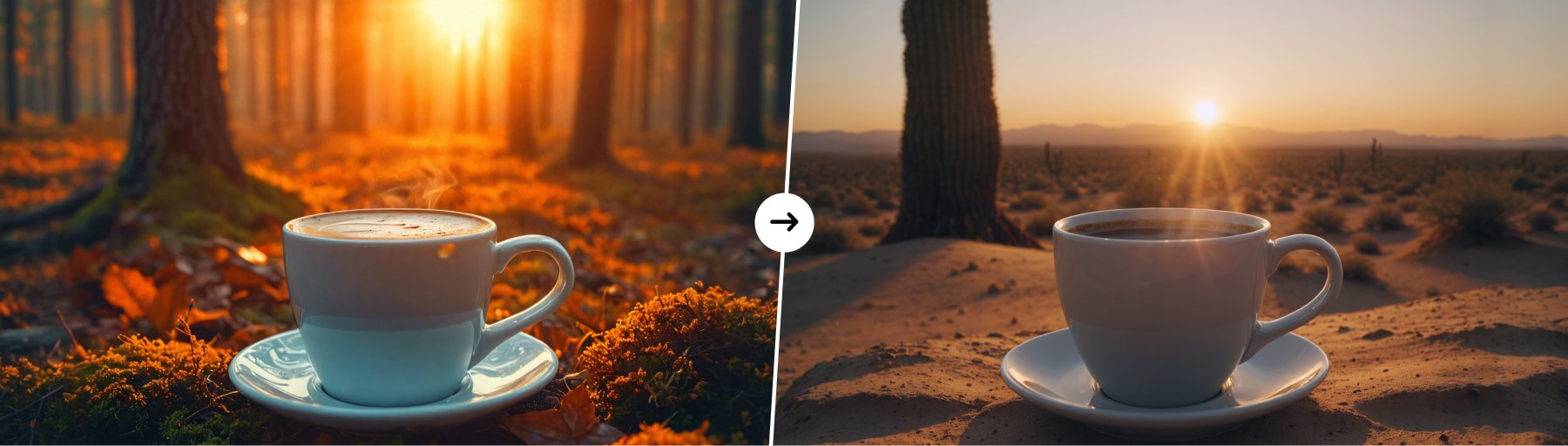
- Image Refinement: The Structure tool improves existing images by adjusting aspects like sharpness, texture, and lighting, all while preserving the original layout. This makes it ideal for enhancing designs or artwork without disrupting their composition.
- Preserving Composition: Composition refers to how elements are arranged in an image. Structure ensures the balance and harmony of these elements, so changes don’t disrupt the visual flow, guiding the viewer’s focus as intended.
- Preserving Proportions and Scale: In design, particularly with 3D models, it’s important to keep objects sized correctly in relation to one another. The AI guarantees that adjustments don’t affect the size relationships between elements, making it helpful for product designs or architectural visualizations.
- Maintaining Spatial Organization: Structure preserves the relative positioning of objects in a scene. If you’re working with 3D models or scenes, the AI refines details without altering how objects are placed, which is ideal for product renders or virtual environments.
- Optimizing Designs: The tool helps improve designs for various formats, whether for digital, print, or 3D. It allows designers to focus on fine details like textures and color adjustments, while keeping the overall design intact.
1
Add your image to the canvas
Start by uploading your image into the PitchPrint editor, and inserting it on the canvas.
2
Open Edit Picture
Once the image is on the canvas, click on the ‘Edit Picture’ button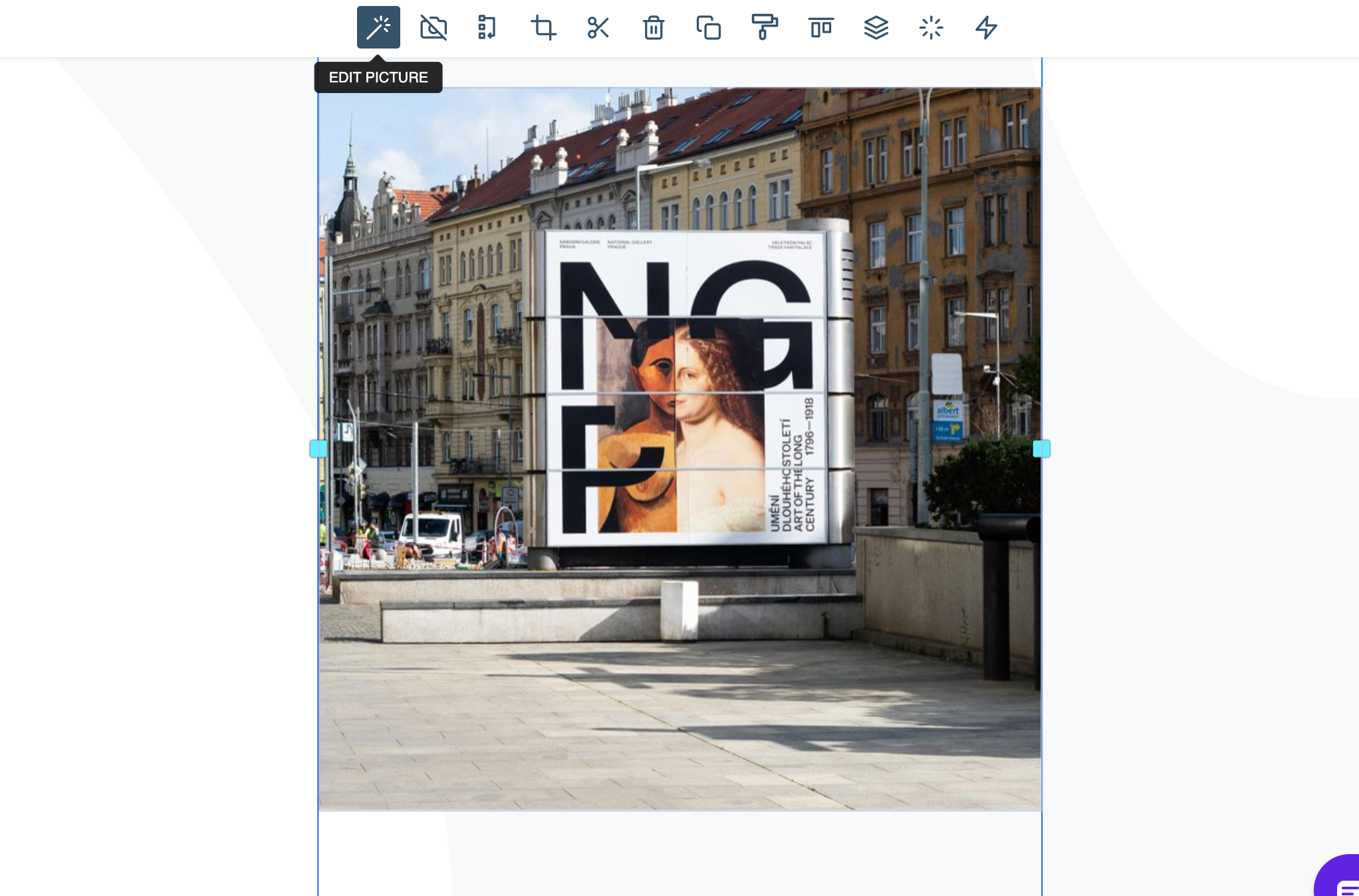
3
Choose Structure
In the side panel you will find the AI Image enhancement tools, Click on ‘Structure’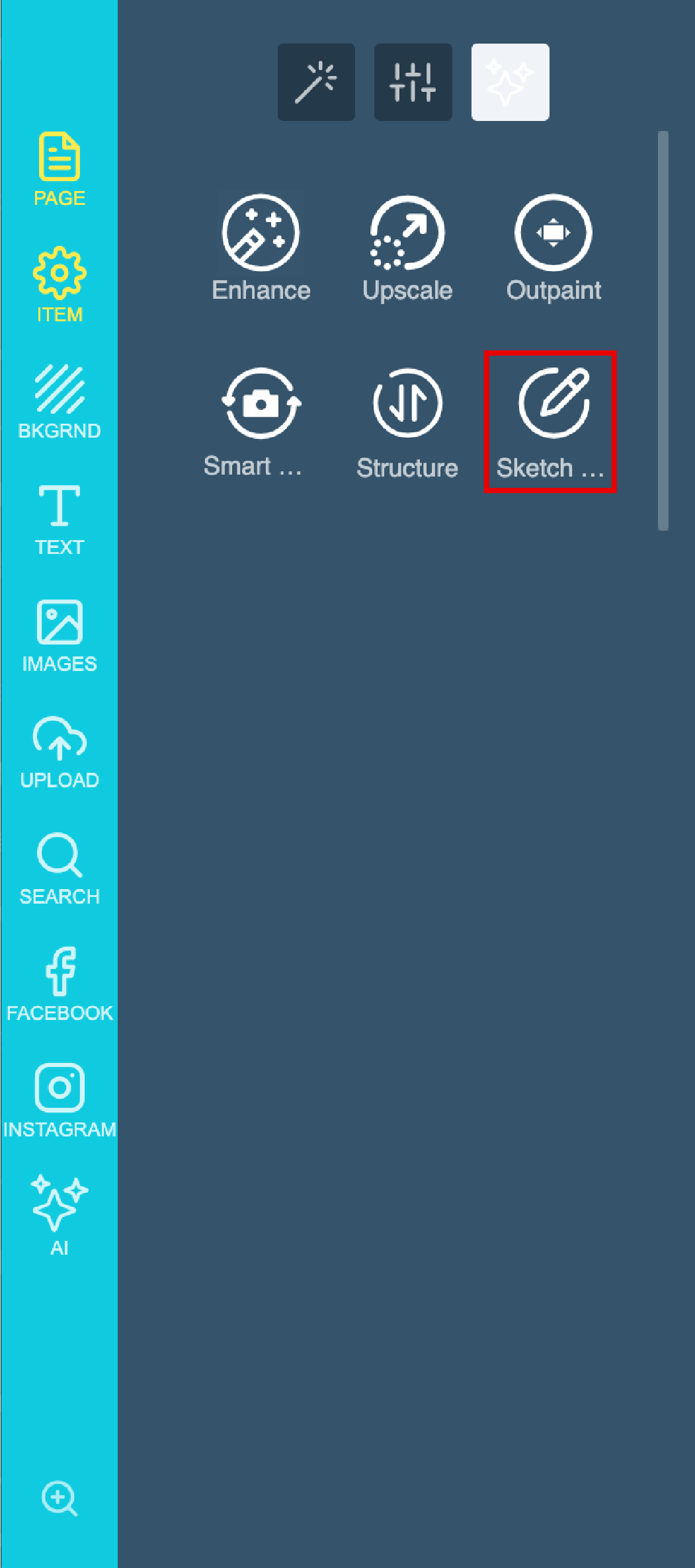
4
Write your prompt
Now you will have to add your prompt: For this example I want to keep the Billboard Structure, and change the environment where it’s located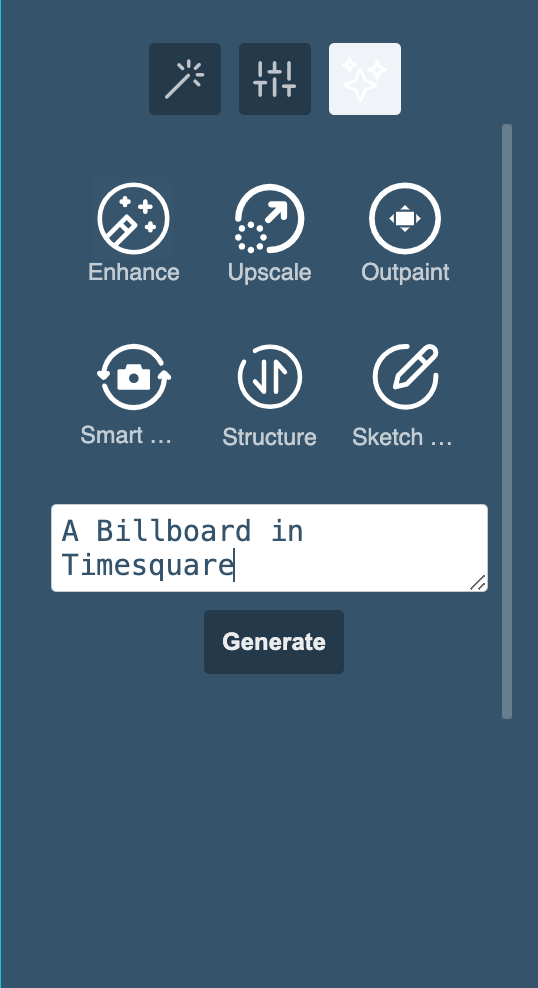
5
Generate the result
Lastly click on Generate & wait for your results.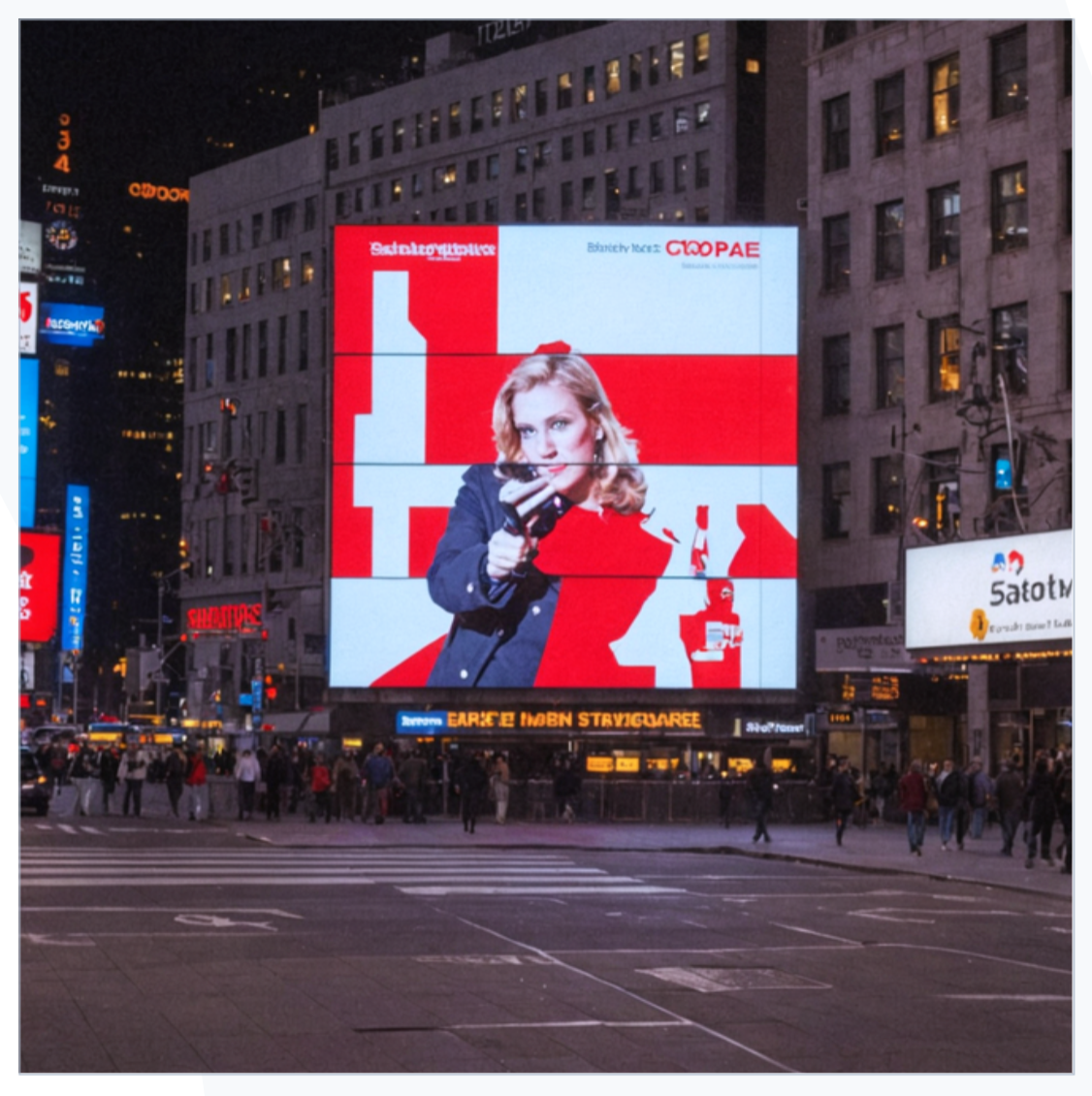
Related articles
AI Sketch to Image
Convert rough sketches into fully detailed images.
AI Smart Replace
Find and replace elements within an image using AI.
AI Outpainting
Expand images beyond their original borders with AI.
AI Upscale
Increase image resolution and quality with AI without losing detail.