

- AI Image Generation
- AI Image Upscaling
- Square
- Portrait and,
- Landscape
1
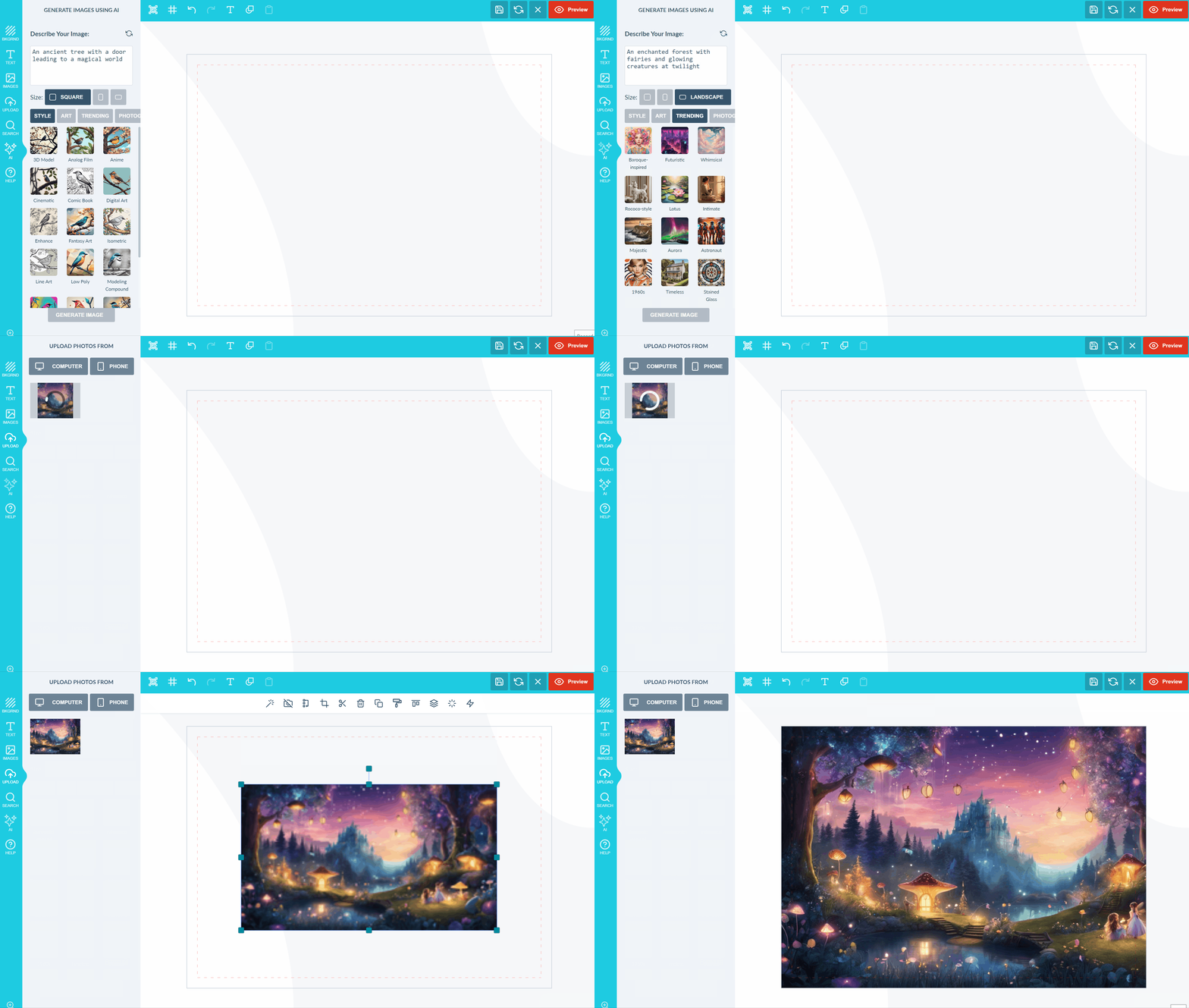
Describe the image
Firstly the user will describe their image using words, the more words you provide the more accurate the image. The reload icon provides a few options of random prompts that can be used for inspiration.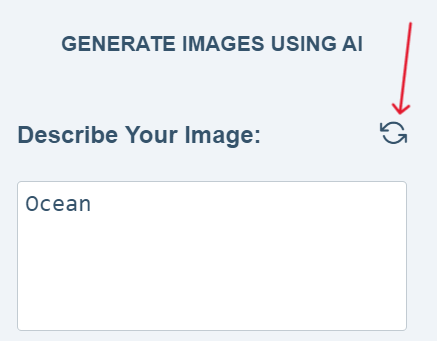
2
Select the image size
The user can then select the size for the image:
3
Optionally choose a Style or Category
Please note this step is entirely optional***.*** We have two options the user can select from namely: Style and Category, category consists of Art, Trending, Photography, Backgrounds and Products.When a user selects the Style Option they can apply an aesthetic OR artistic approach to the image that they are generating. The style option alters the visual representation of the final image, such as making the image resemble anime, comic books, 3D etc.The Category Option on the other hand provides prompts. A prompt is a thematic starting point that guides the content of the image. Categories like Art, Trending, Photography, Backgrounds and Products offer a variety of content-based prompts, helping end-users to generate images that align with a specific subject or theme. The user also has the option of creating their own prompts instead of using our default prompts.While the Style determines the look and feel of the image, the Category determines it’s subject matter and content.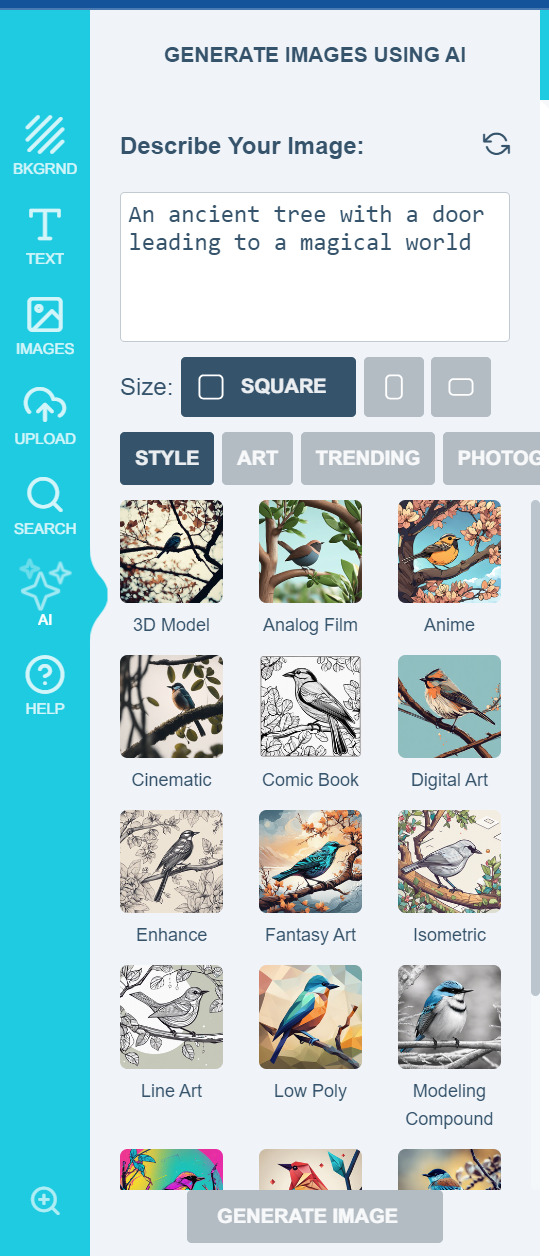
4
Generate the image
After making all selections click on GENERATE IMAGE an image will be generated and added to the canvas as well as the file uploads section so you can make use of it again in future should you wish to.
5
Enable the plugin in settings
To enable this amazing feature please go to settings >> Then scroll down to Plugins and Enable AI-Imaginate(BETA) as shown below. Please save your changes in order to see the plugin on the front end.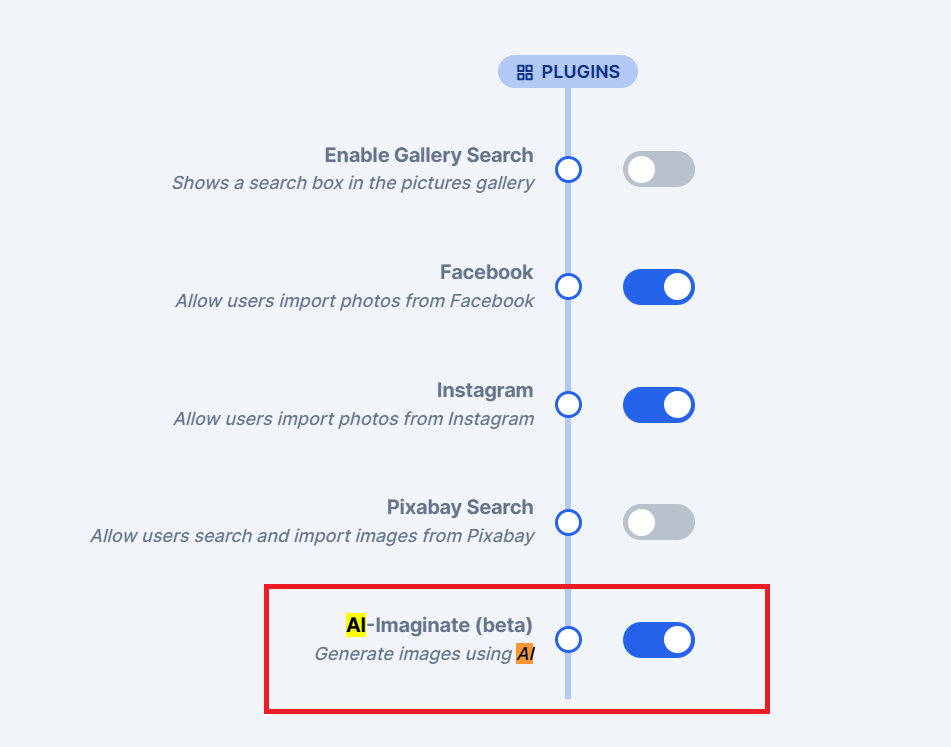
6
Reload your layouts
To complete the process, reload your layouts. Remember to save any code elsewhere prior to performing this action.
Related articles
AI-Imaginate: Text to Image AI Tool
Generate images from text descriptions with AI-Imaginate.
AI Sketch to Image
Convert rough sketches into fully detailed images.
AI Structure
Refine images while preserving layout, proportions, and composition.
AI Smart Replace
Find and replace elements within an image using AI.