
INTRODUCTION PitchPrint version 8 is nearing end of life. Our current version 9 was released in March 2018 with great features and scaling capabilities. As of March 2020 version 8 will no longer be available. So to all our clients still using version 8 this article will explain how you can seamlessly migrate to version 9. HOW TO MIGRATE FROM VERSION 8 TO VERSION 9 Login to PitchPrint Admin. Navigate to domains.
Domains page in the PitchPrint admin with the Copy to V9 button against a domain
To migrate your data to version 9, simply click on the Copy to V9 button and the process will begin. Next step is to install the version 9 plugin for your store based on the specific platform you’re using. Do follow the guide below on how to install PitchPrint for the different platforms:
  • To install PitchPrint on Wordpress please go to Wordpress and follow the instructions within the documentation.
  • To install PitchPrint on Opencart please go to Opencart and follow the instructions within the documentation.
  • To install PitchPrint on Prestashop please go to Prestashop and follow the instructions within the documentation.
  • To install PitchPrint on a Custom Website please go to Custom Integration and follow the instructions within the documentation.
  • To install PitchPrint on Shopify please navigate to ur website: pitchprint.com. Click on the Shopify icon.
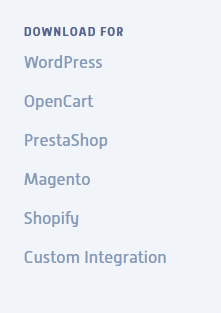
Shopify icon on the PitchPrint website
  • Enter your Shopify store ID and click on OK.

Prompt asking for your Shopify store ID with an OK button
If by any chance you encounter any issues with the installation process or the plugin does not work properly please contact us at support@pitchprint.com.