Edit Project Details, Switch from 3D to 2D view, Split by VFold lines.We’re back with some fantastic updates to make your experience on PitchPrint even better.
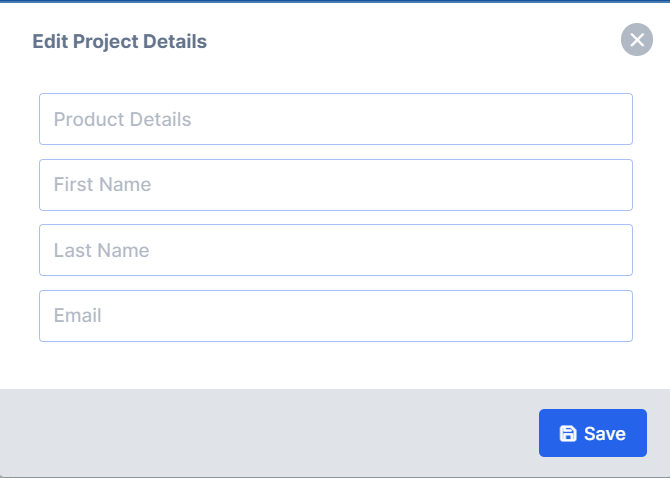
This awesome functionality will aid in adding details to every Project within PitchPrint admin. It provides admin users with clear information about the associated customer and product for each order, streamlining project identification. To access this amazing feature go to projects and click on the edit icon next to an individual project as shown below:
Enter the project details in the fields shown below and save to update the project details:
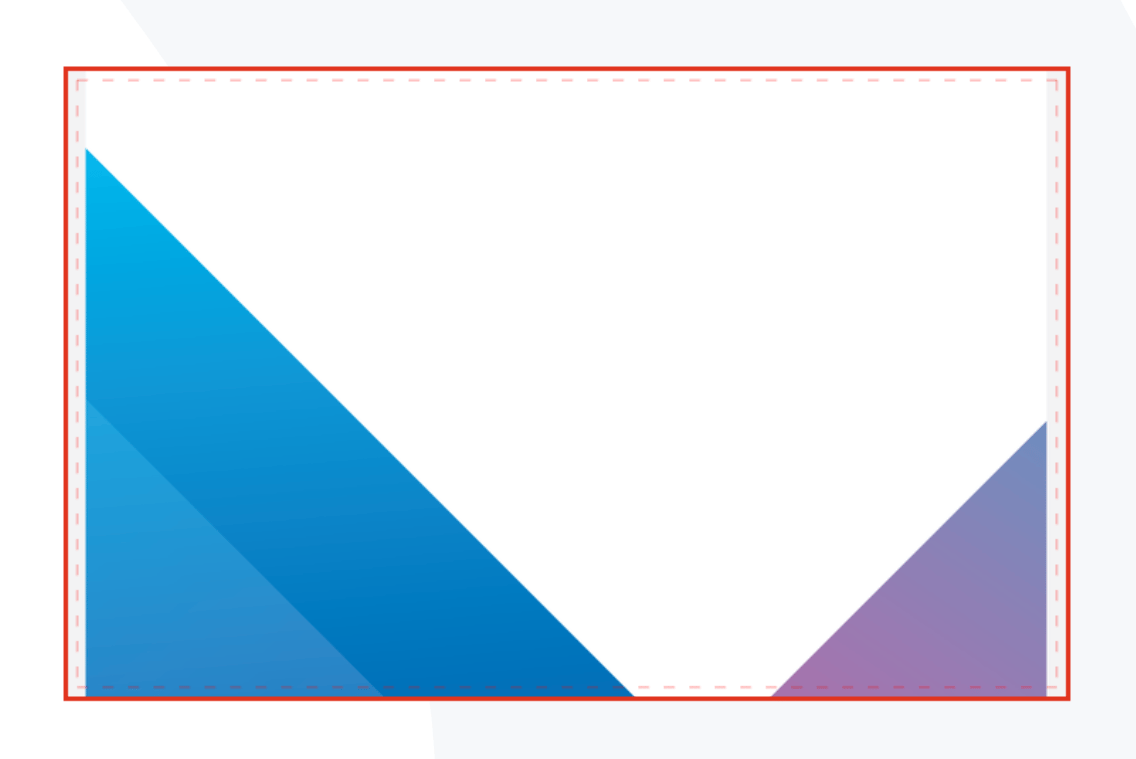
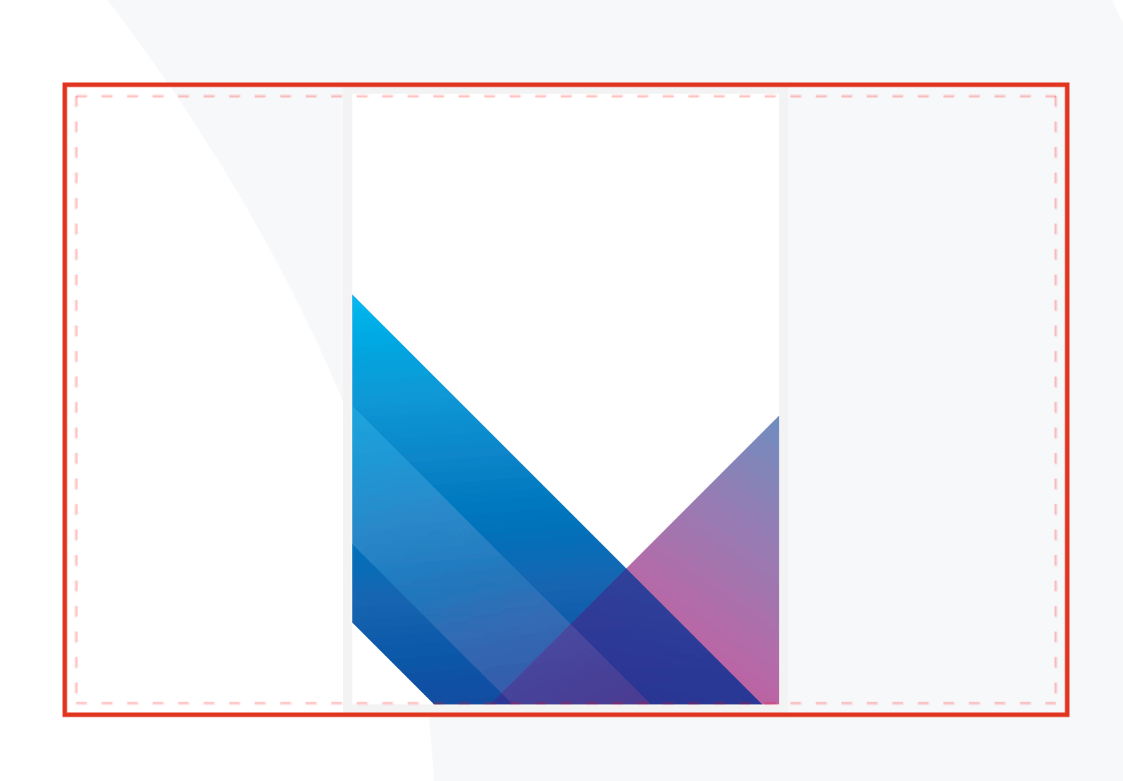
We’ve introduced an exciting feature that enables your customers to toggle between 2D and 3D views in the preview area. Previously, customers were restricted to either a 2D or a 3D preview within the editor. This enhancement provides flexibility for customers to switch between these views based on their preference and needs.To enable this feature please go to layouts and reload latest. Then clear your cache on your product page and you should be able to see the buttons as shown below:
Click on 2D to preview in 2D and on 3D to preview in 3D
Please be sure to save your custom changes in an alternative location before reloading your layout.
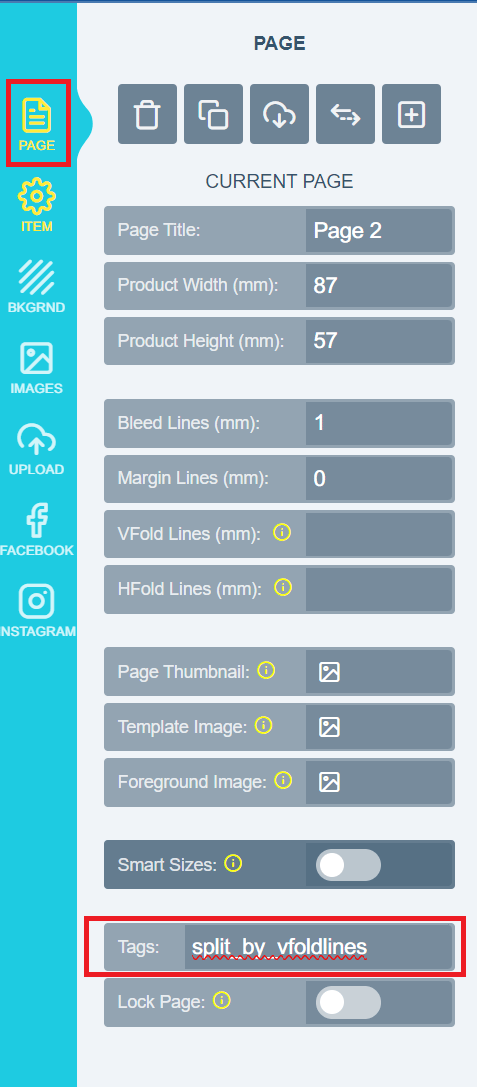
This awesome feature empowers you to split your PDF into separate pages utilising the VFold lines within PitchPrint. Once enabled, the system will count the VFold lines and automatically segment your PDF into pages corresponding to the number of VFold lines in the design. Please note that this feature is compatible with PDF distiller version 3. You can check your distiller version in the settings under the PDF section. To activate this valuable feature, follow these steps: open your designs in the designs section, navigate to the Page section, and add the split_by_vfoldlines tag as shown below:
Well that’s it for this week folks be sure to catch us in our next release for more awesome updates and features. Have a lovely week from the PitchPrint team!😊
Smart Sizes sync to Product Page, WIX Cart previews, Clear design on reload.It’s been a while and as always it’s an absolute pleasure for us to keep you updated with what our team has been working on to make your experience on PitchPrint even better!
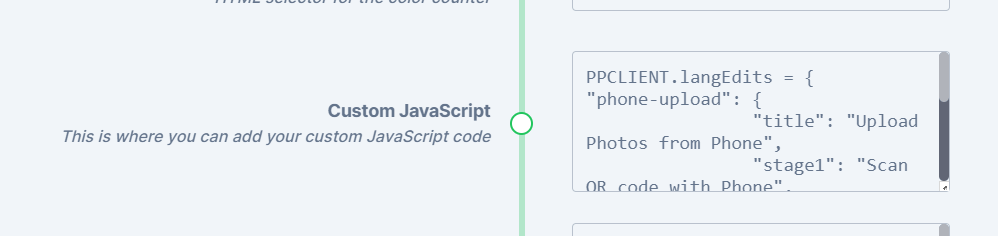
In the past, our Smart Sizes feature had limitations as it only allowed customers to modify page sizes within the PitchPrint editor. We’ve expanded this functionality to now seamlessly integrate with the product page, establishing a two-way synchronisation. This means that customers can select their preferred size on the product page, and the editor will open with that selected size. Conversely, customers can also choose a size within the editor, submit their choice, and the product page will update accordingly to reflect the chosen size.To enable this two-way synchronisation, please incorporate your variation element selector using the provided code snippet below:
PPCLIENT.smartSizeSelector =‘#dimensions’;
Add to the settings page in the custom Javascript section as shown below:
The above should be inserted in your PitchPrint Admin Settings, under Custom Javascript. Note ‘#dimensions’ is just an example, you would need to provide your own selector that can be found on your product page, if it has a size selection.
We’ve introduced cart previews on WIX, enabling customers to view their customised images within the cart. It’s worth noting that we don’t have access to the checkout API, so we can’t modify the image displayed during the checkout process. Furthermore, we’ve also incorporated additional functionality on WIX for an improved user experience.
We’ve also added this incredible functionality that enables customers to clear their designs when they reload the page, providing a fresh start whenever needed. To activate this functionality, simply navigate to your settings >> then scroll down to the section indicated below and enable the setting:
We’ve also resolved a major issue where the end user couldn’t see the “customize” button when cookies were enabled on their end. Now, regardless of cookie settings, customers should be able to view the customize button and not miss out on an opportunity to personalise their orders!
That wraps up our updates for this week, everyone! We’ll be back soon with more exciting updates and bug fixes. Wishing you a wonderful and productive week ahead from the entire PitchPrint team! 😊
Design selector search update, Customer Design previews on Wordpress, Default background mode option, Plenty new 3D models.It’s been a minute, and as always it’s an absolute pleasure for us to keep you updated with what our team has been working on to make your experience on PitchPrint even better!
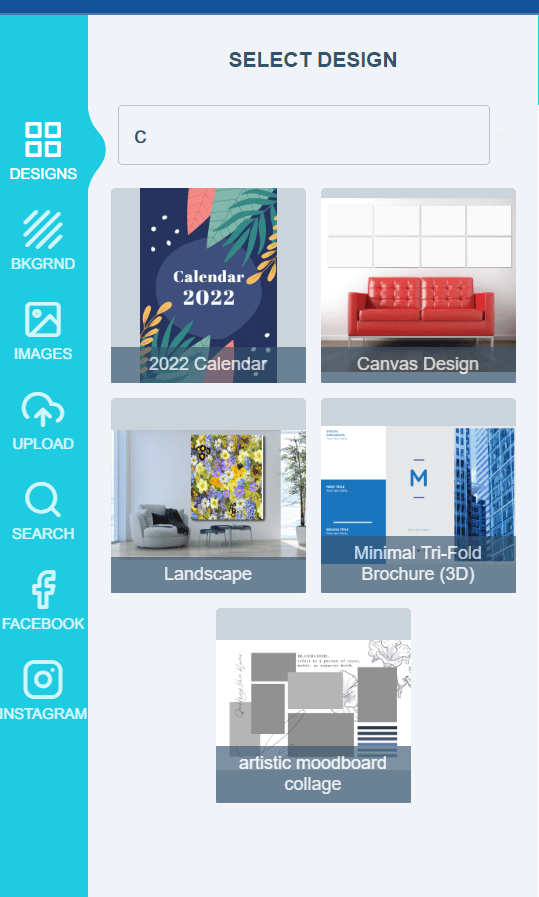
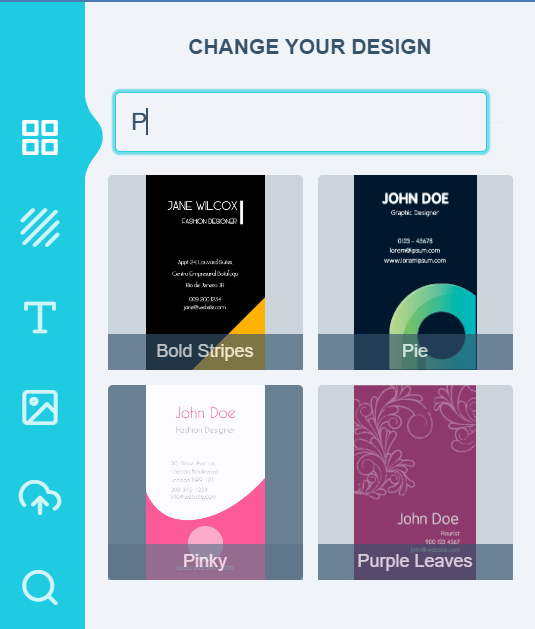
In our latest release note, we introduced enhancements to the design selector search feature discussed in our previous update. Now, users have the ability to search for designs using tags, design names, or even specific letters within a design name. When you assign tags to a design in the inside the PitchPrint admin, these tags become searchable criteria. Furthermore, the search function also allows you to find designs based on letters present within their design names. Below, we provide a few examples to illustrate these capabilities:
Search using a single letter
Search using tags assigned in design configuration
Kindly take note that this particular feature is exclusively accessible for Wordpress with Woocommerce. While we currently offer the ability to include a design file in an email, certain files may be excessively large to be easily opened or attached to an email. As a solution, we have introduced an exceptional feature that enables the attachment of design previews directly to the email on Wordpress. For further guidance on how to implement this functionality, please refer to the documentation available here.
Previously, we used a default method to showcase the background mode. However, we have now introduced an exciting new feature that empowers the admin user to choose the default background mode when a new background is applied. This feature offers three options: fill, fit and stretch. With this enhancement, admins have greater flexibility in determining how backgrounds are displayed on the editor.
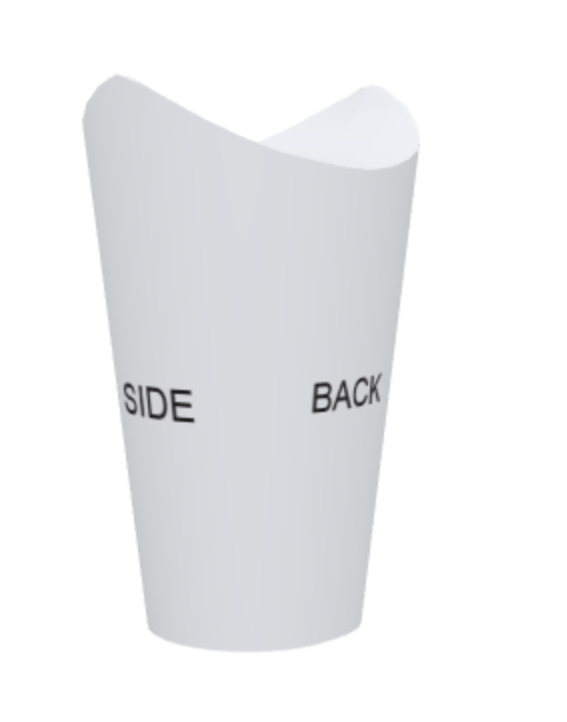
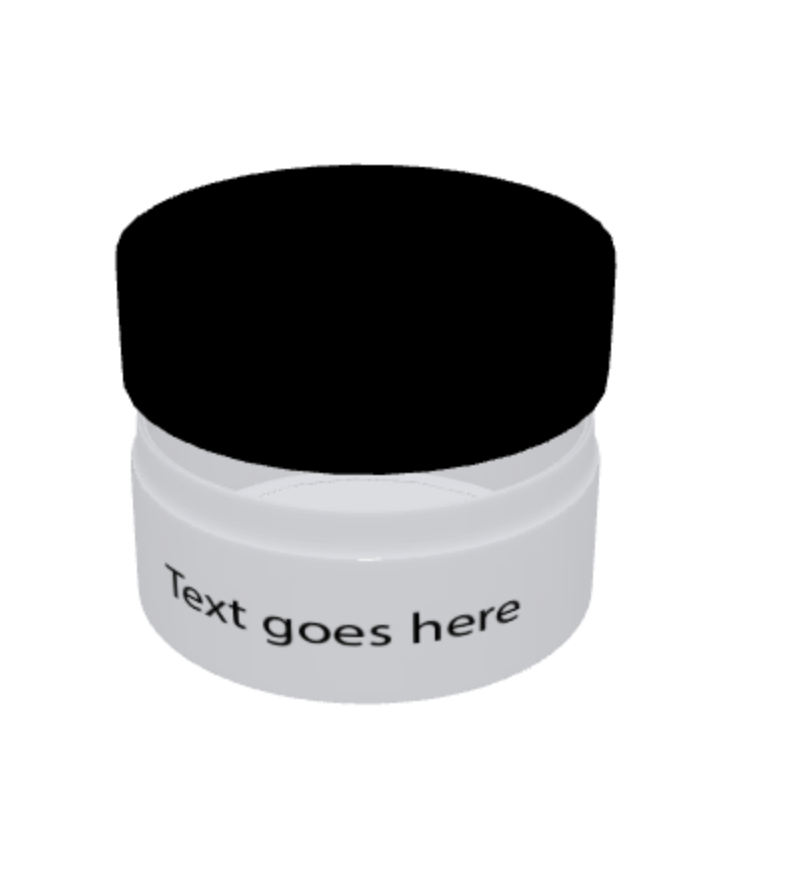
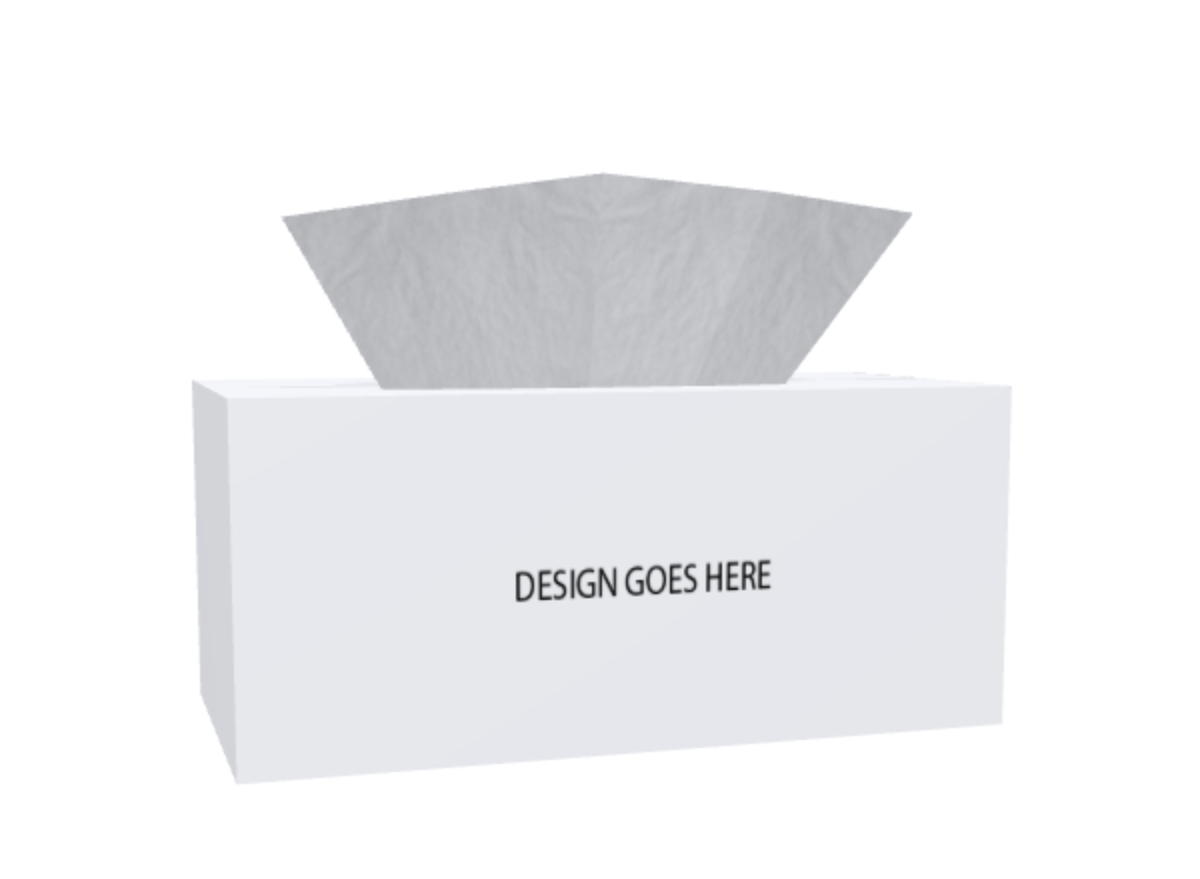
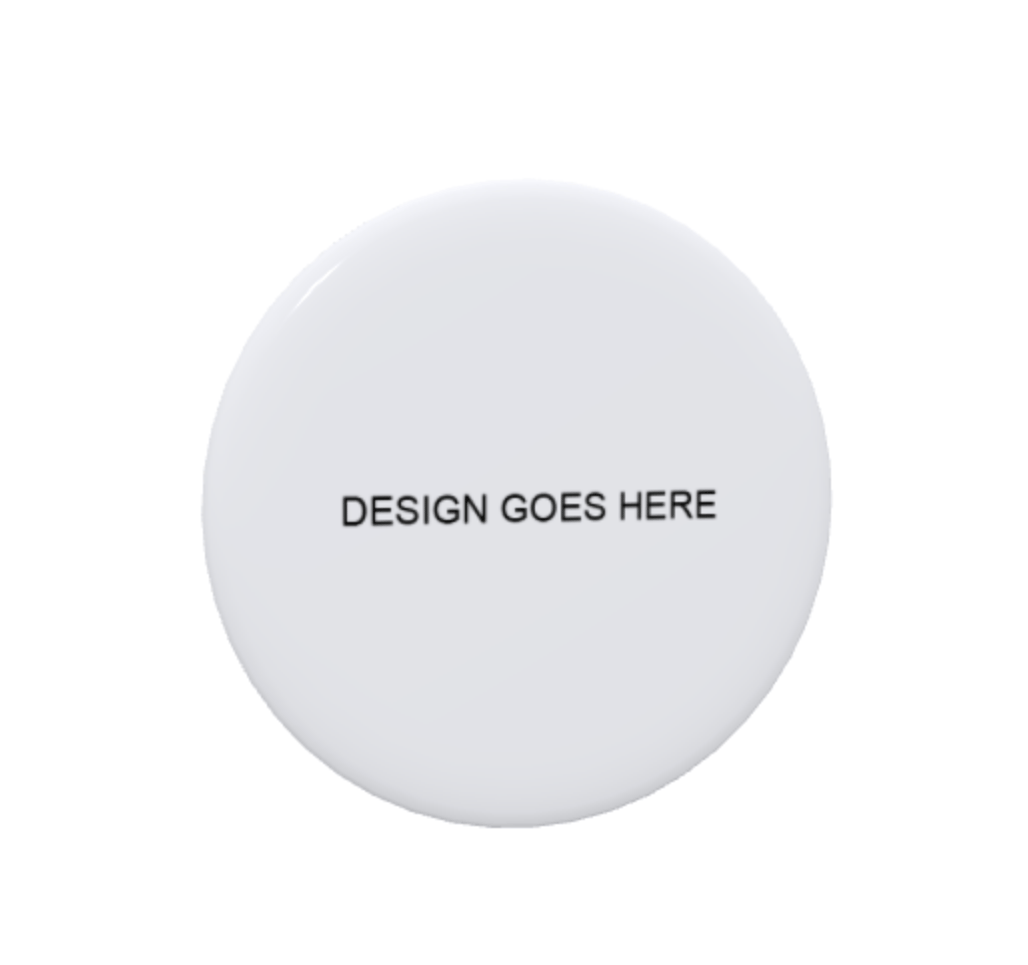
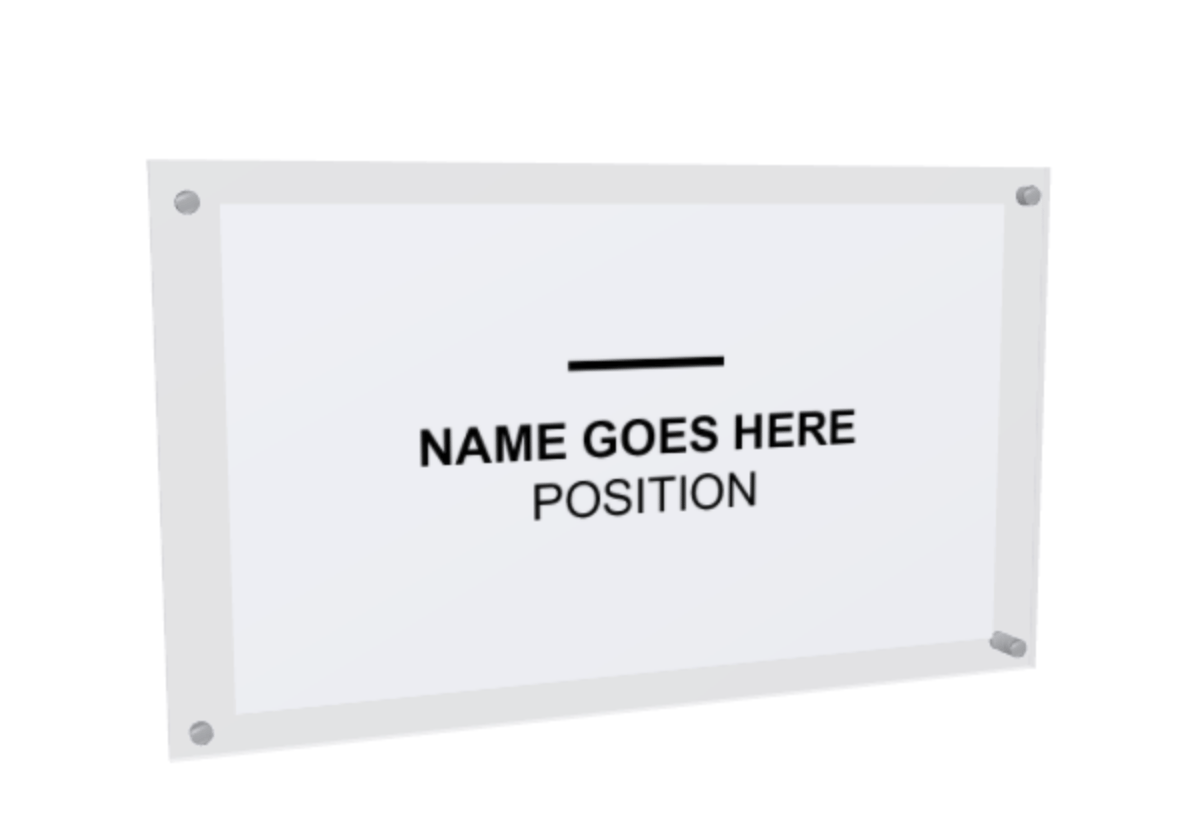
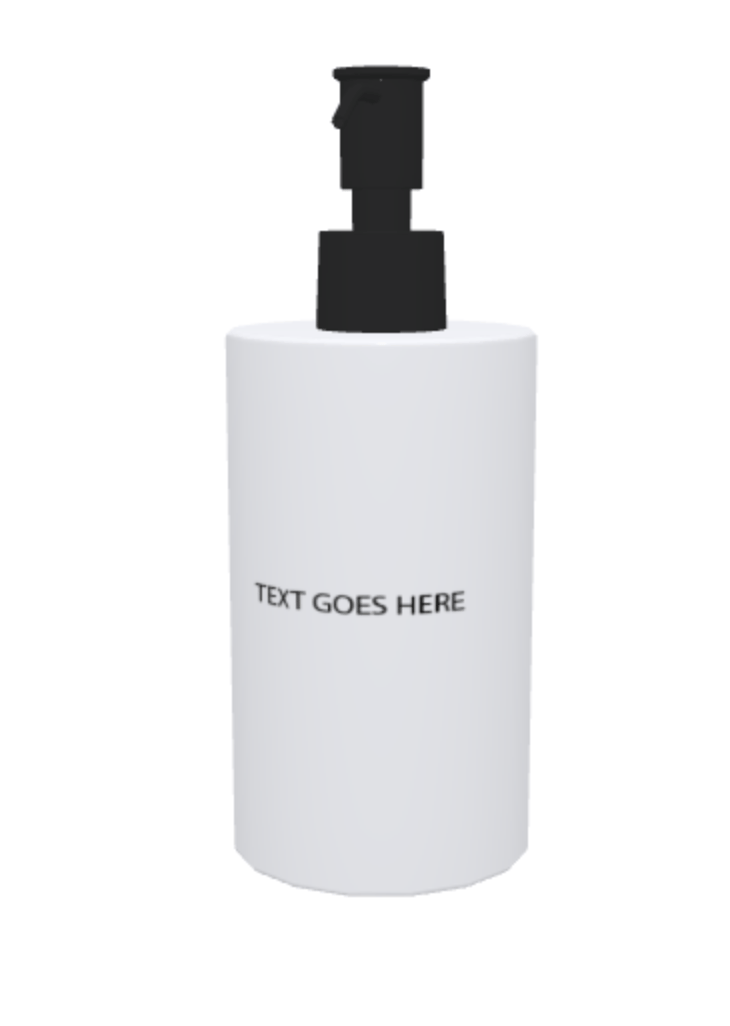
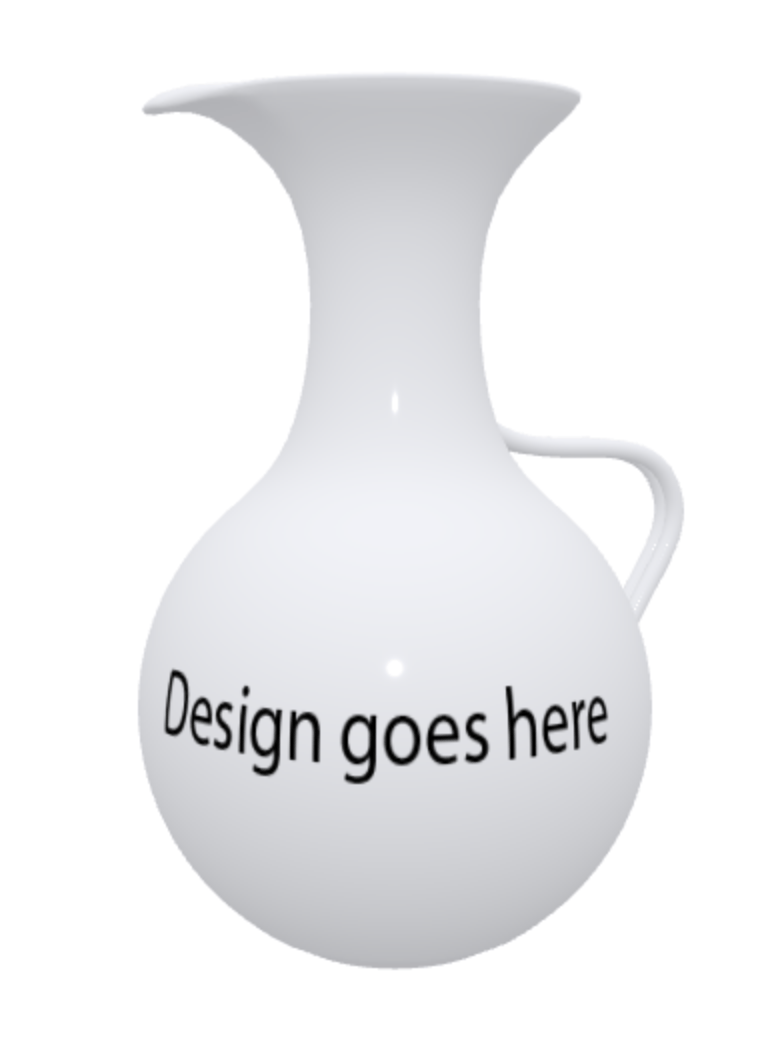
We’re thrilled to announce the addition of numerous new 3D models, particularly in the packaging category. Take a look at a selection of these exciting additions below:
We’ve resolved an issue that was causing duplicate projects to appear on the orders page for all orders placed on products with variations enabled. With the fix in place, the orders page now displays the correct project(s) for each order, eliminating any previous instances of duplicates.
That’s it for this week folks, until next time have a lovely and productive week from the PitchPrint team!😊
Search Designs in Design Selector, Pagination in Orders Page BigCommerce, Flatten Text into Vector Shapes, New Background Resources.It’s been a while, and we are thrilled to provide you with the latest updates on what our team has been working on to enhance your experience on PitchPrint.
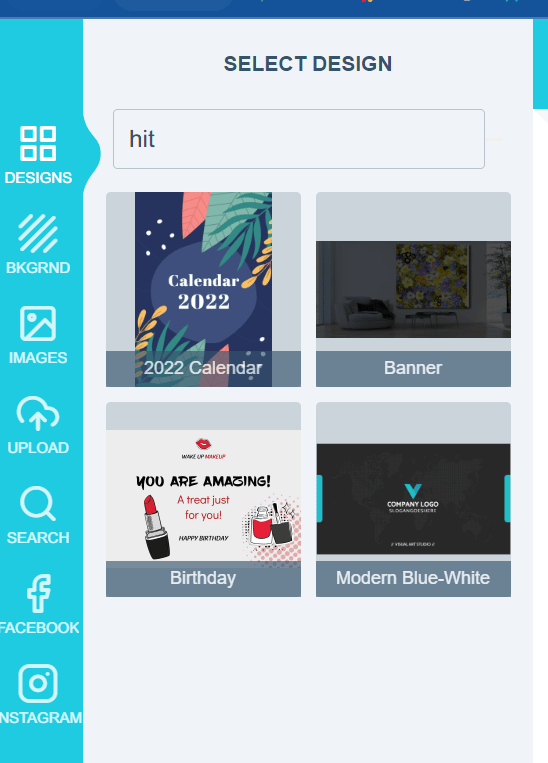
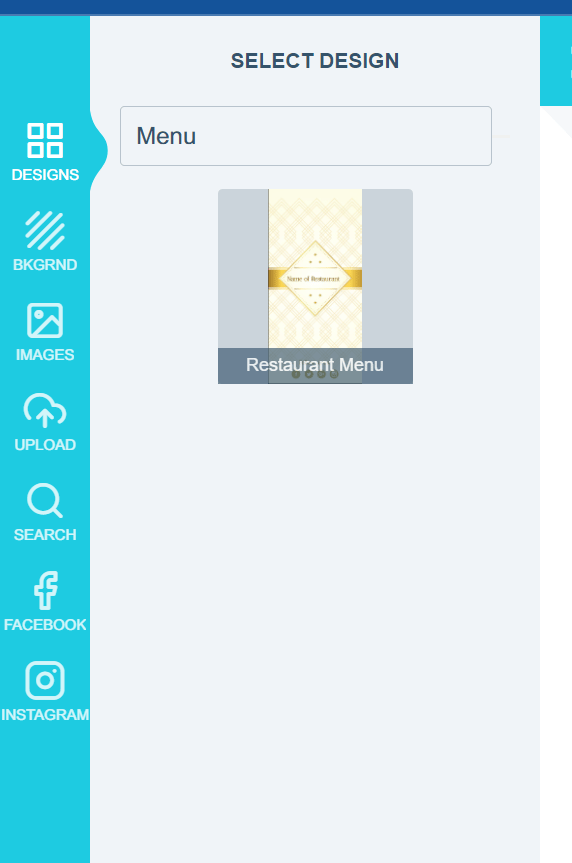
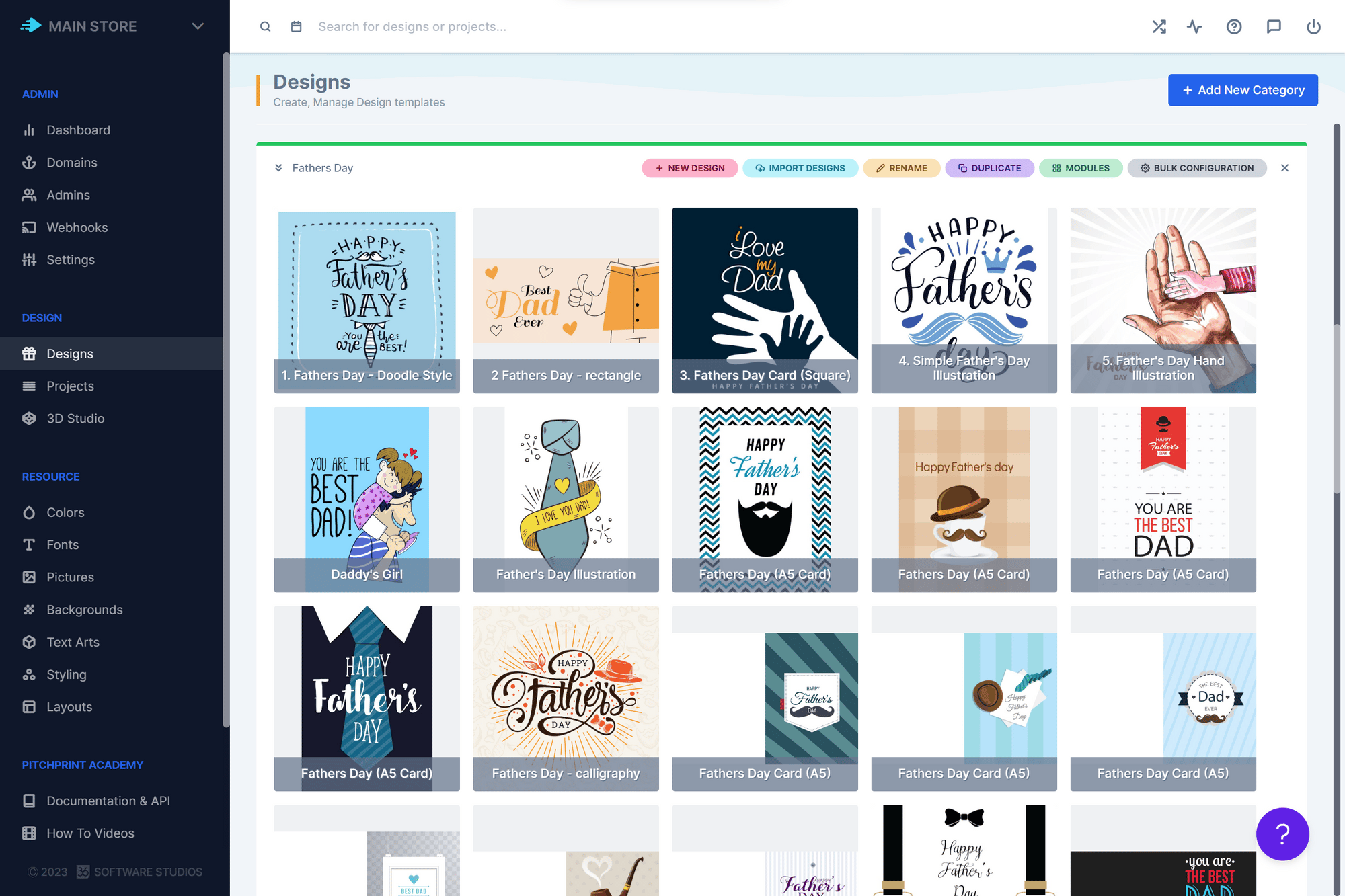
We have introduced an exciting feature that allows end users to search for designs in the design selector using keywords or design names. This time-saving feature eliminates the need for endless scrolling through designs. To enable this feature, please save your styling preferences here by clicking on the SAVE CHANGES button and then reload the layout here by clicking on “reload latest”. Note: After reloading, remember to save any custom changes externally (such as Javascript and CSS) before pasting them back into PitchPrint. Check out the example below to see how the search works:
The search will pull up all designs that contain the letters or keywords
For BigCommerce users, we have implemented pagination on the Orders page . This convenient feature enables admins to easily navigate through all the orders on their account.
We are excited to introduce the new “Flatten text into vector shapes” feature. By enabling this option in the settings, all text items in the PDF file will be flattened into vector shapes. This can be particularly useful for specific design requirements. All you need to do is flip the toggle switch as shown below:
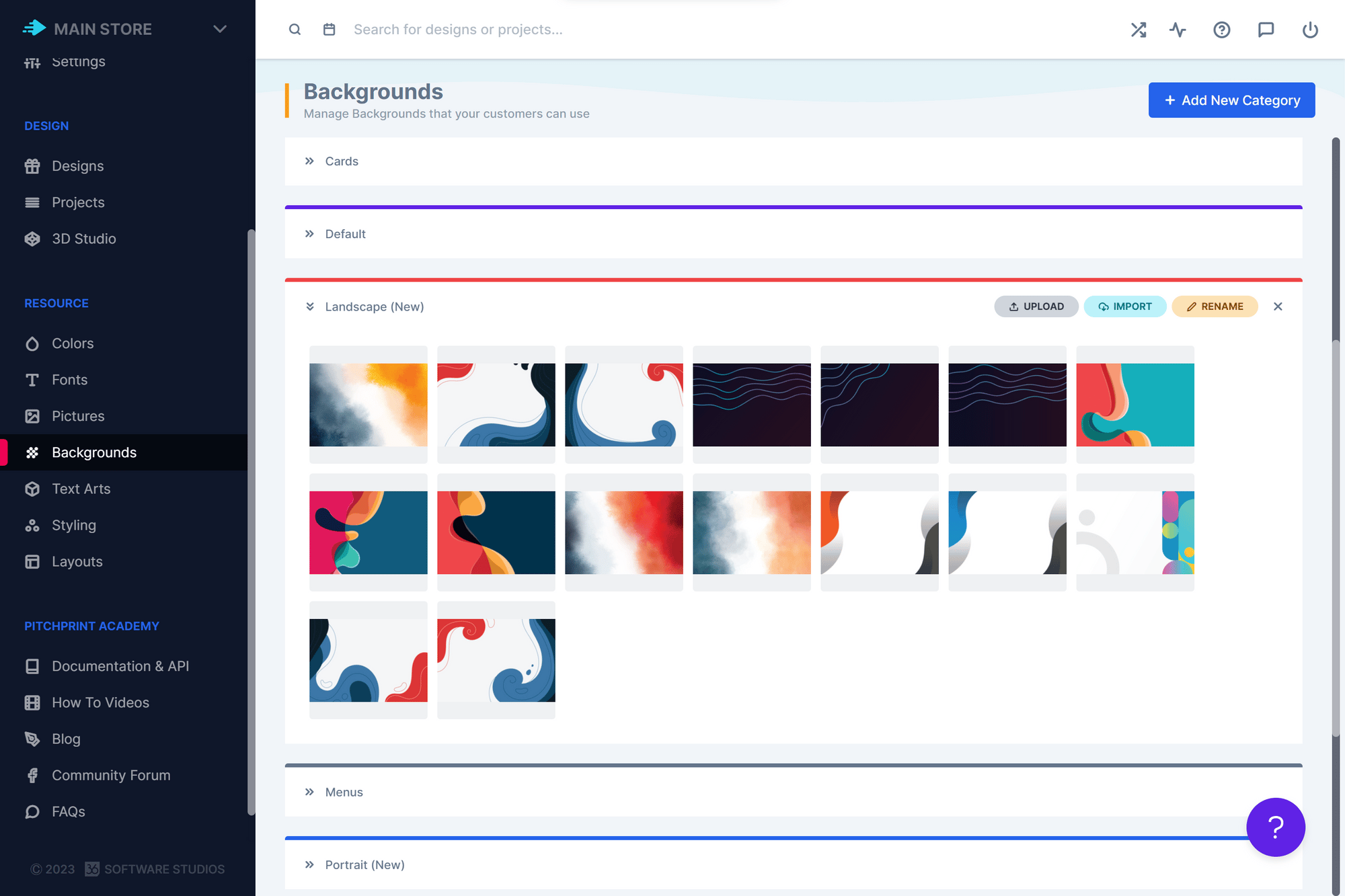
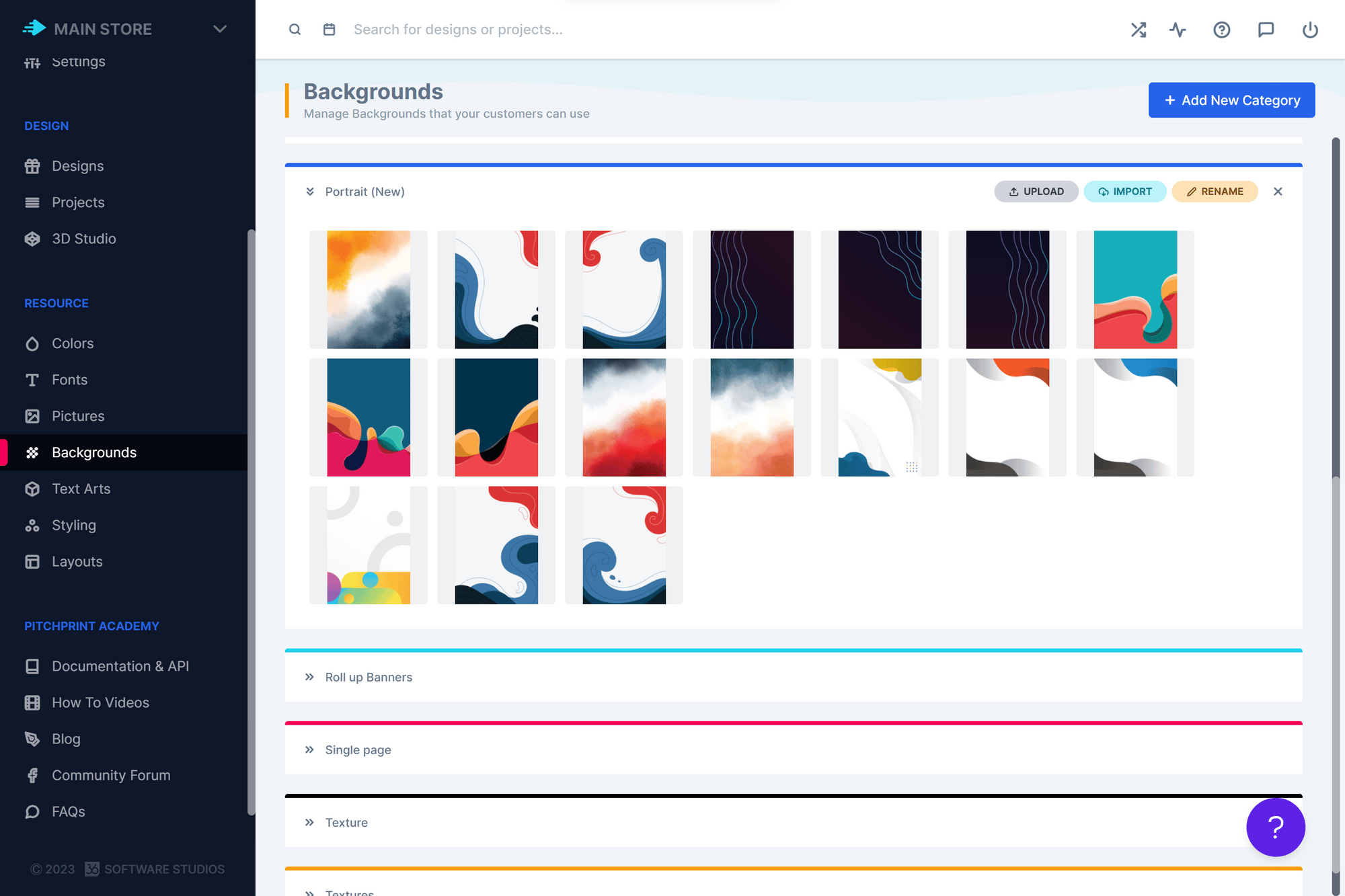
We have expanded the selection of background resources available in the PitchPrint admin. Admins now have a wider variety of backgrounds to choose from when creating designs. Take a look at some of the backgrounds we have added:
These backgrounds fit designs ranging from A5 - A0
That wraps up our updates for this week, everyone! We’ll be back soon with more exciting updates and bug fixes. Wishing you a wonderful and productive week ahead from the entire PitchPrint team! 😊
Preview Pages of a design on Wordpress, Attach order ID to project on Wordpress.
We are delighted to share with you the latest updates from our team at PitchPrint, which are aimed at improving your overall experience.
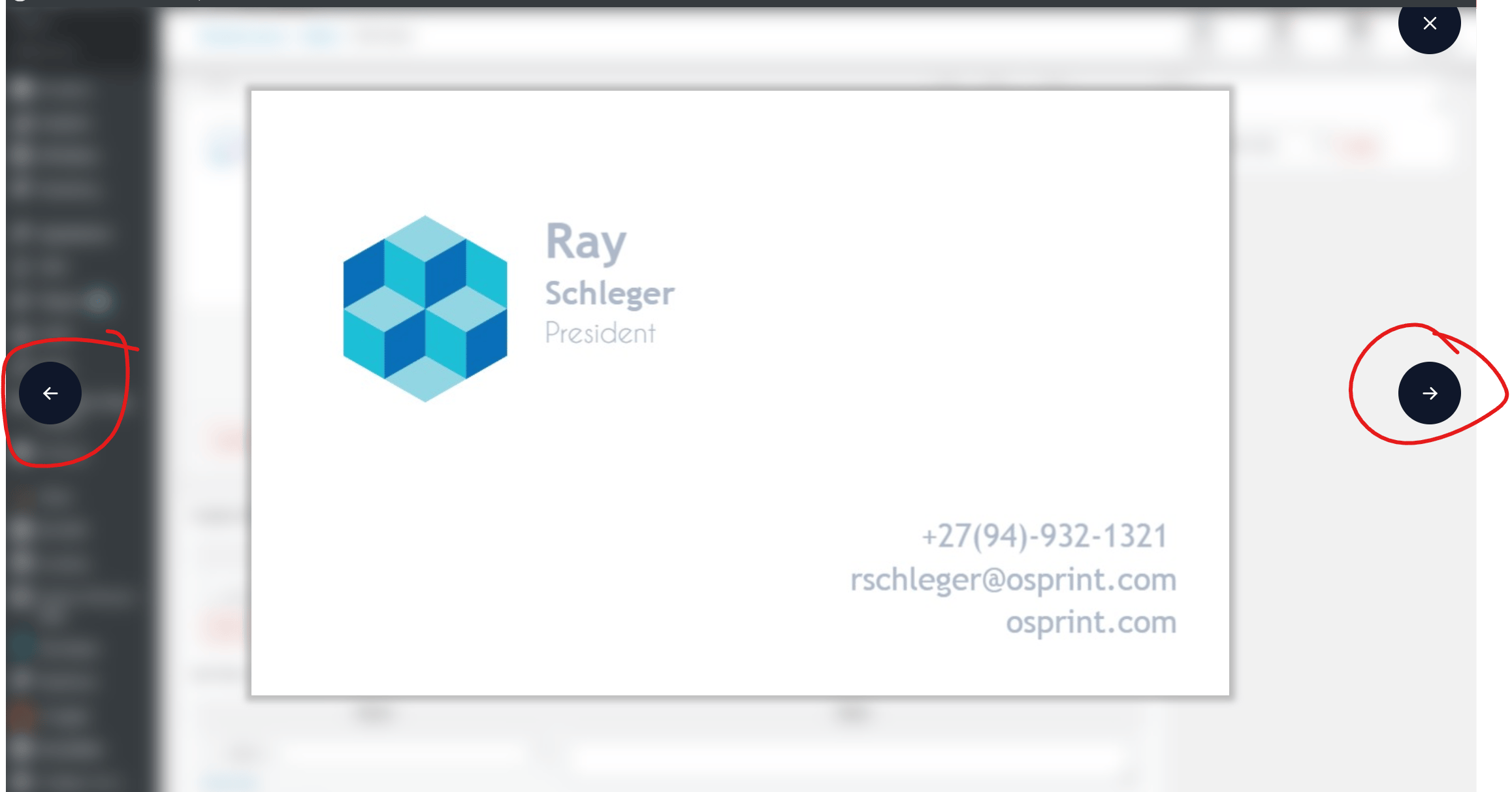
One of the new features we have introduced is the ability for admins to preview multiple pages of a design on Wordpress. Previously, only the first page of a design was visible in the order details on Wordpress admin. However, with this new functionality, admins can now view up to 10 pages of a design simply by clicking on the preview image in the order details. Please refer to the images below for more information:
Click on the preview image on the left
Click on the arrows to view the different pages of the file.
We have made another improvement to PitchPrint by adding the Wordpress order ID to the project details. This will help users to easily identify which project belongs to which order. The order ID will be visible alongside the project ID.
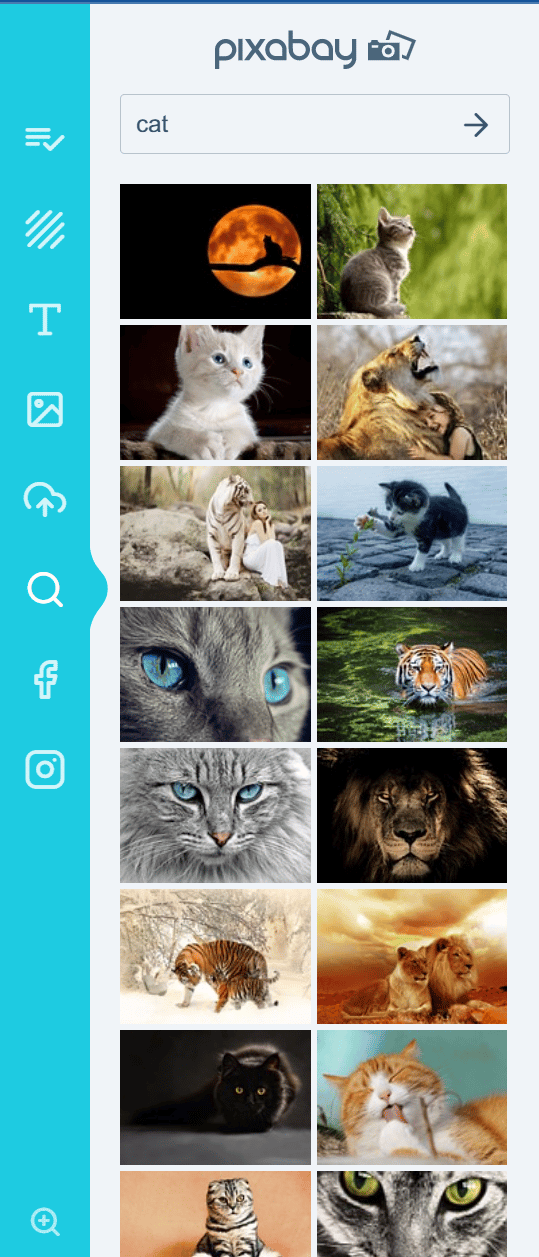
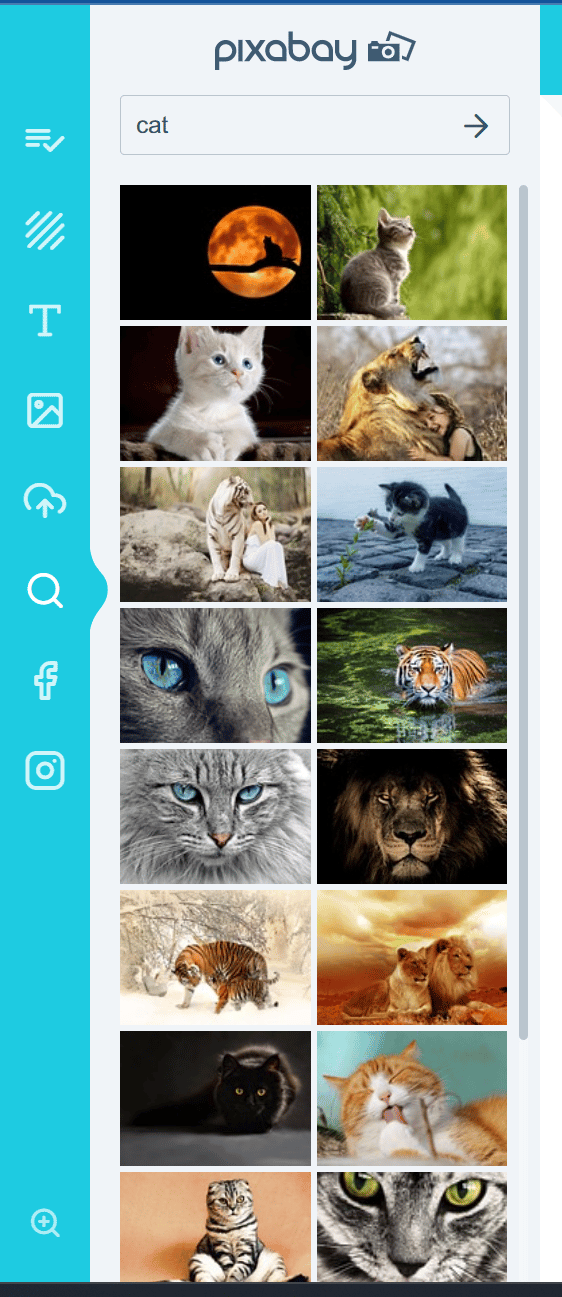
A customer reported that the scroll bar would sometimes disappear when zooming in too far inside the editor. This issue arose because the left section height was set to 100%, but only a portion of images were being displayed in the section. As a result, the browser assumed that the scroll bar was unnecessary because all the available space in the section was already in use. We have resolved this issue and the scroll bar will now appear regardless of the zoom value. Please see the images below for a visual representation:
The panel with no scroll bar only showing a portion of the available images
The panel which shows a portion of the images but with the scroll bar so the customer can scroll down to see the rest of the images.
And that’s it for this week, folks! We hope you have a productive week ahead from the PitchPrint team.😊
Black & White Image Operation, Wordpress Plugin Update, New Backgrounds and Pictures.As always it’s an absolute pleasure for us to let you know what our team has been working on to make your experience on PitchPrint even better.
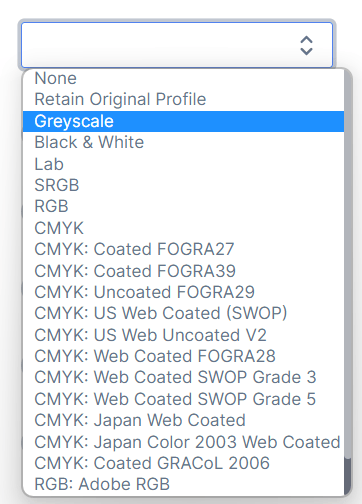
We added Black & White as an option in our image operation list. This allows you to convert an uploaded image into black and white. Please have a look at the image upload operations we currently support below:
To enable the image operation feature please go to desired design >> click on the gear icon as shown below:
Scroll down to Uploaded Image Operations and Select the desired feature from the drop down:
Once you’ve done this please save your selection to apply the change to your design.
We tested and released the latest update for Wordpress 6.2 as well as the latest version of Woocommerce 7.5.1 . The update will allow you to update your Wordpress OR Woocommerce platforms without having to worry about compatibility issues with PitchPrint.
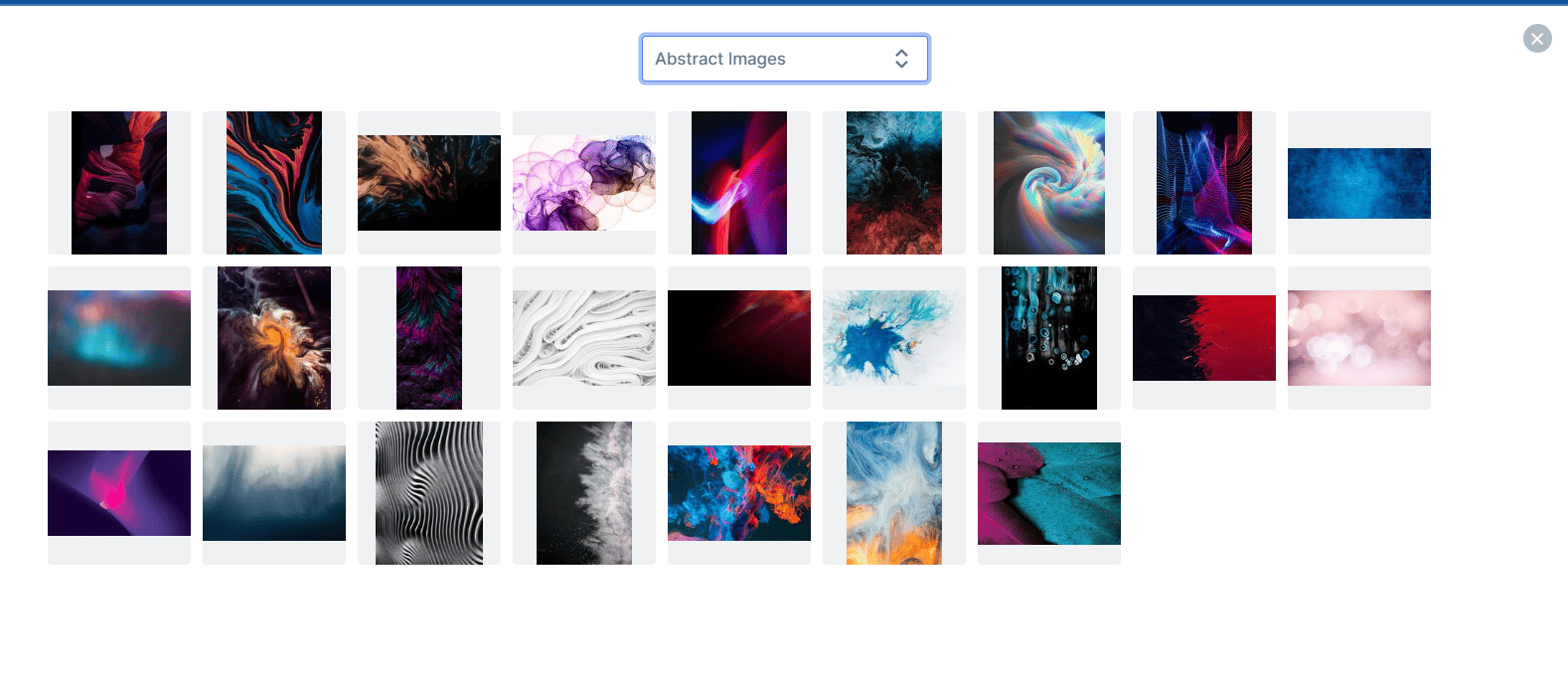
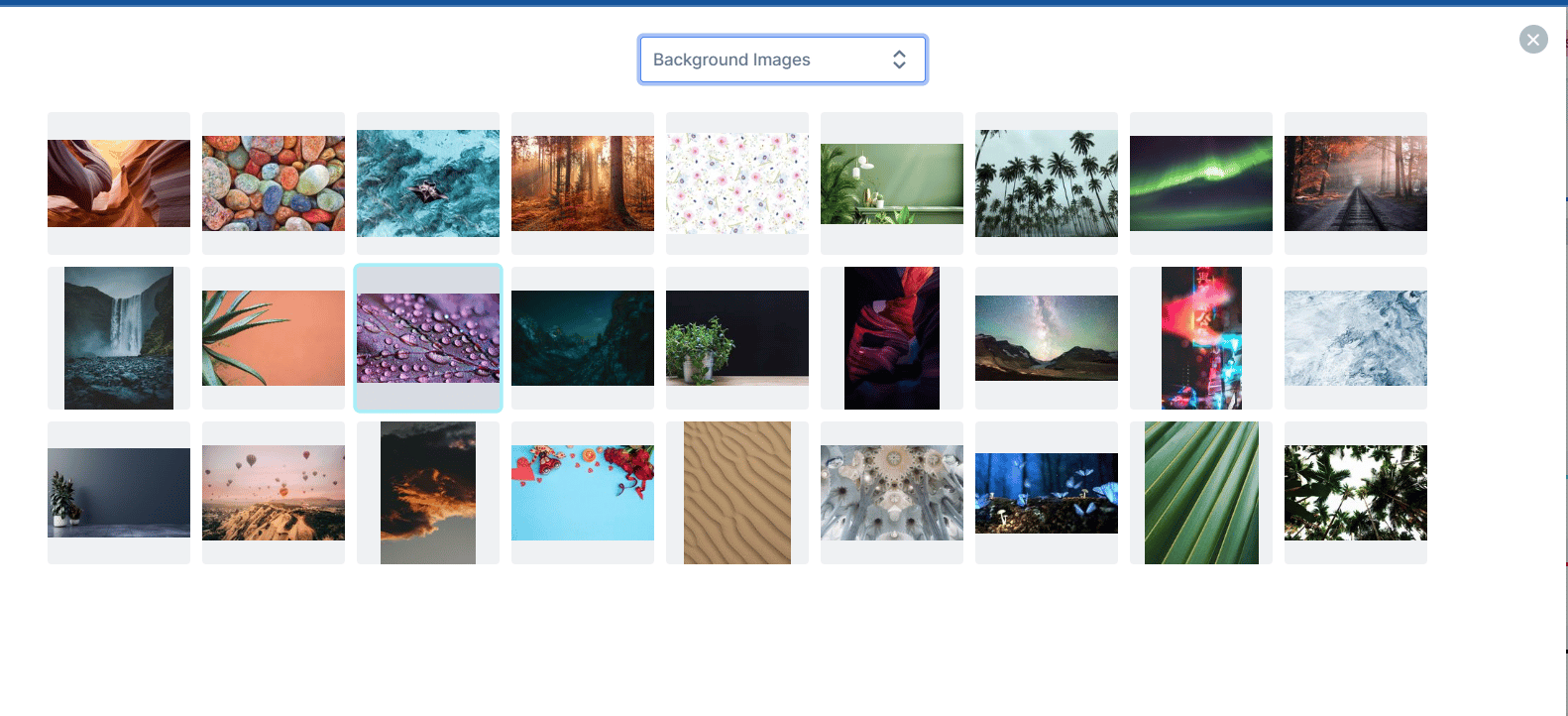
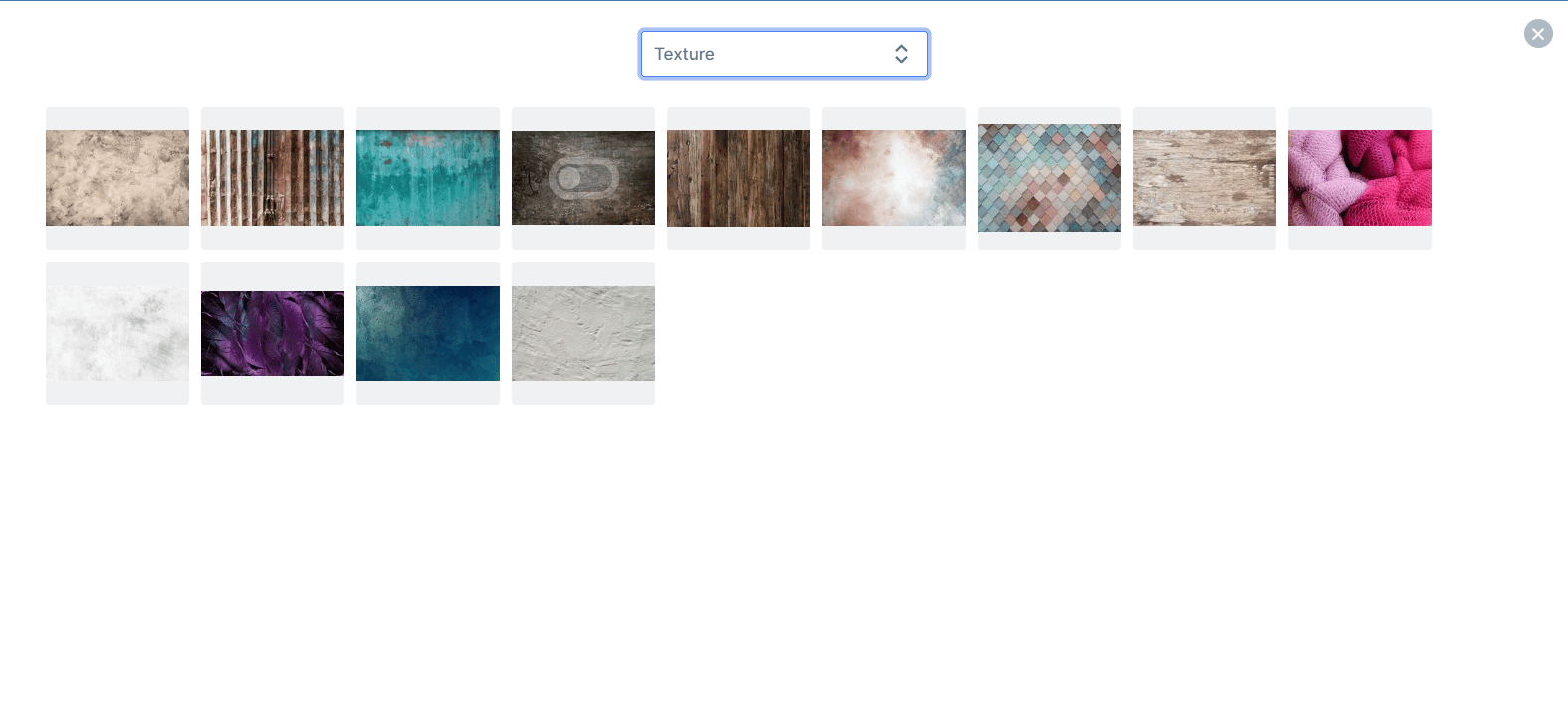
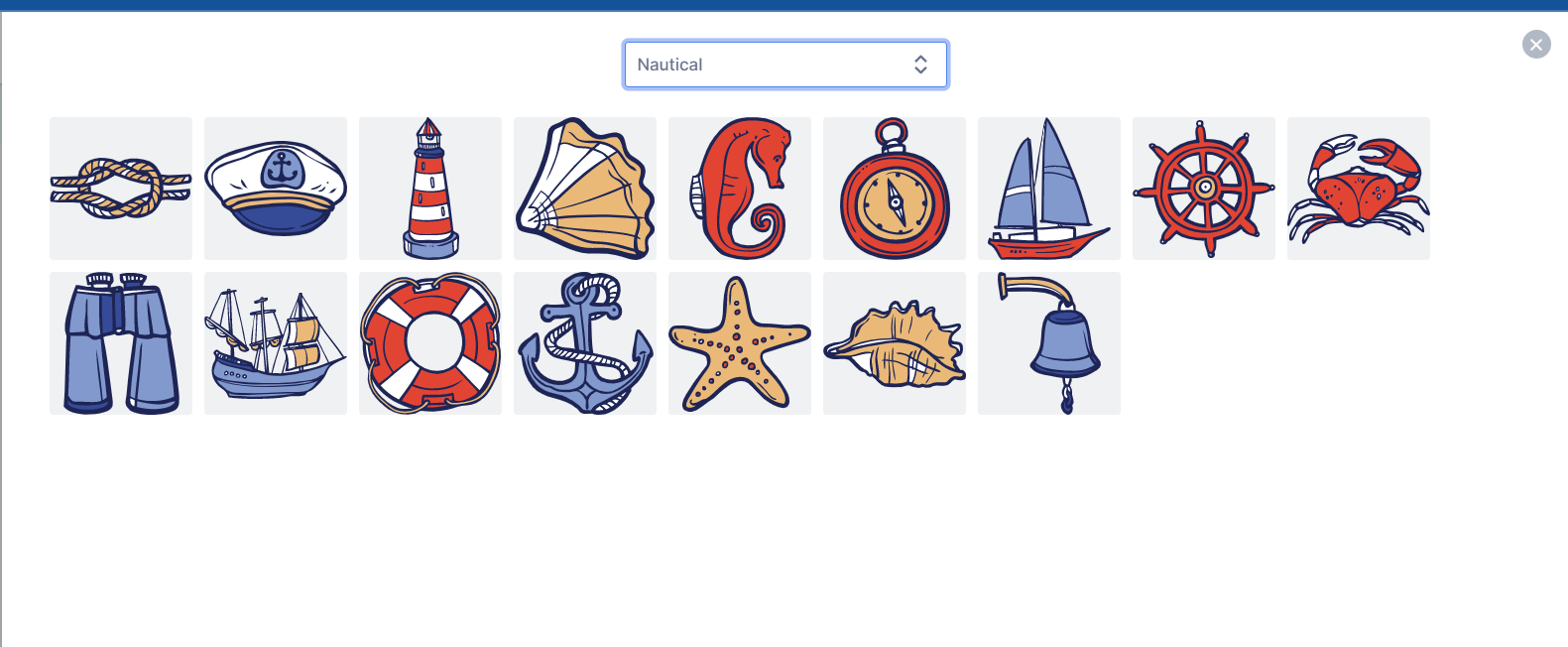
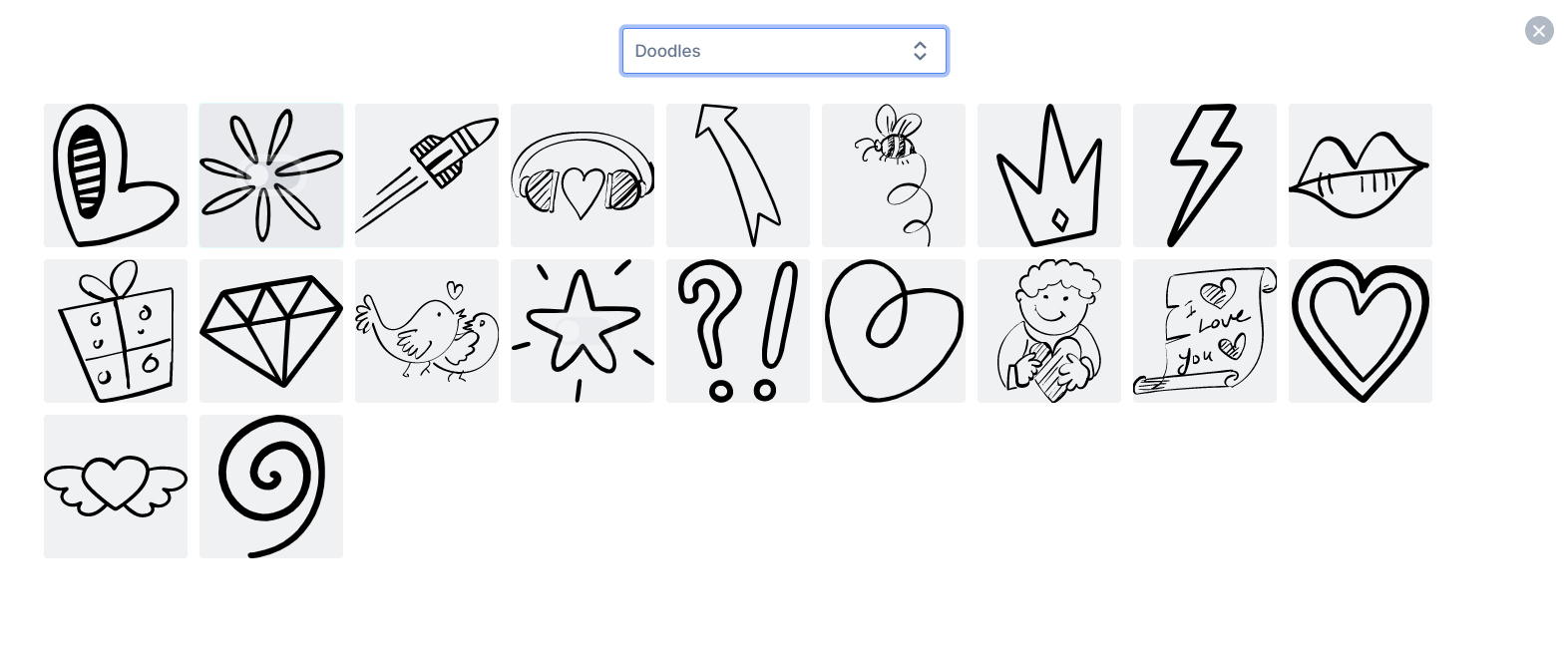
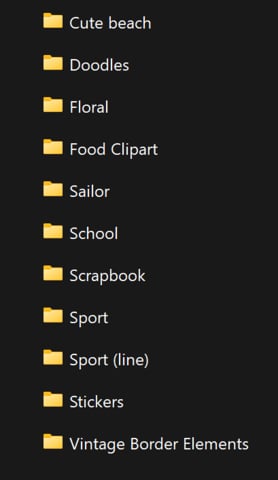
We added the following categories to the backgrounds Abstract Images, Background Images and Texture. We added some Picture categories as well namely Cute Beach, Nautical, Doodles
These are just a few of the new resources we added, please refer to the list below for a list of all the resources we’ve added:
Well that’s it for this week folks, have a lovely PassOver weekend with your family 🙂from the PitchPrint team!😊
Order completed Webhook BigCommerce, File Upload, Project Saved, Order Processing.We’re back and hope that you’re having an awesome new year thus far. We appreciate your support over the past year and we look forward to a much more exciting year ahead.As always it’s an absolute pleasure for us to keep you up to date with what our team has been working on to make your experience on PitchPrint the best possible.
Our webhooks allow Admins to automate processes like sending files (uploaded files OR customized design files) to an endpoint provided once a certain action is completed. We currently offer the following webhooks:
When an order is completed.On the initial #BigCommerce release, we were only able to offer our customers File Upload and Project Saved webhook events. We are excited to announce that we have now added the Order Completed webhook which should allow Admins to send order detail information, PDF/ PNG/ JPEG files and so much more.
Previously, it was a challenge for customers to gage the dimensions of an item added on the canvas more especially if that item was being modified. We have now added this amazing new feature which displays the items dimensions while it is being resized on the canvas.
Some of our customers had an issue with resuming a work in progress design on WIX from their respective account page in order to modify it. We have gone ahead and fixed this issue, our #Wix customers should now be able to relaunch and edit an incomplete design without any hassles.We also had an issue with the Save For Later functionality on WIX whereby once a customer clicks on the save for later button, the respective saved designs would unfortunately not display under the orders tab. This issue is now a thing of the past and our customer should now be able to see all past orders as well as incomplete designs.That’s it for this week but before you go, would you like to earn a $10** voucher absolutely free that you can spend anywhere? Well we’re still running a campaign in conjunction with Capterra whereby a **$10 voucher will given to the first 30 people to review us on the Capterra platform.Hit the link below to review our PitchPrint plugin and get this amazing offer!https://reviews.capterra.com/new/180523/bc27794c-e803-45a9-838b-f05c5c796b36?lang=enWe’re back working on awesome features and further bug fixes. We look forward to sharing them with you all in the coming months 😊. Keep Safe!
{"docsConfig":{"theme":"mint","$schema":"https://mintlify.com/docs.json","name":"PitchPrint","colors":{"primary":"#6022E7","light":"#8B5CF6","dark":"#4C1BC4"},"logo":{"light":"https://mintcdn.com/pitchprint/lFqp-OsyXnf1Fc9b/brand/logo/light.svg?fit=max\u0026auto=format\u0026n=lFqp-OsyXnf1Fc9b\u0026q=85\u0026s=ec857289e0ade69316f8eff623821ad8","dark":"https://mintcdn.com/pitchprint/lFqp-OsyXnf1Fc9b/brand/logo/dark.svg?fit=max\u0026auto=format\u0026n=lFqp-OsyXnf1Fc9b\u0026q=85\u0026s=504b6c4556dad8a811dd61d2b802ecce"},"favicon":"https://mintcdn.com/pitchprint/lFqp-OsyXnf1Fc9b/brand/favicon.svg?fit=max\u0026auto=format\u0026n=lFqp-OsyXnf1Fc9b\u0026q=85\u0026s=b6f4f01ffcc134da4657f0b0d0a1b395","navbar":{"links":[{"href":"https://pitchprint.com","label":"Website"}],"primary":{"type":"button","label":"Dashboard","href":"https://admin.pitchprint.com/login"}},"footer":{"socials":{"x":"https://x.com/pitchprint","github":"https://github.com/pitchprint","linkedin":"https://linkedin.com/company/pitchprint"},"links":[{"header":"Product","items":[{"label":"PitchPrint","href":"https://pitchprint.com"},{"label":"Dashboard","href":"https://pitchprint.com/dashboard"}]},{"header":"Blog","items":[{"label":"Articles","href":"/blog/posts/ai-studio"},{"label":"Releases","href":"/blog/releases/2026"}]}]},"errors":{"404":{"redirect":false,"title":"Page not found","description":"This page may have moved when we rebuilt the docs. Try [search](/docs), the [installation guides](/docs/documentation/which-framework-should-i-pick), or the [API reference](/docs/api-reference/introduction). Still stuck? Email [support@pitchprint.com](mailto:support@pitchprint.com)."}},"contextual":{"options":["copy","view","chatgpt","claude","perplexity","mcp","cursor","vscode"],"display":"header"},"styling":{"latex":true},"navigation":{"global":{"anchors":[{"anchor":"Demos","icon":"circle-play","href":"https://wp.demo.pitchprint.io"},{"anchor":"Support","icon":"envelope","href":"mailto:support@pitchprint.com"}]},"pages":[]}},"deployment":{"deploymentMetadataValue":{"subdomain":"pitchprint","hasAudioNarration":false,"actualSubdomain":"pitchprint","customDomains":["pitchprint.com"],"gitSource":{"type":"github","owner":"pitchprint","repo":"docs","deployBranch":"main","contentDirectory":"","isPrivate":false,"mountPath":"","label":""},"chroma":{"collectionId":"8b3f5e9d-7001-4a57-9541-4a2322cc6249","liveDeploymentHistoryId":"6ad5d0509685d528bc7fa825","schemaVersion":"v3","latestBuiltDeploymentHistoryId":"6ad5d0509685d528bc7fa825"},"entitlements":{"AI_CHAT":{"status":"DISABLED"}},"buildId":"6ad5d0509685d528bc7fa825","clientVersion":"0.0.3971","searchFilterCounts":[{"language":"default","tag":"Documentation","count":154},{"language":"default","tag":"Tutorial","count":91},{"language":"default","tag":"Blog","count":39},{"language":"default","tag":"Tips 'n Tricks","count":32},{"language":"default","tag":"Admin Guide","count":27},{"language":"default","tag":"Using Modules","count":20},{"language":"default","tag":"API Reference","count":19},{"language":"default","tag":"Articles","count":14},{"language":"default","tag":"Installation Guide","count":12},{"language":"default","tag":"Sample Solutions","count":11}]},"assistantConfig":{"enableAskAiButton":false,"enableStarterQuestions":false,"enableContextualStarterQuestions":false,"enableAskAiSearchBar":true},"basePath":"","hasChatPermissions":false,"hasWebMcpPermissions":false,"toggles":[{"name":"kill-isr","enabled":true,"variant":{"name":"disabled","enabled":false,"feature_enabled":true},"impressionData":false},{"name":"agent-mintlify-slack","enabled":true,"variant":{"name":"disabled","enabled":false,"feature_enabled":true},"impressionData":false},{"name":"editor-v7-file-tree","enabled":true,"variant":{"name":"disabled","enabled":false,"feature_enabled":true},"impressionData":false},{"name":"agent-integrations-settings","enabled":true,"variant":{"name":"disabled","enabled":false,"feature_enabled":true},"impressionData":false},{"name":"automations-pr-grouping","enabled":true,"variant":{"name":"disabled","enabled":false,"feature_enabled":true},"impressionData":false},{"name":"custom-prefix","enabled":true,"variant":{"name":"disabled","enabled":false,"feature_enabled":true},"impressionData":false},{"name":"analytics-v7","enabled":true,"variant":{"name":"disabled","enabled":false,"feature_enabled":true},"impressionData":false},{"name":"user-flows-analytics","enabled":true,"variant":{"name":"disabled","enabled":false,"feature_enabled":true},"impressionData":false},{"name":"no-publish-flow","enabled":true,"variant":{"name":"disabled","enabled":false,"feature_enabled":true},"impressionData":false},{"name":"workos-onboarding","enabled":true,"variant":{"name":"disabled","enabled":false,"feature_enabled":true},"impressionData":false},{"name":"llms-txt-v2","enabled":true,"variant":{"name":"disabled","enabled":false,"feature_enabled":true},"impressionData":false},{"name":"pause-universal-search-reconcile","enabled":true,"variant":{"name":"disabled","enabled":false,"feature_enabled":true},"impressionData":false},{"name":"snapshot-serving-live","enabled":true,"variant":{"name":"disabled","enabled":false,"feature_enabled":true},"impressionData":false},{"name":"stripTemperatureMiddleware","enabled":true,"variant":{"name":"disabled","enabled":false,"feature_enabled":true},"impressionData":false},{"name":"per-site-search-delta","enabled":true,"variant":{"name":"disabled","enabled":false,"feature_enabled":true},"impressionData":false},{"name":"support-platform-pylon-zendesk","enabled":true,"variant":{"name":"disabled","enabled":false,"feature_enabled":true},"impressionData":false},{"name":"snapshot-serving","enabled":true,"variant":{"name":"disabled","enabled":false,"feature_enabled":true},"impressionData":false},{"name":"instant-rollback","enabled":true,"variant":{"name":"disabled","enabled":false,"feature_enabled":true},"impressionData":false},{"name":"granular-notifications-server","enabled":true,"variant":{"name":"disabled","enabled":false,"feature_enabled":true},"impressionData":false},{"name":"granular-notifications","enabled":true,"variant":{"name":"disabled","enabled":false,"feature_enabled":true},"impressionData":false},{"name":"editor-private-page-search","enabled":true,"variant":{"name":"disabled","enabled":false,"feature_enabled":true},"impressionData":false},{"name":"automations-fable","enabled":true,"variant":{"name":"disabled","enabled":false,"feature_enabled":true},"impressionData":false},{"name":"fixed-ai-action-pricing","enabled":true,"variant":{"name":"disabled","enabled":false,"feature_enabled":true},"impressionData":false},{"name":"automation-resolve-merge-conflict","enabled":true,"variant":{"name":"disabled","enabled":false,"feature_enabled":true},"impressionData":false},{"name":"scoped-publishing","enabled":true,"variant":{"name":"disabled","enabled":false,"feature_enabled":true},"impressionData":false},{"name":"mintql","enabled":true,"variant":{"name":"disabled","enabled":false,"feature_enabled":true},"impressionData":false},{"name":"page-level-analytics","enabled":true,"variant":{"name":"disabled","enabled":false,"feature_enabled":true},"impressionData":false},{"name":"editor-version-history-v2","enabled":true,"variant":{"name":"disabled","enabled":false,"feature_enabled":true},"impressionData":false},{"name":"editor-nav-generations","enabled":true,"variant":{"name":"disabled","enabled":false,"feature_enabled":true},"impressionData":false},{"name":"billing-page-v2","enabled":true,"variant":{"name":"disabled","enabled":false,"feature_enabled":true},"impressionData":false},{"name":"workspace-projects","enabled":true,"variant":{"name":"disabled","enabled":false,"feature_enabled":true},"impressionData":false},{"name":"assistant-v5","enabled":true,"variant":{"name":"disabled","enabled":false,"feature_enabled":true},"impressionData":false},{"name":"byok-sep-25","enabled":true,"variant":{"name":"disabled","enabled":false,"feature_enabled":true},"impressionData":false},{"name":"fork-pr-previews","enabled":true,"variant":{"name":"disabled","enabled":false,"feature_enabled":true},"impressionData":false},{"name":"revalidation-jwt","enabled":true,"variant":{"name":"disabled","enabled":false,"feature_enabled":true},"impressionData":false},{"name":"vite-origin","enabled":true,"variant":{"name":"disabled","enabled":false,"feature_enabled":true},"impressionData":false},{"name":"editor-agent-model-picker","enabled":true,"variant":{"name":"disabled","enabled":false,"feature_enabled":true},"impressionData":false},{"name":"billing-updated-9-15","enabled":true,"variant":{"name":"disabled","enabled":false,"feature_enabled":true},"impressionData":false},{"name":"workos-sso-scim","enabled":true,"variant":{"name":"disabled","enabled":false,"feature_enabled":true},"impressionData":false},{"name":"hobby-abuse-scan","enabled":true,"variant":{"name":"disabled","enabled":false,"feature_enabled":true},"impressionData":false},{"name":"dashboard-inbox","enabled":true,"variant":{"name":"disabled","enabled":false,"feature_enabled":true},"impressionData":false},{"name":"workos-signup","enabled":true,"variant":{"name":"disabled","enabled":false,"feature_enabled":true},"impressionData":false},{"name":"workos-enabled","enabled":true,"variant":{"name":"disabled","enabled":false,"feature_enabled":true},"impressionData":false}],"isAtlas":false,"googleFontsInlined":false},"customCss":[{"filePath":"style.css","content":"header button[aria-haspopup=menu],nav button[aria-haspopup=menu]{display:none!important}"}],"page":{"pagePath":"blog/releases/2023","slug":"/blog/releases/2023","pageMetadata":{"title":"2023 releases","description":"PitchPrint release notes from 2023 — new features, improvements, and bug fixes.","href":"/blog/releases/2023"},"description":{"compiledSource":"\"use strict\";\nconst {jsx: _jsx} = arguments[0];\nconst {useMDXComponents: _provideComponents} = arguments[0];\nfunction _createMdxContent(props) {\n const _components = {\n p: \"p\",\n ..._provideComponents(),\n ...props.components\n };\n return _jsx(_components.p, {\n children: \"PitchPrint release notes from 2023 — new features, improvements, and bug fixes.\"\n });\n}\nfunction MDXContent(props = {}) {\n const {wrapper: MDXLayout} = {\n ..._provideComponents(),\n ...props.components\n };\n return MDXLayout ? _jsx(MDXLayout, {\n ...props,\n children: _jsx(_createMdxContent, {\n ...props\n })\n }) : _createMdxContent(props);\n}\nreturn {\n default: MDXContent\n};\n","frontmatter":{},"scope":{}},"pageType":"default","mdx":{"mdxSource":{"compiledSource":"\"use strict\";const{Fragment:_Fragment,jsx:_jsx,jsxs:_jsxs}=arguments[0];const{useMDXComponents:_provideComponents}=arguments[0];function _createMdxContent(props){const _components={a:`a`,blockquote:`blockquote`,em:`em`,p:`p`,strong:`strong`,..._provideComponents(),...props.components},{Accordion,AccordionGroup,Frame,Heading,OptimizedImage,Update}=_components;if(!Accordion)_missingMdxReference(`Accordion`,true);if(!AccordionGroup)_missingMdxReference(`AccordionGroup`,true);if(!Frame)_missingMdxReference(`Frame`,true);if(!Heading)_missingMdxReference(`Heading`,true);if(!OptimizedImage)_missingMdxReference(`OptimizedImage`,true);if(!Update)_missingMdxReference(`Update`,true);return _jsxs(_Fragment,{children:[_jsx(_components.p,{children:`Release notes published during 2023.`}),`\n`,_jsxs(Update,{label:`WK39-23`,description:`28 September 2023`,rss:{title:`WK39-23 — Edit Project Details, Switch from 3D to 2D view`,description:`Edit Project Details, Switch from 3D to 2D view, Split by VFold lines.`},id:`wk39-23`,children:[_jsx(_components.p,{children:_jsx(_components.strong,{children:`Edit Project Details, Switch from 3D to 2D view, Split by VFold lines.`})}),_jsx(_components.p,{children:`We’re back with some fantastic updates to make your experience on PitchPrint even better.`}),_jsx(Heading,{level:`3`,id:`edit-project-details`,children:`Edit Project Details`}),_jsxs(_components.p,{children:[`This awesome functionality will aid in adding details to every Project within PitchPrint admin. It provides admin users with clear information about the associated customer and product for each order, streamlining project identification. To access this amazing feature go to `,_jsx(_components.a,{href:`https://admin.pitchprint.com/projects`,children:`projects`}),` and click on the edit icon next to an individual project as shown below:`]}),_jsx(Frame,{children:_jsx(OptimizedImage,{src:`https://mintcdn.com/pitchprint/tom_tkFD0x1UMTH0/blog/images/2023/09/image-2.png?fit=max\u0026auto=format\u0026n=tom_tkFD0x1UMTH0\u0026q=85\u0026s=0bb420b53d563a4323df09c31f895d19`,alt:`The Projects list in PitchPrint admin with the edit icon beside a project`,\"data-og-width\":`76`,width:`76`,\"data-og-height\":`91`,height:`91`,\"data-path\":`blog/images/2023/09/image-2.png`,\"data-optimize\":`true`,\"data-opv\":`3`,srcset:`https://mintcdn.com/pitchprint/tom_tkFD0x1UMTH0/blog/images/2023/09/image-2.png?w=280\u0026fit=max\u0026auto=format\u0026n=tom_tkFD0x1UMTH0\u0026q=85\u0026s=7c107c2fa1cd8862a0ad208448dc2f33 280w, https://mintcdn.com/pitchprint/tom_tkFD0x1UMTH0/blog/images/2023/09/image-2.png?w=560\u0026fit=max\u0026auto=format\u0026n=tom_tkFD0x1UMTH0\u0026q=85\u0026s=cd8b4d982c2c85003884c6ff7d9a7884 560w, https://mintcdn.com/pitchprint/tom_tkFD0x1UMTH0/blog/images/2023/09/image-2.png?w=840\u0026fit=max\u0026auto=format\u0026n=tom_tkFD0x1UMTH0\u0026q=85\u0026s=69937d52d12f7b04b2ac03ec9f08dc64 840w, https://mintcdn.com/pitchprint/tom_tkFD0x1UMTH0/blog/images/2023/09/image-2.png?w=1100\u0026fit=max\u0026auto=format\u0026n=tom_tkFD0x1UMTH0\u0026q=85\u0026s=68a3fe05a70524c725e4abda37cf98a7 1100w, https://mintcdn.com/pitchprint/tom_tkFD0x1UMTH0/blog/images/2023/09/image-2.png?w=1650\u0026fit=max\u0026auto=format\u0026n=tom_tkFD0x1UMTH0\u0026q=85\u0026s=a5d57ba19115706e4647c8ff87db03ed 1650w, https://mintcdn.com/pitchprint/tom_tkFD0x1UMTH0/blog/images/2023/09/image-2.png?w=2500\u0026fit=max\u0026auto=format\u0026n=tom_tkFD0x1UMTH0\u0026q=85\u0026s=31fb799387bcf8e98ea6ee6c0a6b5777 2500w`})}),_jsx(_components.p,{children:`Enter the project details in the fields shown below and save to update the project details:`}),_jsx(Frame,{children:_jsx(OptimizedImage,{src:`https://mintcdn.com/pitchprint/tom_tkFD0x1UMTH0/blog/images/2023/09/image-3.png?fit=max\u0026auto=format\u0026n=tom_tkFD0x1UMTH0\u0026q=85\u0026s=90c723f5d38a5e371cb7abda73dc3df9`,alt:`The project details form with fields for the customer and product information`,\"data-og-width\":`670`,width:`670`,\"data-og-height\":`478`,height:`478`,\"data-path\":`blog/images/2023/09/image-3.png`,\"data-optimize\":`true`,\"data-opv\":`3`,srcset:`https://mintcdn.com/pitchprint/tom_tkFD0x1UMTH0/blog/images/2023/09/image-3.png?w=280\u0026fit=max\u0026auto=format\u0026n=tom_tkFD0x1UMTH0\u0026q=85\u0026s=a23a2333e69ec4c14f1047578f8107c0 280w, https://mintcdn.com/pitchprint/tom_tkFD0x1UMTH0/blog/images/2023/09/image-3.png?w=560\u0026fit=max\u0026auto=format\u0026n=tom_tkFD0x1UMTH0\u0026q=85\u0026s=50b14b3323379a1ef651c055307c3b34 560w, https://mintcdn.com/pitchprint/tom_tkFD0x1UMTH0/blog/images/2023/09/image-3.png?w=840\u0026fit=max\u0026auto=format\u0026n=tom_tkFD0x1UMTH0\u0026q=85\u0026s=414b595961bc8da298488da7ce878492 840w, https://mintcdn.com/pitchprint/tom_tkFD0x1UMTH0/blog/images/2023/09/image-3.png?w=1100\u0026fit=max\u0026auto=format\u0026n=tom_tkFD0x1UMTH0\u0026q=85\u0026s=c38b6ce416cd379260b4b59e87298eba 1100w, https://mintcdn.com/pitchprint/tom_tkFD0x1UMTH0/blog/images/2023/09/image-3.png?w=1650\u0026fit=max\u0026auto=format\u0026n=tom_tkFD0x1UMTH0\u0026q=85\u0026s=05cd68b5fed900b02eb3b0eba867621f 1650w, https://mintcdn.com/pitchprint/tom_tkFD0x1UMTH0/blog/images/2023/09/image-3.png?w=2500\u0026fit=max\u0026auto=format\u0026n=tom_tkFD0x1UMTH0\u0026q=85\u0026s=3213739c7352614ccf040f0fa620b7a7 2500w`})}),_jsx(Heading,{level:`3`,id:`switch-from-3d-to-2d-view`,children:`Switch from 3D to 2D view`}),_jsx(_components.p,{children:`We’ve introduced an exciting feature that enables your customers to toggle between 2D and 3D views in the preview area. Previously, customers were restricted to either a 2D or a 3D preview within the editor. This enhancement provides flexibility for customers to switch between these views based on their preference and needs.`}),_jsxs(_components.p,{children:[`To enable this feature please go to `,_jsx(_components.a,{href:`https://admin.pitchprint.com/layouts`,children:`layouts`}),` and reload latest. Then clear your cache on your product page and you should be able to see the buttons as shown below:`]}),_jsx(Frame,{caption:`Click on 2D to preview in 2D and on 3D to preview in 3D`,children:_jsx(OptimizedImage,{src:`https://mintcdn.com/pitchprint/tom_tkFD0x1UMTH0/blog/images/2023/09/image-7.png?fit=max\u0026auto=format\u0026n=tom_tkFD0x1UMTH0\u0026q=85\u0026s=ba423dab21082dfbd8134113b87d9a43`,alt:`The 2D and 3D toggle buttons in the editor preview area`,\"data-og-width\":`260`,width:`260`,\"data-og-height\":`114`,height:`114`,\"data-path\":`blog/images/2023/09/image-7.png`,\"data-optimize\":`true`,\"data-opv\":`3`,srcset:`https://mintcdn.com/pitchprint/tom_tkFD0x1UMTH0/blog/images/2023/09/image-7.png?w=280\u0026fit=max\u0026auto=format\u0026n=tom_tkFD0x1UMTH0\u0026q=85\u0026s=0a23692967415a017ce5d5e76045a1e3 280w, https://mintcdn.com/pitchprint/tom_tkFD0x1UMTH0/blog/images/2023/09/image-7.png?w=560\u0026fit=max\u0026auto=format\u0026n=tom_tkFD0x1UMTH0\u0026q=85\u0026s=b3f35020d49576eff6cb059cb4d3a3b7 560w, https://mintcdn.com/pitchprint/tom_tkFD0x1UMTH0/blog/images/2023/09/image-7.png?w=840\u0026fit=max\u0026auto=format\u0026n=tom_tkFD0x1UMTH0\u0026q=85\u0026s=b0477d9d243d6b57718aa5e8d840a35f 840w, https://mintcdn.com/pitchprint/tom_tkFD0x1UMTH0/blog/images/2023/09/image-7.png?w=1100\u0026fit=max\u0026auto=format\u0026n=tom_tkFD0x1UMTH0\u0026q=85\u0026s=2cd1d93f2a86b557e9ca505dc35006ad 1100w, https://mintcdn.com/pitchprint/tom_tkFD0x1UMTH0/blog/images/2023/09/image-7.png?w=1650\u0026fit=max\u0026auto=format\u0026n=tom_tkFD0x1UMTH0\u0026q=85\u0026s=ecfe130e1b3428b2e102d1cabd5dc3cd 1650w, https://mintcdn.com/pitchprint/tom_tkFD0x1UMTH0/blog/images/2023/09/image-7.png?w=2500\u0026fit=max\u0026auto=format\u0026n=tom_tkFD0x1UMTH0\u0026q=85\u0026s=d4c7efacc827946abb7850605ef71db5 2500w`})}),_jsxs(_components.blockquote,{children:[`\n`,_jsx(_components.p,{children:_jsx(_components.strong,{children:`Please be sure to save your custom changes in an alternative location before reloading your layout.`})}),`\n`]}),_jsx(Heading,{level:`3`,id:`split-by-vfold-lines`,children:`Split by VFold lines`}),_jsxs(_components.p,{children:[`This awesome feature empowers you to split your PDF into separate pages utilising the VFold lines within PitchPrint. Once enabled, the system will count the VFold lines and automatically segment your PDF into pages corresponding to the number of VFold lines in the design. Please note that this feature is compatible with `,_jsx(_components.em,{children:_jsx(_components.strong,{children:`PDF distiller version 3`})}),`. You can check your distiller version in the `,_jsx(_components.a,{href:`https://admin.pitchprint.com/settings`,children:`settings`}),` under the PDF section. To activate this valuable feature, follow these steps: open your `,_jsx(_components.a,{href:`https://admin.pitchprint.com/designs`,children:`designs`}),` in the designs section, navigate to the `,_jsx(_components.em,{children:_jsx(_components.strong,{children:`Page section,`})}),` and add the `,_jsx(_components.em,{children:`split_by_vfoldlines`}),` tag as shown below:`]}),_jsx(Frame,{children:_jsx(OptimizedImage,{src:`https://mintcdn.com/pitchprint/tom_tkFD0x1UMTH0/blog/images/2023/09/Screenshot-2023-09-28-142511.png?fit=max\u0026auto=format\u0026n=tom_tkFD0x1UMTH0\u0026q=85\u0026s=3479ed23efaca779e04322e0b91b8c3b`,alt:`The Page section of a design with the split_by_vfoldlines tag added`,\"data-og-width\":`477`,width:`477`,\"data-og-height\":`1087`,height:`1087`,\"data-path\":`blog/images/2023/09/Screenshot-2023-09-28-142511.png`,\"data-optimize\":`true`,\"data-opv\":`3`,srcset:`https://mintcdn.com/pitchprint/tom_tkFD0x1UMTH0/blog/images/2023/09/Screenshot-2023-09-28-142511.png?w=280\u0026fit=max\u0026auto=format\u0026n=tom_tkFD0x1UMTH0\u0026q=85\u0026s=a1c65af9131c131c7a6d3c7ddb024e8f 280w, https://mintcdn.com/pitchprint/tom_tkFD0x1UMTH0/blog/images/2023/09/Screenshot-2023-09-28-142511.png?w=560\u0026fit=max\u0026auto=format\u0026n=tom_tkFD0x1UMTH0\u0026q=85\u0026s=263fe298d5943e2fb074488cb8a761bd 560w, https://mintcdn.com/pitchprint/tom_tkFD0x1UMTH0/blog/images/2023/09/Screenshot-2023-09-28-142511.png?w=840\u0026fit=max\u0026auto=format\u0026n=tom_tkFD0x1UMTH0\u0026q=85\u0026s=5ea3f288e32a4aec62e75a230268ae11 840w, https://mintcdn.com/pitchprint/tom_tkFD0x1UMTH0/blog/images/2023/09/Screenshot-2023-09-28-142511.png?w=1100\u0026fit=max\u0026auto=format\u0026n=tom_tkFD0x1UMTH0\u0026q=85\u0026s=a8f0ded60f347cdd348ac15feb94b7e9 1100w, https://mintcdn.com/pitchprint/tom_tkFD0x1UMTH0/blog/images/2023/09/Screenshot-2023-09-28-142511.png?w=1650\u0026fit=max\u0026auto=format\u0026n=tom_tkFD0x1UMTH0\u0026q=85\u0026s=91ce3505ee0e952e38de37e546d1a086 1650w, https://mintcdn.com/pitchprint/tom_tkFD0x1UMTH0/blog/images/2023/09/Screenshot-2023-09-28-142511.png?w=2500\u0026fit=max\u0026auto=format\u0026n=tom_tkFD0x1UMTH0\u0026q=85\u0026s=d621abfa6784ffe65d7645570faa5c76 2500w`})}),_jsx(_components.p,{children:`Well that’s it for this week folks be sure to catch us in our next release for more awesome updates and features. Have a lovely week from the PitchPrint team!😊`})]}),`\n`,_jsxs(Update,{label:`WK36-23`,description:`13 September 2023`,rss:{title:`WK36-23 — Smart Sizes sync to Product Page, WIX Cart previews`,description:`Smart Sizes sync to Product Page, WIX Cart previews, Clear design on reload.`},id:`wk36-23`,children:[_jsx(_components.p,{children:_jsx(_components.strong,{children:`Smart Sizes sync to Product Page, WIX Cart previews, Clear design on reload.`})}),_jsx(_components.p,{children:`It’s been a while and as always it’s an absolute pleasure for us to keep you updated with what our team has been working on to make your experience on PitchPrint even better!`}),_jsx(Heading,{level:`3`,id:`smart-sizes-sync-to-product-page`,children:`Smart Sizes sync to Product Page`}),_jsx(_components.p,{children:`In the past, our Smart Sizes feature had limitations as it only allowed customers to modify page sizes within the PitchPrint editor. We’ve expanded this functionality to now seamlessly integrate with the product page, establishing a two-way synchronisation. This means that customers can select their preferred size on the product page, and the editor will open with that selected size. Conversely, customers can also choose a size within the editor, submit their choice, and the product page will update accordingly to reflect the chosen size.`}),_jsxs(_components.p,{children:[`To enable this two-way synchronisation, please incorporate your `,_jsx(_components.em,{children:_jsx(_components.strong,{children:`variation element selector`})}),` using the provided code snippet below:`]}),_jsxs(_components.blockquote,{children:[`\n`,_jsx(_components.p,{children:`PPCLIENT.smartSizeSelector =‘#dimensions’;`}),`\n`]}),_jsxs(_components.p,{children:[`Add to the `,_jsx(_components.a,{href:`https://admin.pitchprint.com/settings`,children:_jsx(_components.em,{children:_jsx(_components.strong,{children:`settings`})})}),` page in the custom Javascript section as shown below:`]}),_jsx(Frame,{children:_jsx(OptimizedImage,{src:`https://mintcdn.com/pitchprint/tom_tkFD0x1UMTH0/blog/images/2023/09/image.png?fit=max\u0026auto=format\u0026n=tom_tkFD0x1UMTH0\u0026q=85\u0026s=300728cc3e56f5703615de6b50a46ac0`,alt:`The Custom Javascript field in admin settings with the smartSizeSelector snippet`,\"data-og-width\":`998`,width:`998`,\"data-og-height\":`236`,height:`236`,\"data-path\":`blog/images/2023/09/image.png`,\"data-optimize\":`true`,\"data-opv\":`3`,srcset:`https://mintcdn.com/pitchprint/tom_tkFD0x1UMTH0/blog/images/2023/09/image.png?w=280\u0026fit=max\u0026auto=format\u0026n=tom_tkFD0x1UMTH0\u0026q=85\u0026s=a338f44dd6d2d8a3f8cf7b288ab9fc4f 280w, https://mintcdn.com/pitchprint/tom_tkFD0x1UMTH0/blog/images/2023/09/image.png?w=560\u0026fit=max\u0026auto=format\u0026n=tom_tkFD0x1UMTH0\u0026q=85\u0026s=7db09986a3f55a817303972328047d70 560w, https://mintcdn.com/pitchprint/tom_tkFD0x1UMTH0/blog/images/2023/09/image.png?w=840\u0026fit=max\u0026auto=format\u0026n=tom_tkFD0x1UMTH0\u0026q=85\u0026s=872a2d2baaddcefdf7080e620b15ceff 840w, https://mintcdn.com/pitchprint/tom_tkFD0x1UMTH0/blog/images/2023/09/image.png?w=1100\u0026fit=max\u0026auto=format\u0026n=tom_tkFD0x1UMTH0\u0026q=85\u0026s=a604f951dd04771d8ff288c9e93d19a0 1100w, https://mintcdn.com/pitchprint/tom_tkFD0x1UMTH0/blog/images/2023/09/image.png?w=1650\u0026fit=max\u0026auto=format\u0026n=tom_tkFD0x1UMTH0\u0026q=85\u0026s=9e267e65d2e70fefbe6fb15034adcd95 1650w, https://mintcdn.com/pitchprint/tom_tkFD0x1UMTH0/blog/images/2023/09/image.png?w=2500\u0026fit=max\u0026auto=format\u0026n=tom_tkFD0x1UMTH0\u0026q=85\u0026s=6c4f018e5a218ae29a3f9729b4ae41fe 2500w`})}),_jsx(_components.p,{children:_jsx(_components.em,{children:`The above should be inserted in your PitchPrint Admin Settings, under Custom Javascript. Note ‘#dimensions’ is just an example, you would need to provide your own selector that can be found on your product page, if it has a size selection.`})}),_jsx(Heading,{level:`3`,id:`wix-cart-previews`,children:`WIX Cart previews`}),_jsxs(_components.p,{children:[`We’ve introduced cart previews on WIX, enabling customers to view their customised images within the cart. `,_jsx(_components.em,{children:`It’s worth noting that we don’t have access to the checkout API, so we can’t modify the image displayed during the checkout process.`}),` Furthermore, we’ve also incorporated additional functionality on WIX for an improved user experience.`]}),_jsx(Heading,{level:`3`,id:`clear-design-on-reload`,children:`Clear design on reload`}),_jsxs(_components.p,{children:[`We’ve also added this incredible functionality that enables customers to clear their designs when they reload the page, providing a fresh start whenever needed. To activate this functionality, simply navigate to your `,_jsx(_components.a,{href:`https://admin.pitchprint.com/settings`,children:`settings`}),` >> then scroll down to the section indicated below and enable the setting:`]}),_jsx(Frame,{children:_jsx(OptimizedImage,{src:`https://mintcdn.com/pitchprint/tom_tkFD0x1UMTH0/blog/images/2023/09/image-1.png?fit=max\u0026auto=format\u0026n=tom_tkFD0x1UMTH0\u0026q=85\u0026s=038c8d8eac9bb5aed5b76edfe72c2a68`,alt:`The admin settings section with the clear design on reload option enabled`,\"data-og-width\":`647`,width:`647`,\"data-og-height\":`94`,height:`94`,\"data-path\":`blog/images/2023/09/image-1.png`,\"data-optimize\":`true`,\"data-opv\":`3`,srcset:`https://mintcdn.com/pitchprint/tom_tkFD0x1UMTH0/blog/images/2023/09/image-1.png?w=280\u0026fit=max\u0026auto=format\u0026n=tom_tkFD0x1UMTH0\u0026q=85\u0026s=18e2a1cf885256997690f1abb58673e8 280w, https://mintcdn.com/pitchprint/tom_tkFD0x1UMTH0/blog/images/2023/09/image-1.png?w=560\u0026fit=max\u0026auto=format\u0026n=tom_tkFD0x1UMTH0\u0026q=85\u0026s=fa1b40a729a57514e6607cb58c8172f5 560w, https://mintcdn.com/pitchprint/tom_tkFD0x1UMTH0/blog/images/2023/09/image-1.png?w=840\u0026fit=max\u0026auto=format\u0026n=tom_tkFD0x1UMTH0\u0026q=85\u0026s=42608d880cc00a35d542a8ca025ddb5f 840w, https://mintcdn.com/pitchprint/tom_tkFD0x1UMTH0/blog/images/2023/09/image-1.png?w=1100\u0026fit=max\u0026auto=format\u0026n=tom_tkFD0x1UMTH0\u0026q=85\u0026s=eefab8bebc035e85de1920a85fe027f6 1100w, https://mintcdn.com/pitchprint/tom_tkFD0x1UMTH0/blog/images/2023/09/image-1.png?w=1650\u0026fit=max\u0026auto=format\u0026n=tom_tkFD0x1UMTH0\u0026q=85\u0026s=d0d8bfb7ebce17e78a53e29ff0580217 1650w, https://mintcdn.com/pitchprint/tom_tkFD0x1UMTH0/blog/images/2023/09/image-1.png?w=2500\u0026fit=max\u0026auto=format\u0026n=tom_tkFD0x1UMTH0\u0026q=85\u0026s=60dc991abf243751ef8542cb84a6065d 2500w`})}),_jsx(AccordionGroup,{children:_jsxs(Accordion,{title:`Bug fixes`,icon:`bug`,id:`bug-fixes`,children:[_jsx(Heading,{level:`3`,id:`wix-cookie-blocker`,children:`WIX cookie blocker`}),_jsx(_components.p,{children:`We’ve also resolved a major issue where the end user couldn’t see the “customize” button when cookies were enabled on their end. Now, regardless of cookie settings, customers should be able to view the customize button and not miss out on an opportunity to personalise their orders!`})]})}),_jsx(_components.p,{children:`That wraps up our updates for this week, everyone! We’ll be back soon with more exciting updates and bug fixes. Wishing you a wonderful and productive week ahead from the entire PitchPrint team! 😊`})]}),`\n`,_jsxs(Update,{label:`WK29-23`,description:`28 July 2023`,rss:{title:`WK29-23 — Design selector search update, Customer Design previews on Wordpress`,description:`Design selector search update, Customer Design previews on Wordpress, Default background mode option, Plenty new 3D models.`},id:`wk29-23`,children:[_jsx(_components.p,{children:_jsx(_components.strong,{children:`Design selector search update, Customer Design previews on Wordpress, Default background mode option, Plenty new 3D models.`})}),_jsx(_components.p,{children:`It’s been a minute, and as always it’s an absolute pleasure for us to keep you updated with what our team has been working on to make your experience on PitchPrint even better!`}),_jsx(Heading,{level:`3`,id:`design-selector-search-update`,children:`Design selector search update`}),_jsx(_components.p,{children:`In our latest release note, we introduced enhancements to the design selector search feature discussed in our previous update. Now, users have the ability to search for designs using tags, design names, or even specific letters within a design name. When you assign tags to a design in the inside the PitchPrint admin, these tags become searchable criteria. Furthermore, the search function also allows you to find designs based on letters present within their design names. Below, we provide a few examples to illustrate these capabilities:`}),_jsx(Frame,{caption:`Search using a single letter`,children:_jsx(OptimizedImage,{src:`https://mintcdn.com/pitchprint/tom_tkFD0x1UMTH0/blog/images/2023/07/image.png?fit=max\u0026auto=format\u0026n=tom_tkFD0x1UMTH0\u0026q=85\u0026s=6b8fcb4f0de350150315d8cbe2ba627e`,alt:`Design selector search results matched from a single letter`,\"data-og-width\":`539`,width:`539`,\"data-og-height\":`897`,height:`897`,\"data-path\":`blog/images/2023/07/image.png`,\"data-optimize\":`true`,\"data-opv\":`3`,srcset:`https://mintcdn.com/pitchprint/tom_tkFD0x1UMTH0/blog/images/2023/07/image.png?w=280\u0026fit=max\u0026auto=format\u0026n=tom_tkFD0x1UMTH0\u0026q=85\u0026s=2a23f3ce11e081e8525f09446ec98e1f 280w, https://mintcdn.com/pitchprint/tom_tkFD0x1UMTH0/blog/images/2023/07/image.png?w=560\u0026fit=max\u0026auto=format\u0026n=tom_tkFD0x1UMTH0\u0026q=85\u0026s=f883fb2ca341f424bfd482f856191d47 560w, https://mintcdn.com/pitchprint/tom_tkFD0x1UMTH0/blog/images/2023/07/image.png?w=840\u0026fit=max\u0026auto=format\u0026n=tom_tkFD0x1UMTH0\u0026q=85\u0026s=1f4c3fe0ecdc1c7d0dddfa7497c3da62 840w, https://mintcdn.com/pitchprint/tom_tkFD0x1UMTH0/blog/images/2023/07/image.png?w=1100\u0026fit=max\u0026auto=format\u0026n=tom_tkFD0x1UMTH0\u0026q=85\u0026s=a2f82a3258154d22f8b7e85d7611eac6 1100w, https://mintcdn.com/pitchprint/tom_tkFD0x1UMTH0/blog/images/2023/07/image.png?w=1650\u0026fit=max\u0026auto=format\u0026n=tom_tkFD0x1UMTH0\u0026q=85\u0026s=c2c3ce4c18b86de87caf0c450f1371c2 1650w, https://mintcdn.com/pitchprint/tom_tkFD0x1UMTH0/blog/images/2023/07/image.png?w=2500\u0026fit=max\u0026auto=format\u0026n=tom_tkFD0x1UMTH0\u0026q=85\u0026s=68947f58c81546e5de22487a29b4b2a3 2500w`})}),_jsx(Frame,{caption:`Search using tags assigned in design configuration`,children:_jsx(OptimizedImage,{src:`https://mintcdn.com/pitchprint/tom_tkFD0x1UMTH0/blog/images/2023/07/image-1.png?fit=max\u0026auto=format\u0026n=tom_tkFD0x1UMTH0\u0026q=85\u0026s=bf17c680321896d2c0f19cf69677e46f`,alt:`Design selector search results matched from a tag assigned to designs`,\"data-og-width\":`548`,width:`548`,\"data-og-height\":`763`,height:`763`,\"data-path\":`blog/images/2023/07/image-1.png`,\"data-optimize\":`true`,\"data-opv\":`3`,srcset:`https://mintcdn.com/pitchprint/tom_tkFD0x1UMTH0/blog/images/2023/07/image-1.png?w=280\u0026fit=max\u0026auto=format\u0026n=tom_tkFD0x1UMTH0\u0026q=85\u0026s=e8e230c3fe141d65e491dd934f80c4fa 280w, https://mintcdn.com/pitchprint/tom_tkFD0x1UMTH0/blog/images/2023/07/image-1.png?w=560\u0026fit=max\u0026auto=format\u0026n=tom_tkFD0x1UMTH0\u0026q=85\u0026s=c47e5ef7df1ed04f2273eadd64f6e5e5 560w, https://mintcdn.com/pitchprint/tom_tkFD0x1UMTH0/blog/images/2023/07/image-1.png?w=840\u0026fit=max\u0026auto=format\u0026n=tom_tkFD0x1UMTH0\u0026q=85\u0026s=90b5120afafe16347e846b15a66841d3 840w, https://mintcdn.com/pitchprint/tom_tkFD0x1UMTH0/blog/images/2023/07/image-1.png?w=1100\u0026fit=max\u0026auto=format\u0026n=tom_tkFD0x1UMTH0\u0026q=85\u0026s=68dbc2c71406be4aa0e7247e90ce5a91 1100w, https://mintcdn.com/pitchprint/tom_tkFD0x1UMTH0/blog/images/2023/07/image-1.png?w=1650\u0026fit=max\u0026auto=format\u0026n=tom_tkFD0x1UMTH0\u0026q=85\u0026s=75a0bdd95fca8038328870c8f5bd7841 1650w, https://mintcdn.com/pitchprint/tom_tkFD0x1UMTH0/blog/images/2023/07/image-1.png?w=2500\u0026fit=max\u0026auto=format\u0026n=tom_tkFD0x1UMTH0\u0026q=85\u0026s=8e34d57c9aae02693a1375da2ec20759 2500w`})}),_jsx(Frame,{caption:`Search using specific design names`,children:_jsx(OptimizedImage,{src:`https://mintcdn.com/pitchprint/tom_tkFD0x1UMTH0/blog/images/2023/07/image-2.png?fit=max\u0026auto=format\u0026n=tom_tkFD0x1UMTH0\u0026q=85\u0026s=b31d778ce24ba329df6271418ee0733a`,alt:`Design selector search results matched from a specific design name`,\"data-og-width\":`572`,width:`572`,\"data-og-height\":`863`,height:`863`,\"data-path\":`blog/images/2023/07/image-2.png`,\"data-optimize\":`true`,\"data-opv\":`3`,srcset:`https://mintcdn.com/pitchprint/tom_tkFD0x1UMTH0/blog/images/2023/07/image-2.png?w=280\u0026fit=max\u0026auto=format\u0026n=tom_tkFD0x1UMTH0\u0026q=85\u0026s=5ca6ee6979fadda288538e73050d530d 280w, https://mintcdn.com/pitchprint/tom_tkFD0x1UMTH0/blog/images/2023/07/image-2.png?w=560\u0026fit=max\u0026auto=format\u0026n=tom_tkFD0x1UMTH0\u0026q=85\u0026s=b343734e9a8ad0ebab76904db67dd90f 560w, https://mintcdn.com/pitchprint/tom_tkFD0x1UMTH0/blog/images/2023/07/image-2.png?w=840\u0026fit=max\u0026auto=format\u0026n=tom_tkFD0x1UMTH0\u0026q=85\u0026s=26a5e81fb280f3827e5bf3188987125f 840w, https://mintcdn.com/pitchprint/tom_tkFD0x1UMTH0/blog/images/2023/07/image-2.png?w=1100\u0026fit=max\u0026auto=format\u0026n=tom_tkFD0x1UMTH0\u0026q=85\u0026s=628fc82323b6da9ba8b65d91663f2239 1100w, https://mintcdn.com/pitchprint/tom_tkFD0x1UMTH0/blog/images/2023/07/image-2.png?w=1650\u0026fit=max\u0026auto=format\u0026n=tom_tkFD0x1UMTH0\u0026q=85\u0026s=5a95b010666f940b5526b9060e6ee6d8 1650w, https://mintcdn.com/pitchprint/tom_tkFD0x1UMTH0/blog/images/2023/07/image-2.png?w=2500\u0026fit=max\u0026auto=format\u0026n=tom_tkFD0x1UMTH0\u0026q=85\u0026s=0ab92af74e7998c3344bed81aeb01029 2500w`})}),_jsx(Heading,{level:`3`,id:`customer-design-previews-on-wordpress`,children:`Customer Design previews on Wordpress`}),_jsxs(_components.p,{children:[`Kindly take note that this particular feature is exclusively accessible for Wordpress with Woocommerce. While we currently offer the ability to include a design file in an email, certain files may be excessively large to be easily opened or attached to an email. As a solution, we have introduced an exceptional feature that enables the attachment of design previews directly to the email on Wordpress. For further guidance on how to implement this functionality, please refer to the documentation available `,_jsx(_components.a,{href:`https://docs.pitchprint.com/tutorial/how-to-show-customer-design-previews-on-email-wordpress`,children:`here`}),`.`]}),_jsx(Heading,{level:`3`,id:`default-background-mode-option`,children:`Default background mode option`}),_jsxs(_components.p,{children:[`Previously, we used a default method to showcase the background mode. However, we have now introduced an exciting new feature that empowers the admin user to choose the default background mode when a new background is applied. This feature offers three options: `,_jsx(_components.em,{children:_jsx(_components.strong,{children:`fill`})}),`, `,_jsx(_components.em,{children:_jsx(_components.strong,{children:`fit`})}),` and `,_jsx(_components.em,{children:_jsx(_components.strong,{children:`stretch`})}),`. With this enhancement, admins have greater flexibility in determining how backgrounds are displayed on the editor.`]}),_jsx(Frame,{caption:`An example of STRETCH`,children:_jsx(OptimizedImage,{src:`https://mintcdn.com/pitchprint/tom_tkFD0x1UMTH0/blog/images/2023/07/image-6.png?fit=max\u0026auto=format\u0026n=tom_tkFD0x1UMTH0\u0026q=85\u0026s=6e408fda55faff7735cfef47eec0267e`,alt:`A background applied in the editor using stretch mode`,\"data-og-width\":`1136`,width:`1136`,\"data-og-height\":`759`,height:`759`,\"data-path\":`blog/images/2023/07/image-6.png`,\"data-optimize\":`true`,\"data-opv\":`3`,srcset:`https://mintcdn.com/pitchprint/tom_tkFD0x1UMTH0/blog/images/2023/07/image-6.png?w=280\u0026fit=max\u0026auto=format\u0026n=tom_tkFD0x1UMTH0\u0026q=85\u0026s=e728591b3ea19dc5862adeec4801be1d 280w, https://mintcdn.com/pitchprint/tom_tkFD0x1UMTH0/blog/images/2023/07/image-6.png?w=560\u0026fit=max\u0026auto=format\u0026n=tom_tkFD0x1UMTH0\u0026q=85\u0026s=17308aa8ed0559267e0c35923b9fb01f 560w, https://mintcdn.com/pitchprint/tom_tkFD0x1UMTH0/blog/images/2023/07/image-6.png?w=840\u0026fit=max\u0026auto=format\u0026n=tom_tkFD0x1UMTH0\u0026q=85\u0026s=43c0ad2367538a6a5dd5d7d4ea1a5303 840w, https://mintcdn.com/pitchprint/tom_tkFD0x1UMTH0/blog/images/2023/07/image-6.png?w=1100\u0026fit=max\u0026auto=format\u0026n=tom_tkFD0x1UMTH0\u0026q=85\u0026s=8854cbbf5f84635677bd2705da3b3eca 1100w, https://mintcdn.com/pitchprint/tom_tkFD0x1UMTH0/blog/images/2023/07/image-6.png?w=1650\u0026fit=max\u0026auto=format\u0026n=tom_tkFD0x1UMTH0\u0026q=85\u0026s=a63e2dae0c2bcad8dc6dc0f60dfa7b93 1650w, https://mintcdn.com/pitchprint/tom_tkFD0x1UMTH0/blog/images/2023/07/image-6.png?w=2500\u0026fit=max\u0026auto=format\u0026n=tom_tkFD0x1UMTH0\u0026q=85\u0026s=ba7532ecdc1a128d5d0b003856e86527 2500w`})}),_jsx(Frame,{caption:`An example of FIT`,children:_jsx(OptimizedImage,{src:`https://mintcdn.com/pitchprint/tom_tkFD0x1UMTH0/blog/images/2023/07/image-4.png?fit=max\u0026auto=format\u0026n=tom_tkFD0x1UMTH0\u0026q=85\u0026s=aa7a7ed17b385784fa4f9ff311895283`,alt:`A background applied in the editor using fit mode`,\"data-og-width\":`1123`,width:`1123`,\"data-og-height\":`781`,height:`781`,\"data-path\":`blog/images/2023/07/image-4.png`,\"data-optimize\":`true`,\"data-opv\":`3`,srcset:`https://mintcdn.com/pitchprint/tom_tkFD0x1UMTH0/blog/images/2023/07/image-4.png?w=280\u0026fit=max\u0026auto=format\u0026n=tom_tkFD0x1UMTH0\u0026q=85\u0026s=17c38607a9fa627a3d6567023fc27801 280w, https://mintcdn.com/pitchprint/tom_tkFD0x1UMTH0/blog/images/2023/07/image-4.png?w=560\u0026fit=max\u0026auto=format\u0026n=tom_tkFD0x1UMTH0\u0026q=85\u0026s=883e639e61321ec5f0bd062c7068179e 560w, https://mintcdn.com/pitchprint/tom_tkFD0x1UMTH0/blog/images/2023/07/image-4.png?w=840\u0026fit=max\u0026auto=format\u0026n=tom_tkFD0x1UMTH0\u0026q=85\u0026s=cc5dbcf48dee1d756debe2a561cccd4b 840w, https://mintcdn.com/pitchprint/tom_tkFD0x1UMTH0/blog/images/2023/07/image-4.png?w=1100\u0026fit=max\u0026auto=format\u0026n=tom_tkFD0x1UMTH0\u0026q=85\u0026s=c6e1cca4fa1959d07440642bc0522538 1100w, https://mintcdn.com/pitchprint/tom_tkFD0x1UMTH0/blog/images/2023/07/image-4.png?w=1650\u0026fit=max\u0026auto=format\u0026n=tom_tkFD0x1UMTH0\u0026q=85\u0026s=fa88aae6c554ff5dba3bd8197740604b 1650w, https://mintcdn.com/pitchprint/tom_tkFD0x1UMTH0/blog/images/2023/07/image-4.png?w=2500\u0026fit=max\u0026auto=format\u0026n=tom_tkFD0x1UMTH0\u0026q=85\u0026s=c66118c9794e3c6595d2adcda2e292db 2500w`})}),_jsx(Frame,{caption:`An example of FILL`,children:_jsx(OptimizedImage,{src:`https://mintcdn.com/pitchprint/tom_tkFD0x1UMTH0/blog/images/2023/07/image-5.png?fit=max\u0026auto=format\u0026n=tom_tkFD0x1UMTH0\u0026q=85\u0026s=5dfb3e84c2c48af7086374d4274f10b6`,alt:`A background applied in the editor using fill mode`,\"data-og-width\":`1090`,width:`1090`,\"data-og-height\":`738`,height:`738`,\"data-path\":`blog/images/2023/07/image-5.png`,\"data-optimize\":`true`,\"data-opv\":`3`,srcset:`https://mintcdn.com/pitchprint/tom_tkFD0x1UMTH0/blog/images/2023/07/image-5.png?w=280\u0026fit=max\u0026auto=format\u0026n=tom_tkFD0x1UMTH0\u0026q=85\u0026s=700c70b6203f817e6c06ca7cd48d938c 280w, https://mintcdn.com/pitchprint/tom_tkFD0x1UMTH0/blog/images/2023/07/image-5.png?w=560\u0026fit=max\u0026auto=format\u0026n=tom_tkFD0x1UMTH0\u0026q=85\u0026s=937b6186a1a828389c9d72eb07af8b48 560w, https://mintcdn.com/pitchprint/tom_tkFD0x1UMTH0/blog/images/2023/07/image-5.png?w=840\u0026fit=max\u0026auto=format\u0026n=tom_tkFD0x1UMTH0\u0026q=85\u0026s=1797b1399fbcf3abfe71e08fefe7e3b5 840w, https://mintcdn.com/pitchprint/tom_tkFD0x1UMTH0/blog/images/2023/07/image-5.png?w=1100\u0026fit=max\u0026auto=format\u0026n=tom_tkFD0x1UMTH0\u0026q=85\u0026s=79c14bfe6c95deb6e0c90003e5bc11b4 1100w, https://mintcdn.com/pitchprint/tom_tkFD0x1UMTH0/blog/images/2023/07/image-5.png?w=1650\u0026fit=max\u0026auto=format\u0026n=tom_tkFD0x1UMTH0\u0026q=85\u0026s=ad2cb7d8eff12ac63e06ad140f753777 1650w, https://mintcdn.com/pitchprint/tom_tkFD0x1UMTH0/blog/images/2023/07/image-5.png?w=2500\u0026fit=max\u0026auto=format\u0026n=tom_tkFD0x1UMTH0\u0026q=85\u0026s=bee52b3434c961f708d9589fbed6f723 2500w`})}),_jsx(Heading,{level:`3`,id:`plenty-new-3d-models`,children:`Plenty new 3D models`}),_jsx(_components.p,{children:`We’re thrilled to announce the addition of numerous new 3D models, particularly in the packaging category. Take a look at a selection of these exciting additions below:`}),_jsx(Frame,{children:_jsx(OptimizedImage,{src:`https://mintcdn.com/pitchprint/tom_tkFD0x1UMTH0/blog/images/2023/07/image--28-.png?fit=max\u0026auto=format\u0026n=tom_tkFD0x1UMTH0\u0026q=85\u0026s=217bc29f479c90aaa6bbec61dacbe9d4`,alt:`One of the new 3D packaging models added to the library, first example`,\"data-og-width\":`567`,width:`567`,\"data-og-height\":`722`,height:`722`,\"data-path\":`blog/images/2023/07/image--28-.png`,\"data-optimize\":`true`,\"data-opv\":`3`,srcset:`https://mintcdn.com/pitchprint/tom_tkFD0x1UMTH0/blog/images/2023/07/image--28-.png?w=280\u0026fit=max\u0026auto=format\u0026n=tom_tkFD0x1UMTH0\u0026q=85\u0026s=66999c197e5d206f8ee86a5746d0472e 280w, https://mintcdn.com/pitchprint/tom_tkFD0x1UMTH0/blog/images/2023/07/image--28-.png?w=560\u0026fit=max\u0026auto=format\u0026n=tom_tkFD0x1UMTH0\u0026q=85\u0026s=653aa29f2d429c9bed73779c0b9e16a0 560w, https://mintcdn.com/pitchprint/tom_tkFD0x1UMTH0/blog/images/2023/07/image--28-.png?w=840\u0026fit=max\u0026auto=format\u0026n=tom_tkFD0x1UMTH0\u0026q=85\u0026s=493cc86ccd1e1cfb9358e47b440e2ef9 840w, https://mintcdn.com/pitchprint/tom_tkFD0x1UMTH0/blog/images/2023/07/image--28-.png?w=1100\u0026fit=max\u0026auto=format\u0026n=tom_tkFD0x1UMTH0\u0026q=85\u0026s=58aa9a0d80d94e564ea4b74dafc52eff 1100w, https://mintcdn.com/pitchprint/tom_tkFD0x1UMTH0/blog/images/2023/07/image--28-.png?w=1650\u0026fit=max\u0026auto=format\u0026n=tom_tkFD0x1UMTH0\u0026q=85\u0026s=a315ba87e036581fa2256dd7c97d8175 1650w, https://mintcdn.com/pitchprint/tom_tkFD0x1UMTH0/blog/images/2023/07/image--28-.png?w=2500\u0026fit=max\u0026auto=format\u0026n=tom_tkFD0x1UMTH0\u0026q=85\u0026s=28e850f85333f42786ec25fef0d72802 2500w`})}),_jsx(Frame,{children:_jsx(OptimizedImage,{src:`https://mintcdn.com/pitchprint/tom_tkFD0x1UMTH0/blog/images/2023/07/image--27-.png?fit=max\u0026auto=format\u0026n=tom_tkFD0x1UMTH0\u0026q=85\u0026s=798cc606fba0064201e5156ff0ca2a97`,alt:`One of the new 3D packaging models added to the library, second example`,\"data-og-width\":`796`,width:`796`,\"data-og-height\":`882`,height:`882`,\"data-path\":`blog/images/2023/07/image--27-.png`,\"data-optimize\":`true`,\"data-opv\":`3`,srcset:`https://mintcdn.com/pitchprint/tom_tkFD0x1UMTH0/blog/images/2023/07/image--27-.png?w=280\u0026fit=max\u0026auto=format\u0026n=tom_tkFD0x1UMTH0\u0026q=85\u0026s=988817f450b2901028a9487b8afab897 280w, https://mintcdn.com/pitchprint/tom_tkFD0x1UMTH0/blog/images/2023/07/image--27-.png?w=560\u0026fit=max\u0026auto=format\u0026n=tom_tkFD0x1UMTH0\u0026q=85\u0026s=4810eca0190678636f3284b8fa6fb18b 560w, https://mintcdn.com/pitchprint/tom_tkFD0x1UMTH0/blog/images/2023/07/image--27-.png?w=840\u0026fit=max\u0026auto=format\u0026n=tom_tkFD0x1UMTH0\u0026q=85\u0026s=6758de5b7e4e21866a79f507dea2a0b4 840w, https://mintcdn.com/pitchprint/tom_tkFD0x1UMTH0/blog/images/2023/07/image--27-.png?w=1100\u0026fit=max\u0026auto=format\u0026n=tom_tkFD0x1UMTH0\u0026q=85\u0026s=ff5e5a0ccaf8711c87db1f31c4863f23 1100w, https://mintcdn.com/pitchprint/tom_tkFD0x1UMTH0/blog/images/2023/07/image--27-.png?w=1650\u0026fit=max\u0026auto=format\u0026n=tom_tkFD0x1UMTH0\u0026q=85\u0026s=101490752b72894b6a9e328f05dd71a5 1650w, https://mintcdn.com/pitchprint/tom_tkFD0x1UMTH0/blog/images/2023/07/image--27-.png?w=2500\u0026fit=max\u0026auto=format\u0026n=tom_tkFD0x1UMTH0\u0026q=85\u0026s=7a936d0e961abd417946e638a40dec2f 2500w`})}),_jsx(Frame,{children:_jsx(OptimizedImage,{src:`https://mintcdn.com/pitchprint/tom_tkFD0x1UMTH0/blog/images/2023/07/image--26-.png?fit=max\u0026auto=format\u0026n=tom_tkFD0x1UMTH0\u0026q=85\u0026s=1f48666b86fe6ed6d40ccd41e36b4c1e`,alt:`One of the new 3D packaging models added to the library, third example`,\"data-og-width\":`889`,width:`889`,\"data-og-height\":`1031`,height:`1031`,\"data-path\":`blog/images/2023/07/image--26-.png`,\"data-optimize\":`true`,\"data-opv\":`3`,srcset:`https://mintcdn.com/pitchprint/tom_tkFD0x1UMTH0/blog/images/2023/07/image--26-.png?w=280\u0026fit=max\u0026auto=format\u0026n=tom_tkFD0x1UMTH0\u0026q=85\u0026s=cf5cd9b0ca0c9bedc9cbccd2c5ed7357 280w, https://mintcdn.com/pitchprint/tom_tkFD0x1UMTH0/blog/images/2023/07/image--26-.png?w=560\u0026fit=max\u0026auto=format\u0026n=tom_tkFD0x1UMTH0\u0026q=85\u0026s=32f9f1be64ac6297f84742e71e353332 560w, https://mintcdn.com/pitchprint/tom_tkFD0x1UMTH0/blog/images/2023/07/image--26-.png?w=840\u0026fit=max\u0026auto=format\u0026n=tom_tkFD0x1UMTH0\u0026q=85\u0026s=5e2191b0475cb48ca4b50a6afd325639 840w, https://mintcdn.com/pitchprint/tom_tkFD0x1UMTH0/blog/images/2023/07/image--26-.png?w=1100\u0026fit=max\u0026auto=format\u0026n=tom_tkFD0x1UMTH0\u0026q=85\u0026s=3d642a45b1b3862441295c7f30d21bdf 1100w, https://mintcdn.com/pitchprint/tom_tkFD0x1UMTH0/blog/images/2023/07/image--26-.png?w=1650\u0026fit=max\u0026auto=format\u0026n=tom_tkFD0x1UMTH0\u0026q=85\u0026s=331b336a3e0619e4048a41c90ff559ac 1650w, https://mintcdn.com/pitchprint/tom_tkFD0x1UMTH0/blog/images/2023/07/image--26-.png?w=2500\u0026fit=max\u0026auto=format\u0026n=tom_tkFD0x1UMTH0\u0026q=85\u0026s=2a34365ca920e9d6090bb19432c16ca4 2500w`})}),_jsx(Frame,{children:_jsx(OptimizedImage,{src:`https://mintcdn.com/pitchprint/tom_tkFD0x1UMTH0/blog/images/2023/07/image--25-.png?fit=max\u0026auto=format\u0026n=tom_tkFD0x1UMTH0\u0026q=85\u0026s=2f0f87f4df858208bde82efee6ce593d`,alt:`One of the new 3D packaging models added to the library, fourth example`,\"data-og-width\":`1200`,width:`1200`,\"data-og-height\":`879`,height:`879`,\"data-path\":`blog/images/2023/07/image--25-.png`,\"data-optimize\":`true`,\"data-opv\":`3`,srcset:`https://mintcdn.com/pitchprint/tom_tkFD0x1UMTH0/blog/images/2023/07/image--25-.png?w=280\u0026fit=max\u0026auto=format\u0026n=tom_tkFD0x1UMTH0\u0026q=85\u0026s=b20225cdd083a86ee8f5ca9c46bec20e 280w, https://mintcdn.com/pitchprint/tom_tkFD0x1UMTH0/blog/images/2023/07/image--25-.png?w=560\u0026fit=max\u0026auto=format\u0026n=tom_tkFD0x1UMTH0\u0026q=85\u0026s=1d462a6e358bd798624c87fd8112c9a0 560w, https://mintcdn.com/pitchprint/tom_tkFD0x1UMTH0/blog/images/2023/07/image--25-.png?w=840\u0026fit=max\u0026auto=format\u0026n=tom_tkFD0x1UMTH0\u0026q=85\u0026s=052508373cccb7b269fc7c38fe12b5da 840w, https://mintcdn.com/pitchprint/tom_tkFD0x1UMTH0/blog/images/2023/07/image--25-.png?w=1100\u0026fit=max\u0026auto=format\u0026n=tom_tkFD0x1UMTH0\u0026q=85\u0026s=742a4e87da33d5bb079df7a1e708ce5b 1100w, https://mintcdn.com/pitchprint/tom_tkFD0x1UMTH0/blog/images/2023/07/image--25-.png?w=1650\u0026fit=max\u0026auto=format\u0026n=tom_tkFD0x1UMTH0\u0026q=85\u0026s=1b3d95c5b8ab55b04a8514a7bac320ea 1650w, https://mintcdn.com/pitchprint/tom_tkFD0x1UMTH0/blog/images/2023/07/image--25-.png?w=2500\u0026fit=max\u0026auto=format\u0026n=tom_tkFD0x1UMTH0\u0026q=85\u0026s=7b131195860584ed58ee981a7d08d154 2500w`})}),_jsx(Frame,{children:_jsx(OptimizedImage,{src:`https://mintcdn.com/pitchprint/tom_tkFD0x1UMTH0/blog/images/2023/07/image--24-.png?fit=max\u0026auto=format\u0026n=tom_tkFD0x1UMTH0\u0026q=85\u0026s=b355c38e917890deee9c0b44d53c35c6`,alt:`One of the new 3D packaging models added to the library, fifth example`,\"data-og-width\":`1028`,width:`1028`,\"data-og-height\":`965`,height:`965`,\"data-path\":`blog/images/2023/07/image--24-.png`,\"data-optimize\":`true`,\"data-opv\":`3`,srcset:`https://mintcdn.com/pitchprint/tom_tkFD0x1UMTH0/blog/images/2023/07/image--24-.png?w=280\u0026fit=max\u0026auto=format\u0026n=tom_tkFD0x1UMTH0\u0026q=85\u0026s=b4e752a3eae989929af90bf8bf82b2b5 280w, https://mintcdn.com/pitchprint/tom_tkFD0x1UMTH0/blog/images/2023/07/image--24-.png?w=560\u0026fit=max\u0026auto=format\u0026n=tom_tkFD0x1UMTH0\u0026q=85\u0026s=ba64a174e9ac202f89d5550f1e96e9ca 560w, https://mintcdn.com/pitchprint/tom_tkFD0x1UMTH0/blog/images/2023/07/image--24-.png?w=840\u0026fit=max\u0026auto=format\u0026n=tom_tkFD0x1UMTH0\u0026q=85\u0026s=10c9f85fa51703eb3a37c68b1b11509f 840w, https://mintcdn.com/pitchprint/tom_tkFD0x1UMTH0/blog/images/2023/07/image--24-.png?w=1100\u0026fit=max\u0026auto=format\u0026n=tom_tkFD0x1UMTH0\u0026q=85\u0026s=268a41e8740a8528d236c53d8285657a 1100w, https://mintcdn.com/pitchprint/tom_tkFD0x1UMTH0/blog/images/2023/07/image--24-.png?w=1650\u0026fit=max\u0026auto=format\u0026n=tom_tkFD0x1UMTH0\u0026q=85\u0026s=bf4e14ec5b49fda8a0c67cbafc6ebef5 1650w, https://mintcdn.com/pitchprint/tom_tkFD0x1UMTH0/blog/images/2023/07/image--24-.png?w=2500\u0026fit=max\u0026auto=format\u0026n=tom_tkFD0x1UMTH0\u0026q=85\u0026s=d34e9c0fd2894e82ff95b0461baa01d9 2500w`})}),_jsx(Frame,{children:_jsx(OptimizedImage,{src:`https://mintcdn.com/pitchprint/tom_tkFD0x1UMTH0/blog/images/2023/07/image--23-.png?fit=max\u0026auto=format\u0026n=tom_tkFD0x1UMTH0\u0026q=85\u0026s=c0848d1236a8abea0f5b3e579cc6b0c9`,alt:`One of the new 3D packaging models added to the library, sixth example`,\"data-og-width\":`1192`,width:`1192`,\"data-og-height\":`822`,height:`822`,\"data-path\":`blog/images/2023/07/image--23-.png`,\"data-optimize\":`true`,\"data-opv\":`3`,srcset:`https://mintcdn.com/pitchprint/tom_tkFD0x1UMTH0/blog/images/2023/07/image--23-.png?w=280\u0026fit=max\u0026auto=format\u0026n=tom_tkFD0x1UMTH0\u0026q=85\u0026s=9cb0222f796987db90279e2593b25ccd 280w, https://mintcdn.com/pitchprint/tom_tkFD0x1UMTH0/blog/images/2023/07/image--23-.png?w=560\u0026fit=max\u0026auto=format\u0026n=tom_tkFD0x1UMTH0\u0026q=85\u0026s=442e777a71721e94aff6722d7effcff1 560w, https://mintcdn.com/pitchprint/tom_tkFD0x1UMTH0/blog/images/2023/07/image--23-.png?w=840\u0026fit=max\u0026auto=format\u0026n=tom_tkFD0x1UMTH0\u0026q=85\u0026s=a4fa89e5ec181cff074078266ec571f3 840w, https://mintcdn.com/pitchprint/tom_tkFD0x1UMTH0/blog/images/2023/07/image--23-.png?w=1100\u0026fit=max\u0026auto=format\u0026n=tom_tkFD0x1UMTH0\u0026q=85\u0026s=8fb4535b5e3678eac8fcd2bb3ec94ab6 1100w, https://mintcdn.com/pitchprint/tom_tkFD0x1UMTH0/blog/images/2023/07/image--23-.png?w=1650\u0026fit=max\u0026auto=format\u0026n=tom_tkFD0x1UMTH0\u0026q=85\u0026s=fc292403037f3688c25c95d1d4c12805 1650w, https://mintcdn.com/pitchprint/tom_tkFD0x1UMTH0/blog/images/2023/07/image--23-.png?w=2500\u0026fit=max\u0026auto=format\u0026n=tom_tkFD0x1UMTH0\u0026q=85\u0026s=d226936c757ba963908a25ea624c8e0e 2500w`})}),_jsx(Frame,{children:_jsx(OptimizedImage,{src:`https://mintcdn.com/pitchprint/tom_tkFD0x1UMTH0/blog/images/2023/07/image--22-.png?fit=max\u0026auto=format\u0026n=tom_tkFD0x1UMTH0\u0026q=85\u0026s=aec958e60f7fa0a7899f874e1b2c34d3`,alt:`One of the new 3D packaging models added to the library, seventh example`,\"data-og-width\":`738`,width:`738`,\"data-og-height\":`910`,height:`910`,\"data-path\":`blog/images/2023/07/image--22-.png`,\"data-optimize\":`true`,\"data-opv\":`3`,srcset:`https://mintcdn.com/pitchprint/tom_tkFD0x1UMTH0/blog/images/2023/07/image--22-.png?w=280\u0026fit=max\u0026auto=format\u0026n=tom_tkFD0x1UMTH0\u0026q=85\u0026s=1ec73fb68e8963f502a9eaa07907c4aa 280w, https://mintcdn.com/pitchprint/tom_tkFD0x1UMTH0/blog/images/2023/07/image--22-.png?w=560\u0026fit=max\u0026auto=format\u0026n=tom_tkFD0x1UMTH0\u0026q=85\u0026s=625ab21f382f826c376332ddbffdc61d 560w, https://mintcdn.com/pitchprint/tom_tkFD0x1UMTH0/blog/images/2023/07/image--22-.png?w=840\u0026fit=max\u0026auto=format\u0026n=tom_tkFD0x1UMTH0\u0026q=85\u0026s=a370657999a9726478265e2bfd30db51 840w, https://mintcdn.com/pitchprint/tom_tkFD0x1UMTH0/blog/images/2023/07/image--22-.png?w=1100\u0026fit=max\u0026auto=format\u0026n=tom_tkFD0x1UMTH0\u0026q=85\u0026s=6d32d3b5a000ee0ce9f5e5bcf7398a9f 1100w, https://mintcdn.com/pitchprint/tom_tkFD0x1UMTH0/blog/images/2023/07/image--22-.png?w=1650\u0026fit=max\u0026auto=format\u0026n=tom_tkFD0x1UMTH0\u0026q=85\u0026s=7371ac10286bbfc510840f72952dc8b6 1650w, https://mintcdn.com/pitchprint/tom_tkFD0x1UMTH0/blog/images/2023/07/image--22-.png?w=2500\u0026fit=max\u0026auto=format\u0026n=tom_tkFD0x1UMTH0\u0026q=85\u0026s=835b7162a139aa5939e04d3c48353531 2500w`})}),_jsx(Frame,{children:_jsx(OptimizedImage,{src:`https://mintcdn.com/pitchprint/tom_tkFD0x1UMTH0/blog/images/2023/07/image--19-.png?fit=max\u0026auto=format\u0026n=tom_tkFD0x1UMTH0\u0026q=85\u0026s=f2f2a8c4d0c7c3b684350c8abf435796`,alt:`One of the new 3D packaging models added to the library, eighth example`,\"data-og-width\":`730`,width:`730`,\"data-og-height\":`1026`,height:`1026`,\"data-path\":`blog/images/2023/07/image--19-.png`,\"data-optimize\":`true`,\"data-opv\":`3`,srcset:`https://mintcdn.com/pitchprint/tom_tkFD0x1UMTH0/blog/images/2023/07/image--19-.png?w=280\u0026fit=max\u0026auto=format\u0026n=tom_tkFD0x1UMTH0\u0026q=85\u0026s=b71a3da73e6044c0205476a13137cfcc 280w, https://mintcdn.com/pitchprint/tom_tkFD0x1UMTH0/blog/images/2023/07/image--19-.png?w=560\u0026fit=max\u0026auto=format\u0026n=tom_tkFD0x1UMTH0\u0026q=85\u0026s=e20fbf813a3ce588326826154de897e7 560w, https://mintcdn.com/pitchprint/tom_tkFD0x1UMTH0/blog/images/2023/07/image--19-.png?w=840\u0026fit=max\u0026auto=format\u0026n=tom_tkFD0x1UMTH0\u0026q=85\u0026s=3f117d7748c601325225948d60251bd7 840w, https://mintcdn.com/pitchprint/tom_tkFD0x1UMTH0/blog/images/2023/07/image--19-.png?w=1100\u0026fit=max\u0026auto=format\u0026n=tom_tkFD0x1UMTH0\u0026q=85\u0026s=fed43790f0cce8c5b92f37a08ba43774 1100w, https://mintcdn.com/pitchprint/tom_tkFD0x1UMTH0/blog/images/2023/07/image--19-.png?w=1650\u0026fit=max\u0026auto=format\u0026n=tom_tkFD0x1UMTH0\u0026q=85\u0026s=53e83154a43f0d8529dd5468f700c3ee 1650w, https://mintcdn.com/pitchprint/tom_tkFD0x1UMTH0/blog/images/2023/07/image--19-.png?w=2500\u0026fit=max\u0026auto=format\u0026n=tom_tkFD0x1UMTH0\u0026q=85\u0026s=bea4898d7c0f0eeb71086b9fb40c1f66 2500w`})}),_jsx(Frame,{children:_jsx(OptimizedImage,{src:`https://mintcdn.com/pitchprint/tom_tkFD0x1UMTH0/blog/images/2023/07/image--18-.png?fit=max\u0026auto=format\u0026n=tom_tkFD0x1UMTH0\u0026q=85\u0026s=2195c2b76ccefbc54decb85078250f04`,alt:`One of the new 3D packaging models added to the library, ninth example`,\"data-og-width\":`784`,width:`784`,\"data-og-height\":`1057`,height:`1057`,\"data-path\":`blog/images/2023/07/image--18-.png`,\"data-optimize\":`true`,\"data-opv\":`3`,srcset:`https://mintcdn.com/pitchprint/tom_tkFD0x1UMTH0/blog/images/2023/07/image--18-.png?w=280\u0026fit=max\u0026auto=format\u0026n=tom_tkFD0x1UMTH0\u0026q=85\u0026s=058d803714c0614bd61d2249673b99df 280w, https://mintcdn.com/pitchprint/tom_tkFD0x1UMTH0/blog/images/2023/07/image--18-.png?w=560\u0026fit=max\u0026auto=format\u0026n=tom_tkFD0x1UMTH0\u0026q=85\u0026s=a5ccf01b61deef45166cad992aed4f1e 560w, https://mintcdn.com/pitchprint/tom_tkFD0x1UMTH0/blog/images/2023/07/image--18-.png?w=840\u0026fit=max\u0026auto=format\u0026n=tom_tkFD0x1UMTH0\u0026q=85\u0026s=2cc5e8f5a9b8183adfc0a6a305e31d5c 840w, https://mintcdn.com/pitchprint/tom_tkFD0x1UMTH0/blog/images/2023/07/image--18-.png?w=1100\u0026fit=max\u0026auto=format\u0026n=tom_tkFD0x1UMTH0\u0026q=85\u0026s=098b471245973320e670bd8bb42012c2 1100w, https://mintcdn.com/pitchprint/tom_tkFD0x1UMTH0/blog/images/2023/07/image--18-.png?w=1650\u0026fit=max\u0026auto=format\u0026n=tom_tkFD0x1UMTH0\u0026q=85\u0026s=dc319005da1cc32a396061cb0711e097 1650w, https://mintcdn.com/pitchprint/tom_tkFD0x1UMTH0/blog/images/2023/07/image--18-.png?w=2500\u0026fit=max\u0026auto=format\u0026n=tom_tkFD0x1UMTH0\u0026q=85\u0026s=6aa86ed2257cdce91594fa7a489f708b 2500w`})}),_jsx(AccordionGroup,{children:_jsxs(Accordion,{title:`Bug fixes`,icon:`bug`,id:`bug-fixes-1`,children:[_jsx(Heading,{level:`3`,id:`duplicate-projects-in-the-orders-page-on-wix`,children:`Duplicate projects in the orders page on WIX`}),_jsx(_components.p,{children:`We’ve resolved an issue that was causing duplicate projects to appear on the orders page for all orders placed on products with variations enabled. With the fix in place, the orders page now displays the correct project(s) for each order, eliminating any previous instances of duplicates.`})]})}),_jsx(_components.p,{children:`That’s it for this week folks, until next time have a lovely and productive week from the PitchPrint team!😊`})]}),`\n`,_jsxs(Update,{label:`WK23-23`,description:`6 June 2023`,rss:{title:`WK23-23 — Search Designs in Design Selector, Pagination in Orders Page BigCommerce`,description:`Search Designs in Design Selector, Pagination in Orders Page BigCommerce, Flatten Text into Vector Shapes, New Background Resources.`},id:`wk23-23`,children:[_jsx(_components.p,{children:_jsx(_components.strong,{children:`Search Designs in Design Selector, Pagination in Orders Page BigCommerce, Flatten Text into Vector Shapes, New Background Resources.`})}),_jsx(_components.p,{children:`It’s been a while, and we are thrilled to provide you with the latest updates on what our team has been working on to enhance your experience on PitchPrint.`}),_jsx(Heading,{level:`3`,id:`search-designs-in-design-selector`,children:`Search Designs in Design Selector`}),_jsxs(_components.p,{children:[`We have introduced an exciting feature that allows end users to search for designs in the design selector using keywords or design names. This time-saving feature eliminates the need for endless scrolling through designs. To enable this feature, please save your styling preferences `,_jsx(_components.a,{href:`https://admin.pitchprint.com/styling`,children:`here`}),` by clicking on the SAVE CHANGES button and then reload the layout `,_jsx(_components.a,{href:`https://admin.pitchprint.com/layouts`,children:`here`}),` by clicking on “reload latest”. Note: After reloading, remember to save any custom changes externally (such as Javascript and CSS) before pasting them back into PitchPrint. Check out the example below to see how the search works:`]}),_jsx(Frame,{caption:`The search will pull up all designs that contain the letters or keywords`,children:_jsx(OptimizedImage,{src:`https://mintcdn.com/pitchprint/tom_tkFD0x1UMTH0/blog/images/2023/06/image.png?fit=max\u0026auto=format\u0026n=tom_tkFD0x1UMTH0\u0026q=85\u0026s=e3403ed5410517c9d49c6abe199a5bc3`,alt:`The search box in the design selector listing designs that match a keyword`,\"data-og-width\":`535`,width:`535`,\"data-og-height\":`629`,height:`629`,\"data-path\":`blog/images/2023/06/image.png`,\"data-optimize\":`true`,\"data-opv\":`3`,srcset:`https://mintcdn.com/pitchprint/tom_tkFD0x1UMTH0/blog/images/2023/06/image.png?w=280\u0026fit=max\u0026auto=format\u0026n=tom_tkFD0x1UMTH0\u0026q=85\u0026s=a64e7f38100e3ab7ebadef63eb2fad66 280w, https://mintcdn.com/pitchprint/tom_tkFD0x1UMTH0/blog/images/2023/06/image.png?w=560\u0026fit=max\u0026auto=format\u0026n=tom_tkFD0x1UMTH0\u0026q=85\u0026s=59ad6475a6c39e03cbd590783ff2ffa4 560w, https://mintcdn.com/pitchprint/tom_tkFD0x1UMTH0/blog/images/2023/06/image.png?w=840\u0026fit=max\u0026auto=format\u0026n=tom_tkFD0x1UMTH0\u0026q=85\u0026s=6146a89f2bf462f1028a59224358134b 840w, https://mintcdn.com/pitchprint/tom_tkFD0x1UMTH0/blog/images/2023/06/image.png?w=1100\u0026fit=max\u0026auto=format\u0026n=tom_tkFD0x1UMTH0\u0026q=85\u0026s=4d126c5326116df6fe854ff77110b437 1100w, https://mintcdn.com/pitchprint/tom_tkFD0x1UMTH0/blog/images/2023/06/image.png?w=1650\u0026fit=max\u0026auto=format\u0026n=tom_tkFD0x1UMTH0\u0026q=85\u0026s=5101736d99b44d086df1441d38df539b 1650w, https://mintcdn.com/pitchprint/tom_tkFD0x1UMTH0/blog/images/2023/06/image.png?w=2500\u0026fit=max\u0026auto=format\u0026n=tom_tkFD0x1UMTH0\u0026q=85\u0026s=640d6ceba10a45bf985e7fa9b39cbbaa 2500w`})}),_jsx(Heading,{level:`3`,id:`pagination-in-orders-page-bigcommerce`,children:`Pagination in Orders Page BigCommerce`}),_jsxs(_components.p,{children:[`For BigCommerce users, we have implemented pagination on the `,_jsx(_components.a,{href:`https://admin.pitchprint.com/orders`,children:`Orders page`}),` . This convenient feature enables admins to easily navigate through all the orders on their account.`]}),_jsx(Heading,{level:`3`,id:`flatten-text-into-vector-shapes`,children:`Flatten Text into Vector Shapes`}),_jsxs(_components.p,{children:[`We are excited to introduce the new “Flatten text into vector shapes” feature. By enabling this option in the `,_jsx(_components.a,{href:`https://admin.pitchprint.com/settings`,children:`settings`}),`, all text items in the PDF file will be flattened into vector shapes. This can be particularly useful for specific design requirements. All you need to do is flip the toggle switch as shown below:`]}),_jsx(Frame,{children:_jsx(OptimizedImage,{src:`https://mintcdn.com/pitchprint/tom_tkFD0x1UMTH0/blog/images/2023/06/image-1.png?fit=max\u0026auto=format\u0026n=tom_tkFD0x1UMTH0\u0026q=85\u0026s=6aae32c6af792d808489c91a1a685eb5`,alt:`The Flatten text into vector shapes toggle enabled in admin settings`,\"data-og-width\":`526`,width:`526`,\"data-og-height\":`174`,height:`174`,\"data-path\":`blog/images/2023/06/image-1.png`,\"data-optimize\":`true`,\"data-opv\":`3`,srcset:`https://mintcdn.com/pitchprint/tom_tkFD0x1UMTH0/blog/images/2023/06/image-1.png?w=280\u0026fit=max\u0026auto=format\u0026n=tom_tkFD0x1UMTH0\u0026q=85\u0026s=b543f37fcb0eada7823fc55a5d5d386d 280w, https://mintcdn.com/pitchprint/tom_tkFD0x1UMTH0/blog/images/2023/06/image-1.png?w=560\u0026fit=max\u0026auto=format\u0026n=tom_tkFD0x1UMTH0\u0026q=85\u0026s=f7f2a414bd53c62112afbe3456a84460 560w, https://mintcdn.com/pitchprint/tom_tkFD0x1UMTH0/blog/images/2023/06/image-1.png?w=840\u0026fit=max\u0026auto=format\u0026n=tom_tkFD0x1UMTH0\u0026q=85\u0026s=cc688d18a85c70e3d5b699531fb15385 840w, https://mintcdn.com/pitchprint/tom_tkFD0x1UMTH0/blog/images/2023/06/image-1.png?w=1100\u0026fit=max\u0026auto=format\u0026n=tom_tkFD0x1UMTH0\u0026q=85\u0026s=9fcbb3d8f85aae0cac5cd3e1736262c7 1100w, https://mintcdn.com/pitchprint/tom_tkFD0x1UMTH0/blog/images/2023/06/image-1.png?w=1650\u0026fit=max\u0026auto=format\u0026n=tom_tkFD0x1UMTH0\u0026q=85\u0026s=35789e20019cc260fedbdfb470d19e9b 1650w, https://mintcdn.com/pitchprint/tom_tkFD0x1UMTH0/blog/images/2023/06/image-1.png?w=2500\u0026fit=max\u0026auto=format\u0026n=tom_tkFD0x1UMTH0\u0026q=85\u0026s=7c12004030f9475155fc4afa59c57f55 2500w`})}),_jsx(Heading,{level:`3`,id:`new-background-resources`,children:`New Background Resources`}),_jsx(_components.p,{children:`We have expanded the selection of background resources available in the PitchPrint admin. Admins now have a wider variety of backgrounds to choose from when creating designs. Take a look at some of the backgrounds we have added:`}),_jsx(Frame,{children:_jsx(OptimizedImage,{src:`https://mintcdn.com/pitchprint/tom_tkFD0x1UMTH0/blog/images/2023/06/backgrounds2.png?fit=max\u0026auto=format\u0026n=tom_tkFD0x1UMTH0\u0026q=85\u0026s=fa45ca45d822942e3056cd23c5031a1d`,alt:`A selection of the new background resources available in the PitchPrint admin`,\"data-og-width\":`2000`,width:`2000`,\"data-og-height\":`1333`,height:`1333`,\"data-path\":`blog/images/2023/06/backgrounds2.png`,\"data-optimize\":`true`,\"data-opv\":`3`,srcset:`https://mintcdn.com/pitchprint/tom_tkFD0x1UMTH0/blog/images/2023/06/backgrounds2.png?w=280\u0026fit=max\u0026auto=format\u0026n=tom_tkFD0x1UMTH0\u0026q=85\u0026s=8b84d062848033b3018384f2d421cb30 280w, https://mintcdn.com/pitchprint/tom_tkFD0x1UMTH0/blog/images/2023/06/backgrounds2.png?w=560\u0026fit=max\u0026auto=format\u0026n=tom_tkFD0x1UMTH0\u0026q=85\u0026s=40742828e0b283806332a482ab2a3eea 560w, https://mintcdn.com/pitchprint/tom_tkFD0x1UMTH0/blog/images/2023/06/backgrounds2.png?w=840\u0026fit=max\u0026auto=format\u0026n=tom_tkFD0x1UMTH0\u0026q=85\u0026s=3320009b97d75135b813ade83b504f40 840w, https://mintcdn.com/pitchprint/tom_tkFD0x1UMTH0/blog/images/2023/06/backgrounds2.png?w=1100\u0026fit=max\u0026auto=format\u0026n=tom_tkFD0x1UMTH0\u0026q=85\u0026s=14749483a07a99c1b646269fccff8bf6 1100w, https://mintcdn.com/pitchprint/tom_tkFD0x1UMTH0/blog/images/2023/06/backgrounds2.png?w=1650\u0026fit=max\u0026auto=format\u0026n=tom_tkFD0x1UMTH0\u0026q=85\u0026s=34d94c0746a3c23808168f1f916e098d 1650w, https://mintcdn.com/pitchprint/tom_tkFD0x1UMTH0/blog/images/2023/06/backgrounds2.png?w=2500\u0026fit=max\u0026auto=format\u0026n=tom_tkFD0x1UMTH0\u0026q=85\u0026s=44252d0168589d68b1ea4fd7ebdbd9d0 2500w`})}),_jsx(Frame,{children:_jsx(OptimizedImage,{src:`https://mintcdn.com/pitchprint/tom_tkFD0x1UMTH0/blog/images/2023/06/Designs.png?fit=max\u0026auto=format\u0026n=tom_tkFD0x1UMTH0\u0026q=85\u0026s=97f3a9e179abe9f99fa86770984db2c2`,alt:`Further new backgrounds admins can choose from when creating designs`,\"data-og-width\":`2000`,width:`2000`,\"data-og-height\":`1333`,height:`1333`,\"data-path\":`blog/images/2023/06/Designs.png`,\"data-optimize\":`true`,\"data-opv\":`3`,srcset:`https://mintcdn.com/pitchprint/tom_tkFD0x1UMTH0/blog/images/2023/06/Designs.png?w=280\u0026fit=max\u0026auto=format\u0026n=tom_tkFD0x1UMTH0\u0026q=85\u0026s=8b720afd0f515d454b231e62552eba6f 280w, https://mintcdn.com/pitchprint/tom_tkFD0x1UMTH0/blog/images/2023/06/Designs.png?w=560\u0026fit=max\u0026auto=format\u0026n=tom_tkFD0x1UMTH0\u0026q=85\u0026s=51e5113feaf3d23f3fe4eed9db4d7325 560w, https://mintcdn.com/pitchprint/tom_tkFD0x1UMTH0/blog/images/2023/06/Designs.png?w=840\u0026fit=max\u0026auto=format\u0026n=tom_tkFD0x1UMTH0\u0026q=85\u0026s=bcf88e2417440bf3381689f5370b06f5 840w, https://mintcdn.com/pitchprint/tom_tkFD0x1UMTH0/blog/images/2023/06/Designs.png?w=1100\u0026fit=max\u0026auto=format\u0026n=tom_tkFD0x1UMTH0\u0026q=85\u0026s=db6426675f3ee204977ee6715ee51db6 1100w, https://mintcdn.com/pitchprint/tom_tkFD0x1UMTH0/blog/images/2023/06/Designs.png?w=1650\u0026fit=max\u0026auto=format\u0026n=tom_tkFD0x1UMTH0\u0026q=85\u0026s=430e2f9704a142a150e17eda60f37db9 1650w, https://mintcdn.com/pitchprint/tom_tkFD0x1UMTH0/blog/images/2023/06/Designs.png?w=2500\u0026fit=max\u0026auto=format\u0026n=tom_tkFD0x1UMTH0\u0026q=85\u0026s=4566a3b8e89c2efdb979867fcb379ae3 2500w`})}),_jsx(Frame,{caption:`These backgrounds fit designs ranging from A5 - A0`,children:_jsx(OptimizedImage,{src:`https://mintcdn.com/pitchprint/tom_tkFD0x1UMTH0/blog/images/2023/06/backgrounds.png?fit=max\u0026auto=format\u0026n=tom_tkFD0x1UMTH0\u0026q=85\u0026s=0dd5d7540cc774d858b01ce6af9cc420`,alt:`New backgrounds sized to fit designs ranging from A5 to A0`,\"data-og-width\":`2000`,width:`2000`,\"data-og-height\":`1333`,height:`1333`,\"data-path\":`blog/images/2023/06/backgrounds.png`,\"data-optimize\":`true`,\"data-opv\":`3`,srcset:`https://mintcdn.com/pitchprint/tom_tkFD0x1UMTH0/blog/images/2023/06/backgrounds.png?w=280\u0026fit=max\u0026auto=format\u0026n=tom_tkFD0x1UMTH0\u0026q=85\u0026s=8cad0fed553e4b6c12a06d379399edba 280w, https://mintcdn.com/pitchprint/tom_tkFD0x1UMTH0/blog/images/2023/06/backgrounds.png?w=560\u0026fit=max\u0026auto=format\u0026n=tom_tkFD0x1UMTH0\u0026q=85\u0026s=a1c4950c9eee551cdf7bd8f1d7dcf542 560w, https://mintcdn.com/pitchprint/tom_tkFD0x1UMTH0/blog/images/2023/06/backgrounds.png?w=840\u0026fit=max\u0026auto=format\u0026n=tom_tkFD0x1UMTH0\u0026q=85\u0026s=641d434b7c092a48e0e306dd09aa3ce2 840w, https://mintcdn.com/pitchprint/tom_tkFD0x1UMTH0/blog/images/2023/06/backgrounds.png?w=1100\u0026fit=max\u0026auto=format\u0026n=tom_tkFD0x1UMTH0\u0026q=85\u0026s=75840a9a225882c77640d684776eb8cf 1100w, https://mintcdn.com/pitchprint/tom_tkFD0x1UMTH0/blog/images/2023/06/backgrounds.png?w=1650\u0026fit=max\u0026auto=format\u0026n=tom_tkFD0x1UMTH0\u0026q=85\u0026s=fd782020a6042ba75b27396245826f8d 1650w, https://mintcdn.com/pitchprint/tom_tkFD0x1UMTH0/blog/images/2023/06/backgrounds.png?w=2500\u0026fit=max\u0026auto=format\u0026n=tom_tkFD0x1UMTH0\u0026q=85\u0026s=01b2c6f97f5e68e92f7009e998921d66 2500w`})}),_jsx(_components.p,{children:`That wraps up our updates for this week, everyone! We’ll be back soon with more exciting updates and bug fixes. Wishing you a wonderful and productive week ahead from the entire PitchPrint team! 😊`})]}),`\n`,_jsxs(Update,{label:`WK18-23`,description:`5 May 2023`,rss:{title:`WK18-23 — Preview Pages of a design on Wordpress, Attach order ID to project on Wordpress`,description:`Preview Pages of a design on Wordpress, Attach order ID to project on Wordpress.`},id:`wk18-23`,children:[_jsxs(_components.p,{children:[_jsx(_components.strong,{children:`Preview Pages of a design on Wordpress, Attach order ID to project on Wordpress.`}),`\nWe are delighted to share with you the latest updates from our team at PitchPrint, which are aimed at improving your overall experience.`]}),_jsx(Heading,{level:`3`,id:`preview-pages-of-a-design-on-wordpress`,children:`Preview Pages of a design on Wordpress`}),_jsx(_components.p,{children:`One of the new features we have introduced is the ability for admins to preview multiple pages of a design on Wordpress. Previously, only the first page of a design was visible in the order details on Wordpress admin. However, with this new functionality, admins can now view up to 10 pages of a design simply by clicking on the preview image in the order details. Please refer to the images below for more information:`}),_jsx(Frame,{caption:`Click on the preview image on the left`,children:_jsx(OptimizedImage,{src:`https://mintcdn.com/pitchprint/tom_tkFD0x1UMTH0/blog/images/2023/05/image.png?fit=max\u0026auto=format\u0026n=tom_tkFD0x1UMTH0\u0026q=85\u0026s=e8d2b2fad01b25b29aa308ec75b92b8e`,alt:`The design preview image shown in the order details on Wordpress admin`,\"data-og-width\":`543`,width:`543`,\"data-og-height\":`208`,height:`208`,\"data-path\":`blog/images/2023/05/image.png`,\"data-optimize\":`true`,\"data-opv\":`3`,srcset:`https://mintcdn.com/pitchprint/tom_tkFD0x1UMTH0/blog/images/2023/05/image.png?w=280\u0026fit=max\u0026auto=format\u0026n=tom_tkFD0x1UMTH0\u0026q=85\u0026s=811eafaaf6916ea41ff24a898fa1b7eb 280w, https://mintcdn.com/pitchprint/tom_tkFD0x1UMTH0/blog/images/2023/05/image.png?w=560\u0026fit=max\u0026auto=format\u0026n=tom_tkFD0x1UMTH0\u0026q=85\u0026s=dd2b30e8cd2d9be568f8214b5c30d15d 560w, https://mintcdn.com/pitchprint/tom_tkFD0x1UMTH0/blog/images/2023/05/image.png?w=840\u0026fit=max\u0026auto=format\u0026n=tom_tkFD0x1UMTH0\u0026q=85\u0026s=46cc665fc6f121bb2250295bec87784e 840w, https://mintcdn.com/pitchprint/tom_tkFD0x1UMTH0/blog/images/2023/05/image.png?w=1100\u0026fit=max\u0026auto=format\u0026n=tom_tkFD0x1UMTH0\u0026q=85\u0026s=b71f607d81583d46491b73304573317a 1100w, https://mintcdn.com/pitchprint/tom_tkFD0x1UMTH0/blog/images/2023/05/image.png?w=1650\u0026fit=max\u0026auto=format\u0026n=tom_tkFD0x1UMTH0\u0026q=85\u0026s=8dcbe998b51ca1071ddbc6a933e10d45 1650w, https://mintcdn.com/pitchprint/tom_tkFD0x1UMTH0/blog/images/2023/05/image.png?w=2500\u0026fit=max\u0026auto=format\u0026n=tom_tkFD0x1UMTH0\u0026q=85\u0026s=51e6e2de8dc82c076e47ddce04a4e944 2500w`})}),_jsx(Frame,{caption:`Click on the arrows to view the different pages of the file.`,children:_jsx(OptimizedImage,{src:`https://mintcdn.com/pitchprint/tom_tkFD0x1UMTH0/blog/images/2023/05/image-1.png?fit=max\u0026auto=format\u0026n=tom_tkFD0x1UMTH0\u0026q=85\u0026s=83c1d17baeee60b432de2c4712520e94`,alt:`The expanded preview with arrows for stepping through pages of a design`,\"data-og-width\":`2315`,width:`2315`,\"data-og-height\":`1213`,height:`1213`,\"data-path\":`blog/images/2023/05/image-1.png`,\"data-optimize\":`true`,\"data-opv\":`3`,srcset:`https://mintcdn.com/pitchprint/tom_tkFD0x1UMTH0/blog/images/2023/05/image-1.png?w=280\u0026fit=max\u0026auto=format\u0026n=tom_tkFD0x1UMTH0\u0026q=85\u0026s=24abff610cfbd2f93e7e139826b20025 280w, https://mintcdn.com/pitchprint/tom_tkFD0x1UMTH0/blog/images/2023/05/image-1.png?w=560\u0026fit=max\u0026auto=format\u0026n=tom_tkFD0x1UMTH0\u0026q=85\u0026s=107503761f42c07b96f6c175805ee7bc 560w, https://mintcdn.com/pitchprint/tom_tkFD0x1UMTH0/blog/images/2023/05/image-1.png?w=840\u0026fit=max\u0026auto=format\u0026n=tom_tkFD0x1UMTH0\u0026q=85\u0026s=c5df4d65081f551cadb24111f6e809b8 840w, https://mintcdn.com/pitchprint/tom_tkFD0x1UMTH0/blog/images/2023/05/image-1.png?w=1100\u0026fit=max\u0026auto=format\u0026n=tom_tkFD0x1UMTH0\u0026q=85\u0026s=ec4e4d1bcbe88c70bee450c06e1c87c2 1100w, https://mintcdn.com/pitchprint/tom_tkFD0x1UMTH0/blog/images/2023/05/image-1.png?w=1650\u0026fit=max\u0026auto=format\u0026n=tom_tkFD0x1UMTH0\u0026q=85\u0026s=4a64c9dec171c324c5f1e91c4fa7a1c0 1650w, https://mintcdn.com/pitchprint/tom_tkFD0x1UMTH0/blog/images/2023/05/image-1.png?w=2500\u0026fit=max\u0026auto=format\u0026n=tom_tkFD0x1UMTH0\u0026q=85\u0026s=c89c5437832316fdcd714f2a38c17fb1 2500w`})}),_jsx(Heading,{level:`3`,id:`attach-order-id-to-project-on-wordpress`,children:`Attach order ID to project on Wordpress`}),_jsx(_components.p,{children:`We have made another improvement to PitchPrint by adding the Wordpress order ID to the project details. This will help users to easily identify which project belongs to which order. The order ID will be visible alongside the project ID.`}),_jsx(AccordionGroup,{children:_jsxs(Accordion,{title:`Bug fixes`,icon:`bug`,id:`bug-fixes-2`,children:[_jsx(Heading,{level:`3`,id:`scroll-in-left-panel`,children:`Scroll in left panel`}),_jsx(_components.p,{children:`A customer reported that the scroll bar would sometimes disappear when zooming in too far inside the editor. This issue arose because the left section height was set to 100%, but only a portion of images were being displayed in the section. As a result, the browser assumed that the scroll bar was unnecessary because all the available space in the section was already in use. We have resolved this issue and the scroll bar will now appear regardless of the zoom value. Please see the images below for a visual representation:`}),_jsx(Frame,{caption:`The panel with no scroll bar only showing a portion of the available images`,children:_jsx(OptimizedImage,{src:`https://mintcdn.com/pitchprint/tom_tkFD0x1UMTH0/blog/images/2023/05/image-3.png?fit=max\u0026auto=format\u0026n=tom_tkFD0x1UMTH0\u0026q=85\u0026s=536601cdbb529713b2387717b36a97ea`,alt:`The editor left panel with no scroll bar, showing only some of the images`,\"data-og-width\":`539`,width:`539`,\"data-og-height\":`1257`,height:`1257`,\"data-path\":`blog/images/2023/05/image-3.png`,\"data-optimize\":`true`,\"data-opv\":`3`,srcset:`https://mintcdn.com/pitchprint/tom_tkFD0x1UMTH0/blog/images/2023/05/image-3.png?w=280\u0026fit=max\u0026auto=format\u0026n=tom_tkFD0x1UMTH0\u0026q=85\u0026s=0236dbbe183ee2454ad1ef46d2516de6 280w, https://mintcdn.com/pitchprint/tom_tkFD0x1UMTH0/blog/images/2023/05/image-3.png?w=560\u0026fit=max\u0026auto=format\u0026n=tom_tkFD0x1UMTH0\u0026q=85\u0026s=0e38ab08f0b3544217f5829809ec784a 560w, https://mintcdn.com/pitchprint/tom_tkFD0x1UMTH0/blog/images/2023/05/image-3.png?w=840\u0026fit=max\u0026auto=format\u0026n=tom_tkFD0x1UMTH0\u0026q=85\u0026s=544b3aa81ac7d1031cc4d3ddcf25b073 840w, https://mintcdn.com/pitchprint/tom_tkFD0x1UMTH0/blog/images/2023/05/image-3.png?w=1100\u0026fit=max\u0026auto=format\u0026n=tom_tkFD0x1UMTH0\u0026q=85\u0026s=c5273eaa263e3c1c0e97206020940424 1100w, https://mintcdn.com/pitchprint/tom_tkFD0x1UMTH0/blog/images/2023/05/image-3.png?w=1650\u0026fit=max\u0026auto=format\u0026n=tom_tkFD0x1UMTH0\u0026q=85\u0026s=d3a4e3e386f783a366ce0ea501be118f 1650w, https://mintcdn.com/pitchprint/tom_tkFD0x1UMTH0/blog/images/2023/05/image-3.png?w=2500\u0026fit=max\u0026auto=format\u0026n=tom_tkFD0x1UMTH0\u0026q=85\u0026s=c00f785188f474ae87f22acfc1226445 2500w`})}),_jsx(Frame,{caption:`The panel which shows a portion of the images but with the scroll bar so the customer can scroll down to see the rest of the images.`,children:_jsx(OptimizedImage,{src:`https://mintcdn.com/pitchprint/tom_tkFD0x1UMTH0/blog/images/2023/05/image-4.png?fit=max\u0026auto=format\u0026n=tom_tkFD0x1UMTH0\u0026q=85\u0026s=8fc2f3096c10b536f16e8a429bfc6f26`,alt:`The editor left panel with the scroll bar restored for reaching more images`,\"data-og-width\":`562`,width:`562`,\"data-og-height\":`1297`,height:`1297`,\"data-path\":`blog/images/2023/05/image-4.png`,\"data-optimize\":`true`,\"data-opv\":`3`,srcset:`https://mintcdn.com/pitchprint/tom_tkFD0x1UMTH0/blog/images/2023/05/image-4.png?w=280\u0026fit=max\u0026auto=format\u0026n=tom_tkFD0x1UMTH0\u0026q=85\u0026s=24491d1c2413a51f5cab2599ca6985b3 280w, https://mintcdn.com/pitchprint/tom_tkFD0x1UMTH0/blog/images/2023/05/image-4.png?w=560\u0026fit=max\u0026auto=format\u0026n=tom_tkFD0x1UMTH0\u0026q=85\u0026s=fe8c8d193d4b5ac6f203530e9a19a445 560w, https://mintcdn.com/pitchprint/tom_tkFD0x1UMTH0/blog/images/2023/05/image-4.png?w=840\u0026fit=max\u0026auto=format\u0026n=tom_tkFD0x1UMTH0\u0026q=85\u0026s=4eed10862510864efd8e6b9867902b50 840w, https://mintcdn.com/pitchprint/tom_tkFD0x1UMTH0/blog/images/2023/05/image-4.png?w=1100\u0026fit=max\u0026auto=format\u0026n=tom_tkFD0x1UMTH0\u0026q=85\u0026s=881829db659ae384b92327e811a500cc 1100w, https://mintcdn.com/pitchprint/tom_tkFD0x1UMTH0/blog/images/2023/05/image-4.png?w=1650\u0026fit=max\u0026auto=format\u0026n=tom_tkFD0x1UMTH0\u0026q=85\u0026s=4165318cc6d63e632c21434ec13364d2 1650w, https://mintcdn.com/pitchprint/tom_tkFD0x1UMTH0/blog/images/2023/05/image-4.png?w=2500\u0026fit=max\u0026auto=format\u0026n=tom_tkFD0x1UMTH0\u0026q=85\u0026s=a46aa17fede973451a3c7bddd176b87c 2500w`})})]})}),_jsx(_components.p,{children:`And that’s it for this week, folks! We hope you have a productive week ahead from the PitchPrint team.😊`})]}),`\n`,_jsxs(Update,{label:`WK14-23`,description:`6 April 2023`,rss:{title:`WK14-23 — Black \u0026 White Image Operation, Wordpress Plugin Update`,description:`Black \u0026 White Image Operation, Wordpress Plugin Update, New Backgrounds and Pictures.`},id:`wk14-23`,children:[_jsx(_components.p,{children:_jsx(_components.strong,{children:`Black \u0026 White Image Operation, Wordpress Plugin Update, New Backgrounds and Pictures.`})}),_jsx(_components.p,{children:`As always it’s an absolute pleasure for us to let you know what our team has been working on to make your experience on PitchPrint even better.`}),_jsx(Heading,{level:`3`,id:`black-%26-white-image-operation`,children:`Black \u0026 White Image Operation`}),_jsxs(_components.p,{children:[`We added `,_jsx(_components.strong,{children:`Black \u0026 White`}),` as an option in our image operation list. This allows you to convert an uploaded image into black and white. Please have a look at the image upload operations we currently support below:`]}),_jsx(Frame,{children:_jsx(OptimizedImage,{src:`https://mintcdn.com/pitchprint/tom_tkFD0x1UMTH0/blog/images/2023/04/image.png?fit=max\u0026auto=format\u0026n=tom_tkFD0x1UMTH0\u0026q=85\u0026s=25c44083340a4dd7849ca981dedfd07f`,alt:`The list of supported image upload operations, including Black \u0026 White`,\"data-og-width\":`362`,width:`362`,\"data-og-height\":`504`,height:`504`,\"data-path\":`blog/images/2023/04/image.png`,\"data-optimize\":`true`,\"data-opv\":`3`,srcset:`https://mintcdn.com/pitchprint/tom_tkFD0x1UMTH0/blog/images/2023/04/image.png?w=280\u0026fit=max\u0026auto=format\u0026n=tom_tkFD0x1UMTH0\u0026q=85\u0026s=5408f909420e24f25351854efa41ba30 280w, https://mintcdn.com/pitchprint/tom_tkFD0x1UMTH0/blog/images/2023/04/image.png?w=560\u0026fit=max\u0026auto=format\u0026n=tom_tkFD0x1UMTH0\u0026q=85\u0026s=f9ae81950d0ff620573dab01f6110fbf 560w, https://mintcdn.com/pitchprint/tom_tkFD0x1UMTH0/blog/images/2023/04/image.png?w=840\u0026fit=max\u0026auto=format\u0026n=tom_tkFD0x1UMTH0\u0026q=85\u0026s=2babcedaf24256b4b8be4fb6fd0133bc 840w, https://mintcdn.com/pitchprint/tom_tkFD0x1UMTH0/blog/images/2023/04/image.png?w=1100\u0026fit=max\u0026auto=format\u0026n=tom_tkFD0x1UMTH0\u0026q=85\u0026s=d3e0747869b3bd52270a68cd9a338871 1100w, https://mintcdn.com/pitchprint/tom_tkFD0x1UMTH0/blog/images/2023/04/image.png?w=1650\u0026fit=max\u0026auto=format\u0026n=tom_tkFD0x1UMTH0\u0026q=85\u0026s=3d74653b237bc6d35a31333d13b9eaa6 1650w, https://mintcdn.com/pitchprint/tom_tkFD0x1UMTH0/blog/images/2023/04/image.png?w=2500\u0026fit=max\u0026auto=format\u0026n=tom_tkFD0x1UMTH0\u0026q=85\u0026s=e883483c5fa11fbb8ced2e22e83f5d20 2500w`})}),_jsx(_components.p,{children:`To enable the image operation feature please go to desired design >> click on the gear icon as shown below:`}),_jsx(Frame,{children:_jsx(OptimizedImage,{src:`https://mintcdn.com/pitchprint/tom_tkFD0x1UMTH0/blog/images/2023/04/image-1.png?fit=max\u0026auto=format\u0026n=tom_tkFD0x1UMTH0\u0026q=85\u0026s=abd1c09598f96d10225a1123e58f418d`,alt:`The gear icon on a design used to open its configuration`,\"data-og-width\":`57`,width:`57`,\"data-og-height\":`57`,height:`57`,\"data-path\":`blog/images/2023/04/image-1.png`,\"data-optimize\":`true`,\"data-opv\":`3`,srcset:`https://mintcdn.com/pitchprint/tom_tkFD0x1UMTH0/blog/images/2023/04/image-1.png?w=280\u0026fit=max\u0026auto=format\u0026n=tom_tkFD0x1UMTH0\u0026q=85\u0026s=0ca334dc9a3ea92cf0d0c6110776bd48 280w, https://mintcdn.com/pitchprint/tom_tkFD0x1UMTH0/blog/images/2023/04/image-1.png?w=560\u0026fit=max\u0026auto=format\u0026n=tom_tkFD0x1UMTH0\u0026q=85\u0026s=a0572b8ea4c7ecabe5ea491ac7b89724 560w, https://mintcdn.com/pitchprint/tom_tkFD0x1UMTH0/blog/images/2023/04/image-1.png?w=840\u0026fit=max\u0026auto=format\u0026n=tom_tkFD0x1UMTH0\u0026q=85\u0026s=e54ba2a72a1d1bf920019da76b2d1a79 840w, https://mintcdn.com/pitchprint/tom_tkFD0x1UMTH0/blog/images/2023/04/image-1.png?w=1100\u0026fit=max\u0026auto=format\u0026n=tom_tkFD0x1UMTH0\u0026q=85\u0026s=fed1e5a8c2111e86e7964f77efaecc54 1100w, https://mintcdn.com/pitchprint/tom_tkFD0x1UMTH0/blog/images/2023/04/image-1.png?w=1650\u0026fit=max\u0026auto=format\u0026n=tom_tkFD0x1UMTH0\u0026q=85\u0026s=679799c401c59bb6c82e3b68aa02151a 1650w, https://mintcdn.com/pitchprint/tom_tkFD0x1UMTH0/blog/images/2023/04/image-1.png?w=2500\u0026fit=max\u0026auto=format\u0026n=tom_tkFD0x1UMTH0\u0026q=85\u0026s=e6c7b187b3258e9bb10252ee1d7703b7 2500w`})}),_jsx(_components.p,{children:`Scroll down to Uploaded Image Operations and Select the desired feature from the drop down:`}),_jsx(Frame,{children:_jsx(OptimizedImage,{src:`https://mintcdn.com/pitchprint/tom_tkFD0x1UMTH0/blog/images/2023/04/image-2.png?fit=max\u0026auto=format\u0026n=tom_tkFD0x1UMTH0\u0026q=85\u0026s=111cf64a29115522661a06aea984347a`,alt:`The Uploaded Image Operations dropdown in a design's configuration`,\"data-og-width\":`737`,width:`737`,\"data-og-height\":`106`,height:`106`,\"data-path\":`blog/images/2023/04/image-2.png`,\"data-optimize\":`true`,\"data-opv\":`3`,srcset:`https://mintcdn.com/pitchprint/tom_tkFD0x1UMTH0/blog/images/2023/04/image-2.png?w=280\u0026fit=max\u0026auto=format\u0026n=tom_tkFD0x1UMTH0\u0026q=85\u0026s=96e91a1635b021cf16c411bf33f9050f 280w, https://mintcdn.com/pitchprint/tom_tkFD0x1UMTH0/blog/images/2023/04/image-2.png?w=560\u0026fit=max\u0026auto=format\u0026n=tom_tkFD0x1UMTH0\u0026q=85\u0026s=6c1f46d47930b95d8b17836867fd38b6 560w, https://mintcdn.com/pitchprint/tom_tkFD0x1UMTH0/blog/images/2023/04/image-2.png?w=840\u0026fit=max\u0026auto=format\u0026n=tom_tkFD0x1UMTH0\u0026q=85\u0026s=c74ecf014c00352f823cbd4768138619 840w, https://mintcdn.com/pitchprint/tom_tkFD0x1UMTH0/blog/images/2023/04/image-2.png?w=1100\u0026fit=max\u0026auto=format\u0026n=tom_tkFD0x1UMTH0\u0026q=85\u0026s=dbd6f874a8b827a8d9de3bb969c0c4ad 1100w, https://mintcdn.com/pitchprint/tom_tkFD0x1UMTH0/blog/images/2023/04/image-2.png?w=1650\u0026fit=max\u0026auto=format\u0026n=tom_tkFD0x1UMTH0\u0026q=85\u0026s=a0b44b81c39e93067a89f31002b7610e 1650w, https://mintcdn.com/pitchprint/tom_tkFD0x1UMTH0/blog/images/2023/04/image-2.png?w=2500\u0026fit=max\u0026auto=format\u0026n=tom_tkFD0x1UMTH0\u0026q=85\u0026s=5d5270f34a64cd22f434038a59bcbc2e 2500w`})}),_jsx(_components.p,{children:`Once you’ve done this please save your selection to apply the change to your design.`}),_jsx(Heading,{level:`3`,id:`wordpress-plugin-update`,children:`Wordpress Plugin Update`}),_jsx(_components.p,{children:`We tested and released the latest update for Wordpress 6.2 as well as the latest version of Woocommerce 7.5.1 . The update will allow you to update your Wordpress OR Woocommerce platforms without having to worry about compatibility issues with PitchPrint.`}),_jsx(Heading,{level:`3`,id:`new-backgrounds-and-pictures`,children:`New Backgrounds and Pictures`}),_jsx(_components.p,{children:`We added the following categories to the backgrounds Abstract Images, Background Images and Texture. We added some Picture categories as well namely Cute Beach, Nautical, Doodles`}),_jsx(Frame,{children:_jsx(OptimizedImage,{src:`https://mintcdn.com/pitchprint/tom_tkFD0x1UMTH0/blog/images/2023/04/image-3.png?fit=max\u0026auto=format\u0026n=tom_tkFD0x1UMTH0\u0026q=85\u0026s=bacb0dd938246f2931be5e4e1213801b`,alt:`Thumbnails from the newly added background and picture categories, first set`,\"data-og-width\":`1578`,width:`1578`,\"data-og-height\":`692`,height:`692`,\"data-path\":`blog/images/2023/04/image-3.png`,\"data-optimize\":`true`,\"data-opv\":`3`,srcset:`https://mintcdn.com/pitchprint/tom_tkFD0x1UMTH0/blog/images/2023/04/image-3.png?w=280\u0026fit=max\u0026auto=format\u0026n=tom_tkFD0x1UMTH0\u0026q=85\u0026s=8062b43b03331c7b98a309acec386b42 280w, https://mintcdn.com/pitchprint/tom_tkFD0x1UMTH0/blog/images/2023/04/image-3.png?w=560\u0026fit=max\u0026auto=format\u0026n=tom_tkFD0x1UMTH0\u0026q=85\u0026s=847b909c795194958a8c6861ec6457ea 560w, https://mintcdn.com/pitchprint/tom_tkFD0x1UMTH0/blog/images/2023/04/image-3.png?w=840\u0026fit=max\u0026auto=format\u0026n=tom_tkFD0x1UMTH0\u0026q=85\u0026s=1c7b291e728c121bb99f3992d59ec9e5 840w, https://mintcdn.com/pitchprint/tom_tkFD0x1UMTH0/blog/images/2023/04/image-3.png?w=1100\u0026fit=max\u0026auto=format\u0026n=tom_tkFD0x1UMTH0\u0026q=85\u0026s=b9861e0bb74f0fdad3f0ca5bbc67cbb8 1100w, https://mintcdn.com/pitchprint/tom_tkFD0x1UMTH0/blog/images/2023/04/image-3.png?w=1650\u0026fit=max\u0026auto=format\u0026n=tom_tkFD0x1UMTH0\u0026q=85\u0026s=41aca9af4abe59ef8d218a29c459bfbc 1650w, https://mintcdn.com/pitchprint/tom_tkFD0x1UMTH0/blog/images/2023/04/image-3.png?w=2500\u0026fit=max\u0026auto=format\u0026n=tom_tkFD0x1UMTH0\u0026q=85\u0026s=7e1b1545008cfed2821c39e3d95d3913 2500w`})}),_jsx(Frame,{children:_jsx(OptimizedImage,{src:`https://mintcdn.com/pitchprint/tom_tkFD0x1UMTH0/blog/images/2023/04/image-4.png?fit=max\u0026auto=format\u0026n=tom_tkFD0x1UMTH0\u0026q=85\u0026s=0d14cb0286362c16551cc99e122a3b28`,alt:`Thumbnails from the newly added background and picture categories, second set`,\"data-og-width\":`1582`,width:`1582`,\"data-og-height\":`722`,height:`722`,\"data-path\":`blog/images/2023/04/image-4.png`,\"data-optimize\":`true`,\"data-opv\":`3`,srcset:`https://mintcdn.com/pitchprint/tom_tkFD0x1UMTH0/blog/images/2023/04/image-4.png?w=280\u0026fit=max\u0026auto=format\u0026n=tom_tkFD0x1UMTH0\u0026q=85\u0026s=eba69653f76a37d86f17e4007d815fa4 280w, https://mintcdn.com/pitchprint/tom_tkFD0x1UMTH0/blog/images/2023/04/image-4.png?w=560\u0026fit=max\u0026auto=format\u0026n=tom_tkFD0x1UMTH0\u0026q=85\u0026s=20f371497707cdd01f98aeaff0fd3b18 560w, https://mintcdn.com/pitchprint/tom_tkFD0x1UMTH0/blog/images/2023/04/image-4.png?w=840\u0026fit=max\u0026auto=format\u0026n=tom_tkFD0x1UMTH0\u0026q=85\u0026s=0f15a24cc163e9f3303475c6ab6d96b5 840w, https://mintcdn.com/pitchprint/tom_tkFD0x1UMTH0/blog/images/2023/04/image-4.png?w=1100\u0026fit=max\u0026auto=format\u0026n=tom_tkFD0x1UMTH0\u0026q=85\u0026s=1f56a30854d26833328ba83b31fa0b24 1100w, https://mintcdn.com/pitchprint/tom_tkFD0x1UMTH0/blog/images/2023/04/image-4.png?w=1650\u0026fit=max\u0026auto=format\u0026n=tom_tkFD0x1UMTH0\u0026q=85\u0026s=9c3b3209a20a7347acdc9a99b11620c5 1650w, https://mintcdn.com/pitchprint/tom_tkFD0x1UMTH0/blog/images/2023/04/image-4.png?w=2500\u0026fit=max\u0026auto=format\u0026n=tom_tkFD0x1UMTH0\u0026q=85\u0026s=3428b988f8842420450154353119b13d 2500w`})}),_jsx(Frame,{children:_jsx(OptimizedImage,{src:`https://mintcdn.com/pitchprint/tom_tkFD0x1UMTH0/blog/images/2023/04/image-5.png?fit=max\u0026auto=format\u0026n=tom_tkFD0x1UMTH0\u0026q=85\u0026s=1fb3525bbb80c5a365ae5e024e738fdf`,alt:`Thumbnails from the newly added background and picture categories, third set`,\"data-og-width\":`1575`,width:`1575`,\"data-og-height\":`717`,height:`717`,\"data-path\":`blog/images/2023/04/image-5.png`,\"data-optimize\":`true`,\"data-opv\":`3`,srcset:`https://mintcdn.com/pitchprint/tom_tkFD0x1UMTH0/blog/images/2023/04/image-5.png?w=280\u0026fit=max\u0026auto=format\u0026n=tom_tkFD0x1UMTH0\u0026q=85\u0026s=6e34257b4bdecda50767628b74974002 280w, https://mintcdn.com/pitchprint/tom_tkFD0x1UMTH0/blog/images/2023/04/image-5.png?w=560\u0026fit=max\u0026auto=format\u0026n=tom_tkFD0x1UMTH0\u0026q=85\u0026s=d36c9e0b89b452a6e2bd9bed1c50fdbb 560w, https://mintcdn.com/pitchprint/tom_tkFD0x1UMTH0/blog/images/2023/04/image-5.png?w=840\u0026fit=max\u0026auto=format\u0026n=tom_tkFD0x1UMTH0\u0026q=85\u0026s=d0c693fd25aab2a656a6da0966566090 840w, https://mintcdn.com/pitchprint/tom_tkFD0x1UMTH0/blog/images/2023/04/image-5.png?w=1100\u0026fit=max\u0026auto=format\u0026n=tom_tkFD0x1UMTH0\u0026q=85\u0026s=b8a8b6c464c3837e70e5f2b26a2ee337 1100w, https://mintcdn.com/pitchprint/tom_tkFD0x1UMTH0/blog/images/2023/04/image-5.png?w=1650\u0026fit=max\u0026auto=format\u0026n=tom_tkFD0x1UMTH0\u0026q=85\u0026s=c7e1ad28f91d71a206bb060c257ce2e3 1650w, https://mintcdn.com/pitchprint/tom_tkFD0x1UMTH0/blog/images/2023/04/image-5.png?w=2500\u0026fit=max\u0026auto=format\u0026n=tom_tkFD0x1UMTH0\u0026q=85\u0026s=b2831d0646c0e0cfcd9f4e8c4fdf79c5 2500w`})}),_jsx(Frame,{children:_jsx(OptimizedImage,{src:`https://mintcdn.com/pitchprint/tom_tkFD0x1UMTH0/blog/images/2023/04/image-6.png?fit=max\u0026auto=format\u0026n=tom_tkFD0x1UMTH0\u0026q=85\u0026s=d5926f9509ad92ca744c7d57cf4368b2`,alt:`Thumbnails from the newly added background and picture categories, fourth set`,\"data-og-width\":`1575`,width:`1575`,\"data-og-height\":`512`,height:`512`,\"data-path\":`blog/images/2023/04/image-6.png`,\"data-optimize\":`true`,\"data-opv\":`3`,srcset:`https://mintcdn.com/pitchprint/tom_tkFD0x1UMTH0/blog/images/2023/04/image-6.png?w=280\u0026fit=max\u0026auto=format\u0026n=tom_tkFD0x1UMTH0\u0026q=85\u0026s=300e051ffeb9b16be8a866334c541eab 280w, https://mintcdn.com/pitchprint/tom_tkFD0x1UMTH0/blog/images/2023/04/image-6.png?w=560\u0026fit=max\u0026auto=format\u0026n=tom_tkFD0x1UMTH0\u0026q=85\u0026s=69c58a2bf10c149c588f260af6522f12 560w, https://mintcdn.com/pitchprint/tom_tkFD0x1UMTH0/blog/images/2023/04/image-6.png?w=840\u0026fit=max\u0026auto=format\u0026n=tom_tkFD0x1UMTH0\u0026q=85\u0026s=20574c329a986593194bc34ffa0bc448 840w, https://mintcdn.com/pitchprint/tom_tkFD0x1UMTH0/blog/images/2023/04/image-6.png?w=1100\u0026fit=max\u0026auto=format\u0026n=tom_tkFD0x1UMTH0\u0026q=85\u0026s=19c2279ccecdbda12b480477addc7072 1100w, https://mintcdn.com/pitchprint/tom_tkFD0x1UMTH0/blog/images/2023/04/image-6.png?w=1650\u0026fit=max\u0026auto=format\u0026n=tom_tkFD0x1UMTH0\u0026q=85\u0026s=5b32c5bc4f4c82dcd7107bfce1c2f9fb 1650w, https://mintcdn.com/pitchprint/tom_tkFD0x1UMTH0/blog/images/2023/04/image-6.png?w=2500\u0026fit=max\u0026auto=format\u0026n=tom_tkFD0x1UMTH0\u0026q=85\u0026s=92f24c79ab368c3d55c9c916aedc7a6e 2500w`})}),_jsx(Frame,{children:_jsx(OptimizedImage,{src:`https://mintcdn.com/pitchprint/tom_tkFD0x1UMTH0/blog/images/2023/04/image-7.png?fit=max\u0026auto=format\u0026n=tom_tkFD0x1UMTH0\u0026q=85\u0026s=e125664893587744f888831d3203197e`,alt:`Thumbnails from the newly added background and picture categories, fifth set`,\"data-og-width\":`1581`,width:`1581`,\"data-og-height\":`652`,height:`652`,\"data-path\":`blog/images/2023/04/image-7.png`,\"data-optimize\":`true`,\"data-opv\":`3`,srcset:`https://mintcdn.com/pitchprint/tom_tkFD0x1UMTH0/blog/images/2023/04/image-7.png?w=280\u0026fit=max\u0026auto=format\u0026n=tom_tkFD0x1UMTH0\u0026q=85\u0026s=9bdb04569694f828a626adec2ce25772 280w, https://mintcdn.com/pitchprint/tom_tkFD0x1UMTH0/blog/images/2023/04/image-7.png?w=560\u0026fit=max\u0026auto=format\u0026n=tom_tkFD0x1UMTH0\u0026q=85\u0026s=daaefc0ea9cabc943dad8770e774304c 560w, https://mintcdn.com/pitchprint/tom_tkFD0x1UMTH0/blog/images/2023/04/image-7.png?w=840\u0026fit=max\u0026auto=format\u0026n=tom_tkFD0x1UMTH0\u0026q=85\u0026s=99140c7cd77e7bce02c3068175b4e066 840w, https://mintcdn.com/pitchprint/tom_tkFD0x1UMTH0/blog/images/2023/04/image-7.png?w=1100\u0026fit=max\u0026auto=format\u0026n=tom_tkFD0x1UMTH0\u0026q=85\u0026s=bb2d5aa7c44adf95887616c7d055e7cc 1100w, https://mintcdn.com/pitchprint/tom_tkFD0x1UMTH0/blog/images/2023/04/image-7.png?w=1650\u0026fit=max\u0026auto=format\u0026n=tom_tkFD0x1UMTH0\u0026q=85\u0026s=5fe21de91c486bff90969b78c39ce708 1650w, https://mintcdn.com/pitchprint/tom_tkFD0x1UMTH0/blog/images/2023/04/image-7.png?w=2500\u0026fit=max\u0026auto=format\u0026n=tom_tkFD0x1UMTH0\u0026q=85\u0026s=ca28742b06ce60dd712f0ff1f4921a5c 2500w`})}),_jsx(Frame,{children:_jsx(OptimizedImage,{src:`https://mintcdn.com/pitchprint/tom_tkFD0x1UMTH0/blog/images/2023/04/image-8.png?fit=max\u0026auto=format\u0026n=tom_tkFD0x1UMTH0\u0026q=85\u0026s=0177cf534474a2e145825ca96977913c`,alt:`Thumbnails from the newly added background and picture categories, sixth set`,\"data-og-width\":`1572`,width:`1572`,\"data-og-height\":`660`,height:`660`,\"data-path\":`blog/images/2023/04/image-8.png`,\"data-optimize\":`true`,\"data-opv\":`3`,srcset:`https://mintcdn.com/pitchprint/tom_tkFD0x1UMTH0/blog/images/2023/04/image-8.png?w=280\u0026fit=max\u0026auto=format\u0026n=tom_tkFD0x1UMTH0\u0026q=85\u0026s=079cb570400c0d491ae716a69681d0c1 280w, https://mintcdn.com/pitchprint/tom_tkFD0x1UMTH0/blog/images/2023/04/image-8.png?w=560\u0026fit=max\u0026auto=format\u0026n=tom_tkFD0x1UMTH0\u0026q=85\u0026s=20422a2d3b694f0a22d3250af63195a5 560w, https://mintcdn.com/pitchprint/tom_tkFD0x1UMTH0/blog/images/2023/04/image-8.png?w=840\u0026fit=max\u0026auto=format\u0026n=tom_tkFD0x1UMTH0\u0026q=85\u0026s=b047ca8398c243b4064cab805ed6deb3 840w, https://mintcdn.com/pitchprint/tom_tkFD0x1UMTH0/blog/images/2023/04/image-8.png?w=1100\u0026fit=max\u0026auto=format\u0026n=tom_tkFD0x1UMTH0\u0026q=85\u0026s=add9fcdbfa8a11caf47f77071490b2ba 1100w, https://mintcdn.com/pitchprint/tom_tkFD0x1UMTH0/blog/images/2023/04/image-8.png?w=1650\u0026fit=max\u0026auto=format\u0026n=tom_tkFD0x1UMTH0\u0026q=85\u0026s=d69d7b5ce0740e167d03b5b2243c2465 1650w, https://mintcdn.com/pitchprint/tom_tkFD0x1UMTH0/blog/images/2023/04/image-8.png?w=2500\u0026fit=max\u0026auto=format\u0026n=tom_tkFD0x1UMTH0\u0026q=85\u0026s=3b7aaae24988743a8b6836b966a66968 2500w`})}),_jsx(_components.p,{children:`These are just a few of the new resources we added, please refer to the list below for a list of all the resources we’ve added:`}),_jsx(Frame,{children:_jsx(OptimizedImage,{src:`https://mintcdn.com/pitchprint/tom_tkFD0x1UMTH0/blog/images/2023/04/image-9.png?fit=max\u0026auto=format\u0026n=tom_tkFD0x1UMTH0\u0026q=85\u0026s=39af0684d5141f56f620e5b5a1a367af`,alt:`The full list of background and picture resources added in this release`,\"data-og-width\":`278`,width:`278`,\"data-og-height\":`480`,height:`480`,\"data-path\":`blog/images/2023/04/image-9.png`,\"data-optimize\":`true`,\"data-opv\":`3`,srcset:`https://mintcdn.com/pitchprint/tom_tkFD0x1UMTH0/blog/images/2023/04/image-9.png?w=280\u0026fit=max\u0026auto=format\u0026n=tom_tkFD0x1UMTH0\u0026q=85\u0026s=e672fd29ef2ecb960396771dacf186c8 280w, https://mintcdn.com/pitchprint/tom_tkFD0x1UMTH0/blog/images/2023/04/image-9.png?w=560\u0026fit=max\u0026auto=format\u0026n=tom_tkFD0x1UMTH0\u0026q=85\u0026s=560e07f715f321c39b06a8ae863fd366 560w, https://mintcdn.com/pitchprint/tom_tkFD0x1UMTH0/blog/images/2023/04/image-9.png?w=840\u0026fit=max\u0026auto=format\u0026n=tom_tkFD0x1UMTH0\u0026q=85\u0026s=2f0e904538d6a8de8349b9f020a456b7 840w, https://mintcdn.com/pitchprint/tom_tkFD0x1UMTH0/blog/images/2023/04/image-9.png?w=1100\u0026fit=max\u0026auto=format\u0026n=tom_tkFD0x1UMTH0\u0026q=85\u0026s=754bab241d215e84d3753f104b568645 1100w, https://mintcdn.com/pitchprint/tom_tkFD0x1UMTH0/blog/images/2023/04/image-9.png?w=1650\u0026fit=max\u0026auto=format\u0026n=tom_tkFD0x1UMTH0\u0026q=85\u0026s=e1dac50d9e22177eb162cf845f5e8431 1650w, https://mintcdn.com/pitchprint/tom_tkFD0x1UMTH0/blog/images/2023/04/image-9.png?w=2500\u0026fit=max\u0026auto=format\u0026n=tom_tkFD0x1UMTH0\u0026q=85\u0026s=d4fa7c11b057883f077b916cc077e9e4 2500w`})}),_jsx(_components.p,{children:`Well that’s it for this week folks, have a lovely PassOver weekend with your family 🙂from the PitchPrint team!😊`})]}),`\n`,_jsxs(Update,{label:`WK07-23`,description:`23 February 2023`,rss:{title:`WK07-23 — Order completed Webhook BigCommerce, File Upload`,description:`Order completed Webhook BigCommerce, File Upload, Project Saved, Order Processing.`},id:`wk07-23`,children:[_jsx(_components.p,{children:_jsx(_components.strong,{children:`Order completed Webhook BigCommerce, File Upload, Project Saved, Order Processing.`})}),_jsx(_components.p,{children:`We’re back and hope that you’re having an awesome new year thus far. We appreciate your support over the past year and we look forward to a much more exciting year ahead.`}),_jsx(_components.p,{children:`As always it’s an absolute pleasure for us to keep you up to date with what our team has been working on to make your experience on PitchPrint the best possible.`}),_jsx(Heading,{level:`3`,id:`order-completed-webhook-bigcommerce`,children:`Order completed Webhook BigCommerce`}),_jsx(_components.p,{children:`Our webhooks allow Admins to automate processes like sending files (uploaded files OR customized design files) to an endpoint provided once a certain action is completed. We currently offer the following webhooks:`}),_jsx(Heading,{level:`3`,id:`file-upload`,children:`File Upload`}),_jsx(_components.p,{children:`When a file is uploaded inside the editor.`}),_jsx(Heading,{level:`3`,id:`project-saved`,children:`Project Saved`}),_jsx(_components.p,{children:`When a customer submits their design inside an editor.`}),_jsx(Heading,{level:`3`,id:`order-processing`,children:`Order Processing`}),_jsx(_components.p,{children:`While the order is processing.`}),_jsx(Heading,{level:`3`,id:`order-completed`,children:`Order Completed`}),_jsx(_components.p,{children:`When an order is completed.`}),_jsx(_components.p,{children:`On the initial #BigCommerce release, we were only able to offer our customers File Upload and Project Saved webhook events. We are excited to announce that we have now added the Order Completed webhook which should allow Admins to send order detail information, PDF/ PNG/ JPEG files and so much more.`}),_jsx(Heading,{level:`3`,id:`item-dimension-display`,children:`Item Dimension Display`}),_jsx(_components.p,{children:`Previously, it was a challenge for customers to gage the dimensions of an item added on the canvas more especially if that item was being modified. We have now added this amazing new feature which displays the items dimensions while it is being resized on the canvas.`}),_jsx(Frame,{children:_jsx(OptimizedImage,{src:`https://mintcdn.com/pitchprint/tom_tkFD0x1UMTH0/blog/images/2023/02/image-7.png?fit=max\u0026auto=format\u0026n=tom_tkFD0x1UMTH0\u0026q=85\u0026s=09aeac90e185882b0715bd3e3eec760c`,alt:`An item on the canvas displaying its dimensions while being resized`,\"data-og-width\":`930`,width:`930`,\"data-og-height\":`681`,height:`681`,\"data-path\":`blog/images/2023/02/image-7.png`,\"data-optimize\":`true`,\"data-opv\":`3`,srcset:`https://mintcdn.com/pitchprint/tom_tkFD0x1UMTH0/blog/images/2023/02/image-7.png?w=280\u0026fit=max\u0026auto=format\u0026n=tom_tkFD0x1UMTH0\u0026q=85\u0026s=e72e6cd81a68431d4ccc523b16e23443 280w, https://mintcdn.com/pitchprint/tom_tkFD0x1UMTH0/blog/images/2023/02/image-7.png?w=560\u0026fit=max\u0026auto=format\u0026n=tom_tkFD0x1UMTH0\u0026q=85\u0026s=6b4b7570fd1be0f9b9c02fb4c100e4d4 560w, https://mintcdn.com/pitchprint/tom_tkFD0x1UMTH0/blog/images/2023/02/image-7.png?w=840\u0026fit=max\u0026auto=format\u0026n=tom_tkFD0x1UMTH0\u0026q=85\u0026s=b4325bfa93b65eaf54e0fe905b258d04 840w, https://mintcdn.com/pitchprint/tom_tkFD0x1UMTH0/blog/images/2023/02/image-7.png?w=1100\u0026fit=max\u0026auto=format\u0026n=tom_tkFD0x1UMTH0\u0026q=85\u0026s=9cb85fae009dbca9b54e34aeb10ee7fc 1100w, https://mintcdn.com/pitchprint/tom_tkFD0x1UMTH0/blog/images/2023/02/image-7.png?w=1650\u0026fit=max\u0026auto=format\u0026n=tom_tkFD0x1UMTH0\u0026q=85\u0026s=3ecdc3a61538616d575644b41acad511 1650w, https://mintcdn.com/pitchprint/tom_tkFD0x1UMTH0/blog/images/2023/02/image-7.png?w=2500\u0026fit=max\u0026auto=format\u0026n=tom_tkFD0x1UMTH0\u0026q=85\u0026s=a7204d316bdc3d81d0f69557ea8c23bb 2500w`})}),_jsxs(_components.p,{children:[`To enable this amazing feature please go to `,_jsx(_components.a,{href:`https://admin.pitchprint.com/designs`,children:`https://admin.pitchprint.com/designs`})]}),_jsx(_components.p,{children:`Hover over the design and click on the button shown below:`}),_jsx(Frame,{children:_jsx(OptimizedImage,{src:`https://mintcdn.com/pitchprint/tom_tkFD0x1UMTH0/blog/images/2023/02/image-4.png?fit=max\u0026auto=format\u0026n=tom_tkFD0x1UMTH0\u0026q=85\u0026s=43ad7edf60a8b814ce316f2fe2e15df6`,alt:`The button that appears when hovering over a design on the designs page`,\"data-og-width\":`40`,width:`40`,\"data-og-height\":`46`,height:`46`,\"data-path\":`blog/images/2023/02/image-4.png`,\"data-optimize\":`true`,\"data-opv\":`3`,srcset:`https://mintcdn.com/pitchprint/tom_tkFD0x1UMTH0/blog/images/2023/02/image-4.png?w=280\u0026fit=max\u0026auto=format\u0026n=tom_tkFD0x1UMTH0\u0026q=85\u0026s=fa377ae5023894fa4f15c5c13ed65575 280w, https://mintcdn.com/pitchprint/tom_tkFD0x1UMTH0/blog/images/2023/02/image-4.png?w=560\u0026fit=max\u0026auto=format\u0026n=tom_tkFD0x1UMTH0\u0026q=85\u0026s=fcaa5129521c3e35face82d0f122c6cb 560w, https://mintcdn.com/pitchprint/tom_tkFD0x1UMTH0/blog/images/2023/02/image-4.png?w=840\u0026fit=max\u0026auto=format\u0026n=tom_tkFD0x1UMTH0\u0026q=85\u0026s=6b5accfb49c028fd41b20dfb9673c41d 840w, https://mintcdn.com/pitchprint/tom_tkFD0x1UMTH0/blog/images/2023/02/image-4.png?w=1100\u0026fit=max\u0026auto=format\u0026n=tom_tkFD0x1UMTH0\u0026q=85\u0026s=ddf671c4affaa0b210eefc11f4609693 1100w, https://mintcdn.com/pitchprint/tom_tkFD0x1UMTH0/blog/images/2023/02/image-4.png?w=1650\u0026fit=max\u0026auto=format\u0026n=tom_tkFD0x1UMTH0\u0026q=85\u0026s=c1c265923e7c10247735d00cf0675863 1650w, https://mintcdn.com/pitchprint/tom_tkFD0x1UMTH0/blog/images/2023/02/image-4.png?w=2500\u0026fit=max\u0026auto=format\u0026n=tom_tkFD0x1UMTH0\u0026q=85\u0026s=c13b01b785a476d732acb84c6cc3b337 2500w`})}),_jsx(_components.p,{children:`Scroll down to the option shown below, enable it and click save:`}),_jsx(Frame,{children:_jsx(OptimizedImage,{src:`https://mintcdn.com/pitchprint/tom_tkFD0x1UMTH0/blog/images/2023/02/image-5.png?fit=max\u0026auto=format\u0026n=tom_tkFD0x1UMTH0\u0026q=85\u0026s=fd4138055fcf8809bc8162a1bacc0b84`,alt:`The design option for displaying item dimensions, enabled before saving`,\"data-og-width\":`746`,width:`746`,\"data-og-height\":`134`,height:`134`,\"data-path\":`blog/images/2023/02/image-5.png`,\"data-optimize\":`true`,\"data-opv\":`3`,srcset:`https://mintcdn.com/pitchprint/tom_tkFD0x1UMTH0/blog/images/2023/02/image-5.png?w=280\u0026fit=max\u0026auto=format\u0026n=tom_tkFD0x1UMTH0\u0026q=85\u0026s=81ca7ba665a9a49d0a477e622f5ec6dc 280w, https://mintcdn.com/pitchprint/tom_tkFD0x1UMTH0/blog/images/2023/02/image-5.png?w=560\u0026fit=max\u0026auto=format\u0026n=tom_tkFD0x1UMTH0\u0026q=85\u0026s=7c84c689dd8fc10c30b4c5e49e840950 560w, https://mintcdn.com/pitchprint/tom_tkFD0x1UMTH0/blog/images/2023/02/image-5.png?w=840\u0026fit=max\u0026auto=format\u0026n=tom_tkFD0x1UMTH0\u0026q=85\u0026s=f02776b2fe533128a4085048f44aad44 840w, https://mintcdn.com/pitchprint/tom_tkFD0x1UMTH0/blog/images/2023/02/image-5.png?w=1100\u0026fit=max\u0026auto=format\u0026n=tom_tkFD0x1UMTH0\u0026q=85\u0026s=f186d0b125426ec1b3187139bf777871 1100w, https://mintcdn.com/pitchprint/tom_tkFD0x1UMTH0/blog/images/2023/02/image-5.png?w=1650\u0026fit=max\u0026auto=format\u0026n=tom_tkFD0x1UMTH0\u0026q=85\u0026s=411fd2db72ae869778abb69e7e3f8a10 1650w, https://mintcdn.com/pitchprint/tom_tkFD0x1UMTH0/blog/images/2023/02/image-5.png?w=2500\u0026fit=max\u0026auto=format\u0026n=tom_tkFD0x1UMTH0\u0026q=85\u0026s=7814e516c913f33f525961b774705d80 2500w`})}),_jsx(AccordionGroup,{children:_jsxs(Accordion,{title:`Bug fixes`,icon:`bug`,id:`bug-fixes-3`,children:[_jsx(Heading,{level:`3`,id:`resume-design-and-save-for-later-wix`,children:`Resume Design and Save for later WIX`}),_jsx(_components.p,{children:`Some of our customers had an issue with resuming a work in progress design on WIX from their respective account page in order to modify it. We have gone ahead and fixed this issue, our #Wix customers should now be able to relaunch and edit an incomplete design without any hassles.`}),_jsx(_components.p,{children:`We also had an issue with the Save For Later functionality on WIX whereby once a customer clicks on the save for later button, the respective saved designs would unfortunately not display under the orders tab. This issue is now a thing of the past and our customer should now be able to see all past orders as well as incomplete designs.`}),_jsx(_components.p,{children:_jsxs(_components.em,{children:[`That’s it for this week but before you go, would you like to earn a `,_jsxs(_components.strong,{children:[`$10** voucher absolutely free that you can spend anywhere? Well we’re still running a campaign in conjunction with Capterra whereby a **$`,`10`]}),` voucher will given to the first 30 people to review us on the Capterra platform.`]})}),_jsx(_components.p,{children:`Hit the link below to review our PitchPrint plugin and get this amazing offer!`}),_jsx(_components.p,{children:_jsx(_components.a,{href:`https://reviews.capterra.com/new/180523/bc27794c-e803-45a9-838b-f05c5c796b36?lang=en`,children:`https://reviews.capterra.com/new/180523/bc27794c-e803-45a9-838b-f05c5c796b36?lang=en`})}),_jsx(_components.p,{children:`We’re back working on awesome features and further bug fixes. We look forward to sharing them with you all in the coming months 😊. Keep Safe!`})]})})]})]})}function MDXContent(props={}){const{wrapper:MDXLayout}={..._provideComponents(),...props.components};return MDXLayout?_jsx(MDXLayout,{...props,children:_jsx(_createMdxContent,{...props})}):_createMdxContent(props)}return{default:MDXContent};function _missingMdxReference(id,component){throw new Error(`Expected `+(component?`component`:`object`)+\" `\"+id+\"` to be defined: you likely forgot to import, pass, or provide it.\")}","frontmatter":{},"scope":{"config":{},"pageMetadata":{"title":"2023 releases","description":"PitchPrint release notes from 2023 — new features, improvements, and bug fixes.","href":"/blog/releases/2023"}}},"mdxSourceWithNoJs":null},"mdxExtracts":{"tableOfContents":[{"title":"WK39-23","slug":"wk39-23","depth":1,"children":[]},{"title":"WK36-23","slug":"wk36-23","depth":1,"children":[]},{"title":"WK29-23","slug":"wk29-23","depth":1,"children":[]},{"title":"WK23-23","slug":"wk23-23","depth":1,"children":[]},{"title":"WK18-23","slug":"wk18-23","depth":1,"children":[]},{"title":"WK14-23","slug":"wk14-23","depth":1,"children":[]},{"title":"WK07-23","slug":"wk07-23","depth":1,"children":[]}],"codeExamples":{}},"jsLinks":["/_mintlify/custom/pitchprint/886e30c9af4224f6/scripts/convert-to-markdown.js","/_mintlify/custom/pitchprint/c953c1c1f34b6af4/scripts/example.js","/_mintlify/custom/pitchprint/14cc91d930d58432/scripts/helpscout.js","/_mintlify/custom/pitchprint/8f78fad523c4930d/scripts/publish-to-docs.js","/_mintlify/custom/pitchprint/8be7daf1bdca8db0/scripts/generate-blog-summaries.js","/_mintlify/custom/pitchprint/fc72494a10805019/scripts/ingest-new.js","/_mintlify/custom/pitchprint/dec987e667653622/scripts/report-drift.js","/_mintlify/custom/pitchprint/e456009a2e9f0ad5/scripts/registry.js","/_mintlify/custom/pitchprint/13fc4b20d6eac8f8/scripts/fetch-blog-releases.js"],"subdomain":"pitchprint","siteName":"PitchPrint","title":"2023 releases - PitchPrint","navMaps":{"firstHrefInVersion":{},"firstHrefInLanguage":{}},"lastModified":"2026-08-17T19:31:59.345Z","originalFileLocation":"blog/releases/2023.mdx"},"headHtml":"\u003cscript data-mint-head>(function(){var d=document.documentElement,p=null;if(!p){try{p=localStorage.getItem(\"isDarkMode\")}catch(e){}if(p==='true')p='dark';else if(p==='false')p='light';if(p!=='light'\u0026\u0026p!=='dark'\u0026\u0026p!=='system')p=\"system\"}var r=p==='system'?(matchMedia(\"(prefers-color-scheme: dark)\").matches?'dark':'light'):p;d.classList.remove(r==='dark'?'light':'dark');d.classList.add(r);d.setAttribute(\"data-theme-preference\",p)})();\u003c/script>\u003cmeta data-mint-head name=\"description\" content=\"PitchPrint release notes from 2023 — new features, improvements, and bug fixes.\">\u003cmeta data-mint-head name=\"application-name\" content=\"PitchPrint\">\u003cmeta data-mint-head name=\"generator\" content=\"Mintlify\">\u003clink data-mint-head rel=\"icon\" type=\"image/png\" sizes=\"192x192\" href=\"/mintlify-assets/_mintlify/favicons/pitchprint/6gqAs1_dwfh54HA4/_generated/favicon/android-chrome-192x192.png\" media=\"(prefers-color-scheme: light)\">\u003clink data-mint-head rel=\"apple-touch-icon\" type=\"image/png\" sizes=\"180x180\" href=\"/mintlify-assets/_mintlify/favicons/pitchprint/6gqAs1_dwfh54HA4/_generated/favicon/apple-touch-icon.png\">\u003clink data-mint-head rel=\"icon\" type=\"image/png\" sizes=\"16x16\" href=\"/mintlify-assets/_mintlify/favicons/pitchprint/6gqAs1_dwfh54HA4/_generated/favicon/favicon-16x16.png\" media=\"(prefers-color-scheme: light)\">\u003clink data-mint-head rel=\"icon\" type=\"image/png\" sizes=\"32x32\" href=\"/mintlify-assets/_mintlify/favicons/pitchprint/6gqAs1_dwfh54HA4/_generated/favicon/favicon-32x32.png\" media=\"(prefers-color-scheme: light)\">\u003clink data-mint-head rel=\"shortcut icon\" type=\"image/x-icon\" href=\"/mintlify-assets/_mintlify/favicons/pitchprint/6gqAs1_dwfh54HA4/_generated/favicon/favicon.ico\" media=\"(prefers-color-scheme: light)\">\u003clink data-mint-head rel=\"icon\" type=\"image/png\" sizes=\"192x192\" href=\"/mintlify-assets/_mintlify/favicons/pitchprint/6gqAs1_dwfh54HA4/_generated/favicon-dark/android-chrome-192x192.png\" media=\"(prefers-color-scheme: dark)\">\u003clink data-mint-head rel=\"icon\" type=\"image/png\" sizes=\"16x16\" href=\"/mintlify-assets/_mintlify/favicons/pitchprint/6gqAs1_dwfh54HA4/_generated/favicon-dark/favicon-16x16.png\" media=\"(prefers-color-scheme: dark)\">\u003clink data-mint-head rel=\"icon\" type=\"image/png\" sizes=\"32x32\" href=\"/mintlify-assets/_mintlify/favicons/pitchprint/6gqAs1_dwfh54HA4/_generated/favicon-dark/favicon-32x32.png\" media=\"(prefers-color-scheme: dark)\">\u003clink data-mint-head rel=\"shortcut icon\" type=\"image/x-icon\" href=\"/mintlify-assets/_mintlify/favicons/pitchprint/6gqAs1_dwfh54HA4/_generated/favicon-dark/favicon.ico\" media=\"(prefers-color-scheme: dark)\">\u003cmeta data-mint-head property=\"og:title\" content=\"2023 releases - PitchPrint\">\u003cmeta data-mint-head property=\"og:description\" content=\"PitchPrint release notes from 2023 — new features, improvements, and bug fixes.\">\u003cmeta data-mint-head property=\"og:site_name\" content=\"PitchPrint\">\u003cmeta data-mint-head property=\"og:url\" content=\"https://pitchprint.com/blog/releases/2023\">\u003cmeta data-mint-head property=\"og:type\" content=\"website\">\u003cmeta data-mint-head property=\"og:image\" content=\"https://pitchprint.mintlify.app/_mintlify/api/og/v2?division=Release+notes\u0026amp;title=2023+releases\u0026amp;description=PitchPrint+release+notes+from+2023+%E2%80%94+new+features%2C+improvements%2C+and+bug+fixes.\u0026amp;theme=597b42b10e9ef5f4e0b4869a\u0026amp;signature=f81543099e14e077e734aa27aef0f97273b6b8da9af51acc87da8605b425a1a5\">\u003cmeta data-mint-head property=\"og:image:width\" content=\"1200\">\u003cmeta data-mint-head property=\"og:image:height\" content=\"630\">\u003cmeta data-mint-head name=\"twitter:card\" content=\"summary_large_image\">\u003cmeta data-mint-head name=\"twitter:title\" content=\"2023 releases - PitchPrint\">\u003cmeta data-mint-head name=\"twitter:description\" content=\"PitchPrint release notes from 2023 — new features, improvements, and bug fixes.\">\u003cmeta data-mint-head name=\"twitter:image\" content=\"https://pitchprint.mintlify.app/_mintlify/api/og/v2?division=Release+notes\u0026amp;title=2023+releases\u0026amp;description=PitchPrint+release+notes+from+2023+%E2%80%94+new+features%2C+improvements%2C+and+bug+fixes.\u0026amp;theme=597b42b10e9ef5f4e0b4869a\u0026amp;signature=f81543099e14e077e734aa27aef0f97273b6b8da9af51acc87da8605b425a1a5\">\u003cmeta data-mint-head name=\"twitter:image:width\" content=\"1200\">\u003cmeta data-mint-head name=\"twitter:image:height\" content=\"630\">\u003cmeta data-mint-head name=\"msapplication-config\" content=\"/mintlify-assets/_mintlify/favicons/pitchprint/6gqAs1_dwfh54HA4/_generated/favicon/browserconfig.xml\">\u003cmeta data-mint-head name=\"apple-mobile-web-app-title\" content=\"PitchPrint\">\u003cmeta data-mint-head name=\"msapplication-TileColor\" content=\"#6022E7\">\u003clink data-mint-head rel=\"canonical\" href=\"https://pitchprint.com/blog/releases/2023\">\u003clink data-mint-head rel=\"alternate\" type=\"application/xml\" href=\"/sitemap.xml\">\u003clink data-mint-head rel=\"alternate\" type=\"text/markdown\" href=\"/blog/releases/2023.md\">\u003cscript data-mint-head type=\"application/ld+json\">{\"@context\":\"https://schema.org\",\"@graph\":[{\"@type\":\"Organization\",\"@id\":\"https://pitchprint.com/#organization\",\"name\":\"PitchPrint\",\"url\":\"https://pitchprint.com\",\"logo\":{\"@type\":\"ImageObject\",\"url\":\"https://mintcdn.com/pitchprint/lFqp-OsyXnf1Fc9b/brand/logo/light.svg?fit=max\u0026auto=format\u0026n=lFqp-OsyXnf1Fc9b\u0026q=85\u0026s=ec857289e0ade69316f8eff623821ad8\"}},{\"@type\":\"WebSite\",\"@id\":\"https://pitchprint.com#website\",\"name\":\"PitchPrint\",\"url\":\"https://pitchprint.com\",\"publisher\":{\"@id\":\"https://pitchprint.com/#organization\"}},{\"@type\":\"WebPage\",\"@id\":\"https://pitchprint.com/blog/releases/2023#webpage\",\"url\":\"https://pitchprint.com/blog/releases/2023\",\"name\":\"2023 releases\",\"description\":\"PitchPrint release notes from 2023 — new features, improvements, and bug fixes.\",\"dateModified\":\"2026-08-17T19:31:59.345Z\",\"isPartOf\":{\"@id\":\"https://pitchprint.com#website\"},\"breadcrumb\":{\"@id\":\"https://pitchprint.com/blog/releases/2023#breadcrumb\"}},{\"@type\":\"BreadcrumbList\",\"@id\":\"https://pitchprint.com/blog/releases/2023#breadcrumb\",\"itemListElement\":[{\"@type\":\"ListItem\",\"position\":1,\"name\":\"Release notes\",\"item\":\"https://pitchprint.com/blog/releases/2026\"},{\"@type\":\"ListItem\",\"position\":2,\"name\":\"2023 releases\",\"item\":\"https://pitchprint.com/blog/releases/2023\"}]},{\"@type\":[\"Article\",\"TechArticle\"],\"@id\":\"https://pitchprint.com/blog/releases/2023#article\",\"headline\":\"2023 releases\",\"name\":\"2023 releases\",\"description\":\"PitchPrint release notes from 2023 — new features, improvements, and bug fixes.\",\"url\":\"https://pitchprint.com/blog/releases/2023\",\"mainEntityOfPage\":{\"@id\":\"https://pitchprint.com/blog/releases/2023#webpage\"},\"dateModified\":\"2026-08-17T19:31:59.345Z\",\"publisher\":{\"@id\":\"https://pitchprint.com/#organization\"},\"isPartOf\":{\"@id\":\"https://pitchprint.com#website\"}}]}\u003c/script>\u003cscript data-mint-head type=\"application/ld+json\">{\"@context\":\"https://schema.org\",\"@type\":\"WebSite\",\"name\":\"PitchPrint\",\"creator\":{\"@type\":\"Organization\",\"name\":\"Mintlify\",\"url\":\"https://mintlify.com\"}}\u003c/script>","siteName":"PitchPrint","nav":{"global":{"anchors":[{"anchor":"Demos","icon":"circle-play","href":"https://wp.demo.pitchprint.io"},{"anchor":"Support","icon":"envelope","href":"mailto:support@pitchprint.com"}]},"products":[{"product":"Documentation","icon":"book","pages":[{"title":"Documentation","href":"/docs"}]},{"product":"Blog","icon":"newspaper","tabs":[{"tab":"Blog","icon":"newspaper","pages":[{"title":"Blog","href":"/blog"}]},{"tab":"Releases","icon":"rocket","groups":[{"group":"Release notes","pages":[{"title":"2026 releases","href":"/blog/releases/2026"},{"title":"2025 releases","href":"/blog/releases/2025"},{"title":"2024 releases","description":"PitchPrint release notes from 2024 — new features, improvements, and bug fixes.","href":"/blog/releases/2024"},{"title":"2023 releases","href":"/blog/releases/2023"},{"title":"2022 releases","description":"PitchPrint release notes from 2022 — new features, improvements, and bug fixes.","href":"/blog/releases/2022"},{"title":"2021 releases","href":"/blog/releases/2021"},{"title":"2020 releases","href":"/blog/releases/2020"},{"title":"2019 releases","href":"/blog/releases/2019"},{"title":"2018 releases","href":"/blog/releases/2018"}]}]}]}]},"title":"2023 releases - PitchPrint","buildId":"dpl_DFJrtvUi8HS5F9nkooKuDJsuD5BM","deploymentId":"dpl_DFJrtvUi8HS5F9nkooKuDJsuD5BM","dynamics":["07c022d89b","a74be98ba7"],"chunks":["Frame-COGkNuA6.js","DynamicMarkdown-85clUA0i.js","zoom-image-lightbox-BZxD9MAj.js","lightbox-handle-r17bVUz3.js"]}