

20 March 2019
Text Rules, 3D Views, Color Profiles on V2 Distiller, SVG Improvements.Hi everyone! February has been a busy month for us; In preparation for growth, we moved into our new office. Photos coming soon 😊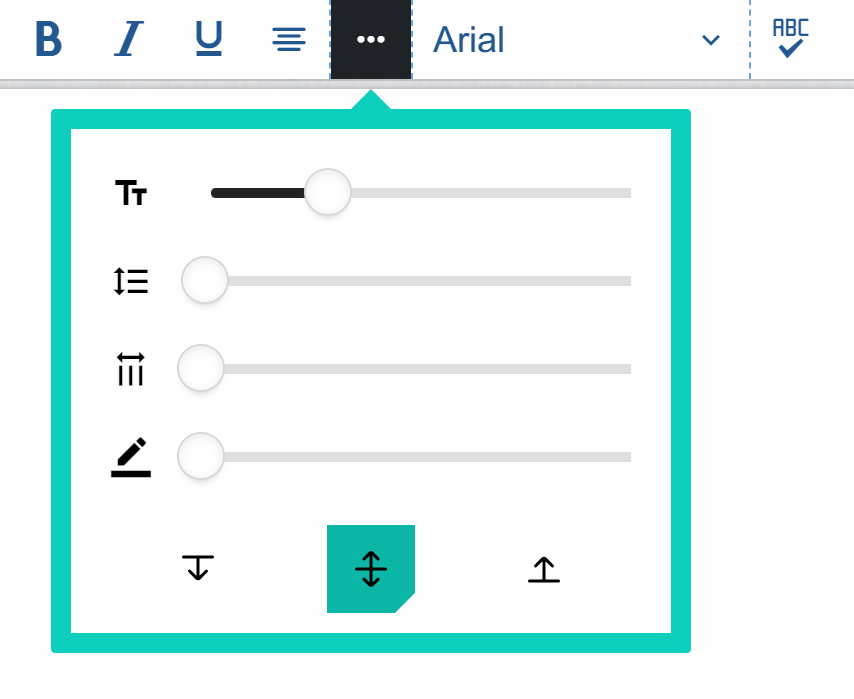

Text Rules
These are set of features relating to Text elements on the canvas: Text Anchor, Character Spacing and Text CasesText Anchor allows you to set a vertical anchor position for Text elements. We have Top (default), Middle and Bottom. This feature is useful to vertically-anchoring multi-line texts so for instance, a Textbox anchored to the bottom will stretch upwards as more lines are being added.Character Spacing allows users to adjust horizontal spacing between each letter in a Textbox. Text Case makes it quicker to toggle from lowercase to upper case.3D Views
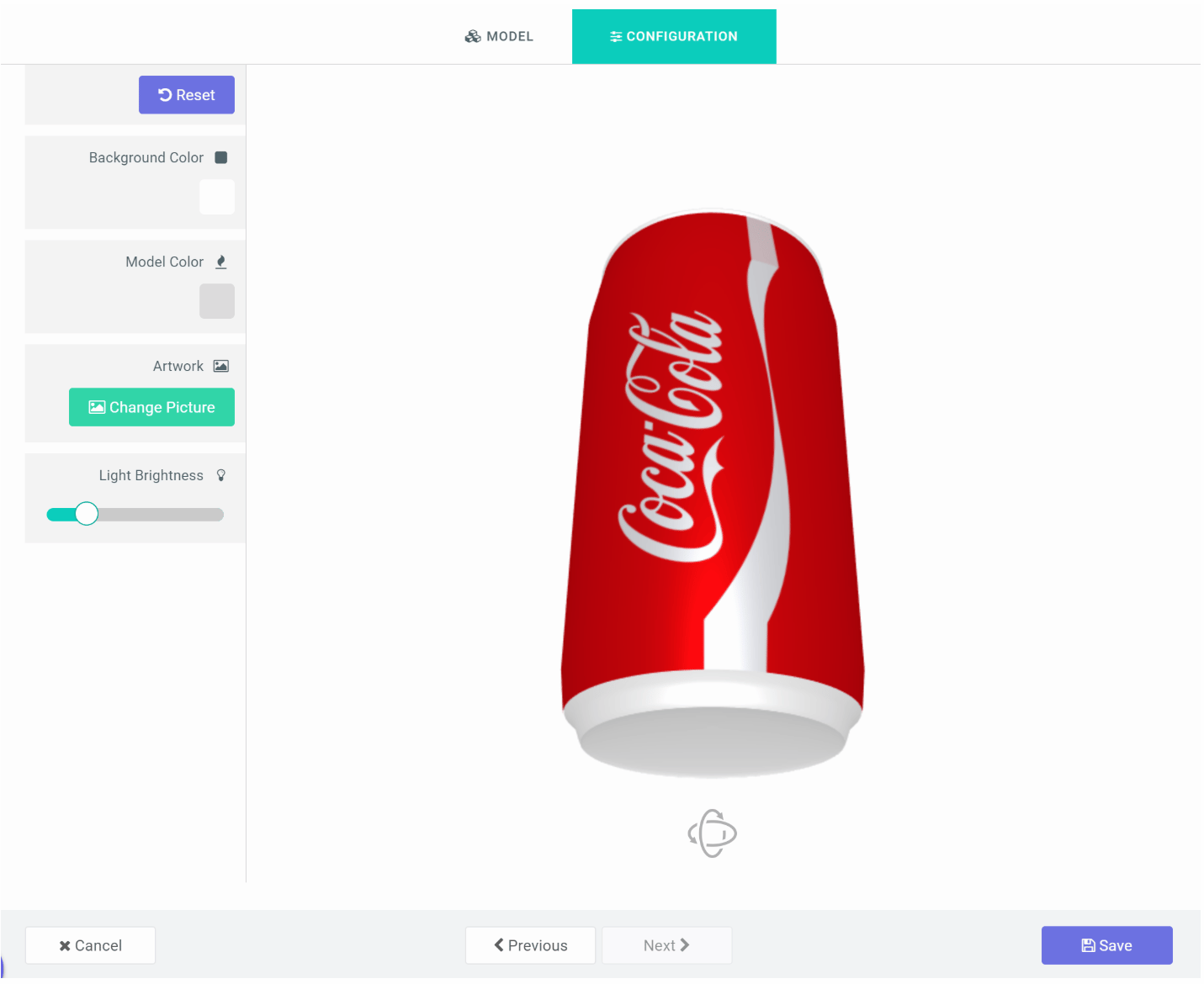
3D views makes it possible for end customers to visualize their designs on an actual product with perspective in 3D.Color Profiles on V2 Distiller
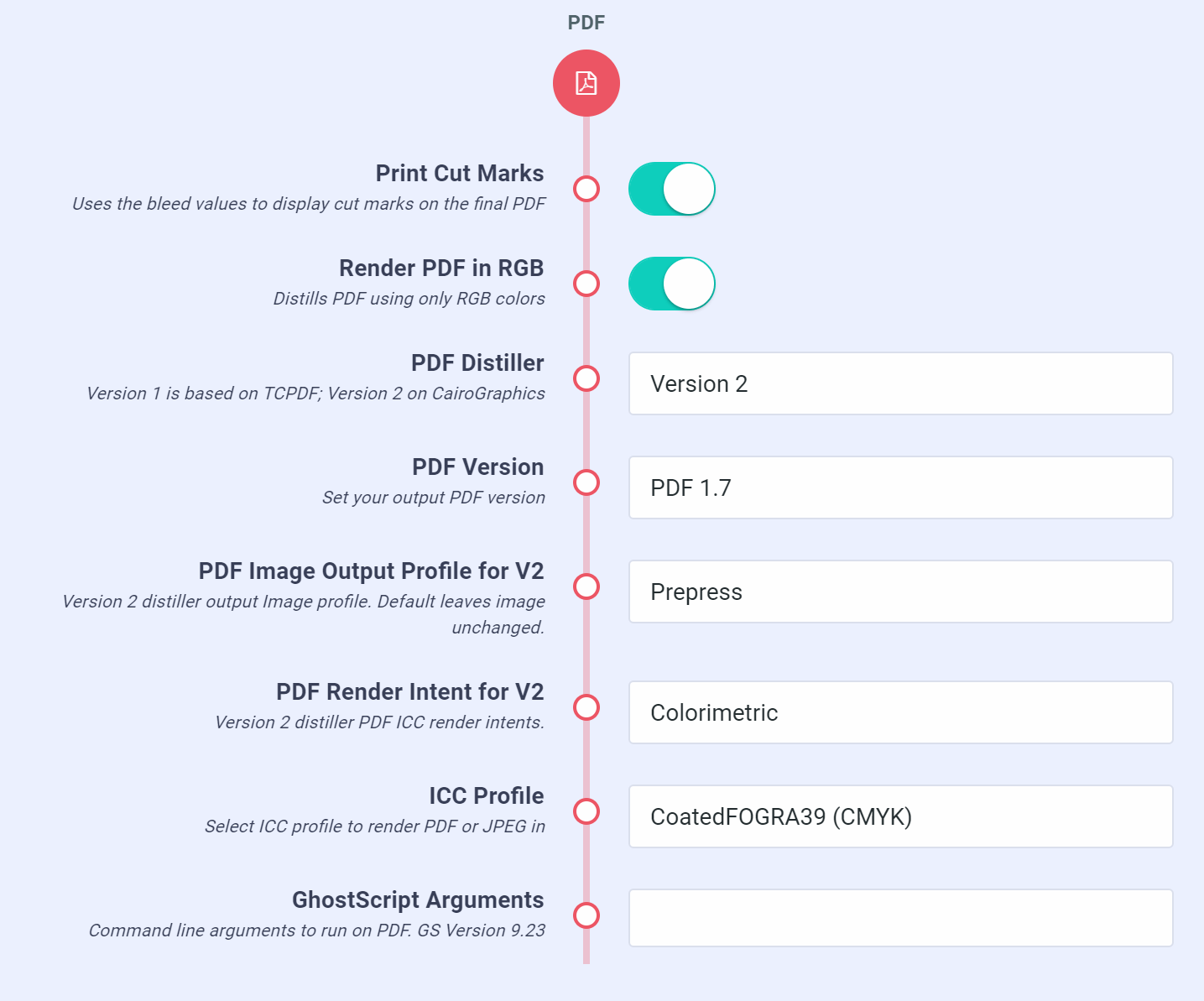
Our version 2 PDF Distiller now allows you to set a destination ICC profile from a list in settings page. These profiles are not embedded but used in interpreting the RGB values to CMYK. We also added Render Intent for Image conversion in V2.SVG Improvements
Our Version 1 distiller had a bug with SVG paths that contains subpath elements. As a result of this issue, certain SVGs render inaccurately. We were able to solve this issue and now render all SVG elements with high fidelity.Should you have any issues with SVGs being rendered inaccurately, please do contact us. Our goal is to eventually merge both engines as we work to perfect them.File Upload Types
This allows you to limit the types of files users can upload in the plugin (Outside the app). You can set this in settings page16 January 2019
Design history, Project Auto-Save, New PDF Distiller, Projects Search & Filter.Hi guys! We appreciate your support over the past year and we look forward to a much more exciting year ahead.We are working to build a brand new analytics and customer journey app that will help you make more sales. Over the first quarter of this year, we will integrate a part of it into PitchPrint. Our vision has always been to help our customers sell more; And if we can do this by giving you more actionable insights into your users’ pain points, then we will be pleased to.Here are the features we released over the past month..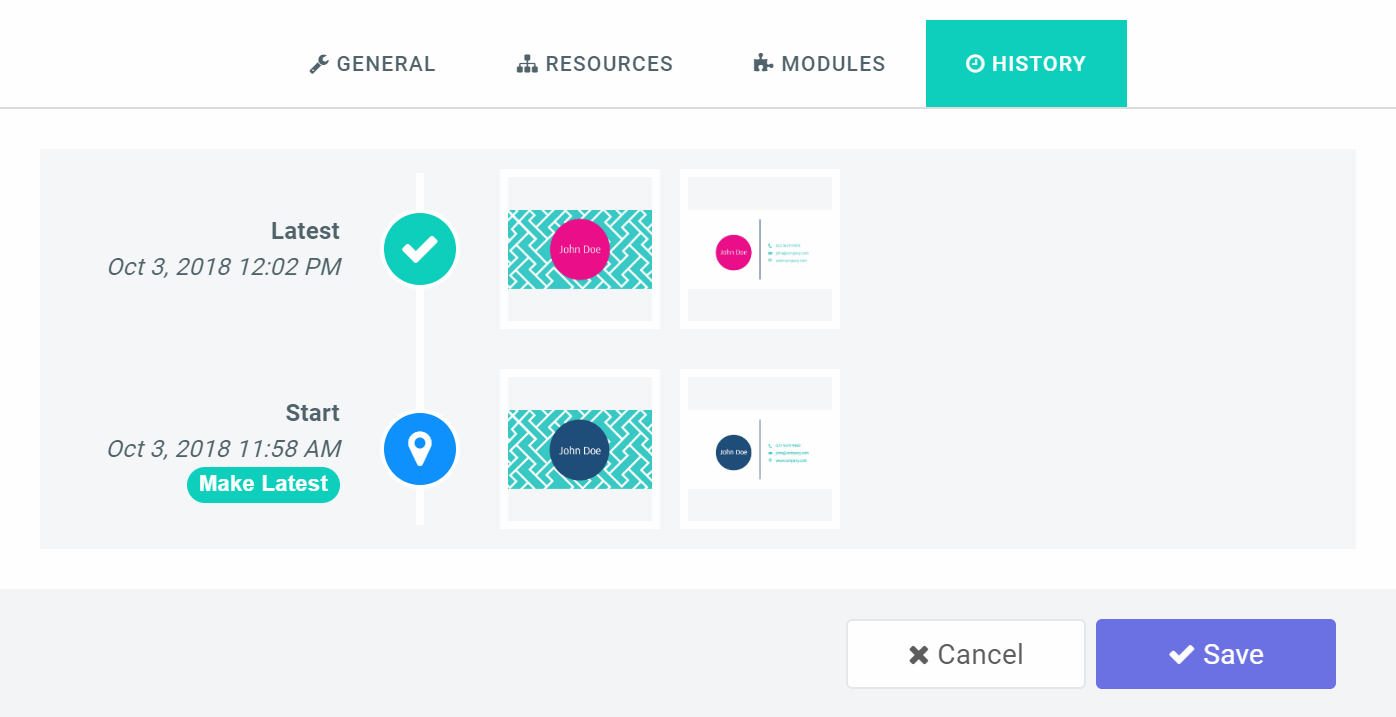

Design history
This feature allows you to track design creation history and revert back to any point in time.Project Auto-Save
We have the auto-save feature now on PitchPrint. This automatically saves your customer’s design and updates the product session so should in case they refresh their browser, they can always resume their work.This is set to save at a 2-minute interval and can be enabled in your settings pageWe are working to display a customer notification and option to set the intervals in our settings page.New PDF Distiller
Yes we do have a new PDF Distiller now. The old PDF engine we use is based on TCPDF which development has been stopped and as such, some SVG specifications were missing and never implemented. The new one is based on CairoGraphics which is quite robust and is used by a lot of organizations including Mozilla.We have yet to implement color profiles on it but works excellently in RGB mode and renders near perfect object positioning. In addition, we are running it on AWS Lambda, a robust system with 99.95% availability and primed for more aggressive feature updates.You can render your PDFs using the new distiller by navigating to the settings page and selecting Version 2 in the PDF Distiller option box. Please note, only projects saved from 14th January upwards will render on this platform.Projects Search & Filter
With this release, you can search projects by a customer’s details like name, email as well as product title. In addition, you can filter the displayed projects by dates they were saved.Skip preview
Enabling this feature in settings page means users can save their work without going through the preview window. This is most useful in mini-displays.Next Month..
- Brand new Image Editor
- Color Profiles on new Distiller
- Import designs from PDF, Illustrator
- Text & Design Rules
- Text Fit
- SVG improvements