

14 December 2018
Design Tags, Color Palette, In-App Help, JPEG Export.Hi guys! Compliments of the Season.
Here’s a note on what we’ve been working on for the past month.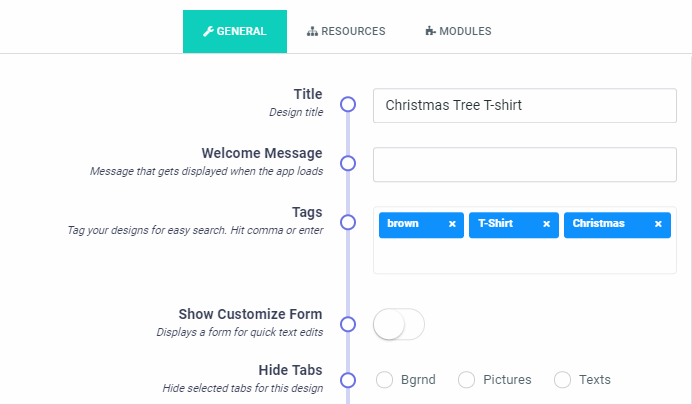

Design Tags
This allows you to tag your designs so they can be easily searched using your tags as the search terms. Tags can be assigned to whole categories as well as individual designs. Please note, assigning a blank tag list to a category allows you to clear all the tags assigned to designs in that category.Color Palette
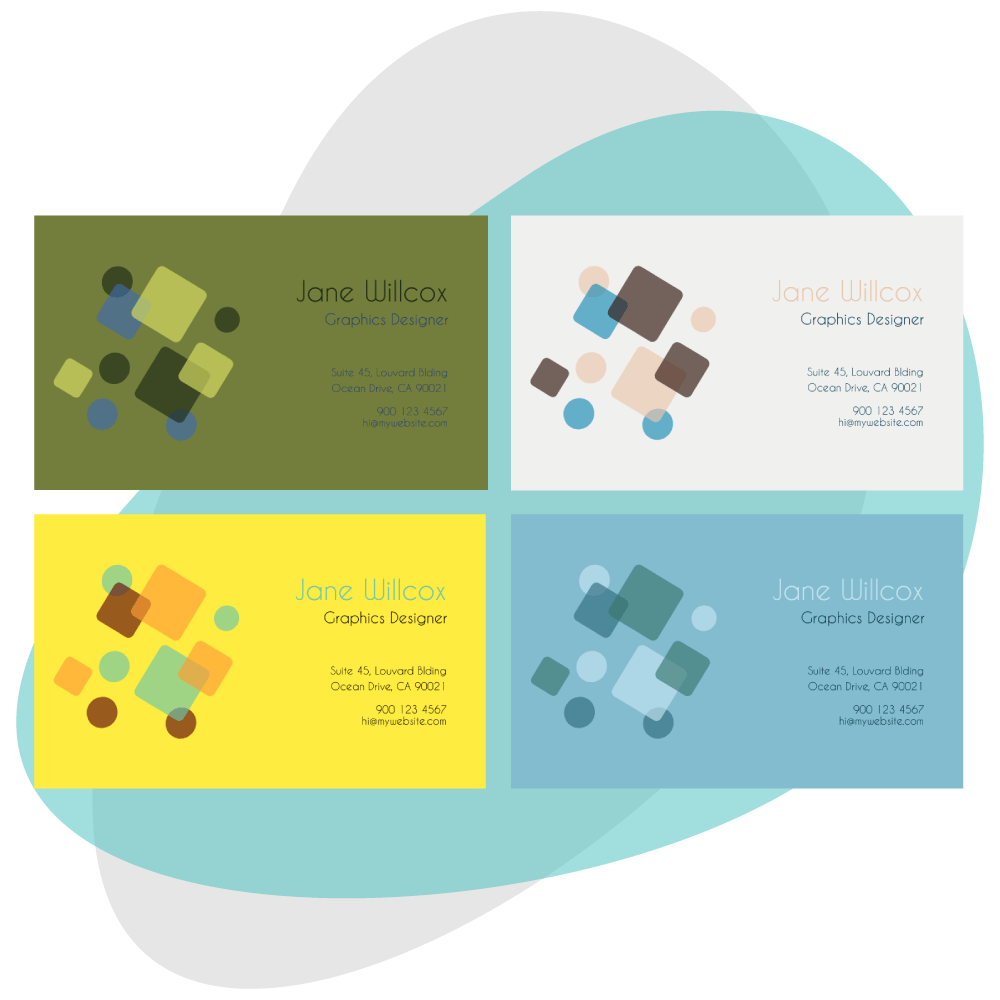
With Color Palettes, you can create a collection of five complementary colors that can easily be sampled by your customers while customizing their designs. This makes it easy to create multiple color variants of the same design.In-App Help
The integrated Help panel can be used to display guides or tutorials for your customers. This can accept HTML contents including styles, script tags etc. You get to set this in the settings page: https://admin.pitchprint.io/settings just right after the customCss field at the end of the page.By default, it will not appear unless there’s content to be displayed. We also plan to make this per-design.JPEG Export
Admin can now download design work as Jpeg bundles from the projects page: https://admin.pitchprint.io/projectsWe are working to include this in the plugin release.Shopify Save for Later
Shopify stores users can now access and manage their saved designs from their Shopify account page. However, this is only possible with projects created and saved from the 14th December.ICC Profile
You can now set ICC color profile for JPEG and PNG downloads from the projects page. We currently have only one profile set. Should you require any other ones, kindly let us know so we can include it.New Mobile Layout
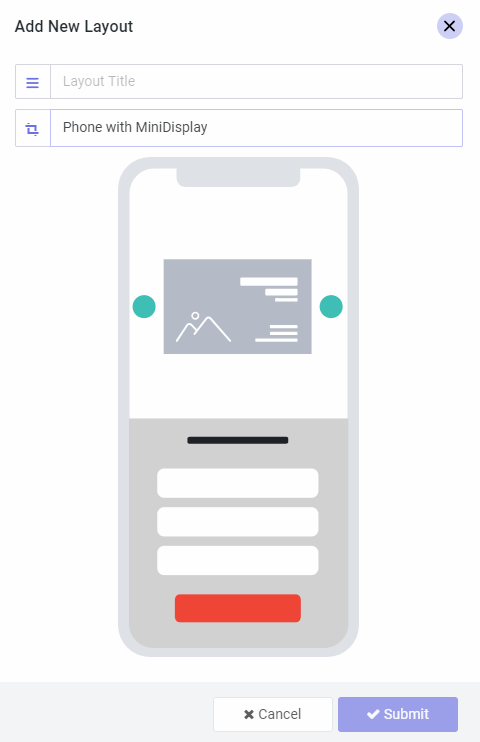
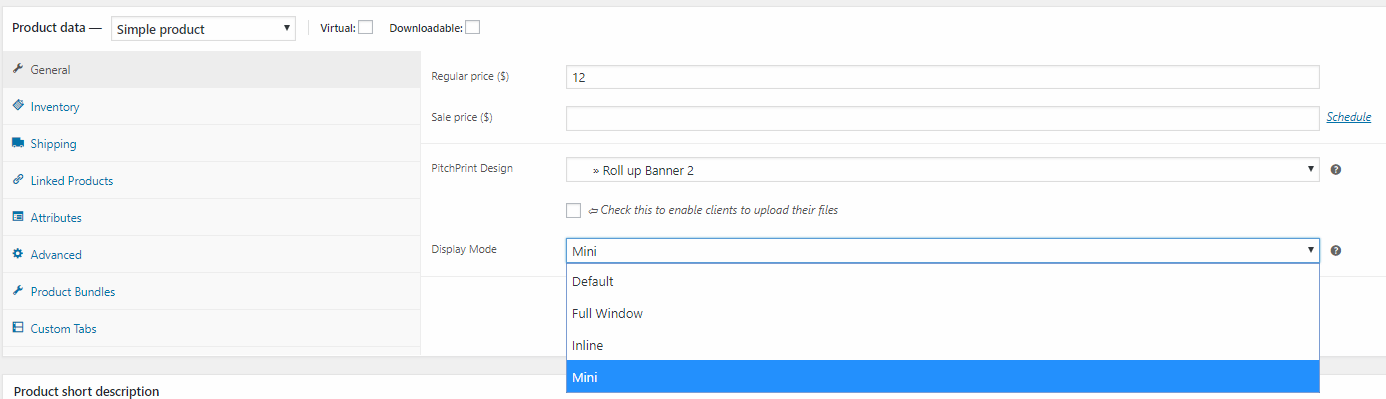
This new layout works with the mini display mode to display the app in a simpler and more user-friend layout on mobile devices. It’s best suited for simple designs where users get to edit texts and perhaps upload photos into masks.Note regarding PDF Distiller & Preflights: We do apologise for this as we know a lot of you await this. There’s a little delay but we will have it in the January.
January 2019
- Design & Project History so you can roll back
- Import designs from PDF, Illustrator
- New PDF Distiller with preflight
- Design & Project Auto-Save
- Search & Filter Projects
1 November 2018
Bulk design configuration, Search Designs, Curved Texts, New Mobile Layout.Hi guys, happy new month! Here’s a note on what we’ve been working on for the past month.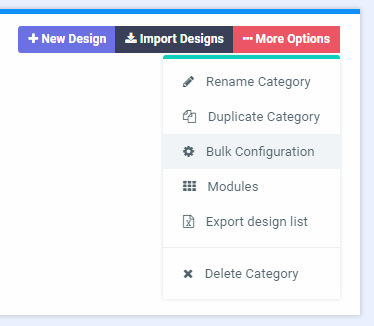

Bulk design configuration
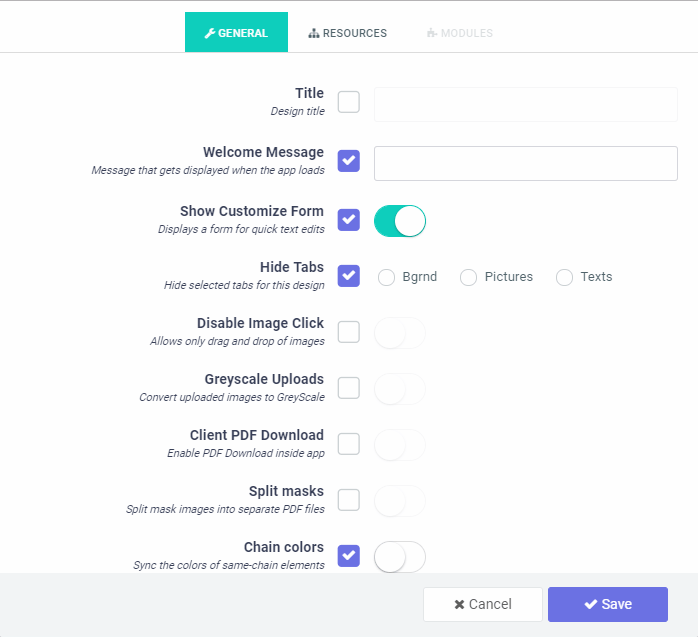
This allows you to apply a select list of configuration to all designs in a single category. This works a bit different from what we had in the prior version in that, you need to actively select which of the settings to apply, so it does not override all properties.Search Designs
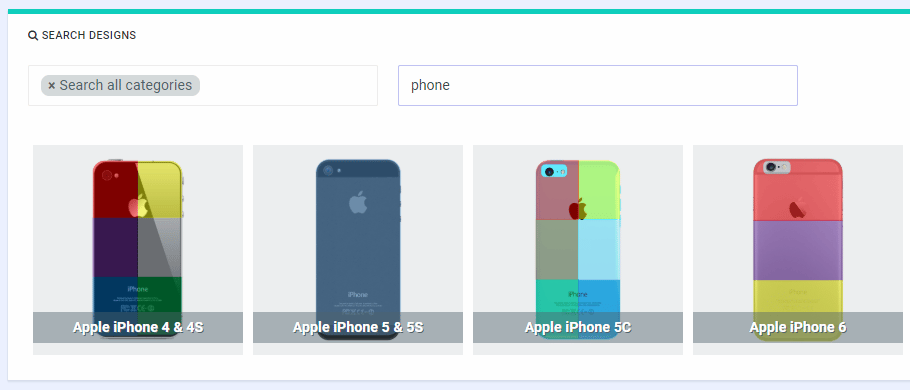
Yes, you can now easily search designs using the design title. In our next release, we will implement tags so it gets even easier finding your designs.Curved Texts
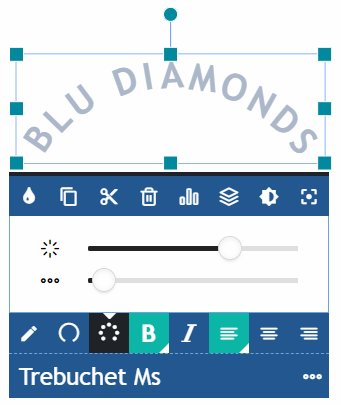
A note: This requires you to Reload your Layout as well as Re-save your Styling
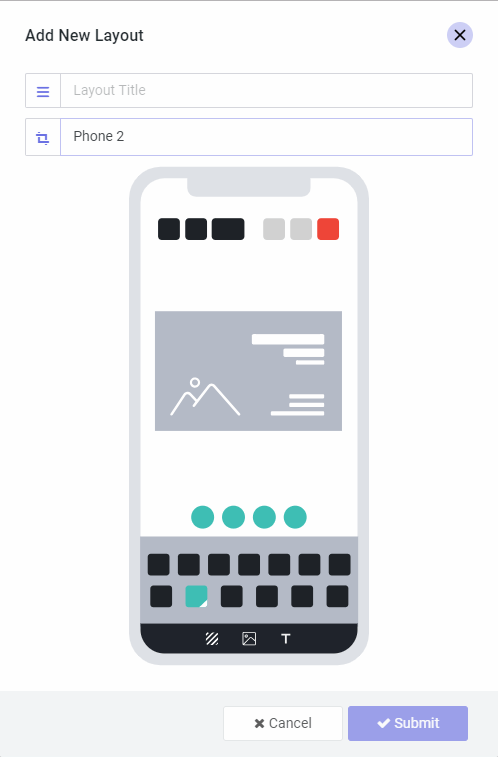
New Mobile Layout
We did some work decoupling the layouts so now you can create mobile or desktop layouts from our collection and uniquely assign them to your design. This system will, in future enable to us create different layouts targeting different devices and you can pick whichever best suits your taste or target audience for use.A note regarding Unsplash: We did fully integrate Unsplash. Unfortunately our submission was rejected as their guidelines wouldn’t allow images to be used in prints without alterations.
Next Month..
- Tag Designs, Assets and other resources
- Photo Print 2 module
- Import designs from PDF, Illustrator
- In-App Help/Guide panel
- New PDF Distiller with preflight
25 September 2018
Sticky Context Menu, Transform Controls, Text Wrap, Mini Display Mode.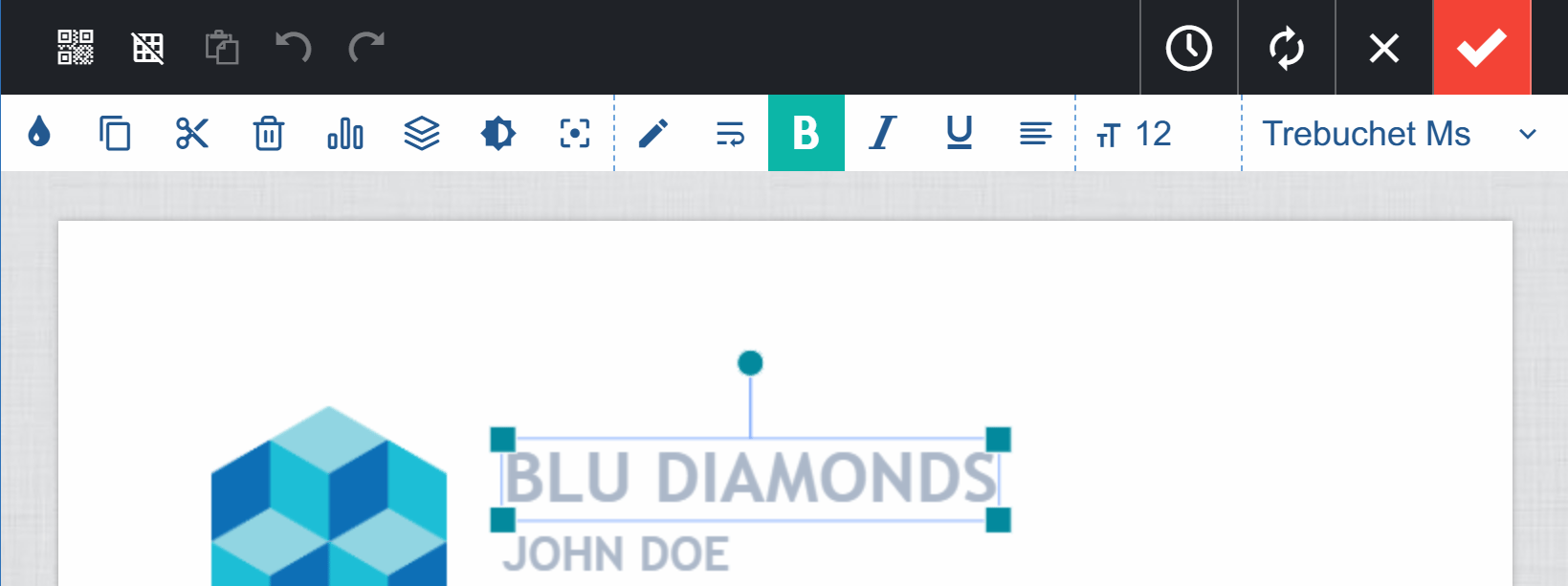
Release Notes will be our monthly report that highlights recent product improvements we’ve made so you can easily stay up to date on what’s new with PitchPrint.
Sticky Context Menu
Yes, your context menu can now be hooked to the top part of the designer. It will slide to appear and slide back to hide. You can enable this in your admin settings page by disabling the Float Context Menu option. But first, you need to Reload the latest layout.Transform Controls
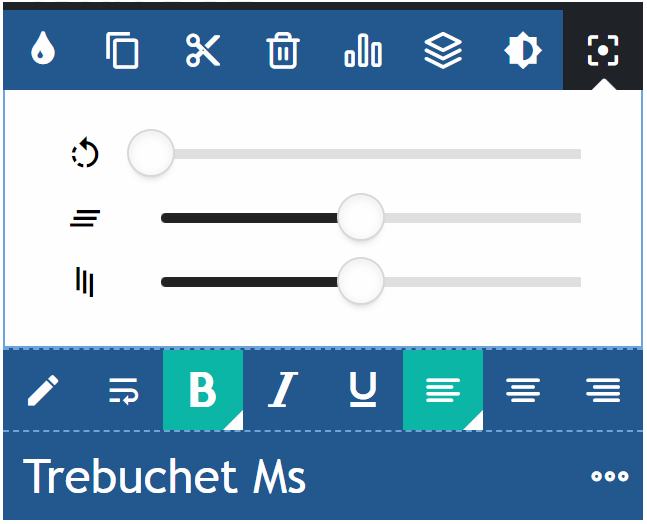
The new Transform controls allow users to easily rotate and skew objects on the canvas using simple numeric sliders. We have a much fuller control coming for mobile UI. This feature also requires you to load the latest layout.Text Wrap
This is a feature available in version 8. It’s a TextBox feature that basically wraps a text to the next line as against auto stretching the text line.Mini Display Mode
We have had Modal and Inline display modes; the Mini mode shows a basic, stripped down version of the editor, letting the user quickly “fill out a form” to personalize their designs. It’s for quick, simple products where speed-to-add-to-cart is of utmost importance. It supports both text and file uploads.Webhooks
Our Webhook enables you to notify a service or trigger an event whenever an event happens on PitchPrint relating to your store. For instance, you may want to send the PDF file of a project directly to your printer, or save all your user’s uploaded pictures in your DropBox or Google Drive.We do have a detailed example enumerating how to integrate with platforms like Zapier. You can read more here: https://docs.pitchprint.com/tutorial/automation-sending-your-pdf-file-to-printerOther Updates
- PDF Versioning: This allows you to set a PDF version for your output file
- Place new text: Enabling this option in Admin Settings means when a user clicks the Add New Text button, a new text is immediately placed directly on the canvas without having to further click the canvas.
- Text Arts: We have new collection of Text Arts you can import from the store to add to your designs.
Next month..
- New Mobile Layout
- Unsplash Integration
- Curved Texts
- Bulk design configuration
- Search Designs