

1
Open a design
To use this feature, simply edit your design or create a new one.
2
Add a mask shape
Place a mask shape on the design canvas. A mask shape is a simple shape with just paths. All items in the Plain Shapes collection can be used as masks.
3
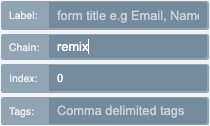
Set the chain value to remix
Then check the Admin tab on the left and enter in the value of “remix” in the chain input.
4
Repeat for every mask
Repeat this process for as many masks you want to be in the collection, even across pages.
5
Enable the Remix Module
Save your design and enable the Remix Module for that design in the design configuration window under Modules tab.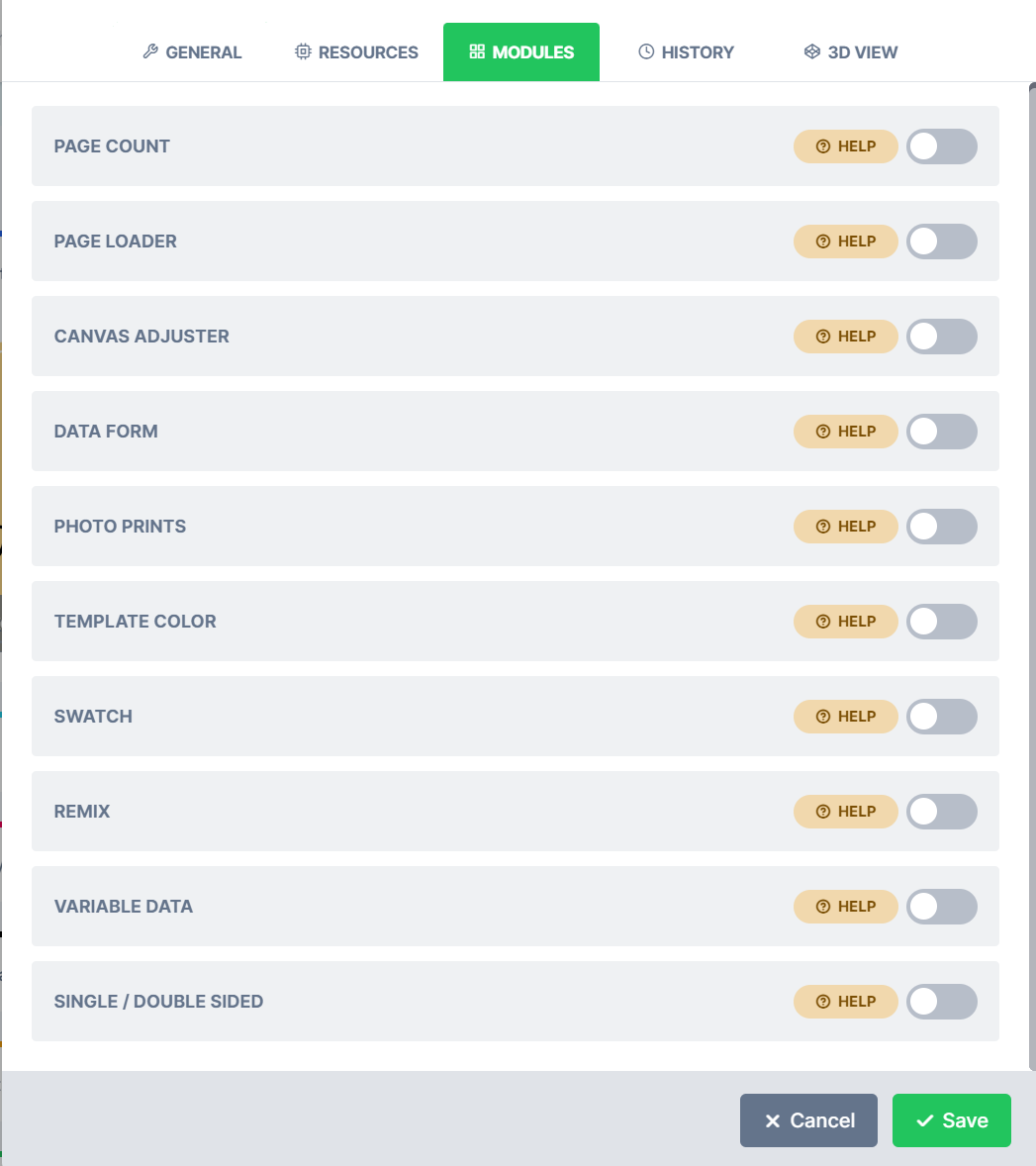 Please note, this Module becomes enabled ONLY if there are photos loaded in any of your collections: Upload, Facebook or Instagram
What’s new
2 releases have changed this feature since the article was written.Background Tab and Remix Module issue
Latest WK26-26 · 25 June 2026 — We’ve fixed an issue where images in the Background tab would not display whenever the Remix Module was enabled on a design.
Remix Module Image Zoom
WK21-40 · 20 October 2021 — We had an issue where images would zoom in really far when swapped using Remix module.