

1
Create a design category
Create a category that will contain all the variations of designs you want to make available to the product.
2
Name the designs consistently
When naming the designs, the name will contain the variable option values/names and the order in which you name the designs need to be consistent, for example, if you are going to set material as the first part of the design, then all designs will need material options as the first part of the design name. Also each option in the name should be separated by a space.
3
Enable the module and add selectors
Next on the category choose modules and enabled the Design Observables module. Then add the selectors of the variable options that you want the module to observe in order to determine which design to select for the editor to open with. Note that the selectors should be added in the same order in which you named your designs.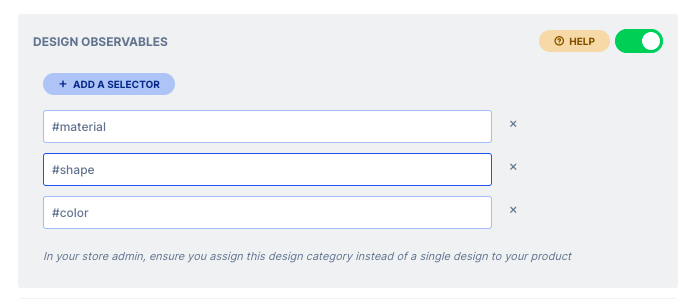
4
Assign the category to your product
Now navigate to the product configuration page on your store and choose the category that you created above and save.
What’s new
2 releases have changed this feature since the article was written.Design Observables on WIX
Latest WK29-24 · 19 July 2024 — We’re working hard at making sure that all of our platforms are equal with regards to functionality, so without further a do.
Design Observables Module
WK21-20 · 25 May 2021 — We have developed this module to help with the automation of design selection on a product page. Basically, this module observes the options on a product page.