Remove Background feature banner
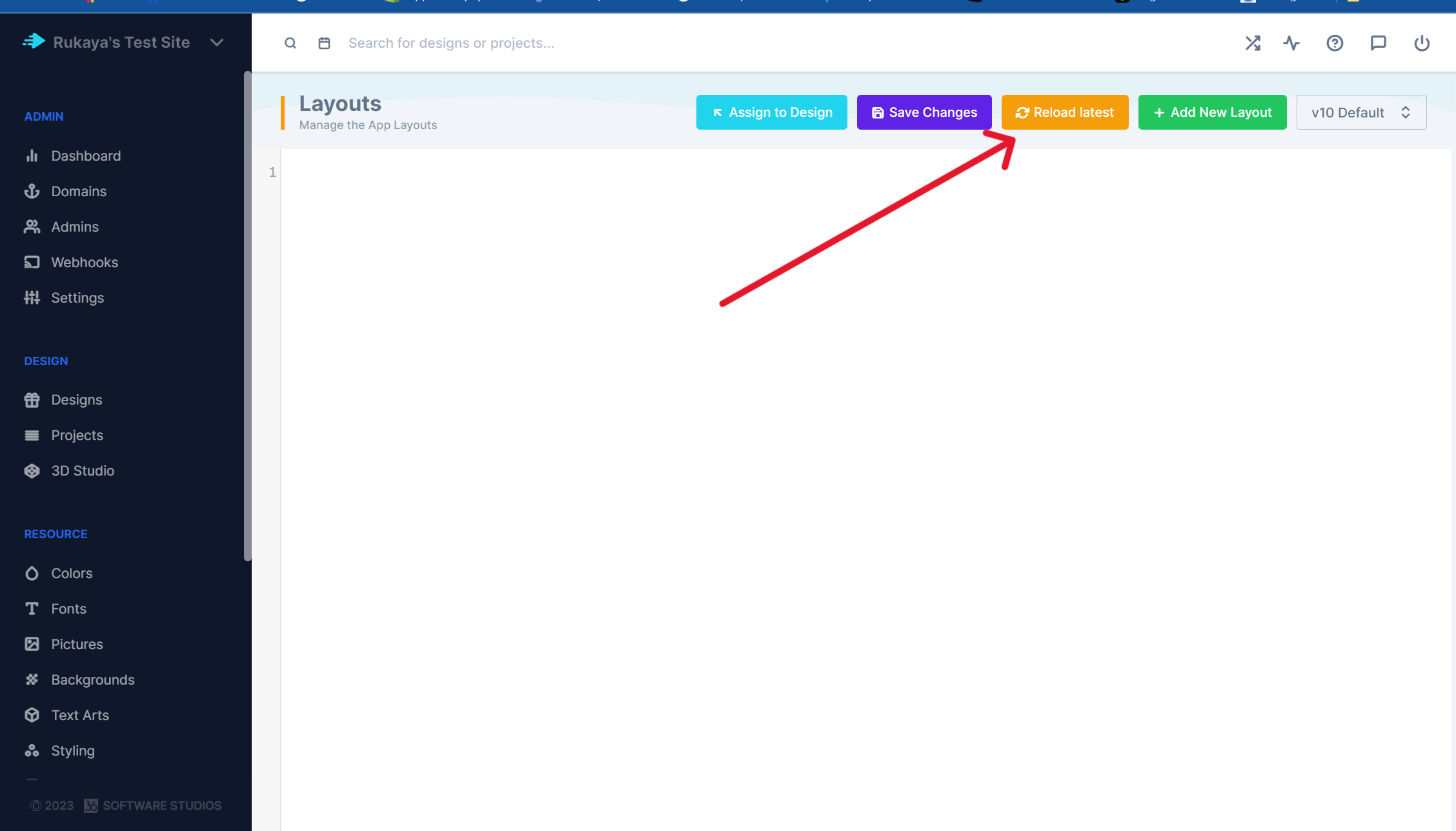
This feature allows your customers to remove the background from an image within the PitchPrint editor. It saves the customer the need from using an external application to remove a background from their images. The feature is still in BETA phase and we’re still in the process of training the AI on a daily basis. To enable Remove Background please go to the Layouts page. Please ensure that you Copy and Paste any changes like Javascript, HTML or CSS code you added on an external file. After doing so reload the layout please have a look at the image below:
Layouts page in the PitchPrint admin used to reload the layout
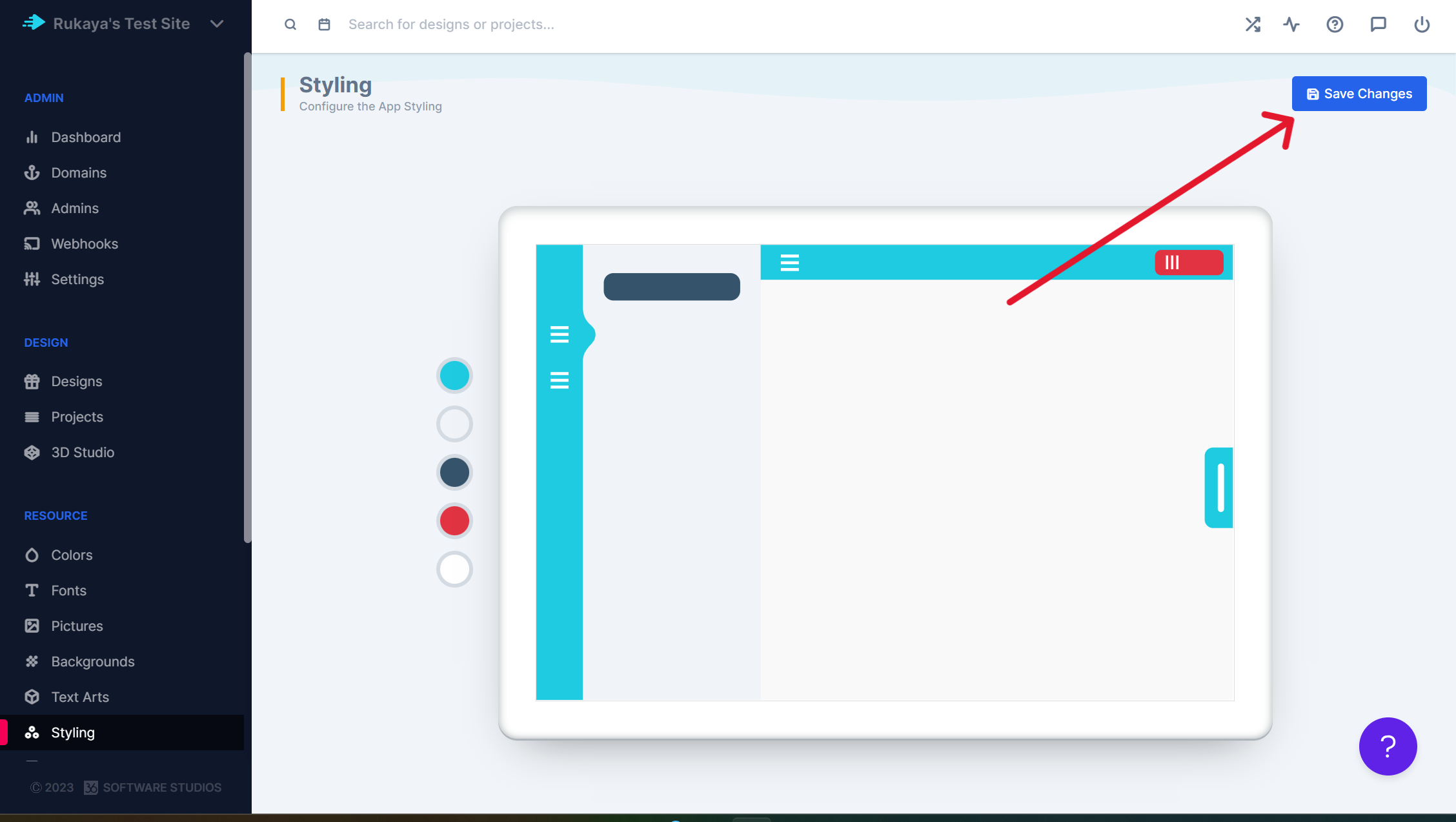
You can then paste your code back into the layout section and save. After doing this please go to the Styling page and save styling.
Styling page in the PitchPrint admin ready to be saved
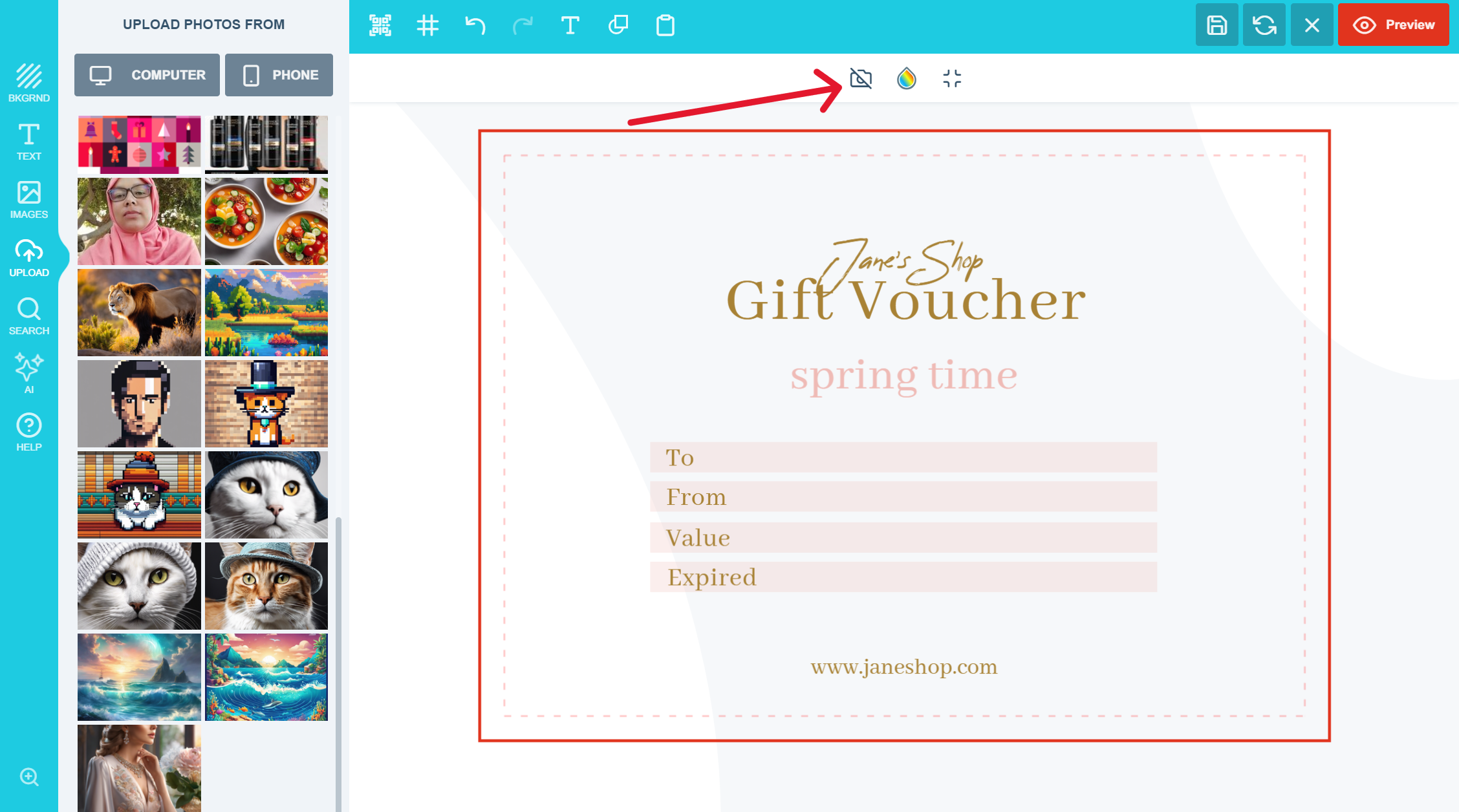
The button should then appear within the editor which allows the customer to remove the background please have a look at the image below:
Remove background button available to the customer inside the editor
Please send us your questions and suggestions to support@pitchprint.com it will help us improve this functionality

AI Upscale

Increase image resolution and quality with AI without losing detail.

AI Smart Replace

Find and replace elements within an image using AI.

AI Outpainting

Expand images beyond their original borders with AI.

AI Structure

Refine images while preserving layout, proportions, and composition.