

·

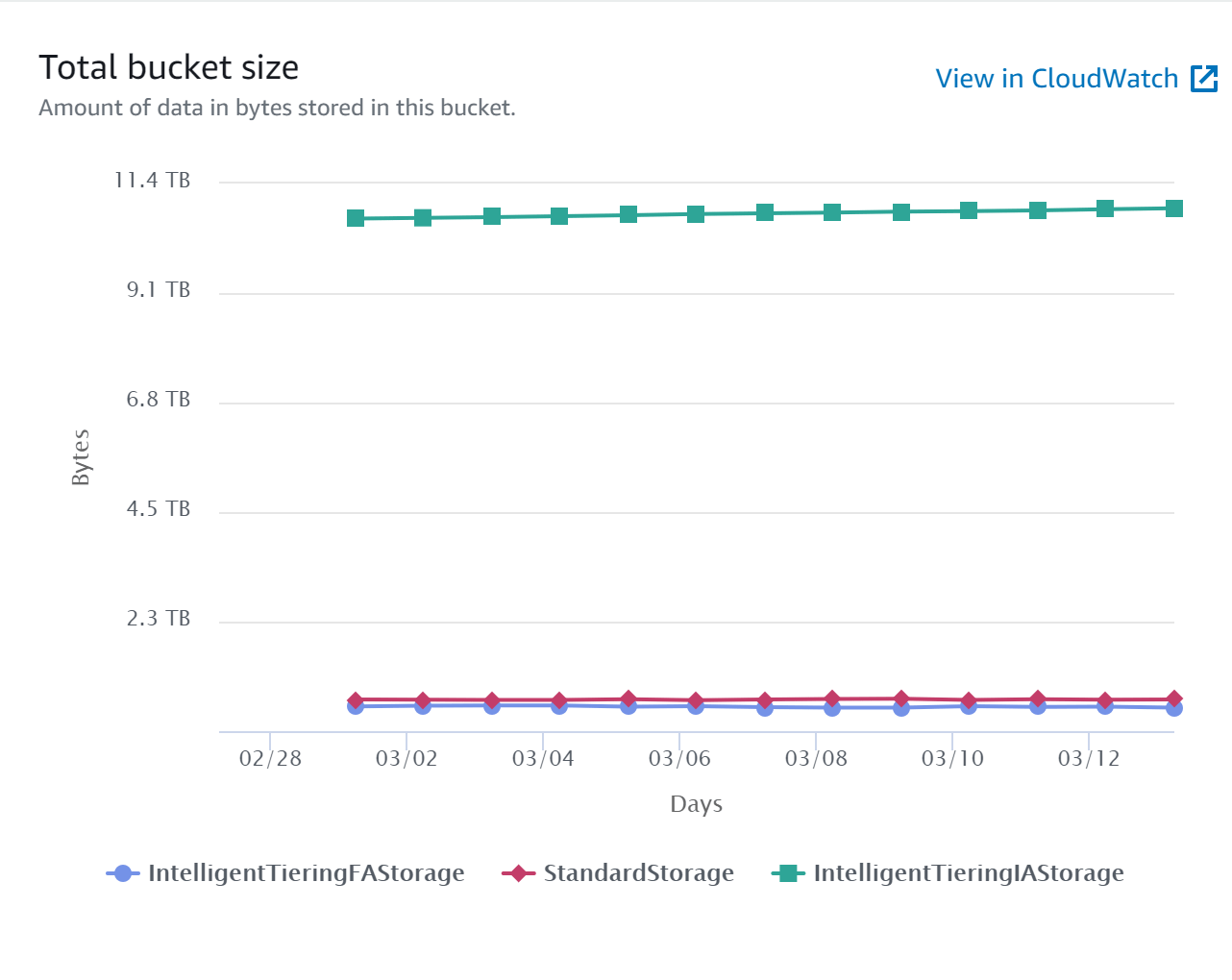
Current Bucket Size, 96% of which are Photos (this excludes version 8 storage nor backups)
AutoRotate:
When you take a picture with your phone in portrait mode, that picture appears vertically as it was captured. Alternatively, when you rotate the phone horizontally while still in the camera app, the photo is expanded appropriately, not rotated or skewed in a way that requires you to tilt your head to view it. This natural behaviour of the camera app is powered by an intelligent programming which appends additional information to the photograph, instructing any image viewing application on how the camera was positioned when the photo was taken. This additional data is called Exif data. It is attached to every photo you take, and here’s an example of what it looks like: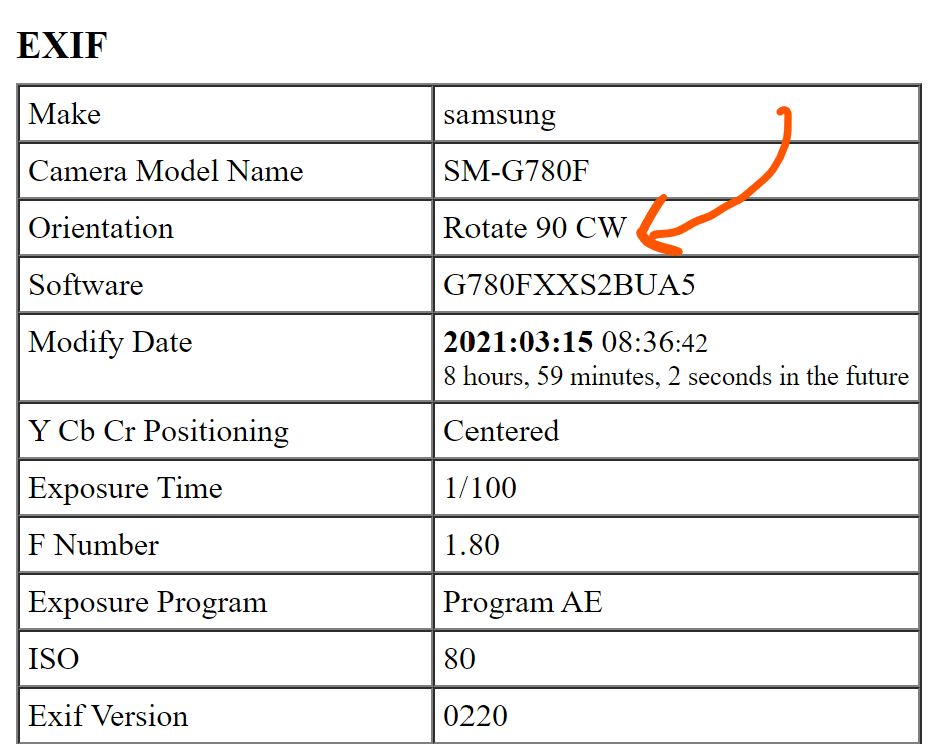
This Exif data tells the software to rotate it 90° clockwise when displaying this photo
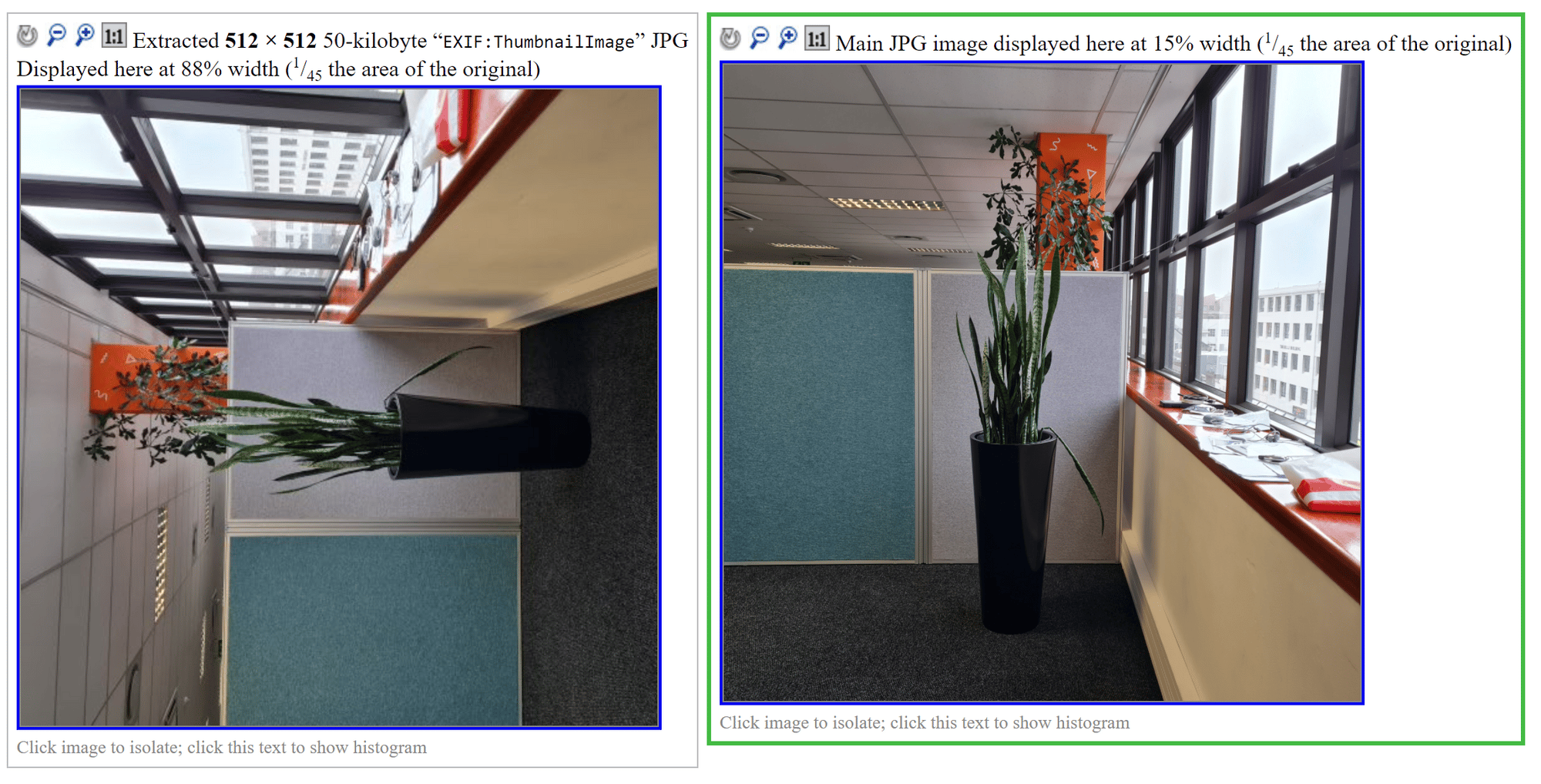
Image displayed without auto-rotation (left) and with auto-rotation (right)
Color Operations:
Our user Photos come from multiple sources such as phones, cameras, photo editing software, scanners etc. Interestingly, these tools process images differently, especially colours. In order to maintain a consistent print output, we have added a colour correction process whereby you can choose to apply a particular ICC profile to all photos uploaded for a design. Prior to this, our application simply utilised the original photo uploaded in the final PDF file, which results in a mix of CMYK vector elements with sRGB images. With this system, you can maintain a consistent colour profile across the board, CMYK or RGB and even target specific colour gamut for your print output. We have categorised the standard ICC profiles under CMYK and RGB.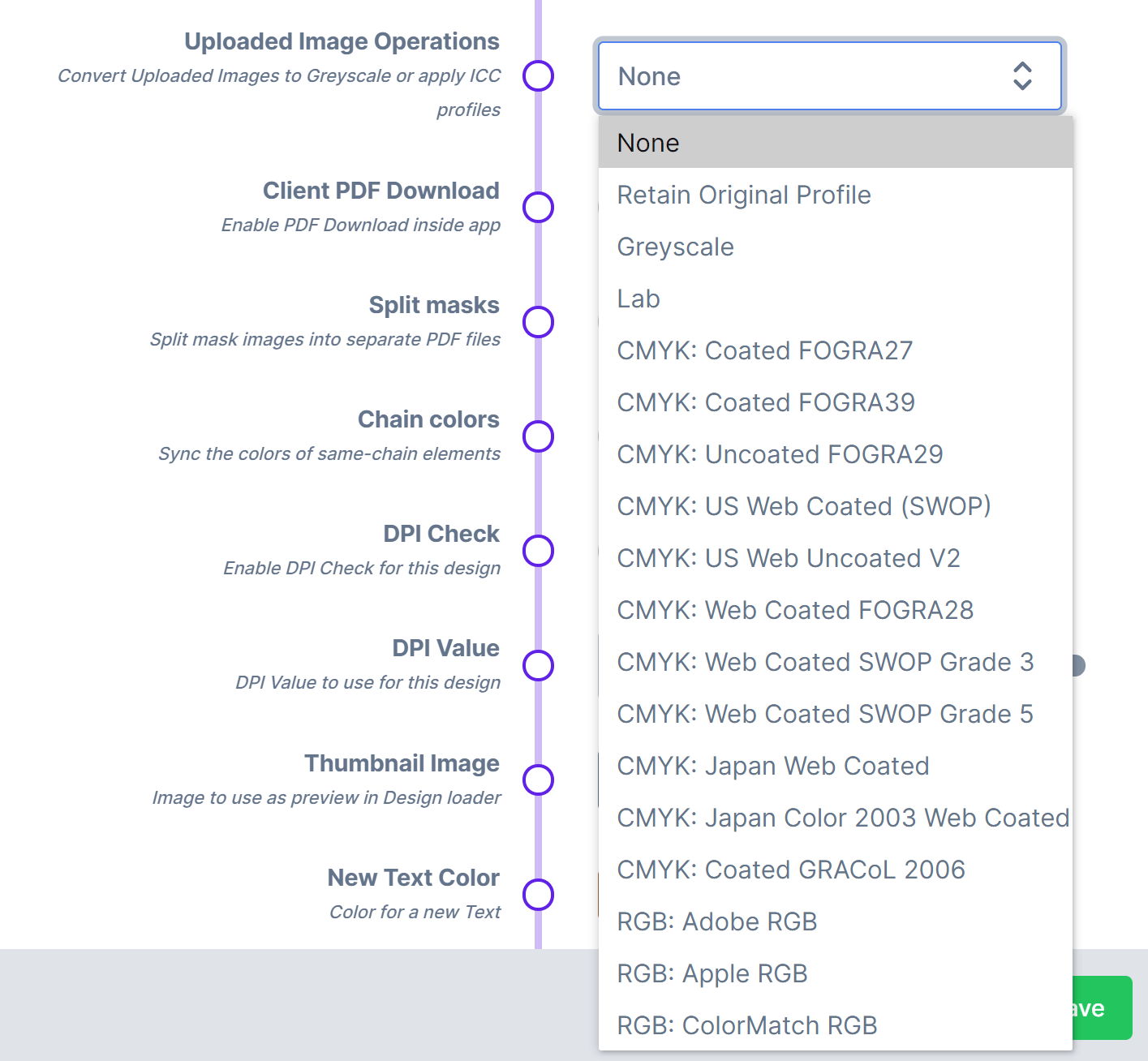
New Colour Profile