

- Telephone
- Firstname
- Lastname
- Name
- Address
1
Open your design
Load your design in edit mode or create a new design
2
Select a text item
Select a text item you will like to link on the canvas
3
Label the item
Open the Admin Tab and Label that item any of the above listed values: email or telephone… as shown in the image below: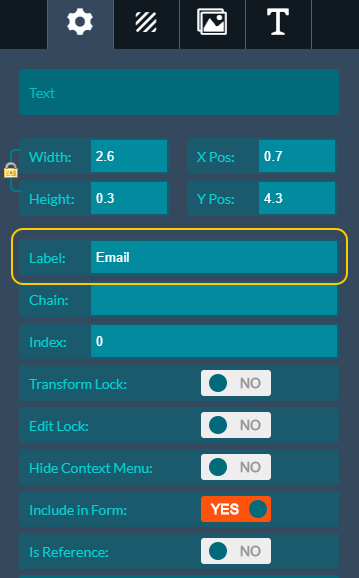
4
Save and test on your store
Save your design and check the result on your store front by logging in as a customer and try edit the design. The email text should reflect your (customer’s) actual email address.
The “Name” is a combination of both firstname + lastname to form a full name
Related articles
Data Form Module
Add a quick-edit form that lets customers customize design elements without clicking around the canvas.
Variable Data Module
Let customers mass-customize a design by uploading data from Excel or CSV files.
How to enable the Customization Form
Set up a quick-fill form that appears as soon as the app loads for faster edits.
Mini Display Mode
Show the canvas alone with a compact customization form near the add-to-cart button.