> ## Documentation Index
> Fetch the complete documentation index at: https://pitchprint.com/llms.txt
> Use this file to discover all available pages before exploring further.
# Photo Resolution (DPI) Check
> Warn customers when an uploaded photo is too low resolution, set the DPI threshold per design or domain, and constrain images inside masks
**DPI Check**
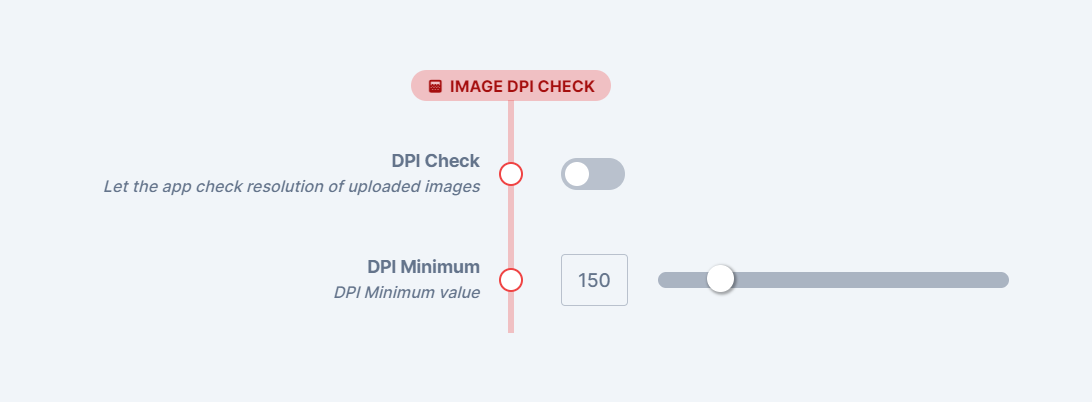
The Photo dpi check can be configured in the [settings page](https://admin.pitchprint.com/settings) as shown below:
 Kindly note, this does not affect the background images at the moment. We hope to extend it to that as well as foreground images too.
For clickable mask images, a notification message appears informing users if the image is of low resolution:
Kindly note, this does not affect the background images at the moment. We hope to extend it to that as well as foreground images too.
For clickable mask images, a notification message appears informing users if the image is of low resolution:
 There are two ways to define this parameter: On [individual design](https://pitchprint.net/admin/designs) or [domain-settings](https://pitchprint.net/admin/settings) wide.
The domain-settings come into effect only if the DPI check option on the design is turned off.
### **Mask photo constraints.**
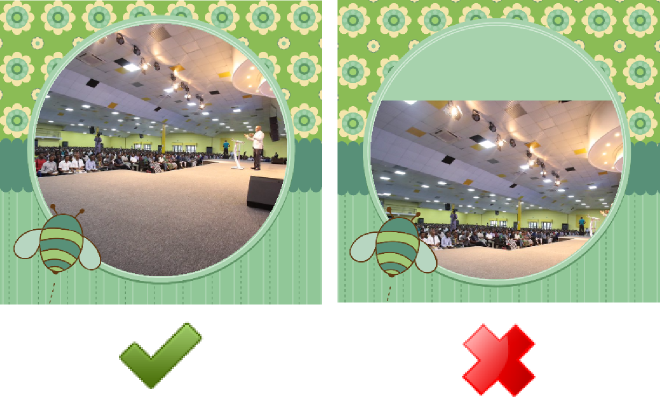
In this update, we also added a constraint function to the images inside a mask so users do not inadvertently leave gaps or areas where the mask area is not totally covered. This affects moving images as well as scaling them so that when photos are moved, they remain within the full bound of the mask shape.
There are two ways to define this parameter: On [individual design](https://pitchprint.net/admin/designs) or [domain-settings](https://pitchprint.net/admin/settings) wide.
The domain-settings come into effect only if the DPI check option on the design is turned off.
### **Mask photo constraints.**
In this update, we also added a constraint function to the images inside a mask so users do not inadvertently leave gaps or areas where the mask area is not totally covered. This affects moving images as well as scaling them so that when photos are moved, they remain within the full bound of the mask shape.
 ## Related articles
Let customers order photo prints with size, paper type and bulk options.
This documentation is built and hosted on [Mintlify](https://mintlify.com), a developer documentation platform.
## Related articles
Let customers order photo prints with size, paper type and bulk options.
This documentation is built and hosted on [Mintlify](https://mintlify.com), a developer documentation platform.