> ## Documentation Index
> Fetch the complete documentation index at: https://pitchprint.com/llms.txt
> Use this file to discover all available pages before exploring further.
# Tags
> Add recognized keywords to a design's settings to switch on features such as splitting the output PDF into one file per page.
Tags are keywords that are recognized by our system and implements the feature associated with that tag, on your design. To add a tag simply provide the tag name and hit enter, then save your design settings.
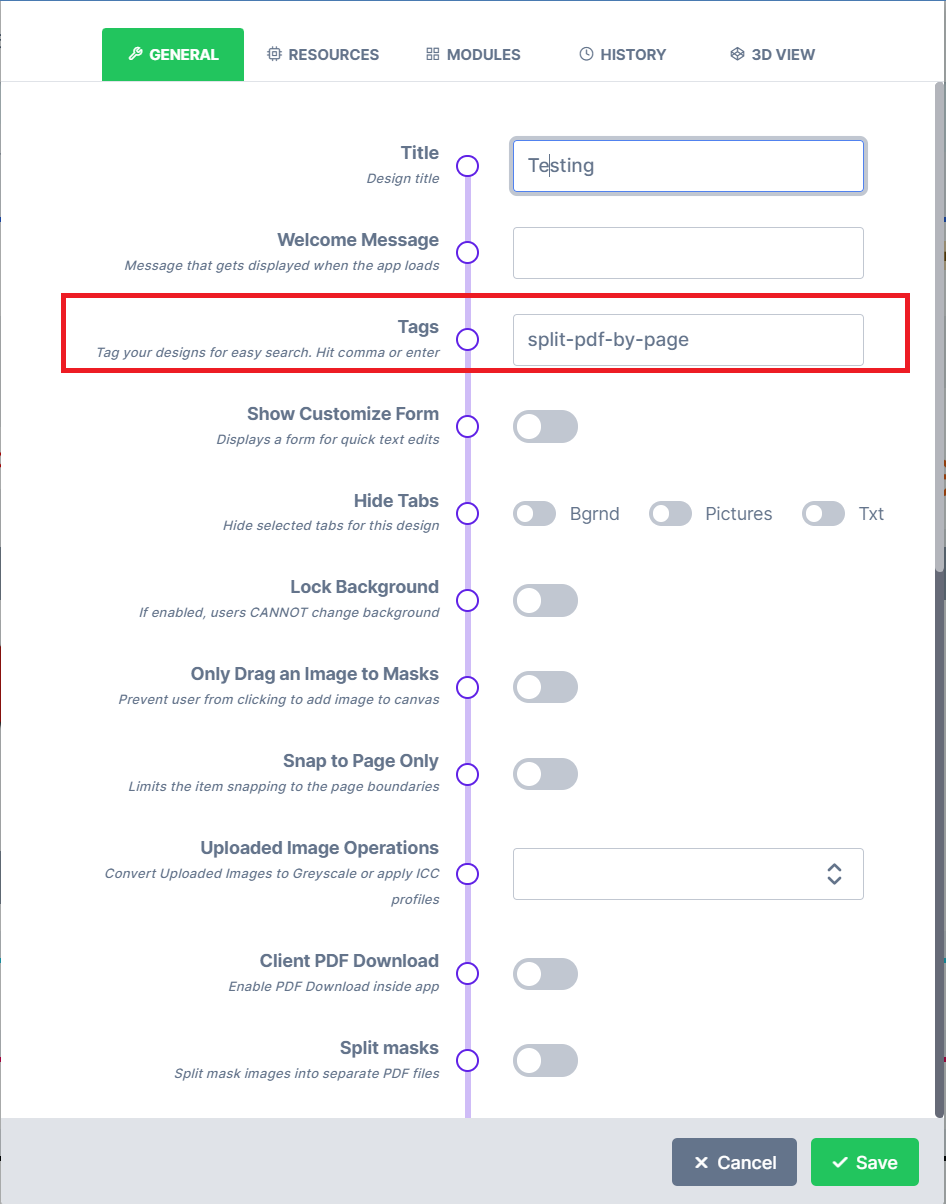 We have many features that can be activated by using our tagging system. See a list of tags below and what they activate:
* split-pdf-by-page - This tag creates a zip file of the project with each page being on a separate pdf in the zip file.
More will be added soon...
## Related articles
Reference of item and page tags such as page-clip, always-top, no-mask and grommets.
This documentation is built and hosted on [Mintlify](https://mintlify.com), a developer documentation platform.
We have many features that can be activated by using our tagging system. See a list of tags below and what they activate:
* split-pdf-by-page - This tag creates a zip file of the project with each page being on a separate pdf in the zip file.
More will be added soon...
## Related articles
Reference of item and page tags such as page-clip, always-top, no-mask and grommets.
This documentation is built and hosted on [Mintlify](https://mintlify.com), a developer documentation platform.