> ## Documentation Index
> Fetch the complete documentation index at: https://pitchprint.com/llms.txt
> Use this file to discover all available pages before exploring further.
# 2023 releases
> PitchPrint release notes from 2023 — new features, improvements, and bug fixes.
Release notes published during 2023.
**Edit Project Details, Switch from 3D to 2D view, Split by VFold lines.**
We’re back with some fantastic updates to make your experience on PitchPrint even better.
### Edit Project Details
This awesome functionality will aid in adding details to every Project within PitchPrint admin. It provides admin users with clear information about the associated customer and product for each order, streamlining project identification. To access this amazing feature go to [projects](https://admin.pitchprint.com/projects) and click on the edit icon next to an individual project as shown below:
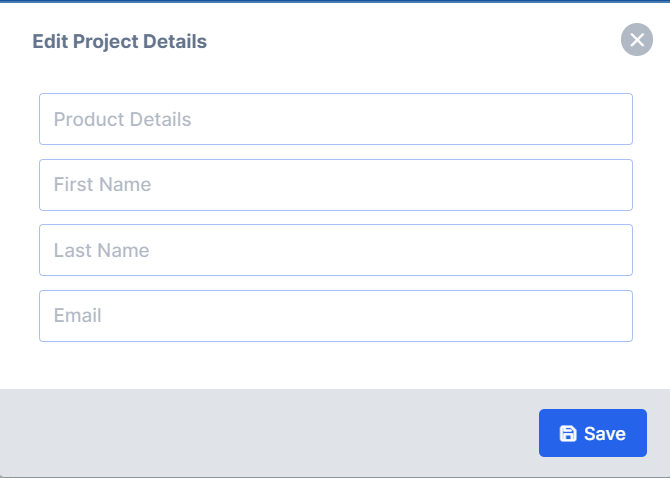
 Enter the project details in the fields shown below and save to update the project details:
 ### Switch from 3D to 2D view
We’ve introduced an exciting feature that enables your customers to toggle between 2D and 3D views in the preview area. Previously, customers were restricted to either a 2D or a 3D preview within the editor. This enhancement provides flexibility for customers to switch between these views based on their preference and needs.
To enable this feature please go to [layouts](https://admin.pitchprint.com/layouts) and reload latest. Then clear your cache on your product page and you should be able to see the buttons as shown below:
### Switch from 3D to 2D view
We’ve introduced an exciting feature that enables your customers to toggle between 2D and 3D views in the preview area. Previously, customers were restricted to either a 2D or a 3D preview within the editor. This enhancement provides flexibility for customers to switch between these views based on their preference and needs.
To enable this feature please go to [layouts](https://admin.pitchprint.com/layouts) and reload latest. Then clear your cache on your product page and you should be able to see the buttons as shown below:
 > **Please be sure to save your custom changes in an alternative location before reloading your layout.**
### Split by VFold lines
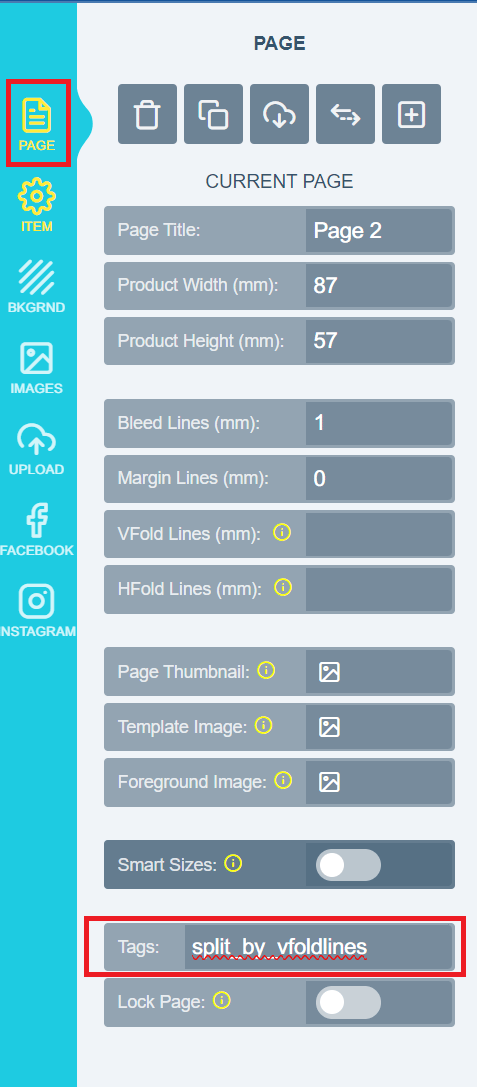
This awesome feature empowers you to split your PDF into separate pages utilising the VFold lines within PitchPrint. Once enabled, the system will count the VFold lines and automatically segment your PDF into pages corresponding to the number of VFold lines in the design. Please note that this feature is compatible with ***PDF distiller version 3***. You can check your distiller version in the [settings](https://admin.pitchprint.com/settings) under the PDF section. To activate this valuable feature, follow these steps: open your [designs](https://admin.pitchprint.com/designs) in the designs section, navigate to the ***Page section,*** and add the *split\_by\_vfoldlines* tag as shown below:
> **Please be sure to save your custom changes in an alternative location before reloading your layout.**
### Split by VFold lines
This awesome feature empowers you to split your PDF into separate pages utilising the VFold lines within PitchPrint. Once enabled, the system will count the VFold lines and automatically segment your PDF into pages corresponding to the number of VFold lines in the design. Please note that this feature is compatible with ***PDF distiller version 3***. You can check your distiller version in the [settings](https://admin.pitchprint.com/settings) under the PDF section. To activate this valuable feature, follow these steps: open your [designs](https://admin.pitchprint.com/designs) in the designs section, navigate to the ***Page section,*** and add the *split\_by\_vfoldlines* tag as shown below:
 Well that’s it for this week folks be sure to catch us in our next release for more awesome updates and features. Have a lovely week from the PitchPrint team!😊
**Smart Sizes sync to Product Page, WIX Cart previews, Clear design on reload.**
It’s been a while and as always it’s an absolute pleasure for us to keep you updated with what our team has been working on to make your experience on PitchPrint even better!
### Smart Sizes sync to Product Page
In the past, our Smart Sizes feature had limitations as it only allowed customers to modify page sizes within the PitchPrint editor. We’ve expanded this functionality to now seamlessly integrate with the product page, establishing a two-way synchronisation. This means that customers can select their preferred size on the product page, and the editor will open with that selected size. Conversely, customers can also choose a size within the editor, submit their choice, and the product page will update accordingly to reflect the chosen size.
To enable this two-way synchronisation, please incorporate your ***variation element selector*** using the provided code snippet below:
> PPCLIENT.smartSizeSelector ='#dimensions';
Add to the [***settings***](https://admin.pitchprint.com/settings) page in the custom Javascript section as shown below:
Well that’s it for this week folks be sure to catch us in our next release for more awesome updates and features. Have a lovely week from the PitchPrint team!😊
**Smart Sizes sync to Product Page, WIX Cart previews, Clear design on reload.**
It’s been a while and as always it’s an absolute pleasure for us to keep you updated with what our team has been working on to make your experience on PitchPrint even better!
### Smart Sizes sync to Product Page
In the past, our Smart Sizes feature had limitations as it only allowed customers to modify page sizes within the PitchPrint editor. We’ve expanded this functionality to now seamlessly integrate with the product page, establishing a two-way synchronisation. This means that customers can select their preferred size on the product page, and the editor will open with that selected size. Conversely, customers can also choose a size within the editor, submit their choice, and the product page will update accordingly to reflect the chosen size.
To enable this two-way synchronisation, please incorporate your ***variation element selector*** using the provided code snippet below:
> PPCLIENT.smartSizeSelector ='#dimensions';
Add to the [***settings***](https://admin.pitchprint.com/settings) page in the custom Javascript section as shown below:
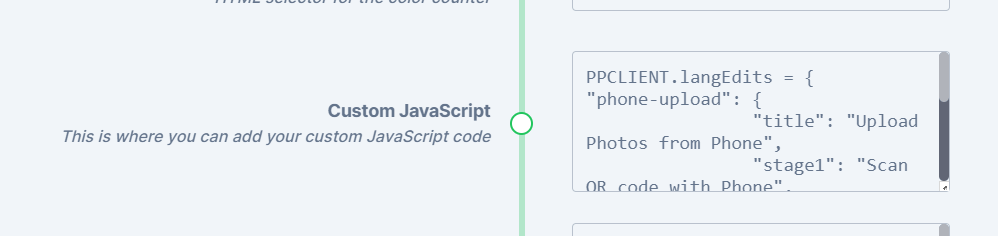 *The above should be inserted in your PitchPrint Admin Settings, under Custom Javascript. Note '#dimensions' is just an example, you would need to provide your own selector that can be found on your product page, if it has a size selection.*
### WIX Cart previews
We’ve introduced cart previews on WIX, enabling customers to view their customised images within the cart. *It’s worth noting that we don’t have access to the checkout API, so we can’t modify the image displayed during the checkout process.* Furthermore, we’ve also incorporated additional functionality on WIX for an improved user experience.
### Clear design on reload
We’ve also added this incredible functionality that enables customers to clear their designs when they reload the page, providing a fresh start whenever needed. To activate this functionality, simply navigate to your [settings](https://admin.pitchprint.com/settings) >> then scroll down to the section indicated below and enable the setting:
*The above should be inserted in your PitchPrint Admin Settings, under Custom Javascript. Note '#dimensions' is just an example, you would need to provide your own selector that can be found on your product page, if it has a size selection.*
### WIX Cart previews
We’ve introduced cart previews on WIX, enabling customers to view their customised images within the cart. *It’s worth noting that we don’t have access to the checkout API, so we can’t modify the image displayed during the checkout process.* Furthermore, we’ve also incorporated additional functionality on WIX for an improved user experience.
### Clear design on reload
We’ve also added this incredible functionality that enables customers to clear their designs when they reload the page, providing a fresh start whenever needed. To activate this functionality, simply navigate to your [settings](https://admin.pitchprint.com/settings) >> then scroll down to the section indicated below and enable the setting:
 ### WIX cookie blocker
We’ve also resolved a major issue where the end user couldn’t see the "customize" button when cookies were enabled on their end. Now, regardless of cookie settings, customers should be able to view the customize button and not miss out on an opportunity to personalise their orders!
That wraps up our updates for this week, everyone! We’ll be back soon with more exciting updates and bug fixes. Wishing you a wonderful and productive week ahead from the entire PitchPrint team! 😊
**Design selector search update, Customer Design previews on Wordpress, Default background mode option, Plenty new 3D models.**
It’s been a minute, and as always it’s an absolute pleasure for us to keep you updated with what our team has been working on to make your experience on PitchPrint even better!
### Design selector search update
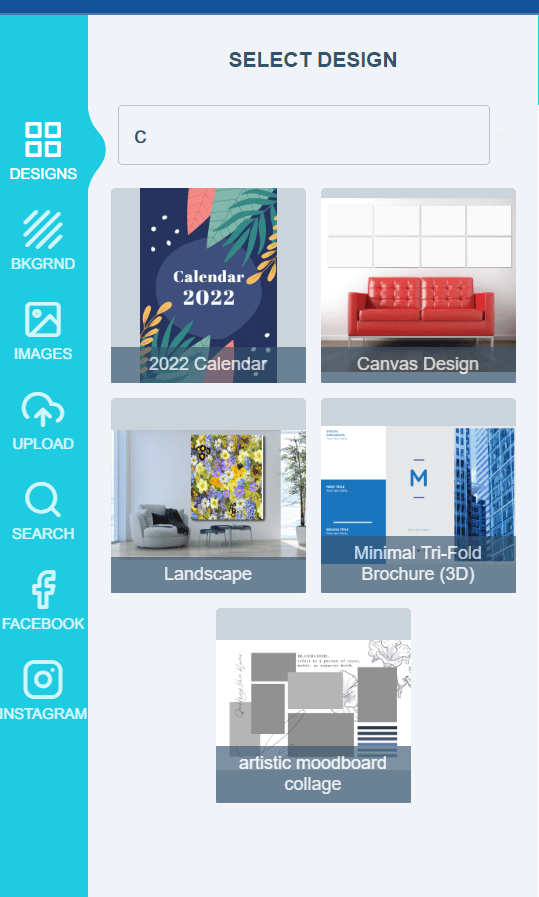
In our latest release note, we introduced enhancements to the design selector search feature discussed in our previous update. Now, users have the ability to search for designs using tags, design names, or even specific letters within a design name. When you assign tags to a design in the inside the PitchPrint admin, these tags become searchable criteria. Furthermore, the search function also allows you to find designs based on letters present within their design names. Below, we provide a few examples to illustrate these capabilities:
### WIX cookie blocker
We’ve also resolved a major issue where the end user couldn’t see the "customize" button when cookies were enabled on their end. Now, regardless of cookie settings, customers should be able to view the customize button and not miss out on an opportunity to personalise their orders!
That wraps up our updates for this week, everyone! We’ll be back soon with more exciting updates and bug fixes. Wishing you a wonderful and productive week ahead from the entire PitchPrint team! 😊
**Design selector search update, Customer Design previews on Wordpress, Default background mode option, Plenty new 3D models.**
It’s been a minute, and as always it’s an absolute pleasure for us to keep you updated with what our team has been working on to make your experience on PitchPrint even better!
### Design selector search update
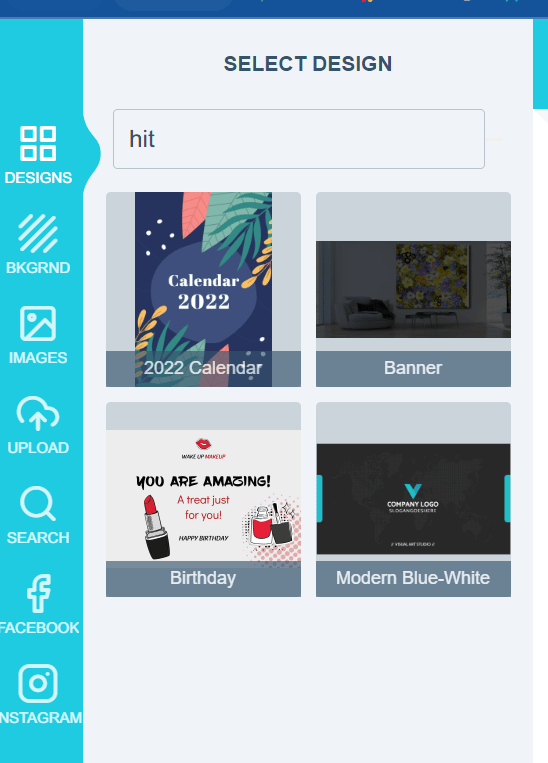
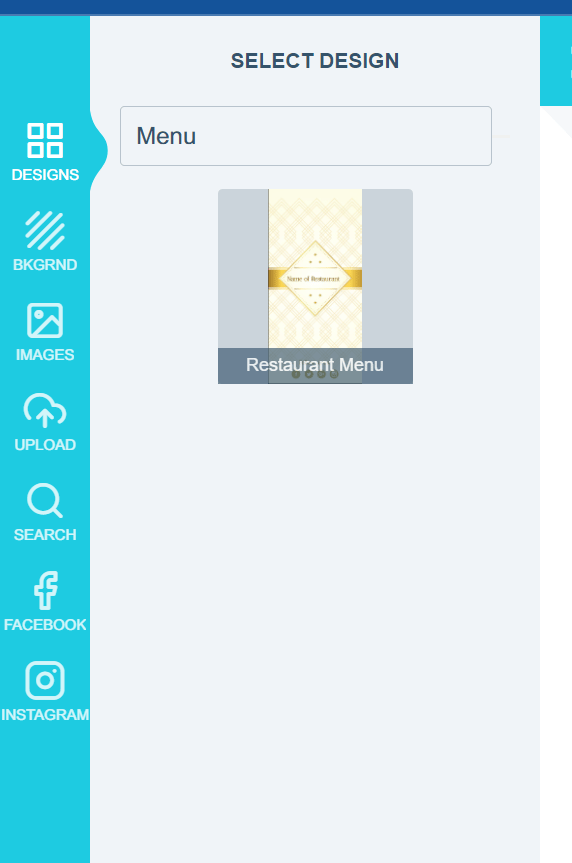
In our latest release note, we introduced enhancements to the design selector search feature discussed in our previous update. Now, users have the ability to search for designs using tags, design names, or even specific letters within a design name. When you assign tags to a design in the inside the PitchPrint admin, these tags become searchable criteria. Furthermore, the search function also allows you to find designs based on letters present within their design names. Below, we provide a few examples to illustrate these capabilities:
 ### Customer Design previews on Wordpress
Kindly take note that this particular feature is exclusively accessible for Wordpress with Woocommerce. While we currently offer the ability to include a design file in an email, certain files may be excessively large to be easily opened or attached to an email. As a solution, we have introduced an exceptional feature that enables the attachment of design previews directly to the email on Wordpress. For further guidance on how to implement this functionality, please refer to the documentation available [here](https://docs.pitchprint.com/tutorial/how-to-show-customer-design-previews-on-email-wordpress).
### Default background mode option
Previously, we used a default method to showcase the background mode. However, we have now introduced an exciting new feature that empowers the admin user to choose the default background mode when a new background is applied. This feature offers three options: ***fill***, ***fit*** and ***stretch***. With this enhancement, admins have greater flexibility in determining how backgrounds are displayed on the editor.
### Customer Design previews on Wordpress
Kindly take note that this particular feature is exclusively accessible for Wordpress with Woocommerce. While we currently offer the ability to include a design file in an email, certain files may be excessively large to be easily opened or attached to an email. As a solution, we have introduced an exceptional feature that enables the attachment of design previews directly to the email on Wordpress. For further guidance on how to implement this functionality, please refer to the documentation available [here](https://docs.pitchprint.com/tutorial/how-to-show-customer-design-previews-on-email-wordpress).
### Default background mode option
Previously, we used a default method to showcase the background mode. However, we have now introduced an exciting new feature that empowers the admin user to choose the default background mode when a new background is applied. This feature offers three options: ***fill***, ***fit*** and ***stretch***. With this enhancement, admins have greater flexibility in determining how backgrounds are displayed on the editor.


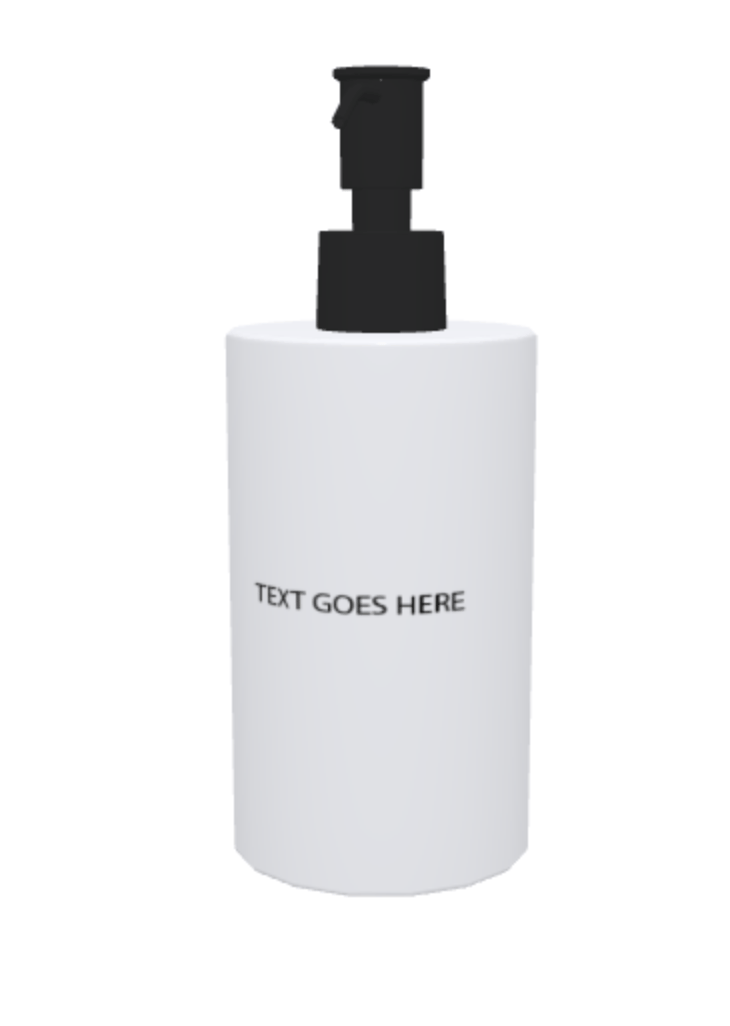
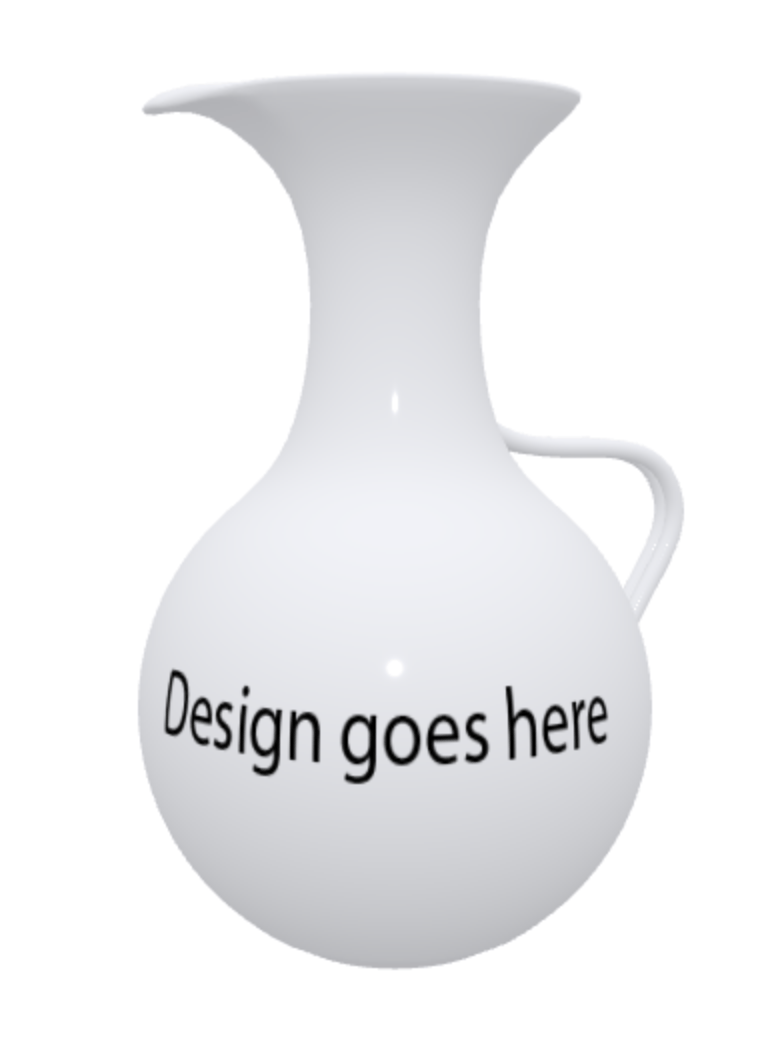
 ### Plenty new 3D models
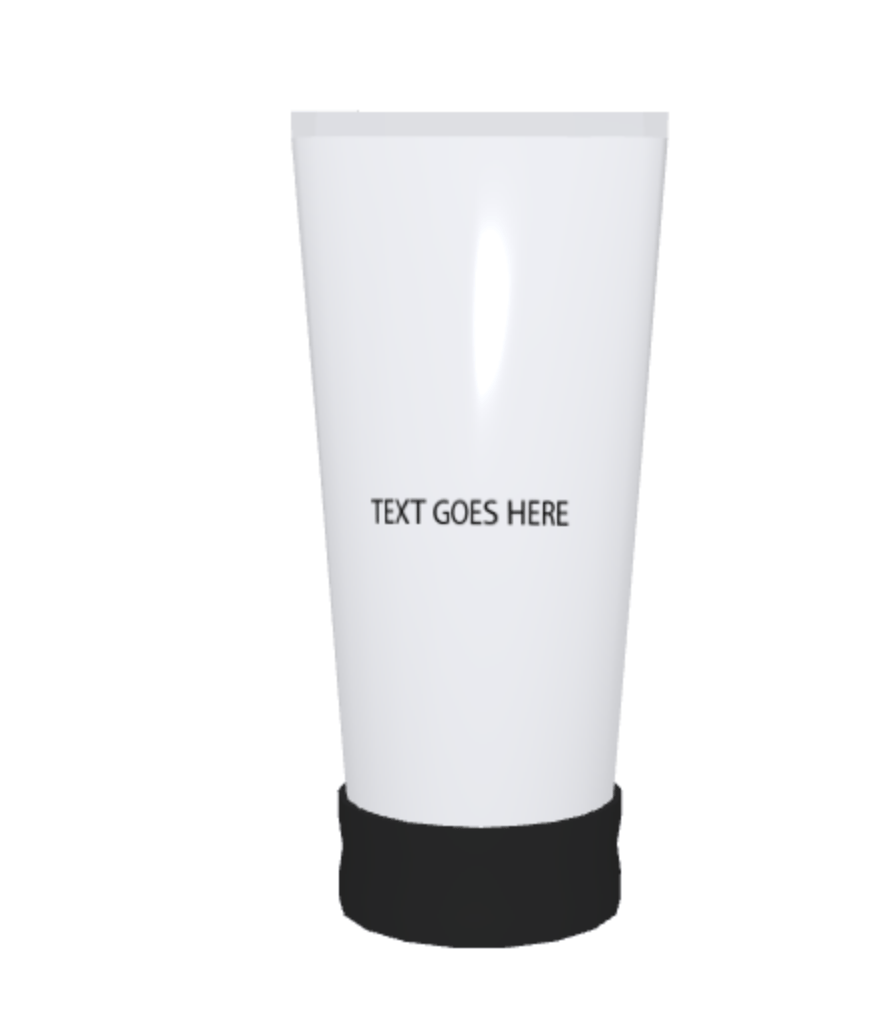
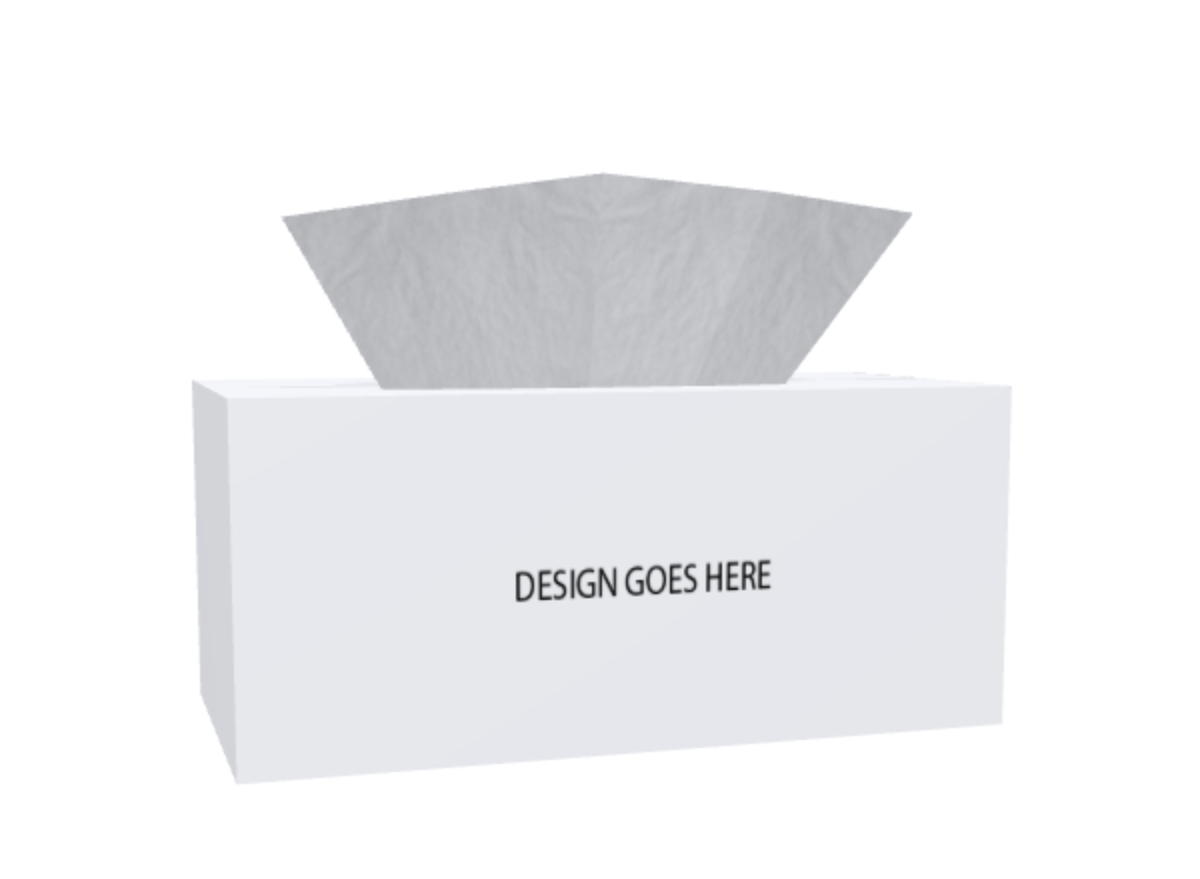
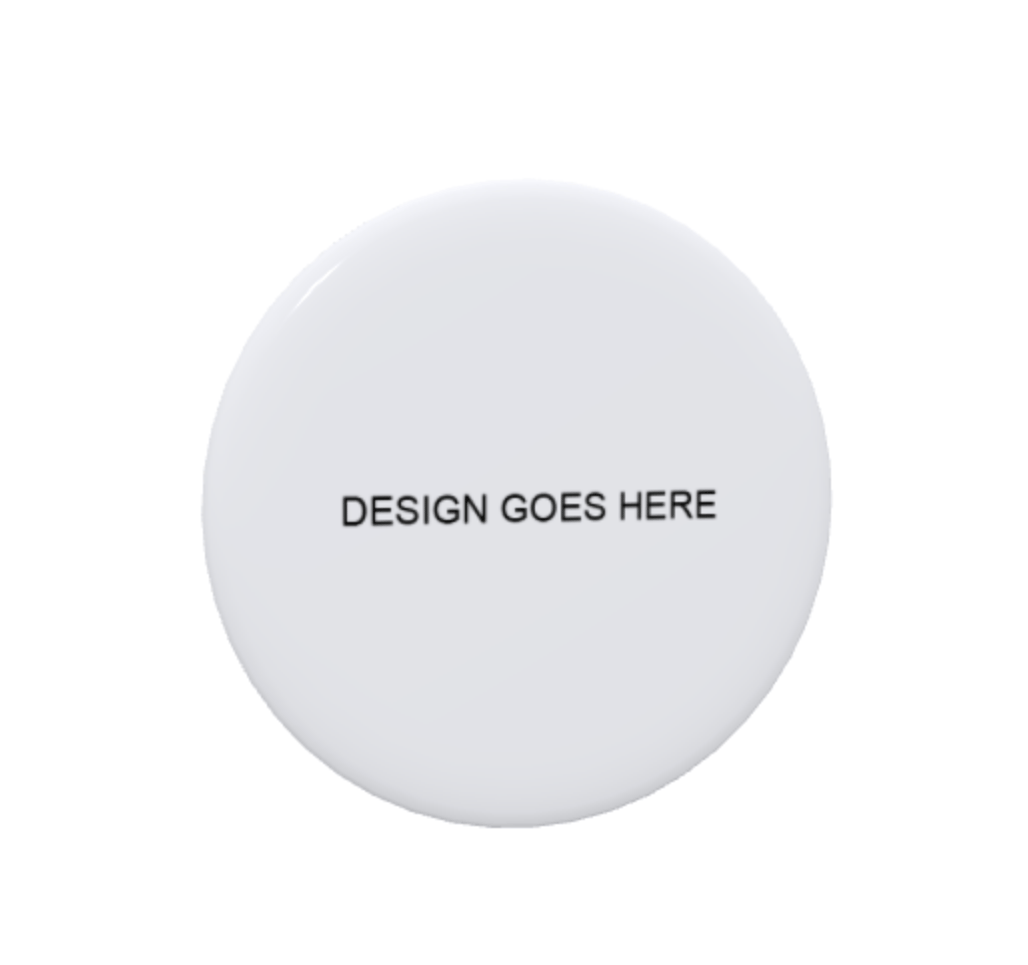
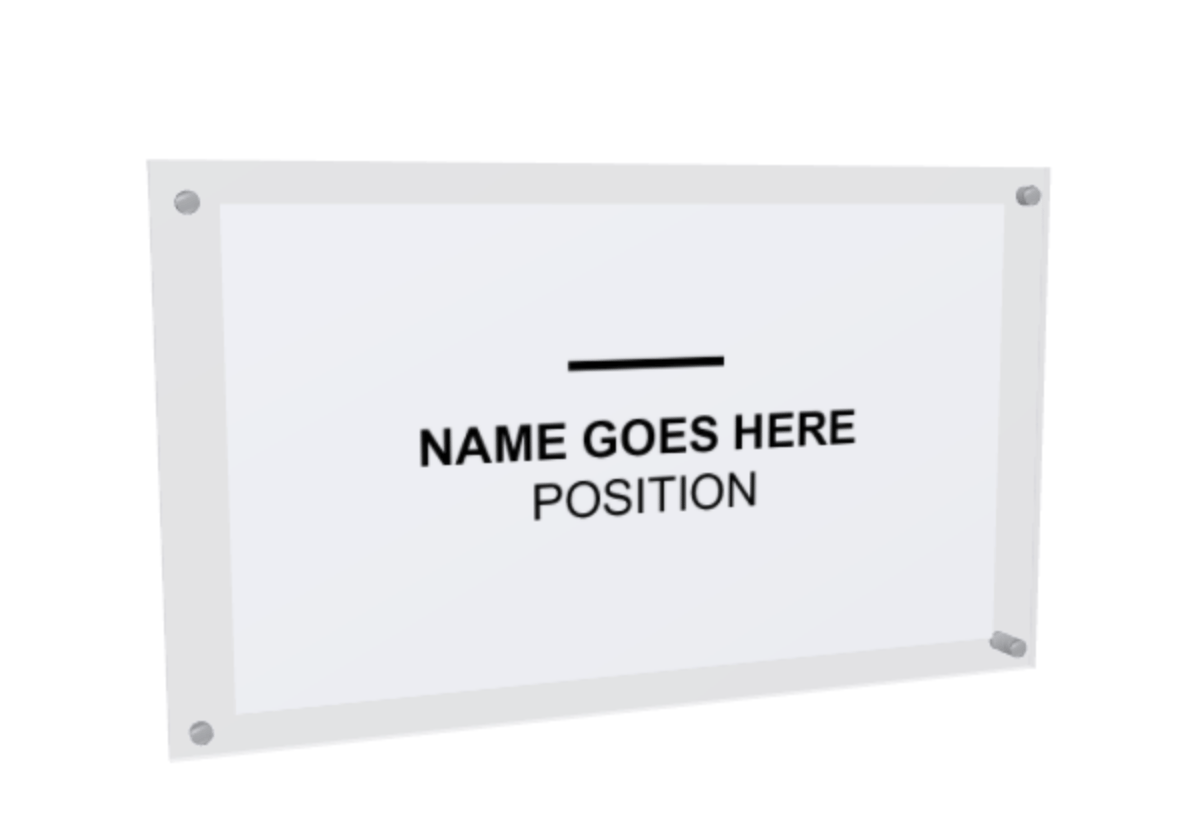
We’re thrilled to announce the addition of numerous new 3D models, particularly in the packaging category. Take a look at a selection of these exciting additions below:
### Plenty new 3D models
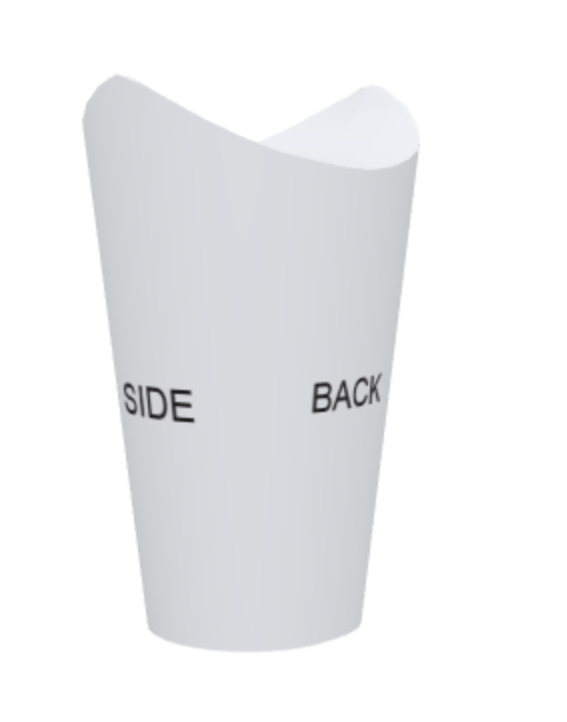
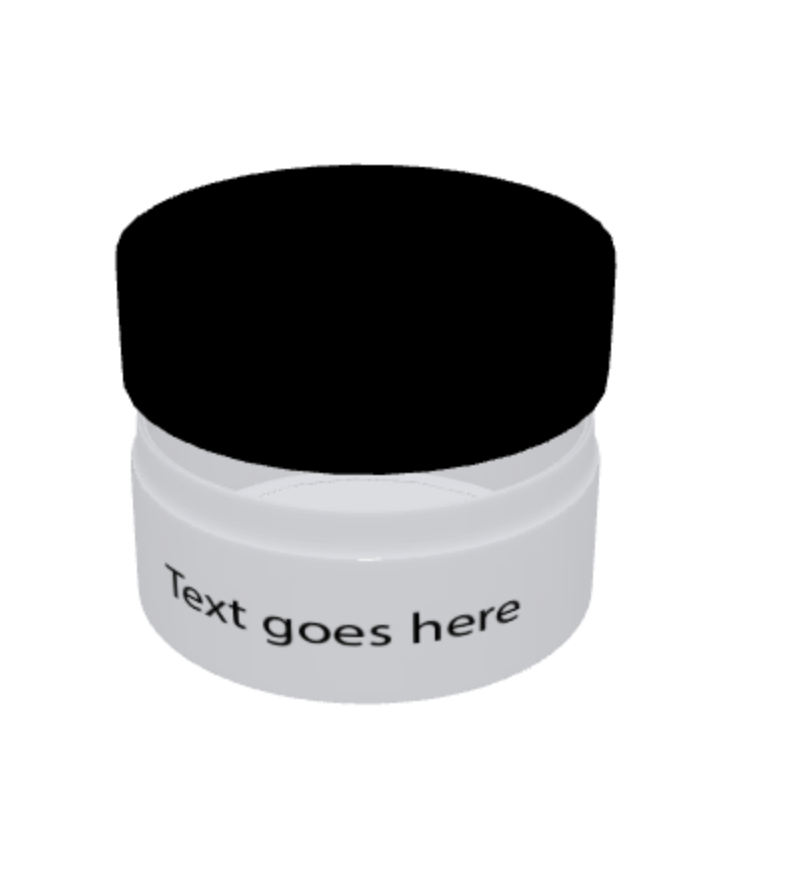
We’re thrilled to announce the addition of numerous new 3D models, particularly in the packaging category. Take a look at a selection of these exciting additions below:

 ### Duplicate projects in the orders page on WIX
We’ve resolved an issue that was causing duplicate projects to appear on the orders page for all orders placed on products with variations enabled. With the fix in place, the orders page now displays the correct project(s) for each order, eliminating any previous instances of duplicates.
That’s it for this week folks, until next time have a lovely and productive week from the PitchPrint team!😊
**Search Designs in Design Selector, Pagination in Orders Page BigCommerce, Flatten Text into Vector Shapes, New Background Resources.**
It’s been a while, and we are thrilled to provide you with the latest updates on what our team has been working on to enhance your experience on PitchPrint.
### Search Designs in Design Selector
We have introduced an exciting feature that allows end users to search for designs in the design selector using keywords or design names. This time-saving feature eliminates the need for endless scrolling through designs. To enable this feature, please save your styling preferences [here](https://admin.pitchprint.com/styling) by clicking on the SAVE CHANGES button and then reload the layout [here](https://admin.pitchprint.com/layouts) by clicking on "reload latest". Note: After reloading, remember to save any custom changes externally (such as Javascript and CSS) before pasting them back into PitchPrint. Check out the example below to see how the search works:
### Duplicate projects in the orders page on WIX
We’ve resolved an issue that was causing duplicate projects to appear on the orders page for all orders placed on products with variations enabled. With the fix in place, the orders page now displays the correct project(s) for each order, eliminating any previous instances of duplicates.
That’s it for this week folks, until next time have a lovely and productive week from the PitchPrint team!😊
**Search Designs in Design Selector, Pagination in Orders Page BigCommerce, Flatten Text into Vector Shapes, New Background Resources.**
It’s been a while, and we are thrilled to provide you with the latest updates on what our team has been working on to enhance your experience on PitchPrint.
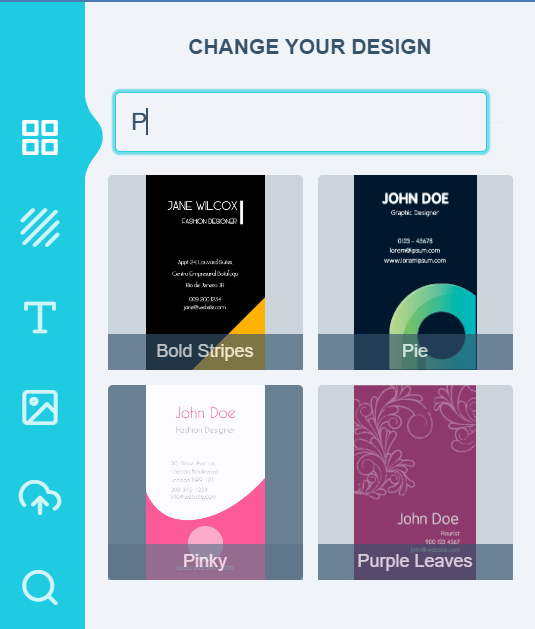
### Search Designs in Design Selector
We have introduced an exciting feature that allows end users to search for designs in the design selector using keywords or design names. This time-saving feature eliminates the need for endless scrolling through designs. To enable this feature, please save your styling preferences [here](https://admin.pitchprint.com/styling) by clicking on the SAVE CHANGES button and then reload the layout [here](https://admin.pitchprint.com/layouts) by clicking on "reload latest". Note: After reloading, remember to save any custom changes externally (such as Javascript and CSS) before pasting them back into PitchPrint. Check out the example below to see how the search works:
 ### Pagination in Orders Page BigCommerce
For BigCommerce users, we have implemented pagination on the [Orders page](https://admin.pitchprint.com/orders) . This convenient feature enables admins to easily navigate through all the orders on their account.
### Flatten Text into Vector Shapes
We are excited to introduce the new "Flatten text into vector shapes" feature. By enabling this option in the [settings](https://admin.pitchprint.com/settings), all text items in the PDF file will be flattened into vector shapes. This can be particularly useful for specific design requirements. All you need to do is flip the toggle switch as shown below:
### Pagination in Orders Page BigCommerce
For BigCommerce users, we have implemented pagination on the [Orders page](https://admin.pitchprint.com/orders) . This convenient feature enables admins to easily navigate through all the orders on their account.
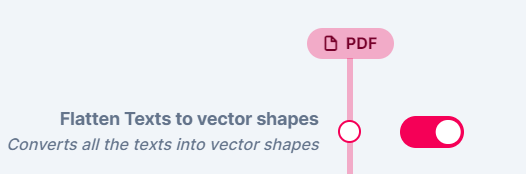
### Flatten Text into Vector Shapes
We are excited to introduce the new "Flatten text into vector shapes" feature. By enabling this option in the [settings](https://admin.pitchprint.com/settings), all text items in the PDF file will be flattened into vector shapes. This can be particularly useful for specific design requirements. All you need to do is flip the toggle switch as shown below:
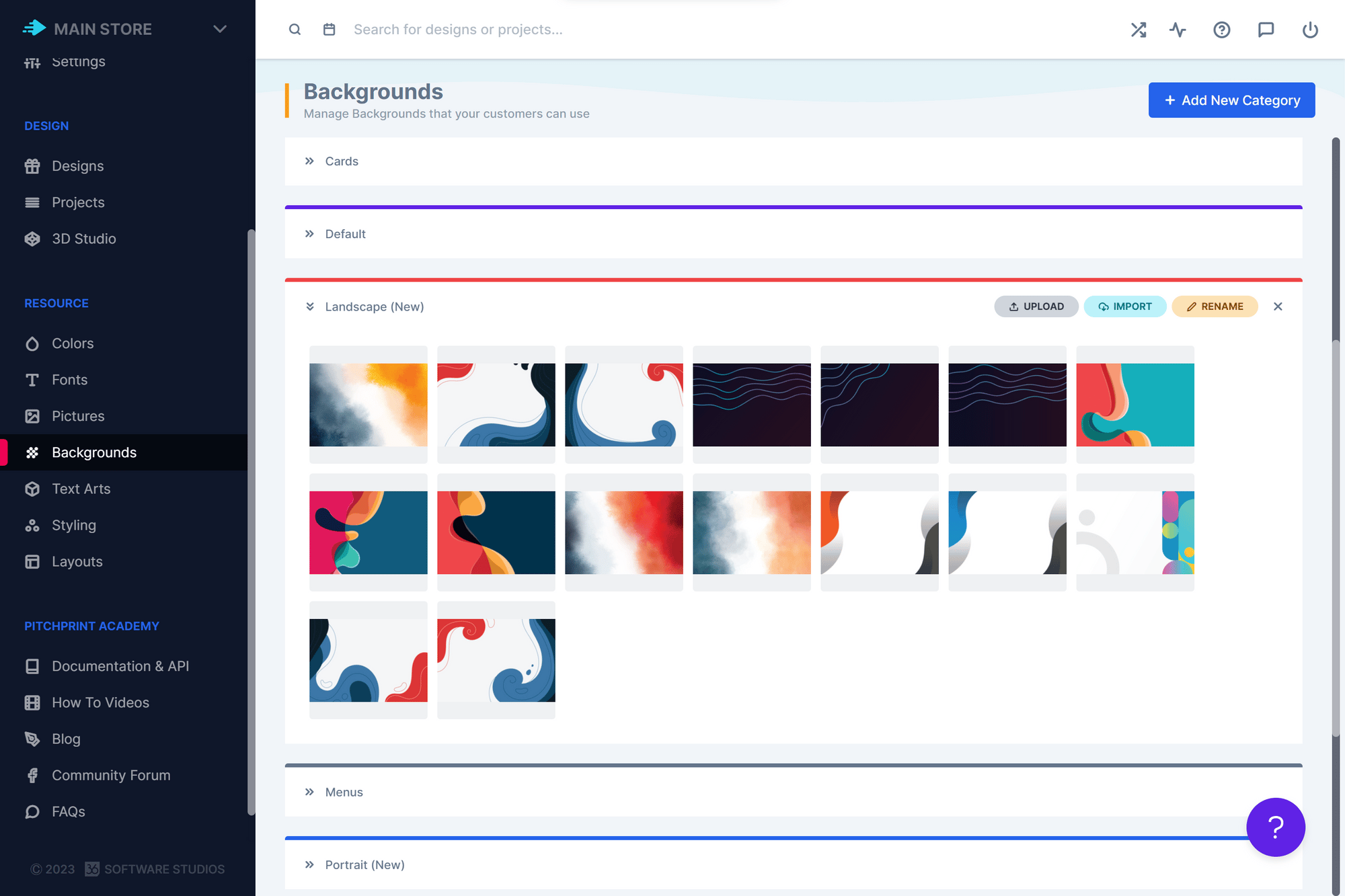
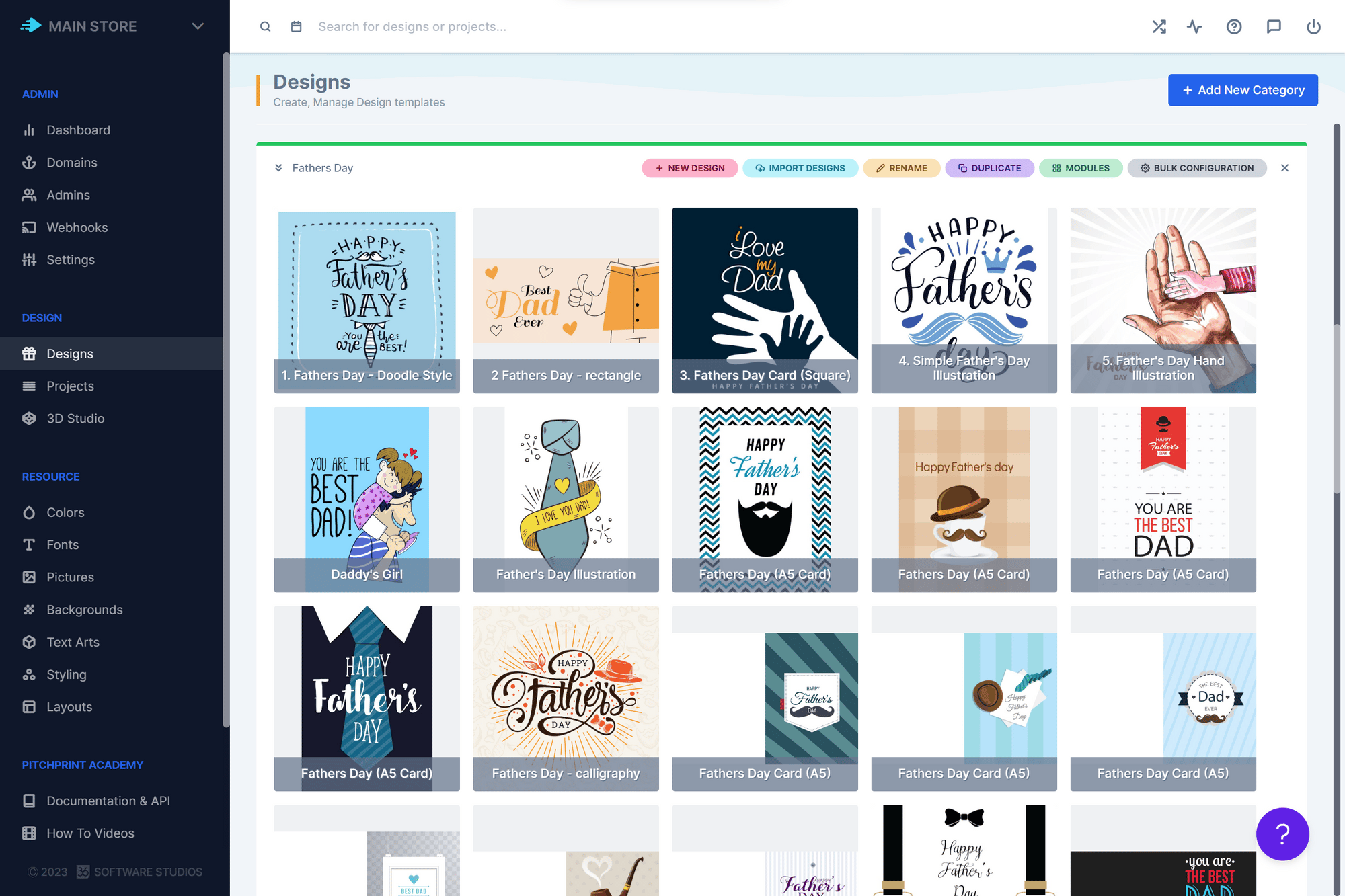
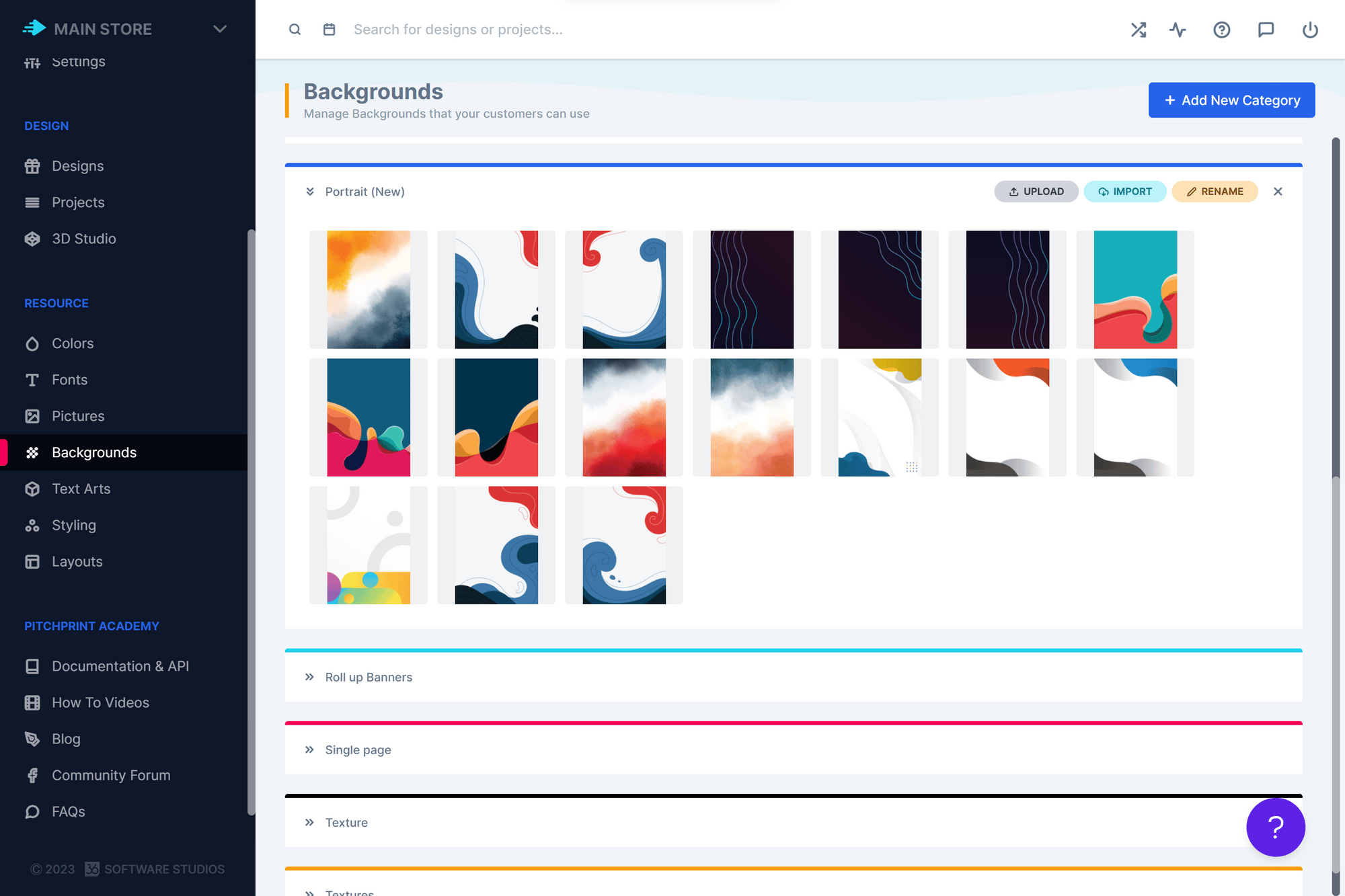
 ### New Background Resources
We have expanded the selection of background resources available in the PitchPrint admin. Admins now have a wider variety of backgrounds to choose from when creating designs. Take a look at some of the backgrounds we have added:
### New Background Resources
We have expanded the selection of background resources available in the PitchPrint admin. Admins now have a wider variety of backgrounds to choose from when creating designs. Take a look at some of the backgrounds we have added:
 That wraps up our updates for this week, everyone! We’ll be back soon with more exciting updates and bug fixes. Wishing you a wonderful and productive week ahead from the entire PitchPrint team! 😊
**Preview Pages of a design on Wordpress, Attach order ID to project on Wordpress.**
We are delighted to share with you the latest updates from our team at PitchPrint, which are aimed at improving your overall experience.
### Preview Pages of a design on Wordpress
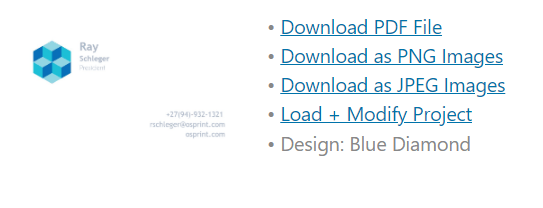
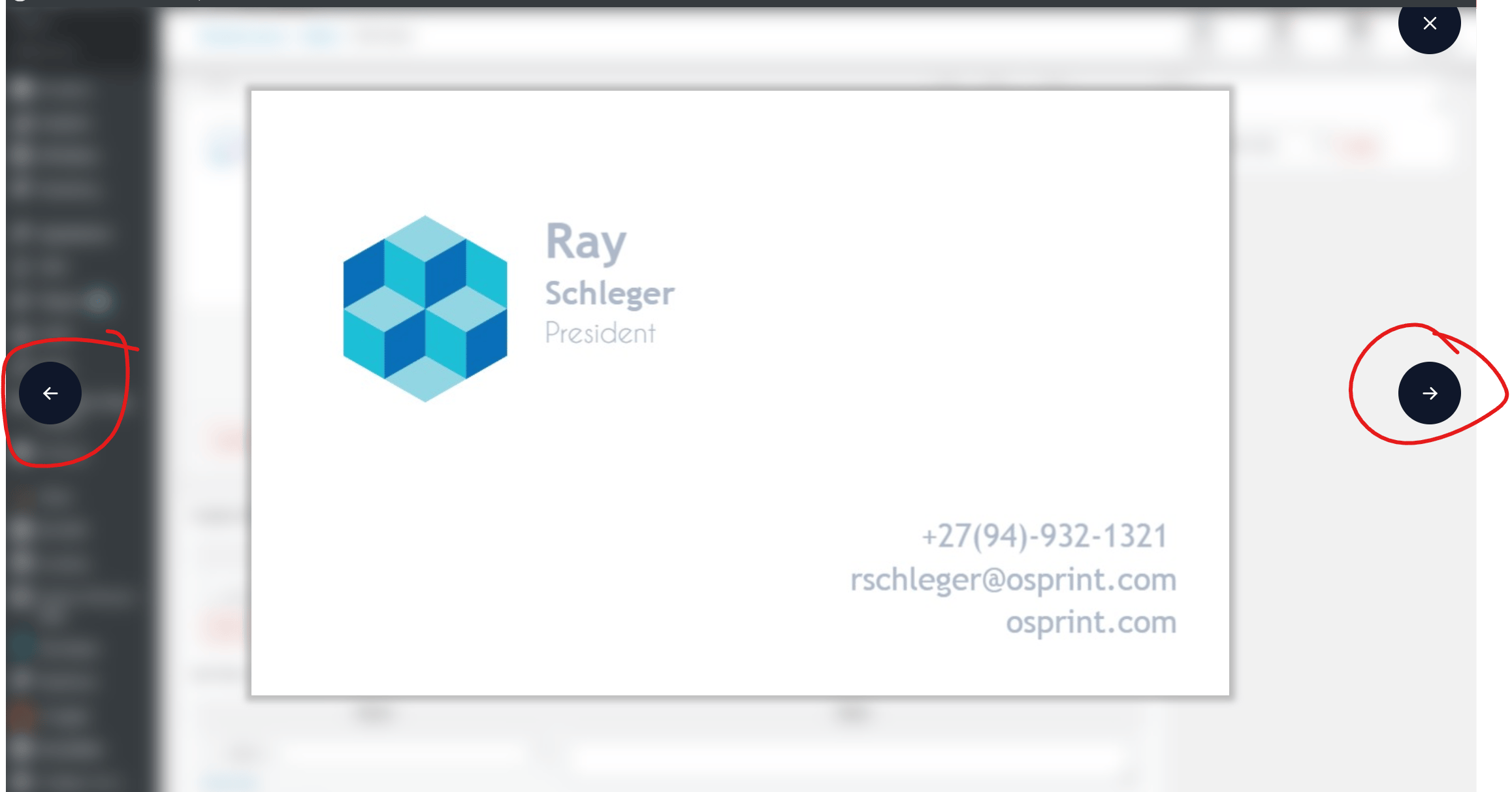
One of the new features we have introduced is the ability for admins to preview multiple pages of a design on Wordpress. Previously, only the first page of a design was visible in the order details on Wordpress admin. However, with this new functionality, admins can now view up to 10 pages of a design simply by clicking on the preview image in the order details. Please refer to the images below for more information:
That wraps up our updates for this week, everyone! We’ll be back soon with more exciting updates and bug fixes. Wishing you a wonderful and productive week ahead from the entire PitchPrint team! 😊
**Preview Pages of a design on Wordpress, Attach order ID to project on Wordpress.**
We are delighted to share with you the latest updates from our team at PitchPrint, which are aimed at improving your overall experience.
### Preview Pages of a design on Wordpress
One of the new features we have introduced is the ability for admins to preview multiple pages of a design on Wordpress. Previously, only the first page of a design was visible in the order details on Wordpress admin. However, with this new functionality, admins can now view up to 10 pages of a design simply by clicking on the preview image in the order details. Please refer to the images below for more information:
 ### Attach order ID to project on Wordpress
We have made another improvement to PitchPrint by adding the Wordpress order ID to the project details. This will help users to easily identify which project belongs to which order. The order ID will be visible alongside the project ID.
### Scroll in left panel
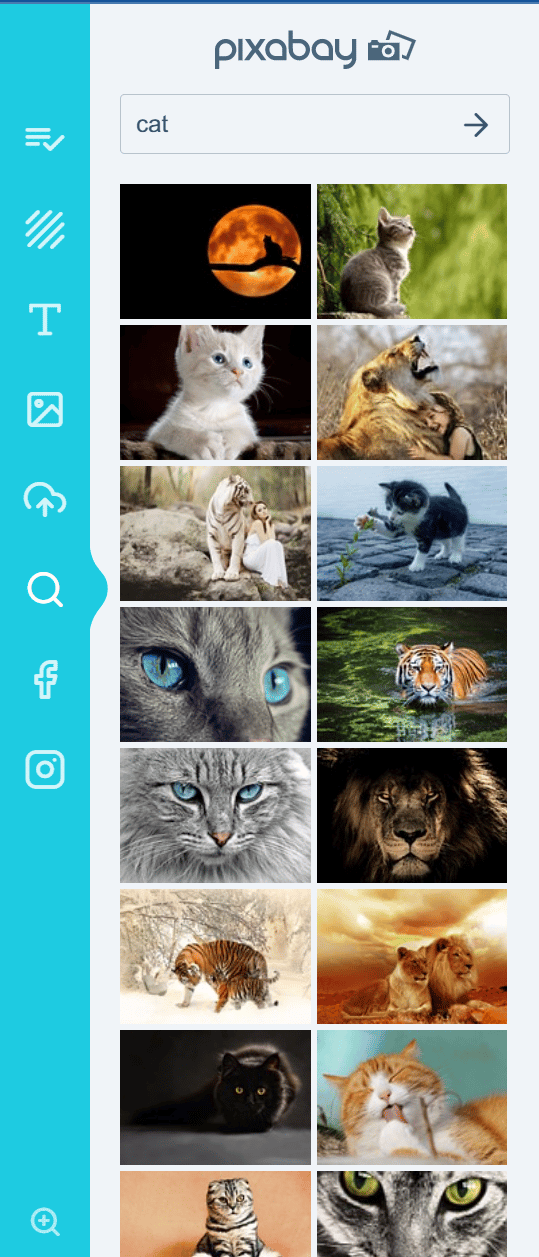
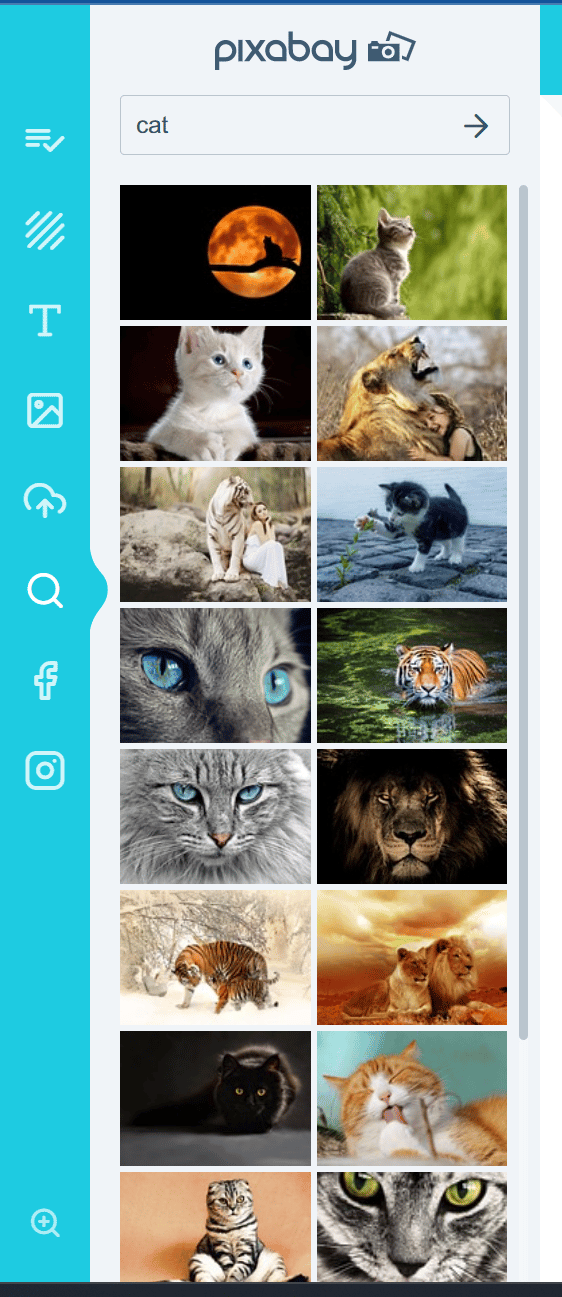
A customer reported that the scroll bar would sometimes disappear when zooming in too far inside the editor. This issue arose because the left section height was set to 100%, but only a portion of images were being displayed in the section. As a result, the browser assumed that the scroll bar was unnecessary because all the available space in the section was already in use. We have resolved this issue and the scroll bar will now appear regardless of the zoom value. Please see the images below for a visual representation:
### Attach order ID to project on Wordpress
We have made another improvement to PitchPrint by adding the Wordpress order ID to the project details. This will help users to easily identify which project belongs to which order. The order ID will be visible alongside the project ID.
### Scroll in left panel
A customer reported that the scroll bar would sometimes disappear when zooming in too far inside the editor. This issue arose because the left section height was set to 100%, but only a portion of images were being displayed in the section. As a result, the browser assumed that the scroll bar was unnecessary because all the available space in the section was already in use. We have resolved this issue and the scroll bar will now appear regardless of the zoom value. Please see the images below for a visual representation:
 And that’s it for this week, folks! We hope you have a productive week ahead from the PitchPrint team.😊
**Black & White Image Operation, Wordpress Plugin Update, New Backgrounds and Pictures.**
As always it’s an absolute pleasure for us to let you know what our team has been working on to make your experience on PitchPrint even better.
### Black & White Image Operation
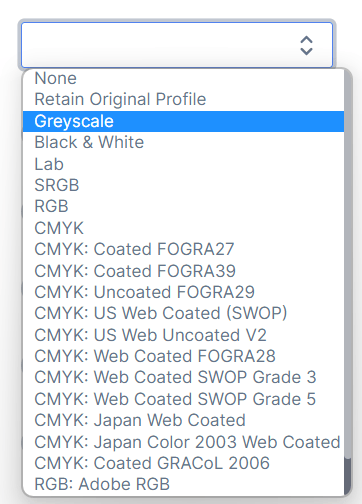
We added **Black & White** as an option in our image operation list. This allows you to convert an uploaded image into black and white. Please have a look at the image upload operations we currently support below:
And that’s it for this week, folks! We hope you have a productive week ahead from the PitchPrint team.😊
**Black & White Image Operation, Wordpress Plugin Update, New Backgrounds and Pictures.**
As always it’s an absolute pleasure for us to let you know what our team has been working on to make your experience on PitchPrint even better.
### Black & White Image Operation
We added **Black & White** as an option in our image operation list. This allows you to convert an uploaded image into black and white. Please have a look at the image upload operations we currently support below:
 To enable the image operation feature please go to desired design >> click on the gear icon as shown below:
 Scroll down to Uploaded Image Operations and Select the desired feature from the drop down:
 Once you’ve done this please save your selection to apply the change to your design.
### Wordpress Plugin Update
We tested and released the latest update for Wordpress 6.2 as well as the latest version of Woocommerce 7.5.1 . The update will allow you to update your Wordpress OR Woocommerce platforms without having to worry about compatibility issues with PitchPrint.
### New Backgrounds and Pictures
We added the following categories to the backgrounds Abstract Images, Background Images and Texture. We added some Picture categories as well namely Cute Beach, Nautical, Doodles
Once you’ve done this please save your selection to apply the change to your design.
### Wordpress Plugin Update
We tested and released the latest update for Wordpress 6.2 as well as the latest version of Woocommerce 7.5.1 . The update will allow you to update your Wordpress OR Woocommerce platforms without having to worry about compatibility issues with PitchPrint.
### New Backgrounds and Pictures
We added the following categories to the backgrounds Abstract Images, Background Images and Texture. We added some Picture categories as well namely Cute Beach, Nautical, Doodles
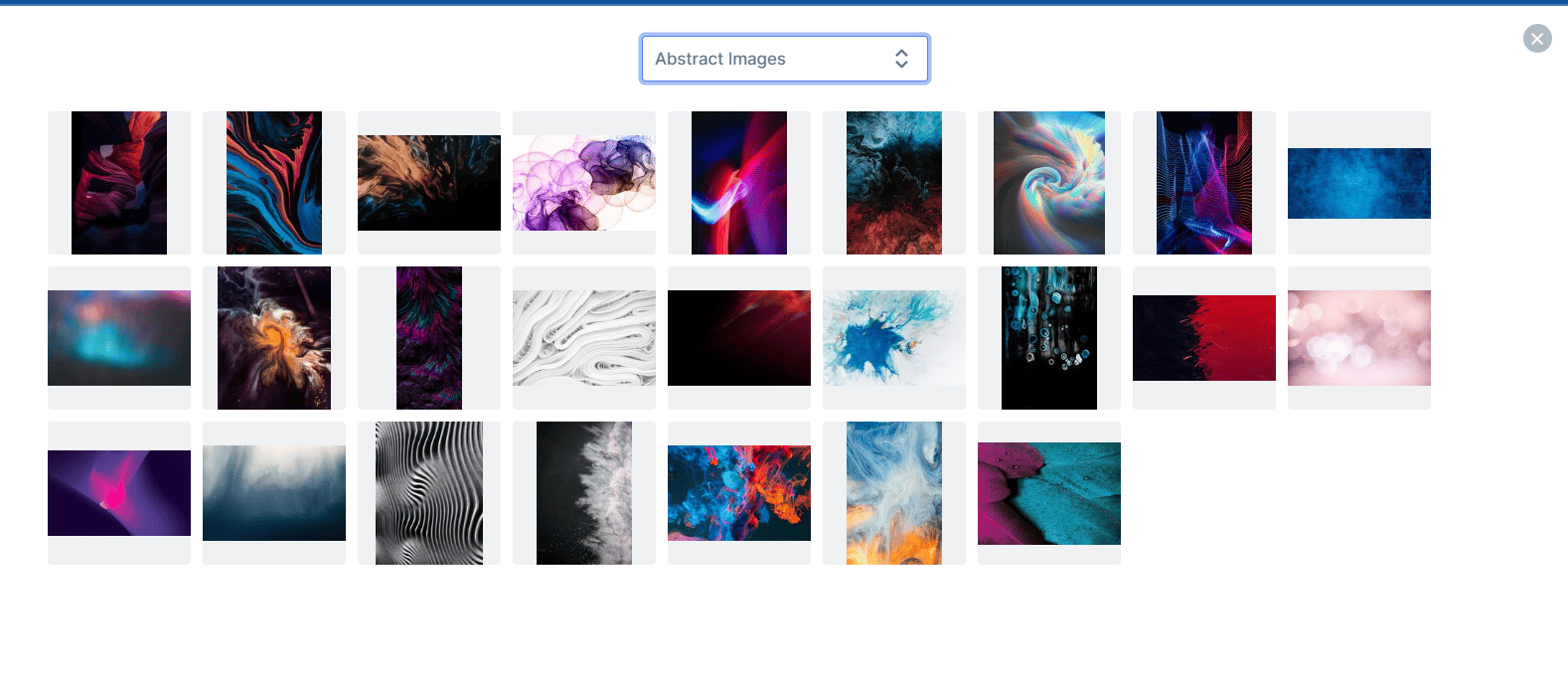
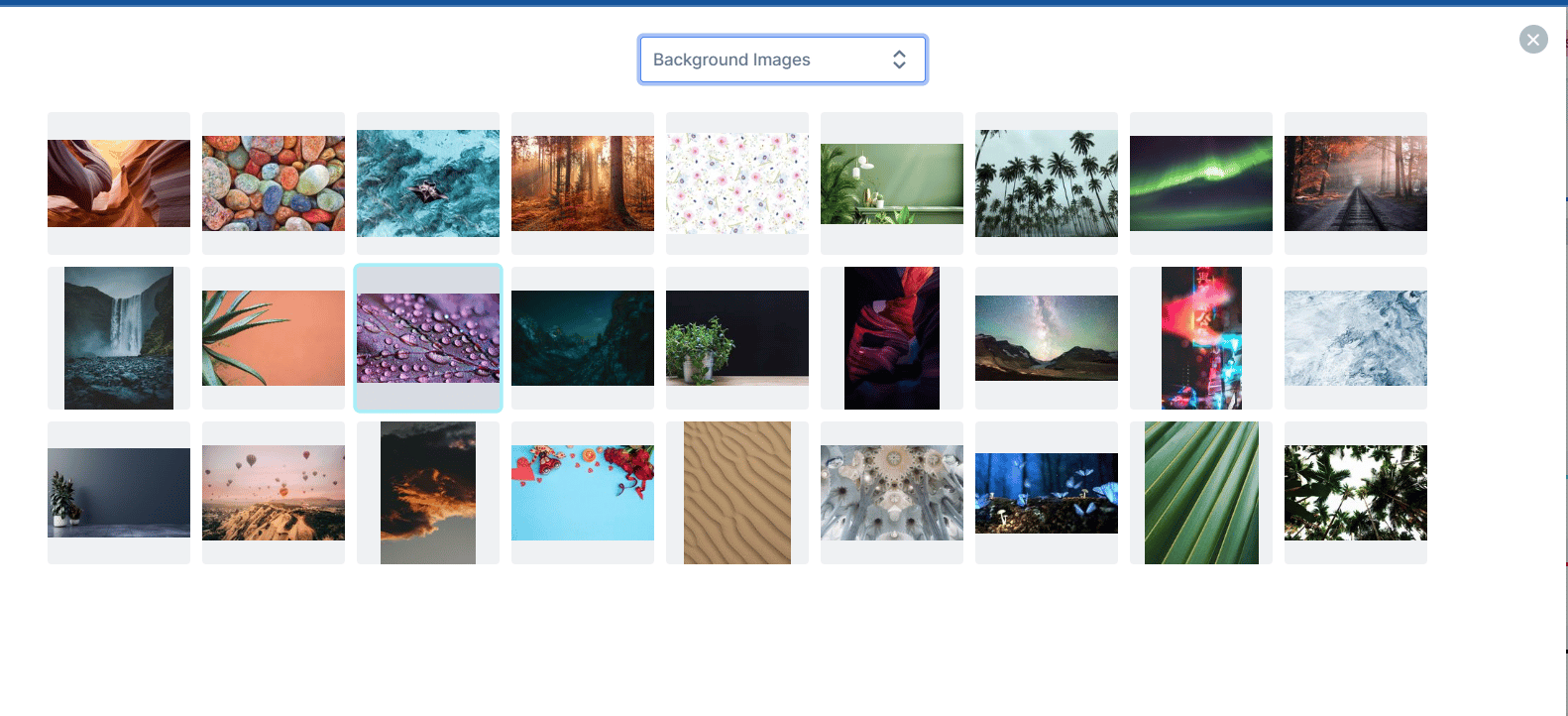
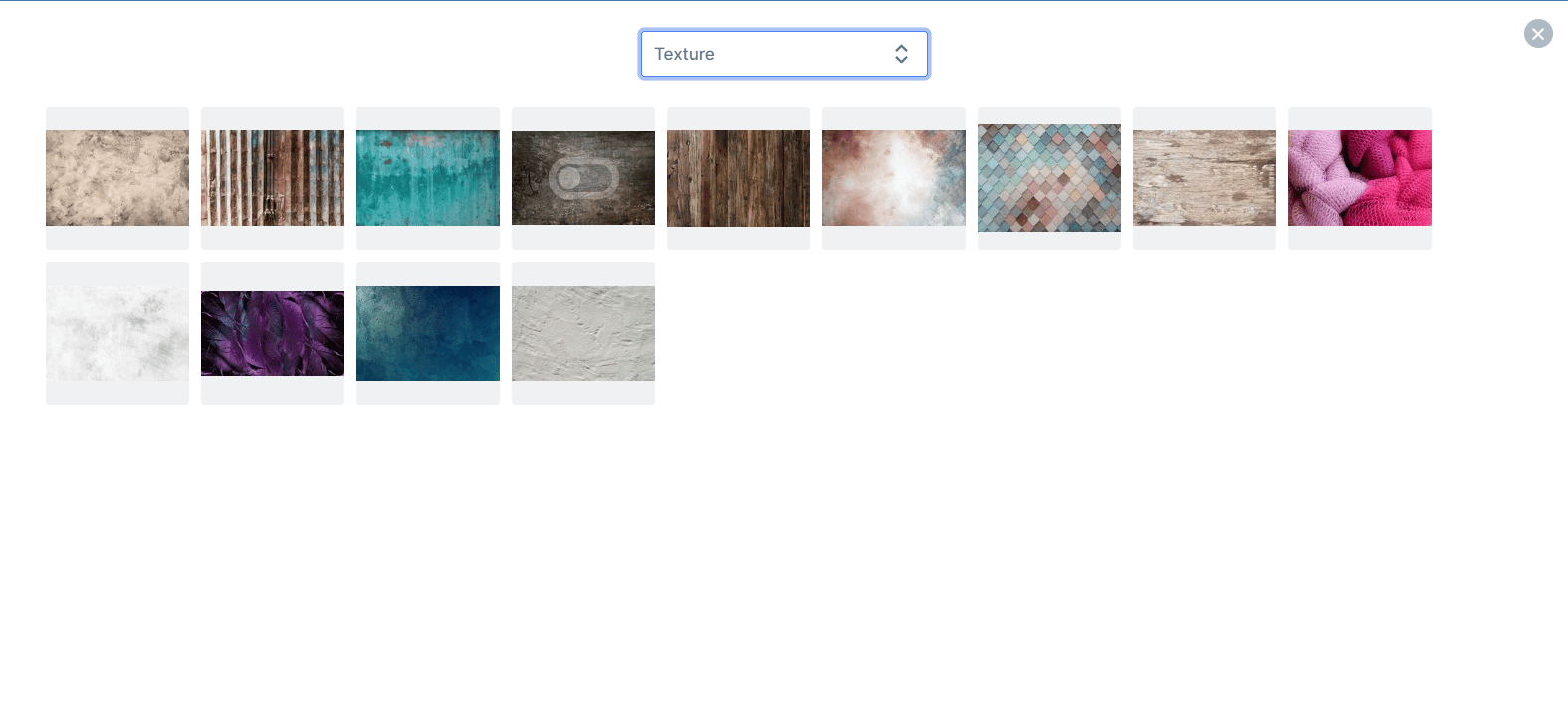

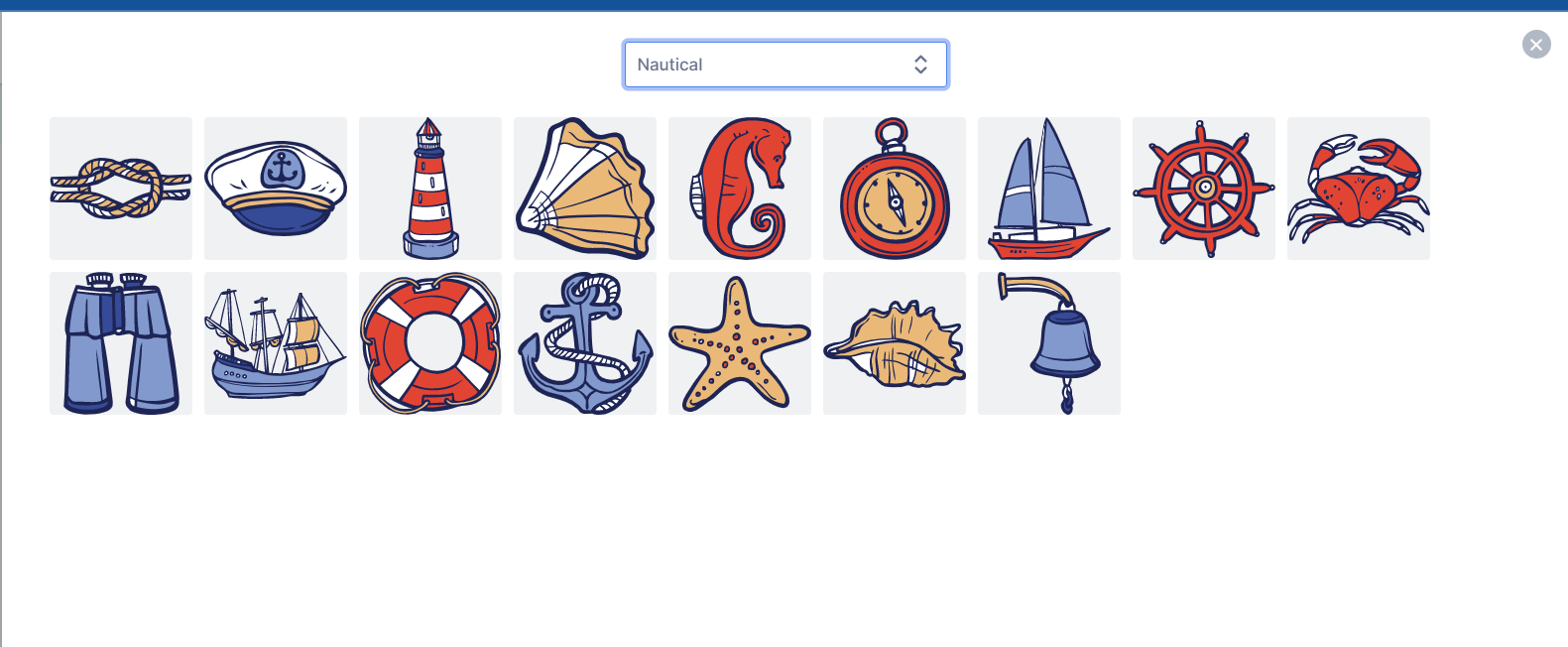
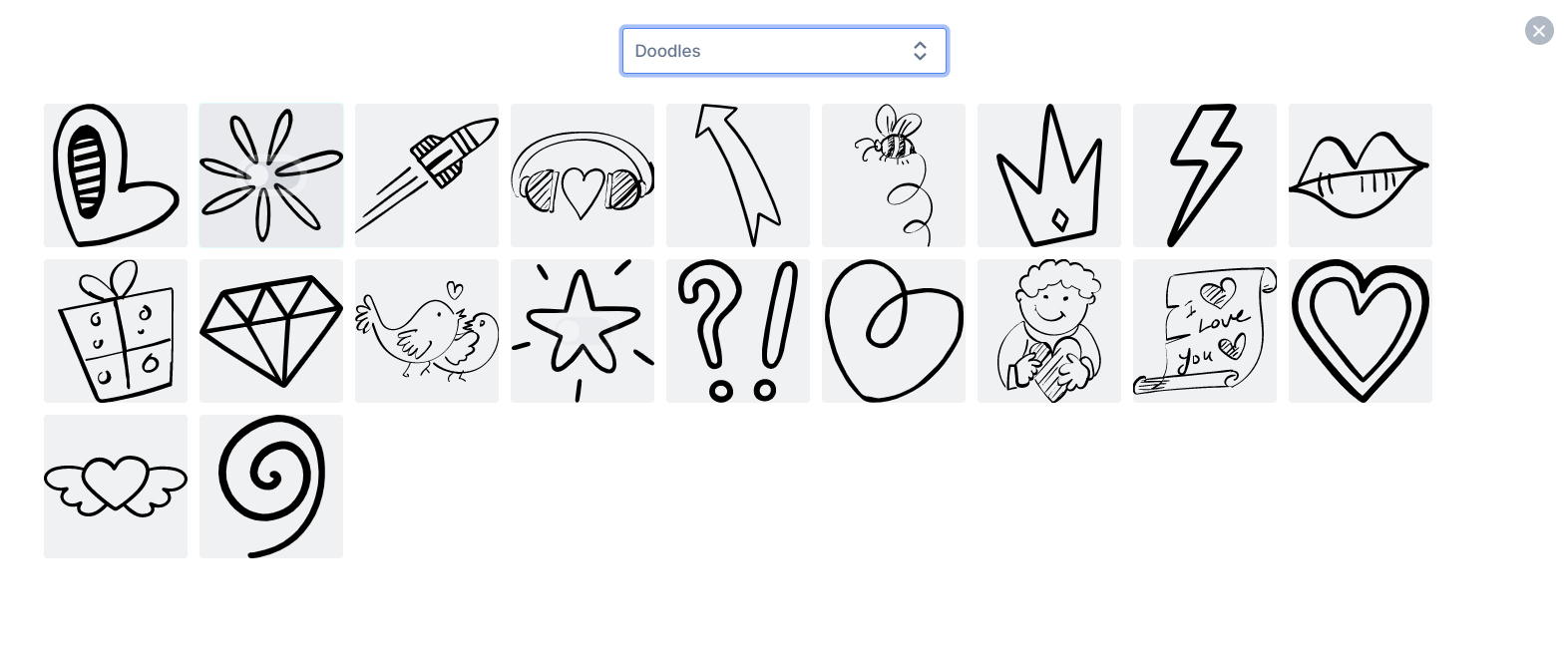 These are just a few of the new resources we added, please refer to the list below for a list of all the resources we’ve added:
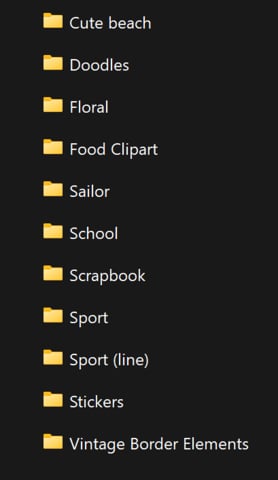 Well that’s it for this week folks, have a lovely PassOver weekend with your family 🙂from the PitchPrint team!😊
**Order completed Webhook BigCommerce, File Upload, Project Saved, Order Processing.**
We’re back and hope that you’re having an awesome new year thus far. We appreciate your support over the past year and we look forward to a much more exciting year ahead.
As always it’s an absolute pleasure for us to keep you up to date with what our team has been working on to make your experience on PitchPrint the best possible.
### Order completed Webhook BigCommerce
Our webhooks allow Admins to automate processes like sending files (uploaded files OR customized design files) to an endpoint provided once a certain action is completed. We currently offer the following webhooks:
### File Upload
When a file is uploaded inside the editor.
### Project Saved
When a customer submits their design inside an editor.
### Order Processing
While the order is processing.
### Order Completed
When an order is completed.
On the initial #BigCommerce release, we were only able to offer our customers File Upload and Project Saved webhook events. We are excited to announce that we have now added the Order Completed webhook which should allow Admins to send order detail information, PDF/ PNG/ JPEG files and so much more.
### Item Dimension Display
Previously, it was a challenge for customers to gage the dimensions of an item added on the canvas more especially if that item was being modified. We have now added this amazing new feature which displays the items dimensions while it is being resized on the canvas.
Well that’s it for this week folks, have a lovely PassOver weekend with your family 🙂from the PitchPrint team!😊
**Order completed Webhook BigCommerce, File Upload, Project Saved, Order Processing.**
We’re back and hope that you’re having an awesome new year thus far. We appreciate your support over the past year and we look forward to a much more exciting year ahead.
As always it’s an absolute pleasure for us to keep you up to date with what our team has been working on to make your experience on PitchPrint the best possible.
### Order completed Webhook BigCommerce
Our webhooks allow Admins to automate processes like sending files (uploaded files OR customized design files) to an endpoint provided once a certain action is completed. We currently offer the following webhooks:
### File Upload
When a file is uploaded inside the editor.
### Project Saved
When a customer submits their design inside an editor.
### Order Processing
While the order is processing.
### Order Completed
When an order is completed.
On the initial #BigCommerce release, we were only able to offer our customers File Upload and Project Saved webhook events. We are excited to announce that we have now added the Order Completed webhook which should allow Admins to send order detail information, PDF/ PNG/ JPEG files and so much more.
### Item Dimension Display
Previously, it was a challenge for customers to gage the dimensions of an item added on the canvas more especially if that item was being modified. We have now added this amazing new feature which displays the items dimensions while it is being resized on the canvas.
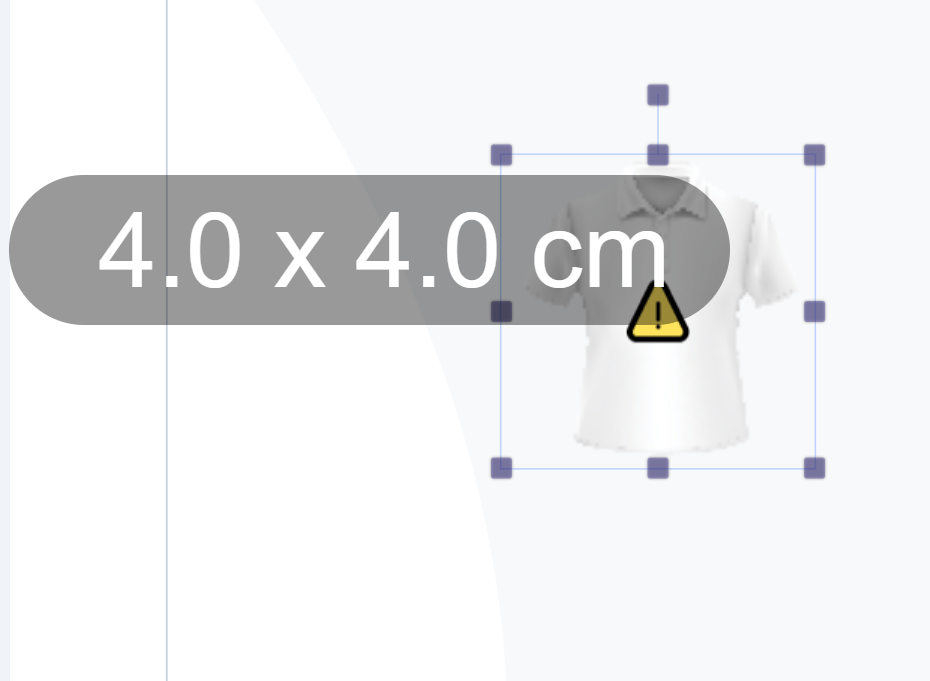 To enable this amazing feature please go to [https://admin.pitchprint.com/designs](https://admin.pitchprint.com/designs)
Hover over the design and click on the button shown below:
To enable this amazing feature please go to [https://admin.pitchprint.com/designs](https://admin.pitchprint.com/designs)
Hover over the design and click on the button shown below:
 Scroll down to the option shown below, enable it and click save:
 ### Resume Design and Save for later WIX
Some of our customers had an issue with resuming a work in progress design on WIX from their respective account page in order to modify it. We have gone ahead and fixed this issue, our #Wix customers should now be able to relaunch and edit an incomplete design without any hassles.
We also had an issue with the Save For Later functionality on WIX whereby once a customer clicks on the save for later button, the respective saved designs would unfortunately not display under the orders tab. This issue is now a thing of the past and our customer should now be able to see all past orders as well as incomplete designs.
*That’s it for this week but before you go, would you like to earn a **$10** voucher absolutely free that you can spend anywhere? Well we’re still running a campaign in conjunction with Capterra whereby a **$10** voucher will given to the first 30 people to review us on the Capterra platform.*
Hit the link below to review our PitchPrint plugin and get this amazing offer!
[https://reviews.capterra.com/new/180523/bc27794c-e803-45a9-838b-f05c5c796b36?lang=en](https://reviews.capterra.com/new/180523/bc27794c-e803-45a9-838b-f05c5c796b36?lang=en)
We’re back working on awesome features and further bug fixes. We look forward to sharing them with you all in the coming months 😊. Keep Safe!
This documentation is built and hosted on [Mintlify](https://mintlify.com), a developer documentation platform.
### Resume Design and Save for later WIX
Some of our customers had an issue with resuming a work in progress design on WIX from their respective account page in order to modify it. We have gone ahead and fixed this issue, our #Wix customers should now be able to relaunch and edit an incomplete design without any hassles.
We also had an issue with the Save For Later functionality on WIX whereby once a customer clicks on the save for later button, the respective saved designs would unfortunately not display under the orders tab. This issue is now a thing of the past and our customer should now be able to see all past orders as well as incomplete designs.
*That’s it for this week but before you go, would you like to earn a **$10** voucher absolutely free that you can spend anywhere? Well we’re still running a campaign in conjunction with Capterra whereby a **$10** voucher will given to the first 30 people to review us on the Capterra platform.*
Hit the link below to review our PitchPrint plugin and get this amazing offer!
[https://reviews.capterra.com/new/180523/bc27794c-e803-45a9-838b-f05c5c796b36?lang=en](https://reviews.capterra.com/new/180523/bc27794c-e803-45a9-838b-f05c5c796b36?lang=en)
We’re back working on awesome features and further bug fixes. We look forward to sharing them with you all in the coming months 😊. Keep Safe!
This documentation is built and hosted on [Mintlify](https://mintlify.com), a developer documentation platform.