> ## Documentation Index
> Fetch the complete documentation index at: https://pitchprint.com/llms.txt
> Use this file to discover all available pages before exploring further.
# PitchPrint + 3dcart
> PitchPrint is now available on 3dcart and can be installed right from the App Store
export const props_0 = undefined
export const author_0 = "Isaac Coker"
export const date_0 = "9 March 2020"
export const readTime_0 = "1 min read"
{props_0.author_0}
·
{props_0.date_0}
{props_0_0.readTime_0_0 && <>·{props.readTime}}
 Hi everyone 😊, our 3dcart integration is ready!
3dcart is a cloud hosted eCommerce platform like Shopify but with deep focus on SEO and conversions.
PitchPrint is now available on 3dcart and can be installed straight from the [**App Store**](https://apps.3dcart.com/pitchprint-product-customizer.html)
Installation is a breeze we have written a brief to assist you in getting started: [https://docs.pitchprint.com/documentation/pitchprint-on-3dcart](https://docs.pitchprint.com/documentation/pitchprint-on-3dcart)
***
## Release notes
1. **Create basic shapes in Version 10**: In addition to the freehand draw tool, we have expanded the basic shapes library to include Circle, Rectangle and line shapes. We will keep adding more tools over time. Coming up are ovals and star shapes.
Hi everyone 😊, our 3dcart integration is ready!
3dcart is a cloud hosted eCommerce platform like Shopify but with deep focus on SEO and conversions.
PitchPrint is now available on 3dcart and can be installed straight from the [**App Store**](https://apps.3dcart.com/pitchprint-product-customizer.html)
Installation is a breeze we have written a brief to assist you in getting started: [https://docs.pitchprint.com/documentation/pitchprint-on-3dcart](https://docs.pitchprint.com/documentation/pitchprint-on-3dcart)
***
## Release notes
1. **Create basic shapes in Version 10**: In addition to the freehand draw tool, we have expanded the basic shapes library to include Circle, Rectangle and line shapes. We will keep adding more tools over time. Coming up are ovals and star shapes.
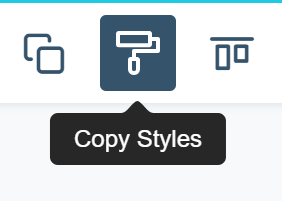
 2. **Copy Styles:** A nifty feature that allows you to copy styles across elements. It’s contextual, so for texts, it will copy all the formatting like font, color, font weight, alignment etc. For images, it copies the filters. Once copied, you can apply the copied style to an other item.
 3\. **Strokes on Text:** We have updated Version 10 to include strokes on texts.
4\. **Thumbnail Previews:** In Version 10, you can now set the navigation to use thumbnails as or change the position of the current navigation to bottom. You can do this in [settings page](https://admin.pitchprint.io/settings)
5\. **Layouts:** Version 10 Layout has been updated to use tags in assigning Layout to designs. You can read more here: [https://docs.pitchprint.com/tutorial/layouts-v10](https://docs.pitchprint.com/tutorial/layouts-v10)
This documentation is built and hosted on [Mintlify](https://mintlify.com), a developer documentation platform.
3\. **Strokes on Text:** We have updated Version 10 to include strokes on texts.
4\. **Thumbnail Previews:** In Version 10, you can now set the navigation to use thumbnails as or change the position of the current navigation to bottom. You can do this in [settings page](https://admin.pitchprint.io/settings)
5\. **Layouts:** Version 10 Layout has been updated to use tags in assigning Layout to designs. You can read more here: [https://docs.pitchprint.com/tutorial/layouts-v10](https://docs.pitchprint.com/tutorial/layouts-v10)
This documentation is built and hosted on [Mintlify](https://mintlify.com), a developer documentation platform.