> ## Documentation Index
> Fetch the complete documentation index at: https://pitchprint.com/llms.txt
> Use this file to discover all available pages before exploring further.
# Photo Print Module Update 🖼
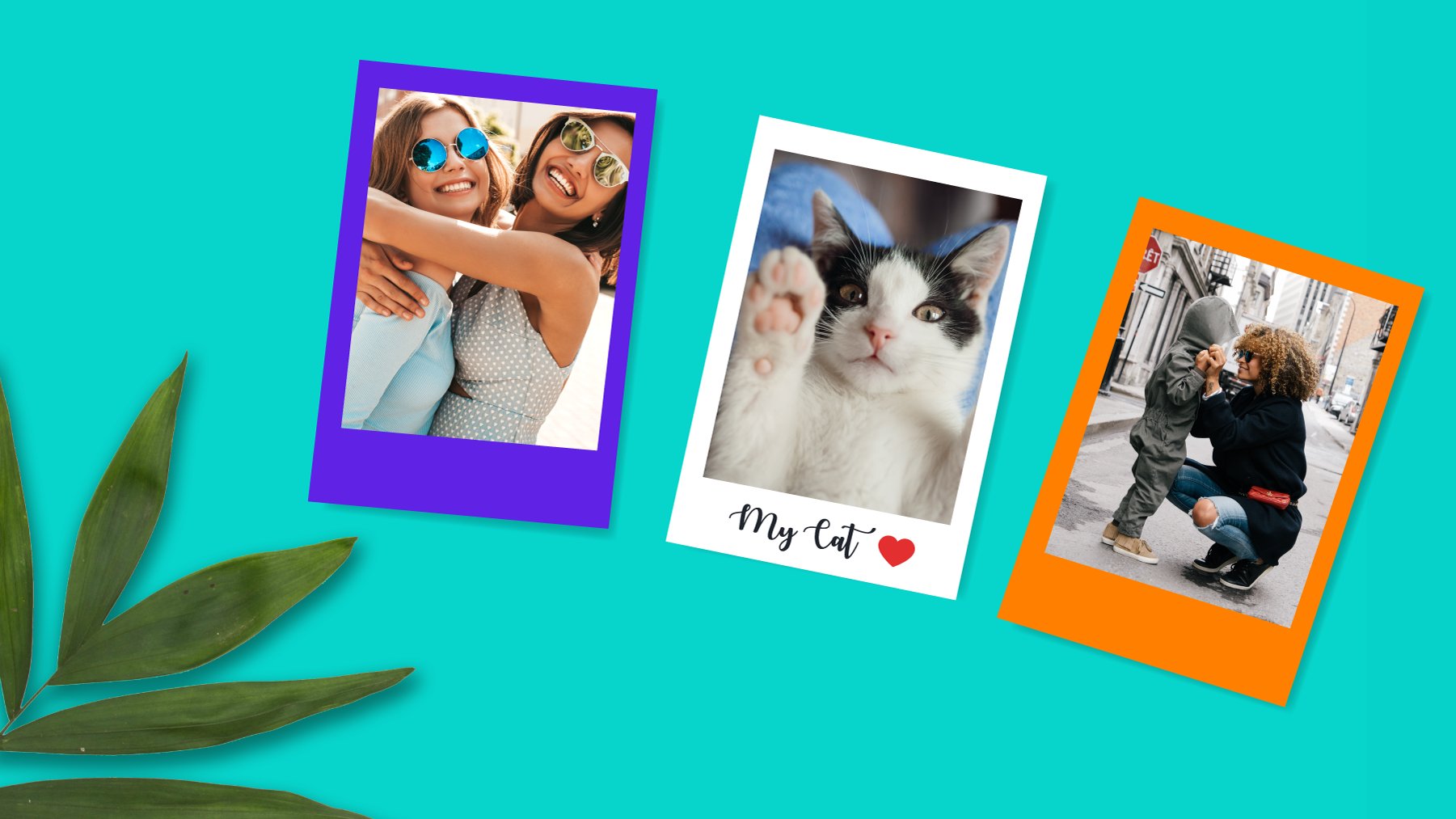
> We have improved our Photo Print modules to include two new modes: Bulk Photo Print and Vintage Photo Prints
export const props_0 = undefined
export const author_0 = "Isaac Coker"
export const date_0 = "22 July 2020"
export const readTime_0 = "2 min read"
{props_0.author_0}
·
{props_0.date_0}
{props_0_0.readTime_0_0 && <>·{props.readTime}}
 Hello everyone,
We’ve developed two additional modules for Photo Prints but rather than spin them up separately, we opted to bundle them into the existing Photo Print module as modes.
So, in your Photo Print Module configuration, you will find "Modes" as the first option.
Hello everyone,
We’ve developed two additional modules for Photo Prints but rather than spin them up separately, we opted to bundle them into the existing Photo Print module as modes.
So, in your Photo Print Module configuration, you will find "Modes" as the first option.
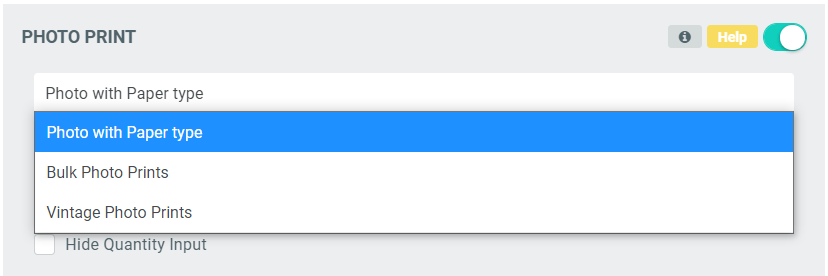 The default mode is named **Photo with Paper Type**, which is what we had initially. We newly added **Bulk Photo Prints** and **Vintage Photo Prints**.
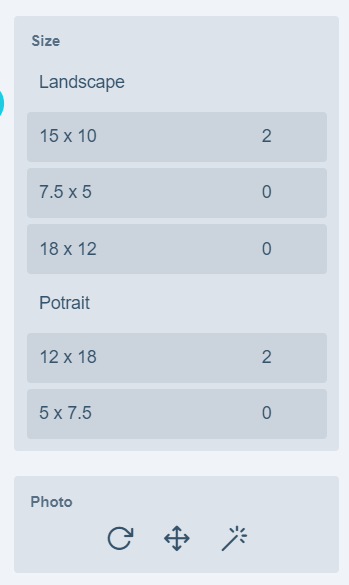
**Bulk Photo Prints** is targeted at a customer that wants to order multiple copies of their photos and in different sizes. Upon adding the photo, clicking a plus or minus against each dimension updates the quantity of that dimension.
The default mode is named **Photo with Paper Type**, which is what we had initially. We newly added **Bulk Photo Prints** and **Vintage Photo Prints**.
**Bulk Photo Prints** is targeted at a customer that wants to order multiple copies of their photos and in different sizes. Upon adding the photo, clicking a plus or minus against each dimension updates the quantity of that dimension.
 You can try out our [sample here](https://ps.demo.pitchprint.io/index.php?id_product=52\&id_product_attribute=0\&rewrite=multi-photo-prints\&controller=product\&id_lang=1)
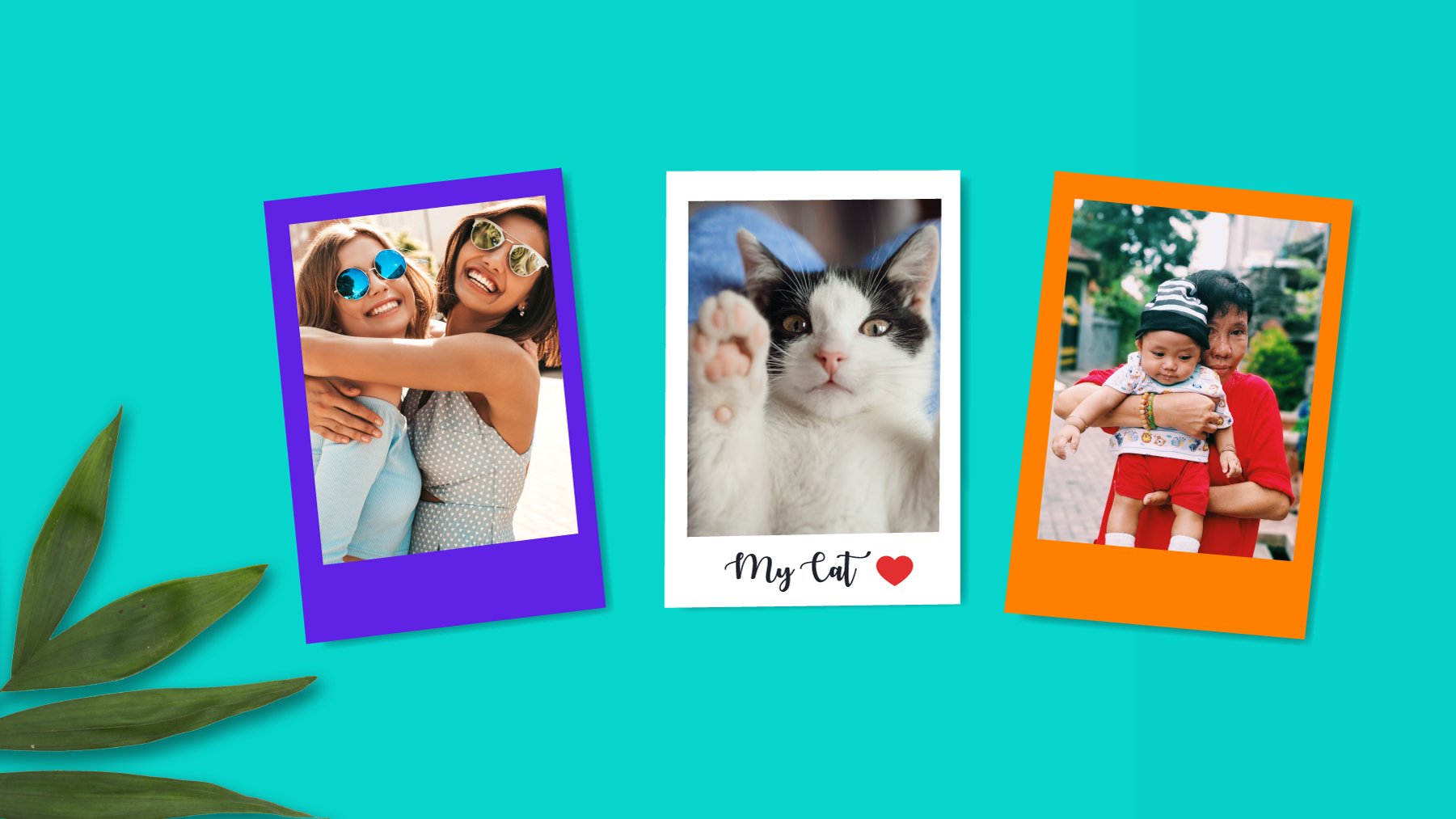
**Vintage Photo Print** mode allows customers to order their prints with retro borders, caption and colorful backgrounds which are created as design pages in the admin.
You can try out our [sample here](https://ps.demo.pitchprint.io/index.php?id_product=52\&id_product_attribute=0\&rewrite=multi-photo-prints\&controller=product\&id_lang=1)
**Vintage Photo Print** mode allows customers to order their prints with retro borders, caption and colorful backgrounds which are created as design pages in the admin.
 You can try out our [demo here](https://ps.demo.pitchprint.io/index.php?id_product=51\&id_product_attribute=0\&rewrite=vintage-photo-prints\&controller=product\&id_lang=1)
Both new modes allows customers to do basic photo edits like photo Filters, Repositioning and Rotation.
To utilize these new modes, you will need to update your [domain Layout](https://admin.pitchprint.io/layouts) to our latest and [Save your Styling](https://admin.pitchprint.io/styling) to generate a new CSS file. Clicking on the link takes you to the admin page to effect this.
Particularly for Vintage Photo Prints, a few design rules need to be adhered to, in order for our scripts to effectively target your text caption and replacement photo. [You can read about these rules here](https://docs.pitchprint.com/tutorial/photo-print-module#vintage)
### Other updates..
* **Hooks in V10** - We did add Item Hooks to v10. [Hooks Sample](https://docs.pitchprint.com/tutorial/item-hooks)
* **Greyscale Upload** - The bug is fixed where greyscale uploads do not convert
* **Horizontal Fold Lines** - Horizontal fold lines now show reflect in admin
* **Float Panels in Mobile** - On mobile devices, float panels sometime block the submit button. We did fix this issue by hiding any floating panel while in preview mode.
Thanks to you all. Keep safe 😷
This documentation is built and hosted on [Mintlify](https://mintlify.com), a developer documentation platform.
You can try out our [demo here](https://ps.demo.pitchprint.io/index.php?id_product=51\&id_product_attribute=0\&rewrite=vintage-photo-prints\&controller=product\&id_lang=1)
Both new modes allows customers to do basic photo edits like photo Filters, Repositioning and Rotation.
To utilize these new modes, you will need to update your [domain Layout](https://admin.pitchprint.io/layouts) to our latest and [Save your Styling](https://admin.pitchprint.io/styling) to generate a new CSS file. Clicking on the link takes you to the admin page to effect this.
Particularly for Vintage Photo Prints, a few design rules need to be adhered to, in order for our scripts to effectively target your text caption and replacement photo. [You can read about these rules here](https://docs.pitchprint.com/tutorial/photo-print-module#vintage)
### Other updates..
* **Hooks in V10** - We did add Item Hooks to v10. [Hooks Sample](https://docs.pitchprint.com/tutorial/item-hooks)
* **Greyscale Upload** - The bug is fixed where greyscale uploads do not convert
* **Horizontal Fold Lines** - Horizontal fold lines now show reflect in admin
* **Float Panels in Mobile** - On mobile devices, float panels sometime block the submit button. We did fix this issue by hiding any floating panel while in preview mode.
Thanks to you all. Keep safe 😷
This documentation is built and hosted on [Mintlify](https://mintlify.com), a developer documentation platform.